
There are two types of people who end up reading articles like this one.
The first already knows roughly what they want — they’ve heard of Ahrefs or Semrush, they want to know if it’s worth the money, and they’re looking for someone to give them a straight answer instead of a features list dressed up as a review.
The second is genuinely lost. SEO matters for their site — a blog, a small business, a freelance practice — but every time they try to research tools they end up more confused than when they started. More tabs open. More options. No clearer decision.
This article was written for both of them.
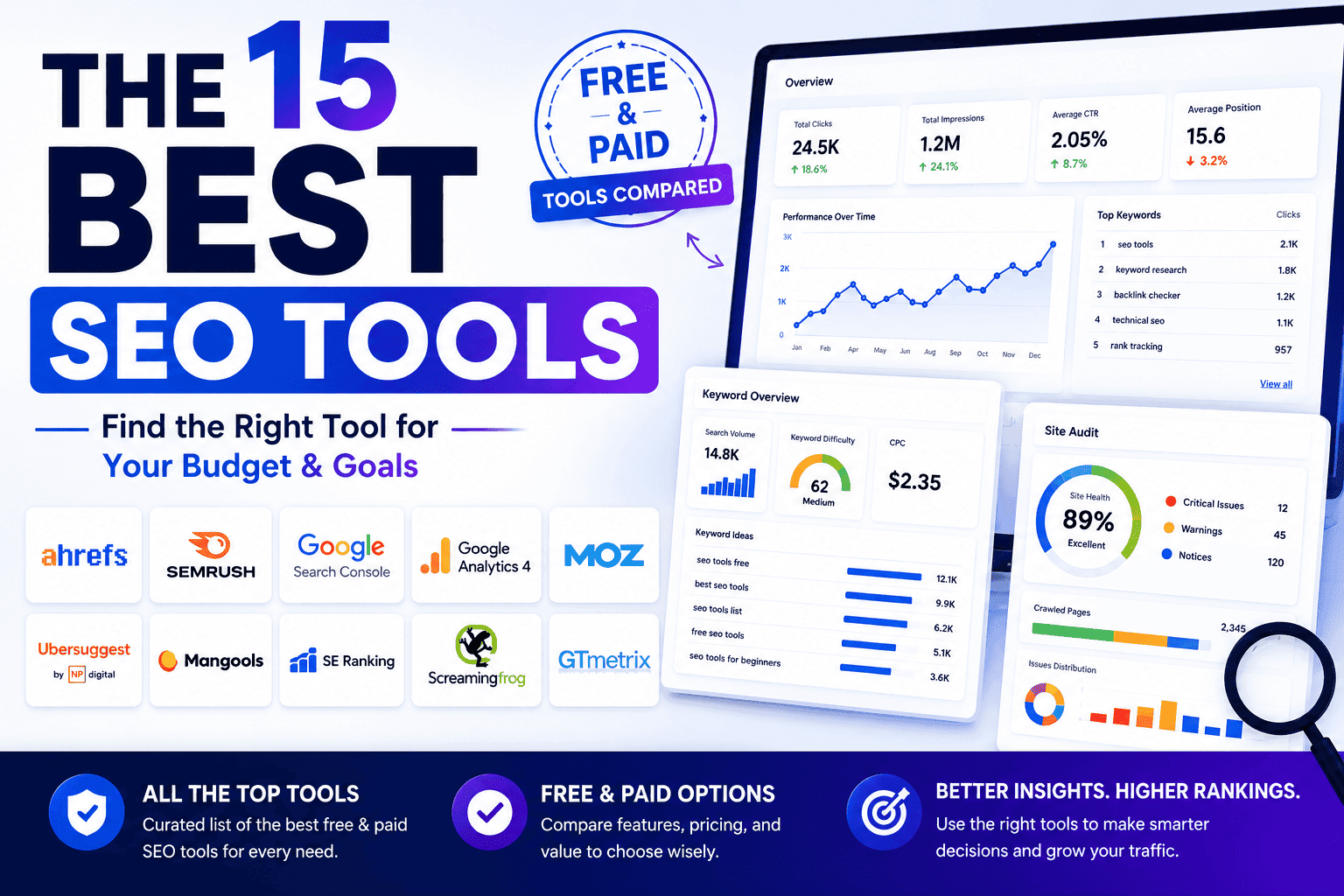
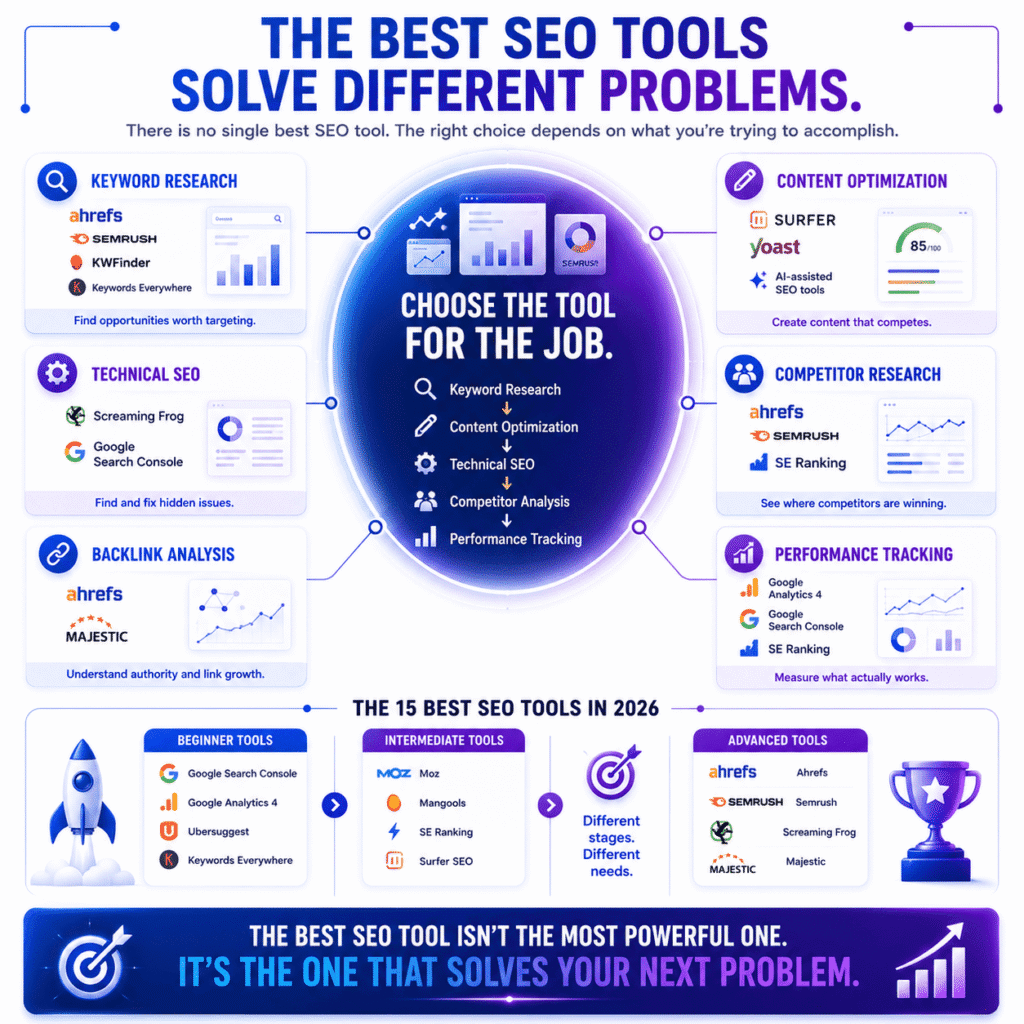
What you’ll find here: 15 of the best SEO tools available in 2026, covering free options that rival what agencies were paying hundreds of dollars for a decade ago, entry-level paid tools that won’t require monthly self-justification, and premium platforms that earn their price when the time is right. Each one assessed on data accuracy, usability, and honest value — not commission rates.
One thing worth saying upfront: some tools on this list have affiliate programmes. We may earn a small commission if you sign up through our links, at no cost to you. It didn’t influence what made the list or where anything is ranked. Tools we don’t believe in simply aren’t here.
Table of Contents
Why SEO Tools Matter More Than Ever in 2026
Let’s be honest — nobody wakes up excited about SEO tools. You got into blogging, freelancing, or running a business because of something you love. SEO tools came later, probably out of frustration. Traffic wasn’t growing. A competitor was outranking you. Or someone told you that you needed one and now you’re drowning in options with no idea where to start.
That’s exactly why this article exists.
What do SEO tools actually do?
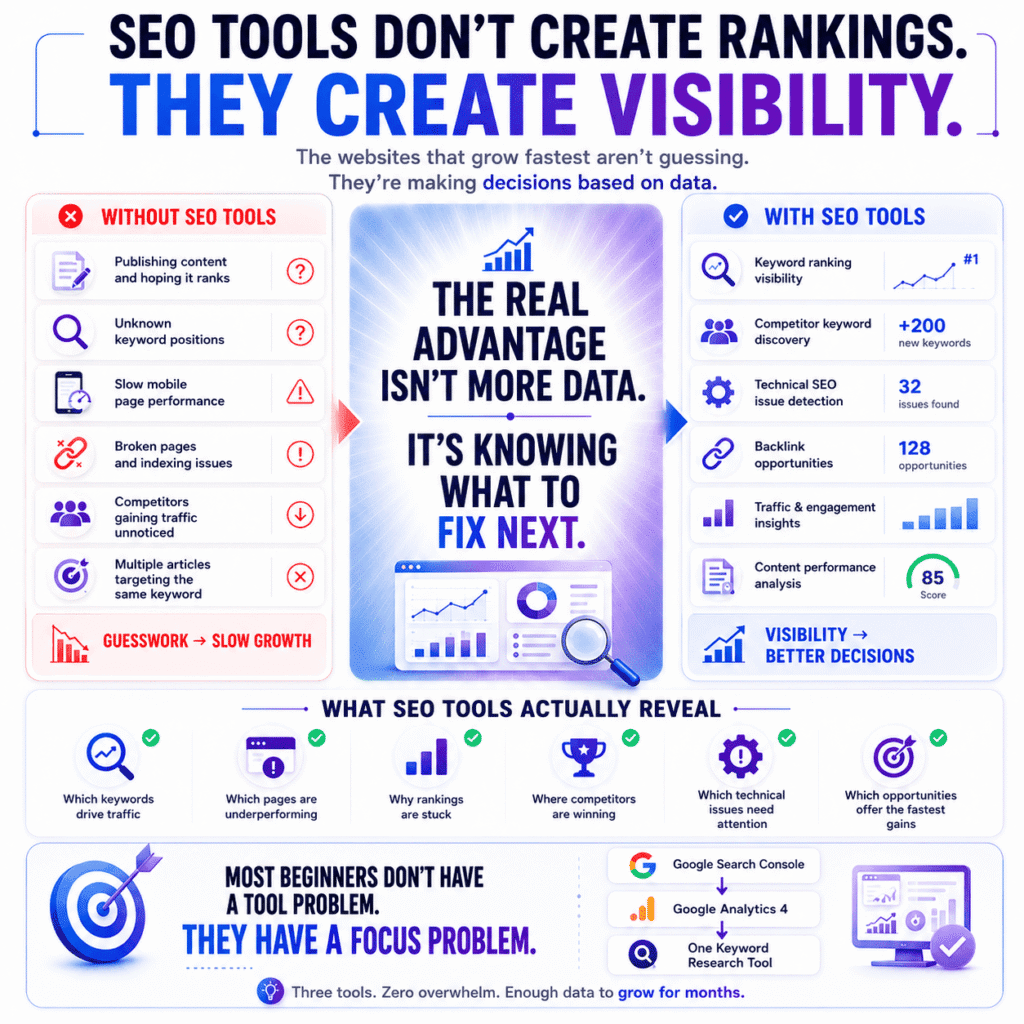
SEO tools are software platforms that show you why your website ranks where it does — and what it would take to rank higher. They surface the data hiding behind your Google rankings: which keywords are driving traffic, which pages are broken, who’s linking to your site, and where your competitors are quietly pulling ahead of you.
Without one, you’re essentially writing content and crossing your fingers.
With one, you stop guessing. You see that your most important page loads in 6 seconds on mobile — which is why it’s sitting at position 14. You discover that a competitor is ranking for 200 keywords you’ve never thought to target. You find out that three of your best articles are cannibalising each other because they’re all chasing the same keyword.
That’s the real value. Not magic — just visibility. And visibility changes everything about how you make decisions.
Do I really need an SEO tool if I’m just starting out?
Short answer: yes, but you probably need a far simpler one than the internet is trying to sell you. Google Search Console is free, built by the same company whose algorithm you’re trying to understand, and most beginners barely scratch the surface of what it already tells them — before ever paying for anything.
Here’s what nobody says loudly enough: most beginners don’t have a tools problem, they have a focus problem. Jumping between five platforms because each one promises better rankings is one of the most effective ways to make no progress whatsoever. You end up managing dashboards instead of building content.
Pick one tool. Use it until it feels boring. Then expand.
A realistic starting stack for year one:
- Google Search Console — non-negotiable, free, and criminally underused by beginners
- Google Analytics 4 — tells you what people do after they land on your site
- One keyword research tool on a free or entry-level plan
That’s it. Three tools, zero overwhelm, and enough data to keep you busy for months.
How have SEO tools changed in 2026?
Quite a lot, actually — and faster than most people realise.
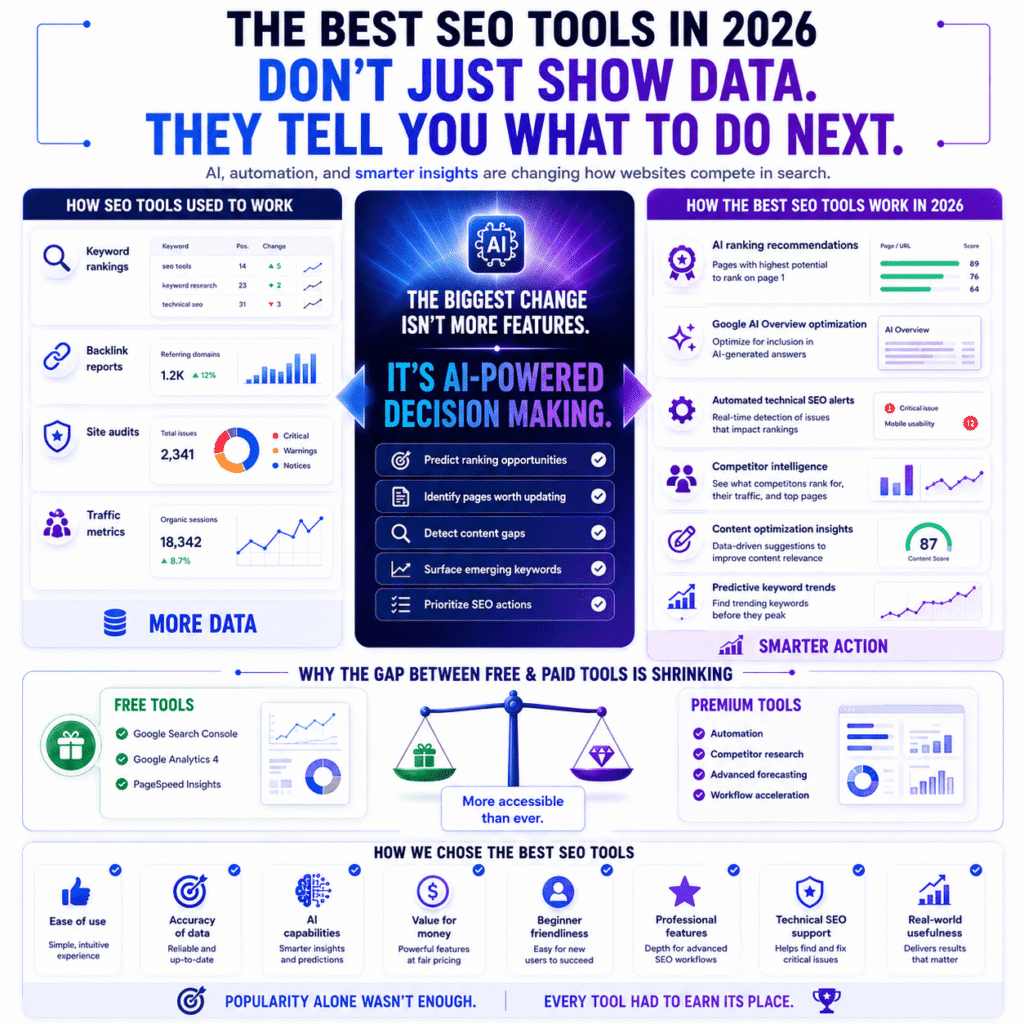
The most significant shift isn’t a new feature. It’s AI being baked into almost everything. The best SEO tools in 2026 don’t just show you data anymore — they interpret it. They tell you which of your pages has the highest chance of ranking if you update it, which keywords are trending before they peak, and whether your content matches what Google actually wants to show for a given search.
A few specific changes worth paying attention to:
Google’s AI Overviews have reshuffled the SERP. That box at the top of many search results? It’s pulling from specific pages Google considers authoritative. Several leading SEO platforms have added dedicated features to help you optimise for inclusion in those AI-generated answers — something that barely existed two years ago.
The gap between free and paid tools has narrowed significantly. Platforms that once required a $100+/month subscription to do decent keyword research now have genuinely useful free tiers. For a beginner or small business owner, that’s a real shift — you can get further on zero budget in 2026 than ever before.
Technical SEO has become less optional. Core Web Vitals, mobile usability, and page speed are no longer “advanced” concerns. They’re baseline. The best SEO tools now flag these issues automatically rather than waiting for you to run a manual audit. Google PageSpeed Insights is the free starting point for diagnosing these issues — run it on your most important pages before opening anything else.
The fundamentals of what these tools do hasn’t changed — they still exist to give you an edge in search. But in 2026, that edge is sharper, more accessible, and a lot less dependent on being a technical expert to use it.
How We Selected the 15 Best SEO Tools (Our Criteria)
Before we get into the list, a quick word on how it was built — because most “best SEO tools” articles don’t tell you this part, and they probably should.
A lot of these roundups are essentially reshuffled versions of whatever ranked on Google last year, with updated screenshots and fresh affiliate links. The same 15 tools, the same order, the same descriptions slightly reworded. We wanted to do something different: actually think about who’s reading this and whether these tools make sense for them — not just whether the tools are well-known.
Full transparency: some tools on this list have affiliate programmes, and we may earn a small commission if you sign up through our links. It costs you nothing extra, and it didn’t influence a single placement here. Tools we didn’t believe in simply didn’t make the cut.
What should I look for in an SEO tool?
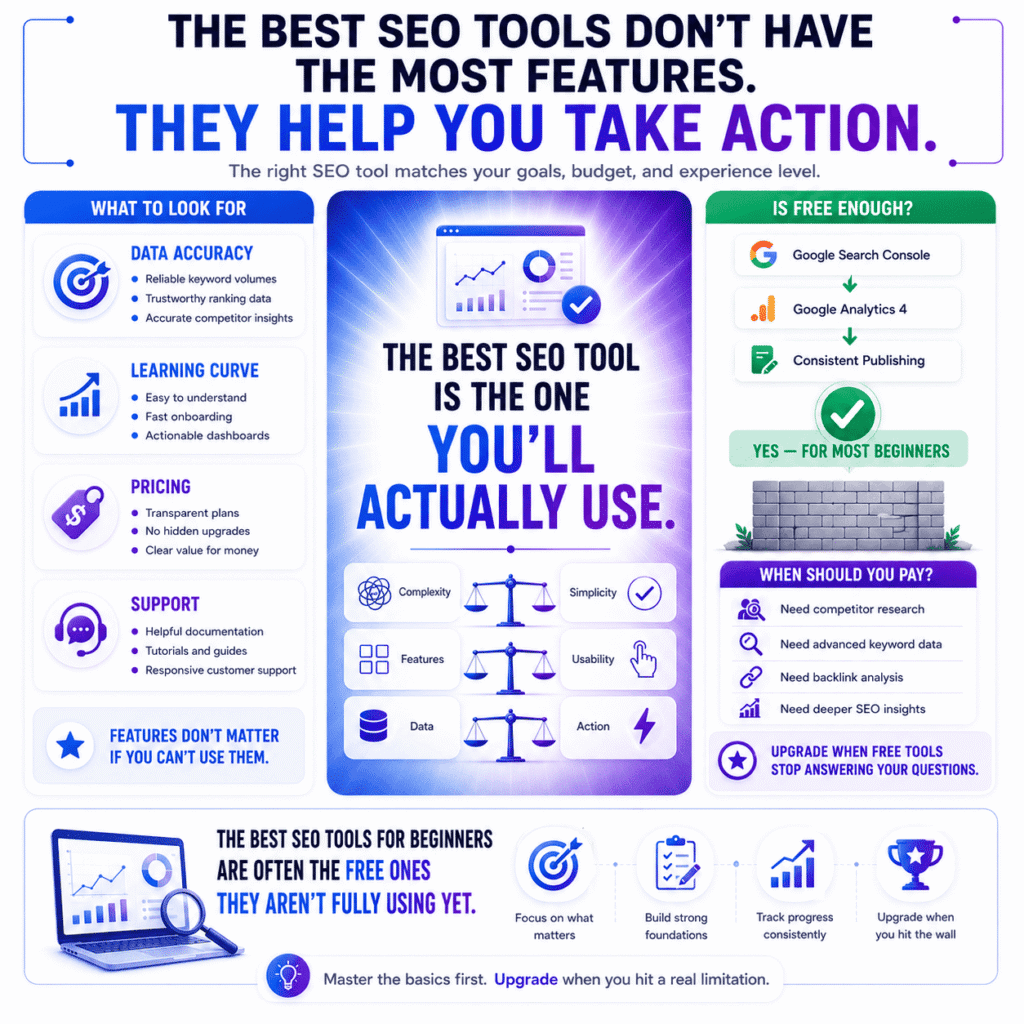
Look for a tool that gives you actionable data at a price point and complexity level that matches where you actually are right now — not where you hope to be in two years. The best SEO tool for you is the one you’ll open consistently, understand quickly, and act on without needing a 40-minute YouTube tutorial just to read the dashboard.
That sounds obvious. It isn’t, apparently, because the SEO industry has spent years convincing people that more features equals more results. It doesn’t.
When shortlisting tools for this article, four things kept coming up as genuine differentiators:
Data accuracy. This one matters more than almost anything else, and it’s rarely talked about. Keyword search volume estimates vary wildly between platforms — sometimes by a factor of three or four for the same keyword. We cross-referenced numbers across tools and flagged any platform with a pattern of inflating volume figures. Chasing a keyword with 10x the actual search demand is a painful way to spend three months.
The learning curve. Some platforms are deeply powerful and genuinely terrible to learn. Others are intuitive but hit a ceiling fast. Neither is wrong — they just suit different people. A freelancer billing 40 hours a week doesn’t have time to decode a complex interface. A dedicated SEO consultant might actually want that depth. We noted where each tool sits on that spectrum so you can self-select honestly.
Pricing that doesn’t require a spreadsheet to understand. Hidden feature gates, confusing tier structures, and tools that advertise a low entry price but lock everything useful behind an upgrade — all of that got flagged.
What happens when something breaks. Seriously. Documentation quality, tutorial depth, and support responsiveness are the unsexy criteria that almost every comparison article ignores. In practice, a slightly weaker tool with excellent onboarding will outperform a more powerful one that leaves you Googling error messages at midnight.
Is a free SEO tool good enough for beginners?
Yes — and not in a “technically yes but really you should pay” way. Genuinely yes. Google Search Console alone tells most beginners more than they currently know what to do with: which pages are indexed, which keywords are driving impressions, which queries are getting clicks, and where Google is running into crawl issues. That’s not nothing. That’s a lot.
Add Google Analytics 4 — also free — and you’ve got a picture of what people do after they land on your site. Which pages hold attention. Where they drop off. What content is actually working.
That combination doesn’t cost a penny, and it’s built by the same company whose algorithm you’re trying to rank in. Starting there before spending money on anything else is just common sense.
So when does free stop being enough? Honestly, you’ll feel it before you can articulate it. It usually sounds something like:
“I want to know why my competitor ranks above me for this keyword — and I can’t figure it out with what I have.”
That’s the moment. Not month three. Not when some blog post tells you it’s time. When you hit a specific wall that your current tools can’t help you climb, that’s when a paid platform earns its price.
For most bloggers and freelancers, that wall appears somewhere between six and twelve months in — usually around the point where keyword research starts mattering more than just publishing consistently. Until then, the best SEO tools for beginners are often the free ones they already have access to and aren’t fully using yet.
One more thing worth saying: trial periods exist for a reason. Ahrefs, Semrush, Moz, and most serious paid platforms offer either a free trial or a heavily discounted first month. If you’re genuinely unsure whether a paid tool is worth it, test it against a real project before committing. Don’t buy based on a features page — buy based on whether it answers the specific questions your free tools currently can’t.
The 15 Best SEO Tools in 2026 — Full Breakdown
We’re going to do this section differently to how most lists handle it.
Rather than giving you the same bullet-pointed features summary you could find on each tool’s own homepage, we’re going to tell you what these tools are actually like to use — including the parts that tend to get glossed over. Knowing a tool has “robust backlink analysis” tells you nothing. Knowing that the first time you open Screaming Frog you’ll wonder if you’ve accidentally installed accounting software from 2011 — that’s actually useful.
Here are the 15 best SEO tools worth your attention in 2026.
What is Google Search Console used for?
Google Search Console is a free tool that shows you exactly how Google sees your website — which pages it has indexed, which search queries trigger your pages to appear, how many people click through, and where something is quietly going wrong. It’s built by Google, it’s free, and it communicates directly with the algorithm you’re trying to rank in. Nothing else on this list does that.
Most beginners set it up, glance at the dashboard once, and forget it exists. That’s a mistake — because the Search Performance report alone can show you pages sitting at positions 8 through 15 for keywords you never consciously targeted. A small content update or one strong internal link can sometimes push those pages onto page one without writing a single new article.
Also check the Coverage report regularly. Google quietly stops indexing pages more often than people realise — usually due to a technical miscommunication, not a penalty. You’d never know without looking. [→ Our guide on how to do a basic SEO audit walks through exactly how to read this report.]
Best for: Every website owner, at every level. Non-negotiable. Price: Free
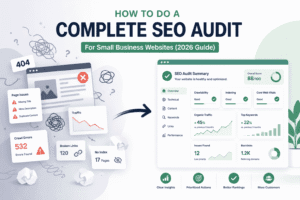
📖 Related: How to Do a Complete SEO Audit for a Small Business Website: A Proven Step-by-Step Guide (2026) A step-by-step walkthrough of exactly how to read your Search Console Coverage report — and what to do when pages aren’t indexing correctly.
2. Google Analytics 4
If Search Console tells you how people find your site, Google Analytics 4 tells you what they do after they arrive. Which pages hold their attention. Where they drop off. Which content drives the actions you care about — newsletter signups, purchases, contact form submissions.
The jump from Universal Analytics to GA4 threw a lot of people off, and the new interface is genuinely less intuitive than its predecessor. But the underlying data is richer, the event-based tracking model is more flexible, and by 2026 there’s no realistic alternative if you want deep behavioural insights on your audience for free.
Use it alongside Search Console, not instead of it. Together they give you a picture that neither can provide alone.
Best for: Understanding audience behaviour and content performance Price: Free
3. Ahrefs
Is Ahrefs worth it for beginners?
Ahrefs is worth it for beginners who’ve already hit the ceiling of free tools and need serious keyword research, backlink analysis, and competitor data. The Lite plan starts at $129/month — not casual money — but the data quality and depth justify that price for anyone actively building a site with commercial intent.
The tool rewards people who arrive with a specific question. Come in knowing which competitor you want to analyse, which content gap you want to close, or which backlink profile you want to understand — and Ahrefs delivers. Come in just browsing, and the volume of data will overwhelm you fast.
The Content Gap tool deserves a special mention. Put in two or three competitor domains and it maps every keyword they rank for that you don’t. For a blogger building a content calendar, that list is essentially a six-month roadmap compressed into one screen.
One thing most reviews skip: Ahrefs Webmaster Tools is free for your own site and gives you access to basic site audit features and backlink data without a subscription. A smart way to test the platform before paying for anything.
Best for: Intermediate to advanced users, content-led sites, competitor research Price: From $129/month (free Webmaster Tools available)
📖 Related: Ahrefs vs Semrush vs Moz (2026): The Complete & Honest SEO Tool Comparison If you’re deciding between the three biggest names in SEO software, this head-to-head breakdown covers features, data accuracy, and value across all three in one place.
4. Semrush
What is Semrush best for?
Semrush is best for users who want one platform that handles the full SEO workflow — keyword research, rank tracking, site auditing, competitor analysis, and content optimisation — without juggling multiple subscriptions. If Ahrefs is a precision instrument, Semrush is a Swiss Army knife. You can do more things with it. Whether that’s a strength or a weakness depends on what you actually need.
Where it genuinely earns its place among the best SEO tools available is competitive intelligence. Drop any competitor’s domain into the Organic Research tool and immediately see every keyword they rank for, their best-performing pages, and how their traffic has moved over time.
The SEO Writing Assistant is an underrated feature that grades your draft content in real time against whatever is currently ranking for your target keyword. Not magic, but a genuinely useful gut-check before you hit publish.
Note: Semrush’s keyword volume figures tend to run higher than Ahrefs for the same terms. Treat volume estimates as directional, not definitive.
Best for: Bloggers, freelancers, small business owners who want one tool for everything Price: From $117.33/month (7-day free trial available)
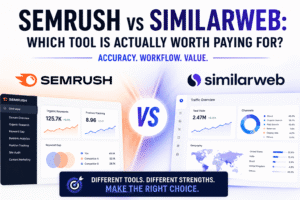
📖 Related: Semrush vs SimilarWeb (2026): Tested Against Real Analytics Data How Semrush’s traffic and keyword data holds up when tested directly against real Google Analytics numbers — useful context before committing to a subscription.
5. Moz Pro
Moz built its reputation on two things: Domain Authority — the now-industry-standard metric for measuring a website’s ranking strength — and making SEO approachable for non-technical users. Both still hold up.
The platform covers keyword research, rank tracking, site auditing, and backlink analysis. It doesn’t go as deep as Ahrefs or Semrush on any individual feature, but the interface is cleaner and less intimidating, which matters more than people admit. For a small business owner who finds the bigger platforms overwhelming, Moz Pro is often the better fit — even if the data ceiling is lower.
The MozBar browser extension is worth installing regardless of whether you pay for Pro. It overlays Domain Authority and Page Authority scores directly onto search results as you browse, which becomes second nature surprisingly quickly.
Best for: Beginners and non-technical users who want guided SEO insights Price: From $99/month (30-day free trial available)
📖 Related: Moz for SEO (2026): What Most Tutorials Leave Out (And How to Finally Improve Your Rankings) A deeper look at Moz’s less-obvious features and how to get more out of the platform than the standard tutorials cover.
6. Ubersuggest
Neil Patel built Ubersuggest as a direct challenge to Ahrefs and Semrush at a fraction of the price — and for a specific type of user, it works. The free tier is genuinely useful, offering limited keyword searches, basic site audits, and competitor overview data without a credit card.
It won’t replace a serious keyword research tool at scale. The backlink database is smaller than the premium alternatives and the data can occasionally feel thin on niche topics. But for a blogger or small business owner who needs keyword ideas and a basic content strategy without a $100+ monthly commitment, Ubersuggest sits in a useful middle ground.
Best for: Budget-conscious beginners who need more than free tools but aren’t ready for premium pricing Price: Free tier available; paid plans from $12/month
7. Keywords Everywhere
Keywords Everywhere takes a different approach to most tools on this list. Rather than asking you to visit a separate platform, it installs as a browser extension and overlays keyword data — search volume, cost-per-click, competition — directly onto Google search results, YouTube, Amazon, and a handful of other platforms as you browse normally.
It runs on a credit-based system rather than a monthly subscription, which makes it unusually affordable for occasional users. Heavily used, the credits add up — but for a blogger who checks keyword data a few times a week, it’s one of the most cost-efficient options available.
The “People Also Search For” and “Related Keywords” panels it adds to Google results pages alone make it worth the small investment.
Best for: Bloggers and content creators who want keyword data without leaving their browser Price: Credit-based from $7/month per 100,000 credits/year.
8. Screaming Frog
Is Screaming Frog free?
Yes — Screaming Frog’s free version crawls up to 500 URLs, which is enough for most small websites and personal blogs. The paid licence costs £199 per year (roughly $250) and removes the crawl limit entirely, adding Google Analytics integration, scheduled crawls, and JavaScript rendering for more complex sites.
The interface looks like it was designed before smartphones existed — because it largely was. Stick with it anyway. What’s underneath that dated exterior is one of the most thorough technical site audit tools available at any price.
What it finds that surprises most first-time users: redirect chains, pages accidentally set to noindex, duplicate title tags across an entire site surfaced in seconds, and broken internal links that have been quietly damaging crawl efficiency for months. For any site under 500 pages, the free version is all most people will ever need.
If you need a more visual audit output — something a client or non-technical stakeholder can actually read without you interpreting it — Sitebulb covers similar technical ground with a considerably more accessible report format.
Best for: Technical SEO audits, developers, and anyone doing a site migration Price: Free up to 500 URLs; £199/year for unlimited
9. Surfer SEO
Surfer SEO sits at the intersection of content writing and search engine optimisation — and it does that specific job better than almost anything else on this list. You give it a target keyword, it analyses the top-ranking pages for that term, and it tells you exactly what your content needs to include to be competitive: word count range, semantic keywords to weave in, heading structure, and a real-time content score that updates as you write.
It won’t help you with backlinks or technical audits. That’s not what it’s for. But if your primary SEO challenge is content quality and on-page optimisation, Surfer is the most focused tool for that problem.
The Surfer AI feature can now generate a full SEO-optimised draft from a keyword — useful as a starting scaffold, though the output still needs a human voice before it’s worth publishing.
Best for: Content writers, bloggers, and SEO-focused copywriters Price: From $99/month.
📖 Related: On-Page SEO in 2026: What Google Actually Rewards Now (and What It Ignores) The on-page signals that matter in 2026 — and the outdated practices that tools like Surfer still flag but Google has largely stopped caring about.
10. Yoast SEO
If your site runs on WordPress, Yoast SEO is almost certainly already installed — and for good reason. The free version handles the fundamentals of on-page optimisation directly inside your WordPress editor: title tag and meta description control, XML sitemap generation, readability scoring, and a simple traffic-light system that flags on-page SEO issues before you publish.
It’s not glamorous. It doesn’t do keyword research or competitor analysis. What it does is make sure the basic on-page elements Google needs to understand your content are consistently in place across your entire site — quietly, automatically, in the background.
For beginners especially, that consistency is worth more than most flashier tools. If Yoast’s interface doesn’t suit you, Rank Math is the main alternative — it covers the same on-page fundamentals with a slightly more feature-rich free tier and a different configuration approach. Worth comparing both before committing to either.
Best for: WordPress users at every level Price: Free (Premium from $118/year)
11. SE Ranking
SE Ranking is one of the most underrated tools on this list. It covers keyword research, rank tracking, competitor analysis, backlink monitoring, and site auditing at a price point that undercuts Ahrefs and Semrush considerably — without the painful trade-offs you’d expect for the saving.
The rank tracking in particular is excellent. Daily updates, accurate positioning data across multiple search engines and locations, and clean visualisation of ranking movement over time. For a freelancer tracking rankings across multiple client sites, the agency-friendly pricing structure makes it one of the most cost-effective options available.
It lacks the brand recognition of the bigger names, which is the main reason it doesn’t appear on more lists. The product itself doesn’t reflect that gap. If Semrush’s pricing doesn’t work for where you are right now, SE Ranking is the most capable direct alternative at roughly a third of the cost.
Best for: Freelancers, agencies, and budget-conscious users who need premium-level data Price: From $69/month.
12. Mangools (KWFinder)
Mangools is a suite of five focused SEO tools, but most people know it specifically for KWFinder — its keyword research tool. The standout feature is keyword difficulty scoring that’s widely regarded as more accurate and beginner-readable than most competitors. Instead of a raw number requiring interpretation, KWFinder contextualises difficulty in a way that makes it immediately actionable.
The full Mangools suite includes rank tracking, backlink analysis, SERP analysis, and a site profiler. None of these are the deepest tools in their category, but together they form a clean, well-integrated package that’s notably easier to navigate than the enterprise-level platforms.
For someone who finds Ahrefs or Semrush genuinely overwhelming — or whose budget rules them out — Mangools is the most beginner-accessible alternative at this price point.
Best for: Beginners and intermediate users focused on keyword research Price: From $18.85/month
13. Majestic
Majestic has one focus: backlinks. It doesn’t do keyword research, rank tracking, or content analysis. What it does — mapping link profiles with a proprietary index built around Trust Flow and Citation Flow metrics — it does with a depth and historical data range that few tools match.
For most bloggers and small business owners, Majestic is probably not your first tool. But for anyone doing serious link building, competitive link analysis, or digital PR work, the level of backlink intelligence it provides is genuinely hard to replicate elsewhere.
Best for: Link builders, digital PR professionals, and advanced SEO practitioners Price: From $49.99/month
14. AnswerThePublic
AnswerThePublic visualises search questions — pulling together the questions, prepositions, comparisons, and related searches people type around any keyword and presenting them in a format that’s immediately useful for content planning.
Type in “SEO tools” and within seconds you have a map of every question real people are asking about that topic: which SEO tools are worth it, what SEO tools do professionals use, how SEO tools work, are SEO tools accurate. Each one is a potential article, a FAQ answer, or an H3 snippet question. For a content creator trying to build topical authority, it’s one of the most creatively useful tools on this list.
It was acquired by Neil Patel in 2022 and now integrates with Ubersuggest, though both still function as standalone products.
Best for: Content strategists, bloggers, and anyone building topical authority Price: Free (limited searches); paid plans from $6.7/month
15. ChatGPT and AI-Assisted SEO Tools
No honest list of the best SEO tools in 2026 leaves this out.
AI tools — ChatGPT, Claude, Gemini, and the AI features now built into Semrush, Surfer, and Ahrefs — have become a genuine part of how SEO work gets done. Content briefs, title variations, meta descriptions, FAQ generation, internal linking suggestions, schema markup drafts — tasks that once took hours now take minutes.
What AI tools don’t do: replace keyword research, generate accurate search data, build backlinks, or make editorial judgement calls. The SEO professionals who use them best treat them as a production accelerator, not a strategy replacement. Used that way, they genuinely change the economics of content production at scale.
The risk — and it’s a real one — is content that sounds like everyone else’s content, because it was generated by the same model everyone else is using. If AI writes your first draft, your job is to make sure your experience, your voice, and your specific point of view survive the editing process.
Best for: Any SEO practitioner looking to scale content production and streamline workflows Price: Free tiers available across most platforms; ChatGPT Plus from $20/month
Quick Reference — All 15 Tools at a Glance
| # | Tool | Best For | Free Option | Starting Price |
|---|---|---|---|---|
| 1 | Google Search Console | Technical monitoring & indexing | ✅ Full free | Free |
| 2 | Google Analytics 4 | Traffic & behaviour analysis | ✅ Full free | Free |
| 3 | Ahrefs | Backlinks & competitor research | ✅ Webmaster Tools | $129/month |
| 4 | Semrush | All-in-one SEO workflow | ⚡ 7-day trial | $117.33/month |
| 5 | Moz Pro | Beginner-friendly all-in-one | ⚡ 30-day trial | $99/month |
| 6 | Ubersuggest | Budget keyword research | ✅ Limited free tier | $12/month |
| 7 | Keywords Everywhere | Browser-based keyword data | ❌ Credit-based | $7/100k credits |
| 8 | Screaming Frog | Technical site audits | ✅ Up to 500 URLs | £199/year |
| 9 | Surfer SEO | On-page content optimisation | ❌ | $99/month |
| 10 | Yoast SEO | WordPress on-page SEO | ✅ Full free | $118/year |
| 11 | SE Ranking | Rank tracking & agencies | ❌ | $69/month |
| 12 | Mangools/KWFinder | Beginner keyword research | ❌ | $18.85/month |
| 13 | Majestic | Backlink intelligence | ❌ | $49.99/month |
| 14 | AnswerThePublic | Content ideation & questions | ✅ Limited free | $6.7/month |
| 15 | ChatGPT / AI Tools | Content production at scale | ✅ Free tier | $20/month |
Best Free SEO Tools in 2026 (Zero Budget, Real Results)
Let’s get something out of the way first.
If you’ve just spent the last ten minutes reading through a list of tools that cost anywhere from $50 to $200 a month and you’re sitting there thinking none of that is realistic for me right now — this section was built for you specifically. Not as a consolation prize. Because the free SEO tools available in 2026 are legitimately good, and the SEO industry has a financial incentive to downplay that fact.
Most “best free SEO tools” content is written by people who also have affiliate links to the paid alternatives. Keep that in mind as you read this one too — we mentioned our affiliate relationships earlier, and this section is where that transparency matters most.
What is the best completely free SEO tool?
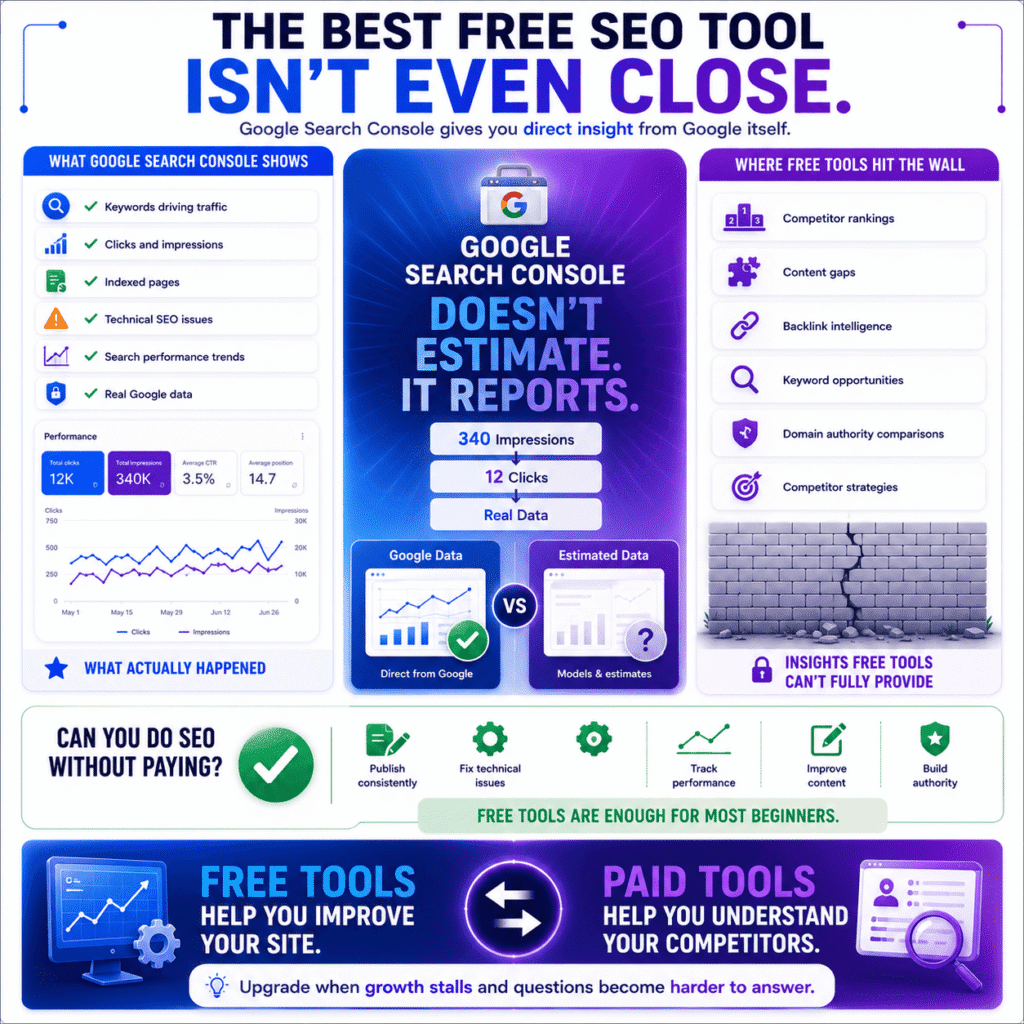
Google Search Console is the best completely free SEO tool — and the margin isn’t even close. It shows you which keywords bring people to your site, which pages Google has actually indexed, where technical problems are occurring, and how your pages are performing in search results. It’s free, it’s built by Google, and it pulls from real data rather than estimates.
That last point deserves more attention than it usually gets.
Every third-party SEO tool — free or paid — is modelling your traffic. Running algorithms against sampled data, making educated guesses about search volumes, estimating ranking positions. Google Search Console isn’t doing any of that. It’s reporting what actually happened. When it tells you a page got 340 impressions last week and 12 clicks, that’s not an approximation. Those numbers are real.
You’ll notice this difference most sharply the first time you compare Search Console data against a paid tool’s traffic estimates for the same site. The numbers are often surprisingly different. Neither is lying — they’re just answering different questions. Search Console tells you what Google saw. Everyone else is telling you what they think Google saw.
The limitation is equally real though: Search Console only reports on your own site. It tells you nothing about what competitors rank for, which keywords you’re missing, or why a site that launched two years ago is outranking content you’ve been refining for months. For that, you eventually need more.
Can I do SEO without paying for tools?
Completely, yes — and for most people building a site from scratch, free tools are the right choice for at least the first year. The honest reason isn’t that free tools are good enough — it’s that most early-stage SEO problems aren’t tools problems. They’re content problems, consistency problems, and basic technical problems that free tools identify just as well as paid ones.
Here’s the version of this conversation nobody really has:
A blogger six months in, publishing sporadically, with 15 articles and a site that’s never been properly audited, does not have a $200/month problem. They have a fundamentals problem. Buying Ahrefs in that situation is a bit like buying a professional chef’s knife before you’ve learned to hold one — the tool is excellent, the timing is off.
Where free tools genuinely run out of road:
Competitor research is the real wall. You can find keywords, fix technical issues, track your own rankings manually, and optimise individual pages entirely on free tools. What you can’t do — not meaningfully — is understand why a competitor ranks above you. Their backlink profile, their content gaps, their keyword strategy, their domain authority trajectory. That layer of intelligence requires a paid platform, and there’s no free workaround that gives you the same picture.
Most sites hit that wall somewhere between month six and month eighteen. The signal is usually a specific frustration: you’re publishing consistently, your technical SEO is clean, but growth has plateaued and you can’t figure out why. That’s not a motivation problem. That’s a data problem — and it’s the moment a paid tool earns its cost almost immediately.
Until that moment arrives, free is not settling. It’s sensible.
What free tools does Google offer for SEO?
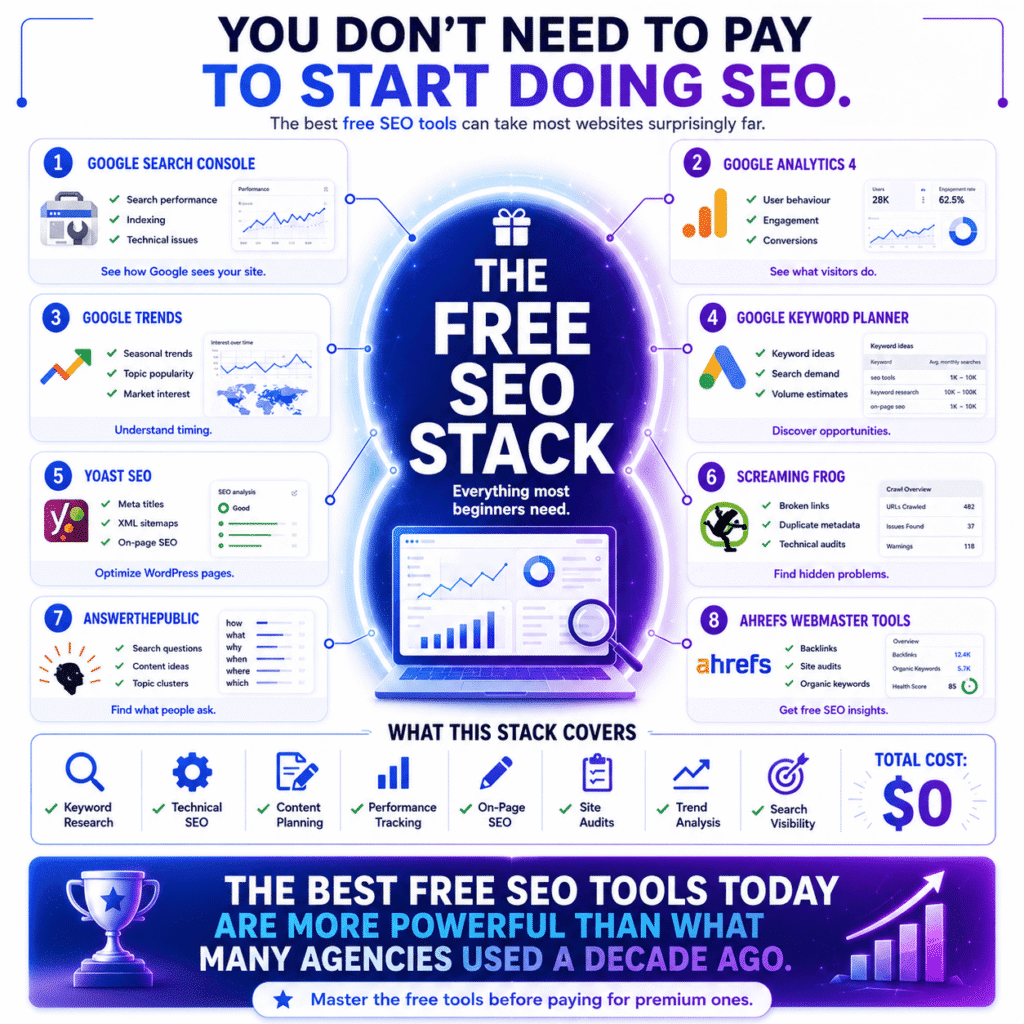
Google offers four free SEO tools that cover the core of what most sites need: Google Search Console for search performance, Google Analytics 4 for audience behaviour, Google Trends for keyword and topic research, Google Keyword Planner for keyword volume data — with the caveat that volume is shown in broad ranges unless you’re running an active Google Ads campaign. Used together, they form a foundation that’s more than adequate for a site in its first year — and remains essential regardless of what paid tools you add later.
Most people know about Search Console and Analytics. Google Trends is the one that gets forgotten, which is a shame because it solves a specific problem nothing else addresses for free: timing.
Knowing that a keyword gets 2,000 monthly searches is useful. Knowing that interest in that keyword peaks every October, has been growing steadily for three years, and is currently trending upward in your target country — that’s a different kind of useful. For a blogger planning a content calendar or a small business owner deciding when to push a seasonal campaign, Trends data changes the quality of decisions in a way that static search volume numbers can’t.
Beyond Google’s own tools, four free third-party options genuinely belong in a beginner’s toolkit:
Yoast SEO — the free WordPress plugin handles on-page optimisation, XML sitemap generation, and meta tag control inside your editor without touching code. For WordPress users it’s essentially mandatory. If Yoast doesn’t suit you, Rank Math is the main alternative and worth comparing before committing to either.
Screaming Frog (free up to 500 URLs) — crawls your site the way Google’s bot does and surfaces technical issues most people don’t know they have. Redirect chains, duplicate metadata, broken links, accidentally noindexed pages — all found in a single crawl that takes minutes.
AnswerThePublic (limited free daily searches) — maps the actual questions people type around any keyword. Less useful as a volume tool, invaluable as a content planning tool. Every question it surfaces is a potential article, an FAQ answer, or an H3 snippet opportunity.
Ahrefs Webmaster Tools — this one surprises people. Ahrefs offers a genuinely useful free tier for your own site: basic backlink data, site audit features, and organic keyword tracking. Not the full product, but far more capable than most people realise. Worth setting up the same day as Search Console.
That’s nine tools — four from Google, five from third parties — and the total cost is zero. The best free SEO tools available today are more capable than what agencies were paying hundreds of dollars a month for a decade ago. Anyone telling you that you need to pay before you’ve fully used what’s already free is, at minimum, not prioritising your interests.
📖 Related: Free SEO Tools That Actually Help You Rank in 2026 A dedicated guide to the best free SEO tools available right now — including how to use each one to its full potential before spending anything.
Best SEO Tools by Use Case — Find the Right Fit for You
Nearly every SEO tool comparison you’ll find online is organised the same way: keyword tools, backlink tools, technical tools, all-in-one platforms. That structure is useful if you already know which type of problem you’re solving. If you’re still trying to figure out which tool fits your specific situation, it’s about as helpful as a hardware store organised by material rather than by what you’re trying to build.
So here’s the same information arranged around a more useful question: what are you actually trying to do, and who are you doing it for?
What is the best SEO tool for bloggers?
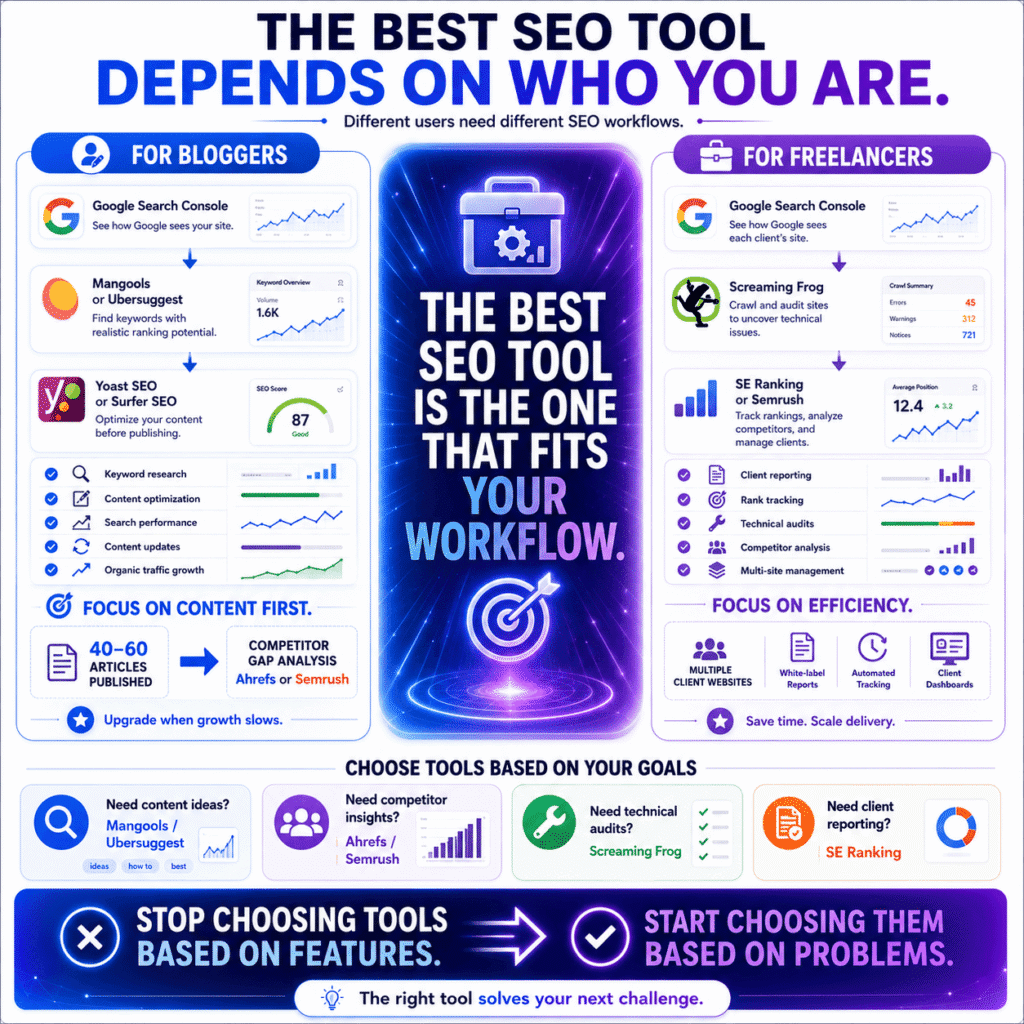
For bloggers, the most effective combination is Google Search Console for tracking what’s already working, a focused keyword research tool like Mangools or Ubersuggest for planning what to write next, and Yoast SEO or Surfer SEO for optimising individual posts before they go live. That stack costs anywhere from nothing to around $50 a month and covers the full blogging workflow without unnecessary complexity.
The pull toward Semrush or Ahrefs is understandable — they’re everywhere in SEO content, including this article. But those platforms were built around workflows that include backlink outreach, agency reporting, and site auditing at scale. For a blogger publishing weekly, most of that is noise. Paying $140 a month for 20% of a tool’s features isn’t a bargain — it’s an expensive way to feel productive.
What actually drives blog traffic growth is less glamorous: finding keywords with realistic ranking potential before writing, not after. Most bloggers do this backwards. They write what interests them, then try to optimise it for search. A keyword tool used properly before the first draft changes what you write, not just how you tag it.
The upgrade moment is real but it’s specific. Around 40 to 60 published articles, when you’ve covered the obvious topics in your niche and growth starts flattening, you hit a ceiling that keyword research alone can’t break. That’s when competitor content gap analysis — which requires Ahrefs or Semrush — becomes genuinely worth the price. Before that point, the cheaper stack does the job. [→ See our recommended tool stacks section for a breakdown of exactly what to use at each stage of a blog’s growth.]
There’s an intermediate step most articles skip between ‘basic keyword research‘ and ‘full Ahrefs subscription‘: keyword clustering. Tools like Keyword Insights group your keyword list by search intent, showing you which keywords can be targeted in one article versus which need separate pages. For a blogger at the 30 to 50 article mark, clustering existing keyword data often surfaces more opportunity than buying a more expensive research tool.”
One thing most blogger-focused SEO guides skip: updating existing content is often more valuable than publishing new articles. Google Search Console shows you pages sitting at positions 6 through 15 — close enough to page one to move with relatively small improvements. A focused blogger with 50 articles and a free Search Console account can find more growth in that data than in any paid platform.
📖 Related: Keyword Research for New Websites: How to Find Keywords You Can Actually Rank For in 2026 A practical guide to finding low-competition keywords worth targeting — specifically for sites that don’t yet have the authority to compete for high-volume terms.
What SEO tools do freelancers use?
Freelancers typically rely on SE Ranking or Semrush for client work and reporting, Screaming Frog for technical audits, and Google Search Console for the performance data clients actually trust. The priority isn’t power — it’s efficiency across multiple clients without the overhead costs eating into margins.
Freelance SEO has a specific financial tension that in-house SEOs and bloggers don’t face: every tool you pay for comes out of revenue spread across every client you serve. A $200/month platform is a very different investment when it supports 10 client retainers than when it supports one website.
SE Ranking comes up constantly in this context and deserves more attention than it gets in mainstream SEO content. The rank tracking is accurate, the reporting is clean, and the white-label features make monthly client deliverables significantly less painful to produce. Freelancers who switch from Semrush to SE Ranking for cost reasons frequently stay for quality reasons. That’s not something you see written about much, probably because SE Ranking’s affiliate programme pays less.
Screaming Frog is the other constant. Every new client onboarding starts with a crawl — not because you know what you’ll find, but because you never know what you’ll find. Broken redirect chains from a three-year-old site migration. Product pages accidentally set to noindex during a developer test that never got reversed. Hundreds of duplicate title tags auto-generated by a plugin nobody remembers installing. These issues exist on almost every site regardless of how well-maintained the client believes it to be.
One underappreciated tool in a freelancer’s stack: a dedicated rank tracking platform used separately from the all-in-one suite. Manually checking rankings through Search Console across six client sites is a time sink that compounds weekly. Automated daily rank tracking pays for itself in recovered hours within the first month — and the visual progress it gives clients to look at between calls is worth more than most freelancers realise for retention.
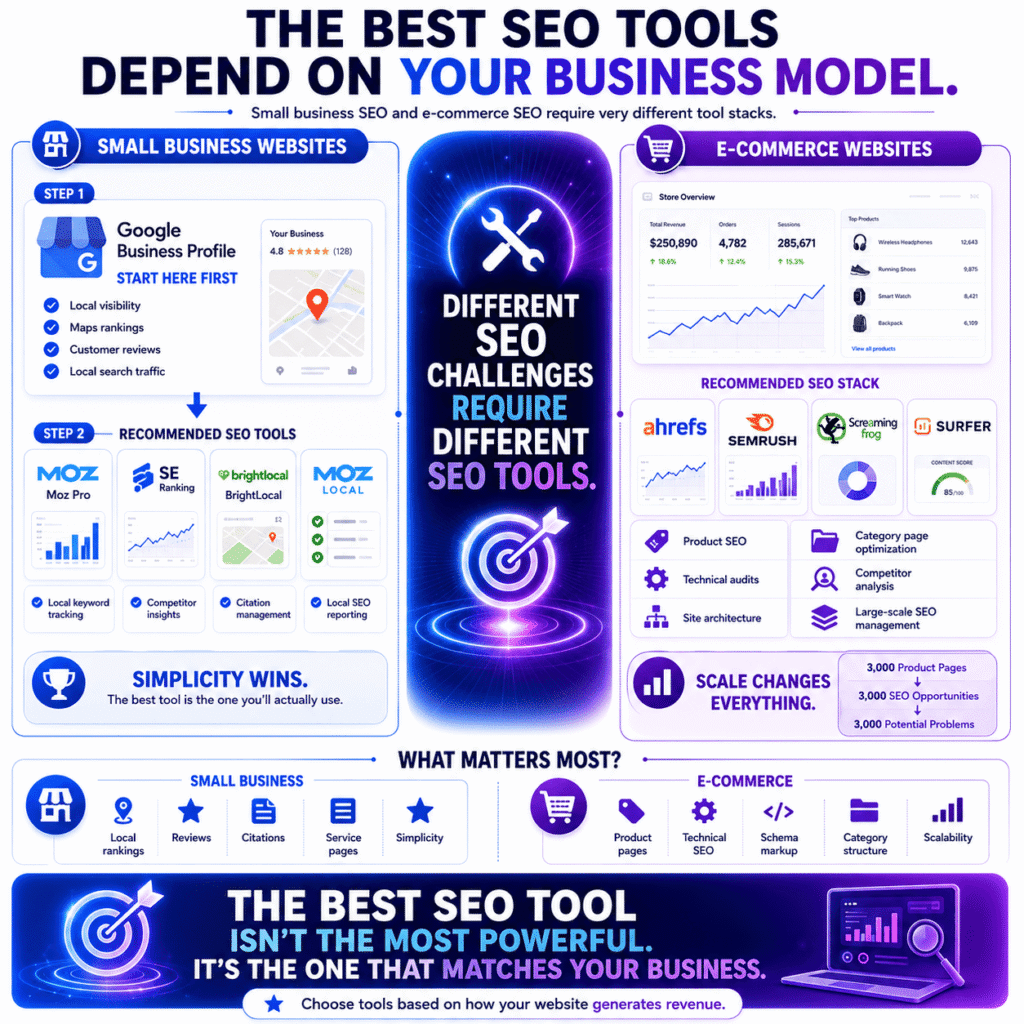
What is the best SEO tool for a small business website?
For most small business websites, the best SEO tool is one that surfaces actionable insights without requiring significant technical knowledge to interpret — Moz Pro and SE Ranking both fit this profile, with Moz being the more beginner-friendly entry point and SE Ranking offering more depth at a similar price.
Here’s something most SEO content aimed at small businesses won’t say directly: for a genuinely local business, Google Business Profile optimisation will move more traffic than any paid SEO tool. A restaurant, a local tradesperson, a single-location clinic — the search behaviour of their customers is dominated by local pack results, not organic blue links. Google Business Profile is free, maintained by Google, and directly controls how you appear when someone nearby searches for what you offer. Ignoring it while paying $100/month for keyword research is the wrong order of operations.
Once the Google Business Profile is properly set up and maintained, the small business SEO picture changes. The questions become more familiar: which local keywords should we be targeting, why is a competitor outranking us for this service term, are there technical issues holding the site back?
For those questions, a few specific tools earn their cost:
Moz Local handles local citation management — making sure your business name, address, and phone number are consistent across directories, maps, and data aggregators. Inconsistent citations are a surprisingly common drag on local rankings, and fixing them manually is a project nobody has time for.
BrightLocal is worth mentioning specifically for small businesses with a local SEO focus. It’s not on the main list because it’s more specialist than all-rounder, but for tracking local pack rankings, auditing citations, and managing reviews across platforms, nothing matches it at the price point.
The honest ceiling: small business SEO has a lower complexity threshold than e-commerce or large blogs. You don’t need the most powerful tool on the market. You need the one you’ll actually open and act on consistently — which is almost always the simpler, cleaner interface over the more feature-rich alternative.
📖 Related: Why Your Business Is Not Ranking on Google Maps in 2026 (Proven Ways to Fix It) If local pack visibility is the priority, this guide covers the exact reasons businesses disappear from Google Maps results — and the fixes that actually work.
What SEO tools are best for e-commerce?
For e-commerce, Ahrefs and Semrush handle competitive keyword strategy, Screaming Frog manages large-scale technical auditing, and Surfer SEO or Semrush’s writing tools cover product and category page optimisation. At significant scale, all three categories become necessary rather than optional — which is why e-commerce is usually where the investment in premium tools justifies itself fastest.
The fundamental difference between e-commerce SEO and every other type is volume. A site with 3,000 product pages has 3,000 potential indexing problems, 3,000 opportunities for thin or duplicate content, and 3,000 title tags that may still read “Product Name — Store Name” because nobody has had time to address them systematically. SEO at that scale stops being a content strategy problem and starts being an engineering problem.
Screaming Frog is where this usually becomes visible for the first time. A crawl of a mid-sized e-commerce site will typically surface patterns that no human audit would catch: faceted navigation generating thousands of near-duplicate filter URLs burning crawl budget, out-of-stock product pages with no redirect strategy, canonical tag errors quietly splitting ranking signals between URLs that were never meant to compete with each other. Finding these things isn’t an achievement — fixing them is. But you can’t fix what you can’t see.
On the keyword side, Ahrefs has a specific advantage for e-commerce that doesn’t get discussed enough: the ability to see exactly which competitor product and category pages rank for which transactional terms. That intelligence shapes site architecture decisions in a way that no amount of on-page optimisation can compensate for after the fact. Getting category structure right before a site is built is worth more than any tool you buy after it launches.
Two e-commerce-specific gaps that the best SEO tools still handle inconsistently:
Product schema markup — price, availability, and review rating schema enables rich results in Google Search that directly improve click-through rates. Several platforms audit schema implementation and flag errors, but implementation still typically requires developer involvement, and the tools don’t always make the priority clear to non-technical stakeholders.
Google’s free Rich Results Test shows you exactly which schema elements Google can read on any given page — run it on your product pages before investing in any paid schema auditing feature.
Seasonal timing — e-commerce sites benefit from Google Trends data more than almost any other site type, because the revenue connection to search timing is direct. Knowing that demand for a product category starts rising six weeks before the peak buying period changes when you build content, when you push for links, and when you invest in ranking improvement. Most e-commerce SEO strategies treat timing as an afterthought. The ones that don’t have a measurable advantage in competitive categories.
How to Choose the Right SEO Tool (Without Overwhelm)
After four sections covering 15 tools, use-case breakdowns, free alternatives, and comparison tables, there’s a reasonable chance you feel more confused than when you started. That’s not a personal failing — it’s a predictable outcome of the way SEO tool content is structured. More information, more options, more tabs open, less clarity about what to actually do.
So let’s fix that.
How do I know which SEO tool is right for me?
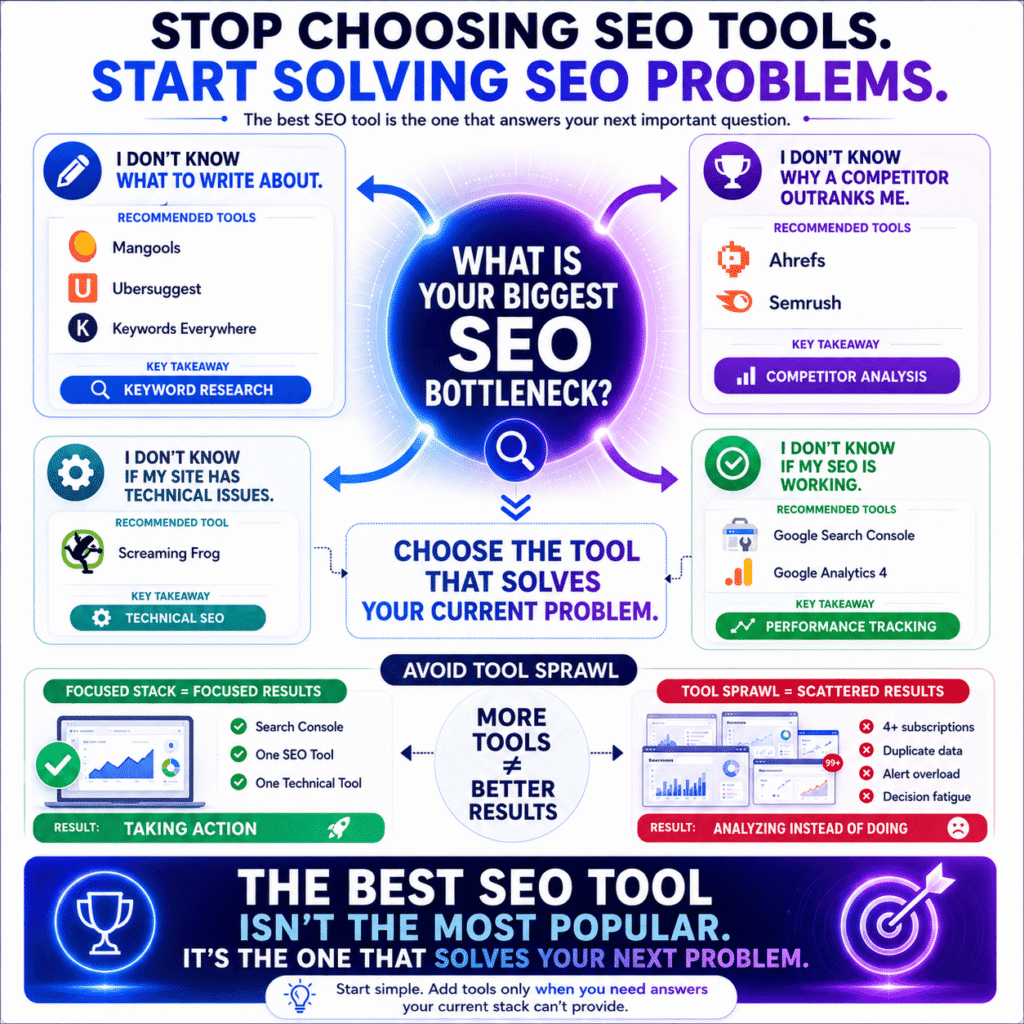
The right SEO tool is the one that solves the specific problem currently limiting your site’s growth — not the most popular one, not the one with the longest features list, and not the one that shows up most in the content you’ve been reading. Identify your actual bottleneck first. Then find the tool built around solving that bottleneck. The sequence matters more than the selection.
Most people do this backwards. They pick a tool based on brand recognition or affiliate-heavy roundup articles, then try to find a use for it. That’s how you end up paying $140 a month for a platform you open twice a week to check a dashboard you don’t fully understand.
Here’s a more honest way to make the decision. Finish this sentence:
“The thing I genuinely cannot figure out about my site’s SEO right now is _______.”
Whatever goes in that blank is your tool criteria. Not your aspirational SEO goals. Not the features that impressed you in a demo. The specific gap between what you know and what you need to know right now.
If the blank says “which topics are worth writing about” — you need a keyword research tool. Mangools, Ubersuggest, or Keywords Everywhere handles this without overcomplicating things or draining your budget.
If it says “why this competitor keeps outranking me despite my content being better” — that’s a backlink and authority gap question. Ahrefs or Semrush is the honest answer, and that’s the first moment the premium price earns itself.
If it says “whether there are technical problems on my site I can’t see” — Screaming Frog’s free tier crawls up to 500 pages and will find things that have been quietly hurting your rankings for months.
If the blank says “whether any of this is actually working” — stop. You need Google Search Console and Google Analytics 4 before you spend a single dollar on anything else. Both are free. Both are built by Google. And the data gap they fill is one no paid platform can replicate, because they’re reporting reality, not modelling it.
One practical note that saves money more reliably than any comparison article: run your free trial against a real problem on your actual site. Not a demo. Not a hypothetical. Your site, your actual bottleneck, your specific question. A tool that can’t answer the question you actually have isn’t worth paying for regardless of how impressive it looks on a features page.
Should I use one SEO tool or multiple?
Start with one tool and use it until you hit a specific question it cannot answer. That unanswered question — not a vague sense that more data would be useful — is the only legitimate reason to add a second tool. Most people who run multiple SEO tools simultaneously get less value from all of them than they would from knowing one deeply.
The mechanics of tool sprawl are worth understanding because they’re not obvious until you’re already in it.
It starts reasonably. You have Search Console. You add a keyword tool. The keyword tool has a backlink feature that’s not quite good enough, so you add a dedicated backlink tool. The backlink tool has a rank tracker that doesn’t update often enough, so you add a rank tracker. Now you have four subscriptions, four dashboards, four sets of slightly different data telling you slightly different things about the same site — and you’re spending more time reconciling the discrepancies than acting on any of it.
The real cost of tool sprawl isn’t the money. It’s the decision fatigue it creates. Every tool you add introduces new metrics, new alerts, new things to check. At some point the cognitive overhead of maintaining your tool stack starts competing with the actual work of improving your site. That’s not a productivity problem. It’s a tools problem that disguised itself as a productivity problem.
The practical ceiling for most solo operators and small teams:
A blogger running one or two sites genuinely needs two tools maximum — one for keyword and competitive research, one for technical auditing. A freelancer managing multiple client sites might reasonably run three if rank tracking and reporting are separate needs. Beyond three, the overlap between platforms almost always outweighs what you gain from the additional data.
The question worth asking before adding any new tool isn’t “would this be useful?” Almost everything is useful in some marginal way. The question is “is there a specific task I do manually right now that this tool automates, and does the time I’d save justify the cost?” If yes — add it. If not — don’t, regardless of how compelling the free trial feels.
What is the best SEO tool for beginners?
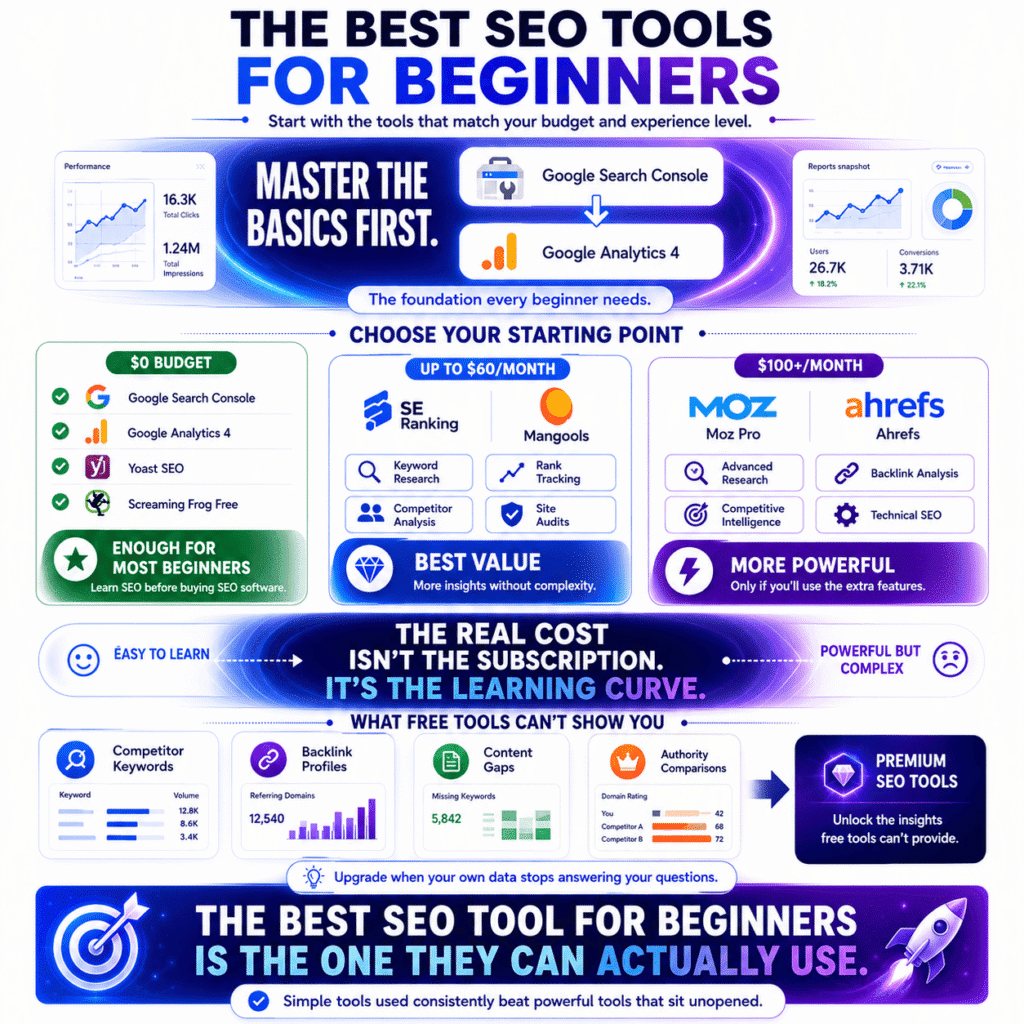
For beginners, Google Search Console is the single most important tool to master first — it’s free, it pulls from Google’s own data, and most beginners are sitting on months of actionable insights in it they’ve never looked at. Once you’re ready to invest in a paid platform, the best choice depends on budget and how much complexity you’re willing to navigate.
Let’s make this concrete rather than theoretical.
If you’re starting from zero budget:
Google Search Console plus Google Analytics 4 is not a compromise. It’s where professional SEOs check their data every morning regardless of what else they’re paying for. Add Yoast SEO if WordPress is your platform and Screaming Frog’s free tier for a first technical audit. You have a working SEO toolkit and your total spend is zero.
The gap that free tools can’t fill — and being clear about this matters — is competitive intelligence. You can see your own performance in fine detail. You cannot see why a competitor ranks above you, which keywords they’re targeting that you’re missing, or where their backlinks are coming from. That gap doesn’t matter much in month one. It starts mattering considerably around month six to twelve, when your own data stops being enough to explain why growth has plateaued.
If your budget is up to $60 a month:
SE Ranking at $52/month is the most underrated tool on this entire list for beginners specifically. It covers keyword research, rank tracking, site auditing, and competitor analysis in one platform, the interface doesn’t require a YouTube tutorial to navigate, and the price doesn’t create the monthly justification anxiety that a $140 subscription does. Mangools is the alternative if keyword research is the primary focus and everything else is secondary.
If you can stretch to $100 a month or more:
Moz Pro at $99/month is the gentlest on-ramp to premium SEO software. The interface is cleaner than Semrush, the MozBar browser extension is immediately useful from day one, and the learning curve is meaningfully shorter than the larger platforms. If you’re willing to invest time in mastering a more complex tool, Ahrefs at $129/month has the stronger data — and the free Ahrefs Webmaster Tools tier lets you test the platform on your own site before committing to anything.
The thing most “best SEO tools for beginners” content skips is this: the learning curve is a real cost. A powerful tool you spend three weeks learning before getting any value from it has a higher true cost than a simpler tool you’re acting on in day one. Factor in your time, not just the subscription price, and the maths on some of the premium platforms looks considerably less attractive for someone just starting out.
Recommended SEO Tool Stacks (By Budget & Goal)
Most SEO tool content ends with a list and leaves you to figure out the combinations yourself. This section skips that part and goes straight to the practical question: given your situation and your budget, what should you actually be running?
These aren’t theoretical recommendations. They’re the stacks that make sense when you work through the maths honestly.
What SEO tools should a beginner start with?
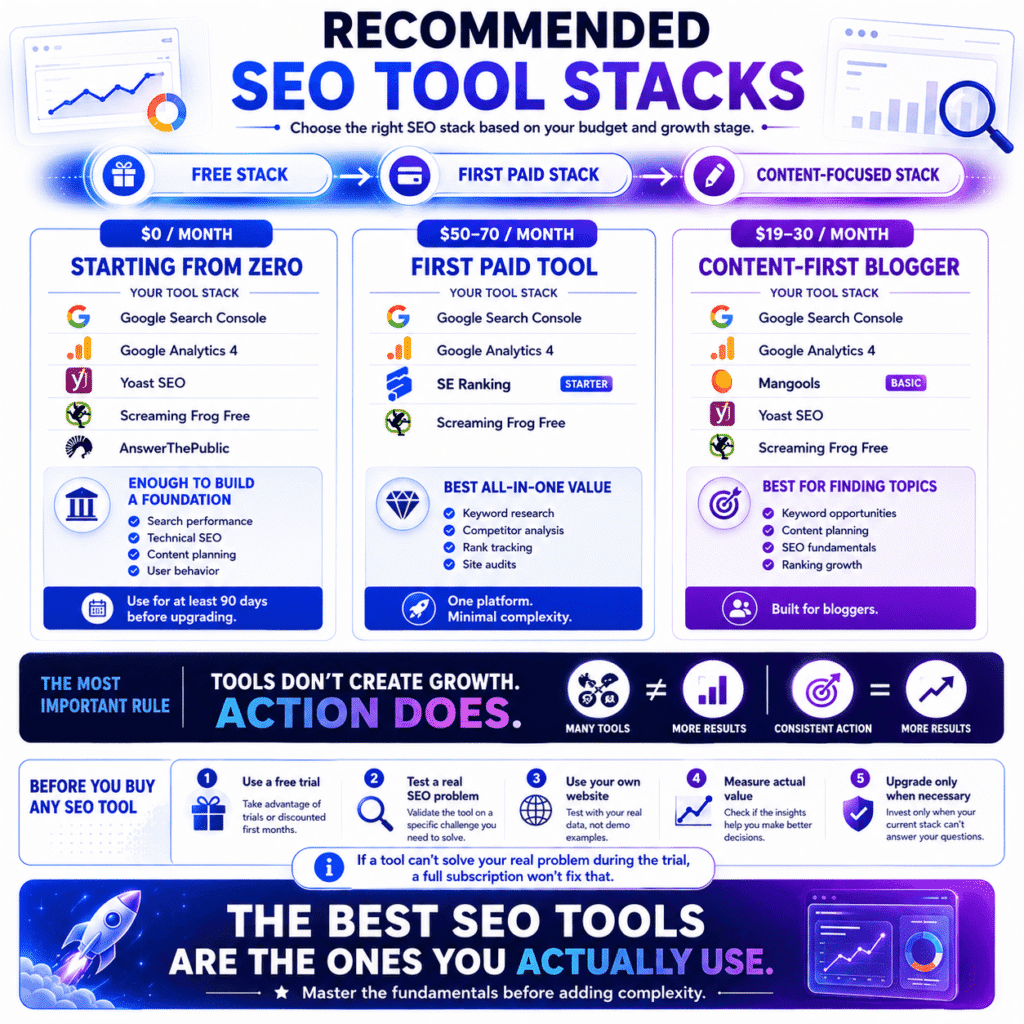
Beginners should start with Google Search Console, Google Analytics 4, and one keyword research tool — used in that order, one at a time, until each one feels familiar before adding the next. The sequence matters as much as the selection. A stack you understand partially is less useful than a single tool you understand completely.
The pull to build a complete setup immediately is real. It also explains why so many beginners spend three months switching between platforms and produce almost no content in the process. Tools are not a substitute for the work. At best they make the work more targeted.
Here’s what actually makes sense at three different starting points:
Starting from zero — no budget, serious about growth
You don’t need to spend anything to get started properly. What you need is the discipline to actually use what’s already free before declaring it insufficient.
- Google Search Console — tracks real search performance data straight from Google
- Google Analytics 4 — shows what happens after someone lands on your site
- Yoast SEO — handles on-page fundamentals inside WordPress without touching code
- Screaming Frog — free up to 500 pages, finds technical issues most people don’t know they have
- AnswerThePublic — three free daily searches that map real questions around any keyword
Monthly cost: £0. Use this stack for at least 90 days before spending anything. If you’ve done that and Search Console is still telling you more than you can act on, the problem isn’t your tools.
First paid tool — budget around $50/month
The right first paid tool for most beginners isn’t Semrush. It isn’t Ahrefs. Both are excellent platforms built for people who already know how to use them. For someone still building that understanding, SE Ranking covers keyword research, competitor analysis, and rank tracking in one place at a price that doesn’t require a monthly internal justification conversation.
- Google Search Console + GA4 (free)
- SE Ranking Starter (~$69/month)
- Screaming Frog free tier (free)
Content-first blogger with a keyword focus
- Google Search Console + GA4 (free)
- Mangools Basic ($19/month)
- Yoast SEO free (free)
- Screaming Frog free tier (free)
Monthly cost: $19. KWFinder inside Mangools presents keyword difficulty in a way that’s immediately usable for beginners — no interpretation required, no cross-referencing against a separate metric to understand what the score means. For a blogger whose primary bottleneck is finding topics worth writing about, that clarity has real daily value.
One thing worth knowing about all three stacks: free trials exist across almost every paid tool on this list. SE Ranking, Mangools, Moz, Semrush, Ahrefs — all of them offer either a trial period or a heavily discounted first month. Before committing to any paid plan, run the trial against a real problem on your actual site. Not a demo. If the tool can’t answer the specific question you came in with, the full subscription won’t change that.
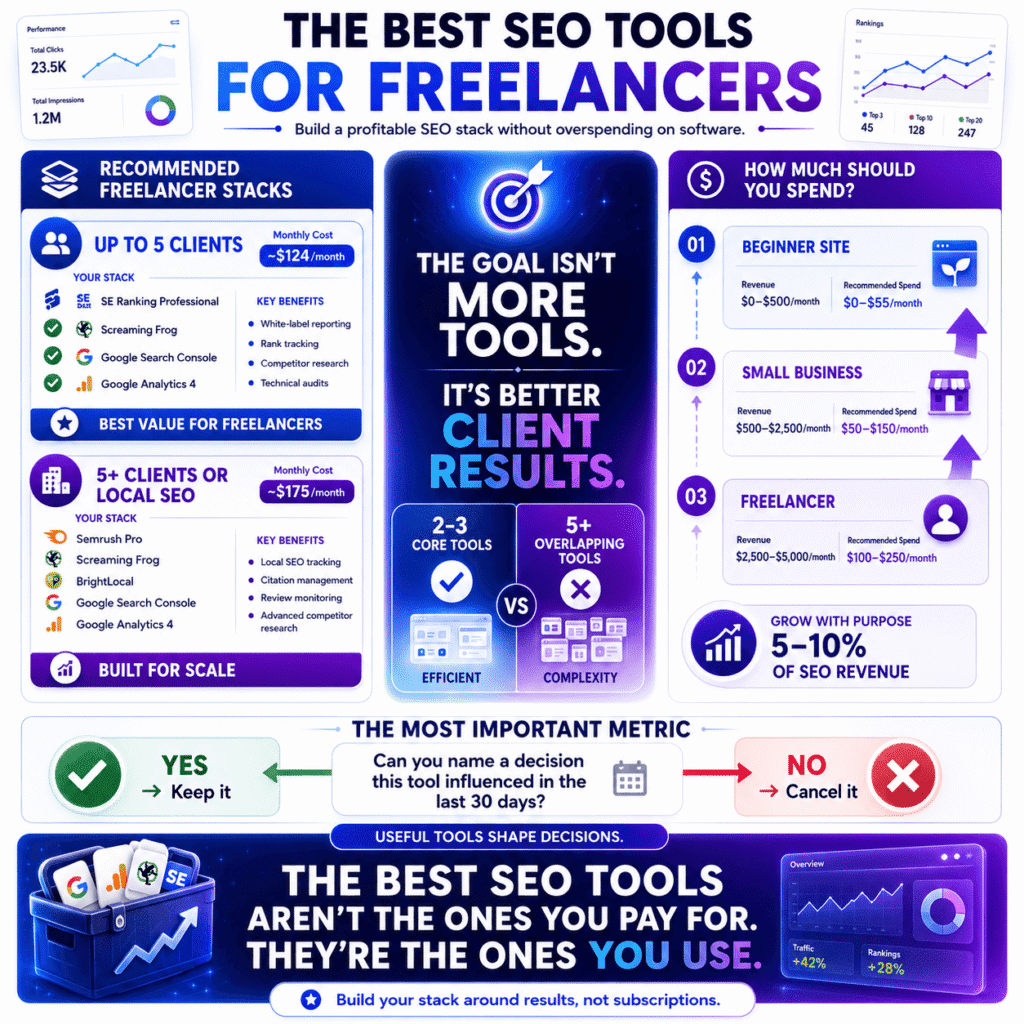
What is a good SEO tool stack for freelancers?
A functional freelance SEO stack covers site auditing, rank tracking, competitive research, and client reporting — ideally across two or three tools, not one platform trying to do everything adequately or five platforms doing things redundantly. The goal is comprehensive coverage without the overhead of managing too many data sources simultaneously.
The financial reality of freelance tool costs is something very few SEO articles acknowledge honestly: every subscription you carry is a fixed cost that doesn’t scale down when client work slows. Losing one retainer while running a $300/month tool stack is a different problem than losing one retainer while running a $120/month stack. Keep that asymmetry in mind when building your setup.
Stack for up to five clients
- SE Ranking Professional (~$103/month)
- Screaming Frog paid licence (£199/year — roughly $21/month)
- Google Search Console + GA4 per client (free)
Monthly cost: ~$124
SE Ranking’s Professional plan handles up to 30 projects with daily rank tracking, white-label reporting, and competitor research at a price point that Semrush doesn’t come close to matching. The white-label reporting feature deserves more attention than it gets — clients who receive clean branded reports showing their rankings improving month over month cancel less frequently than clients who receive nothing between calls and have to trust you on faith.
Screaming Frog runs separately because SE Ranking’s built-in crawler, while adequate for routine checks, doesn’t match Screaming Frog’s depth on complex technical audits. New client onboarding almost always starts with a Screaming Frog crawl. You’ll find issues on sites clients describe as “pretty well maintained” that have been quietly affecting rankings for years.
Stack for five-plus clients or local SEO focus
- Semrush Pro ($117.33/month)
- Screaming Frog paid (~$21/month)
- BrightLocal — scaled per client ($37/month base)
- Google Search Console + GA4 (free)
Monthly cost: ~$175
BrightLocal earns its place the moment local SEO becomes a meaningful part of your client mix. Citation management, local pack rank tracking, review monitoring across platforms — these are things Semrush handles inconsistently. BrightLocal does them as its entire purpose. Running both platforms costs less in wasted time than trying to force Semrush to do local SEO work it wasn’t designed for.
One thing the freelancer conversation rarely covers honestly: the platform you use for reporting affects client relationships in ways that go well beyond data accuracy. The free tool most freelancers use to actually build those dashboards is Looker Studio — Google’s free reporting platform. It connects directly to Search Console and GA4, pulls in data from SE Ranking via connector, and produces client-readable reports without a separate subscription. If you’re not using it, you’re either building reports manually or paying for something you don’t need to.
A client who can log into a clean dashboard and watch rankings improve doesn’t need reassuring. A client who receives a raw export and has to trust your interpretation of it requires ongoing relationship maintenance that costs time you’d rather spend on actual SEO work. Factor reporting experience into your platform decision as a real criterion, not an afterthought.
How much should I spend on SEO tools per month?
Most beginners and small business owners should spend between $0 and $55 per month in their first year, scaling to $100 to $200 as site revenue and complexity justify it. Freelancers managing multiple clients can typically sustain $100 to $250 per month when that cost is distributed across a client base billing at standard retainer rates.
But the flat budget number is actually the less useful part of this answer.
The more honest framework is a ratio, not a figure. SEO tools should cost somewhere between 5 and 10 percent of the monthly revenue they’re helping you generate or protect. That ratio keeps the decision proportionate regardless of where you are:
A blog making $400/month has no business running a $200/month tool stack. The maths doesn’t work and the pressure to justify the spend leads to making decisions based on tool cost rather than what actually needs doing.
A freelancer billing $4,000/month across retainers can sustain $200 to $400/month in tools without the economics breaking. At that billing level, the best SEO tools pay for themselves through a single ranking improvement on a client’s commercial keyword — usually within the first month of finding and fixing a problem the client didn’t know existed.
A site making $2,500/month from organic traffic has a direct financial case for Ahrefs or Semrush. One content gap discovered. One technical fix implemented. One underperforming page identified and updated. Any of those outcomes, actioned from data a premium platform surfaced, can generate more revenue in a month than the annual subscription costs.
Two things worth knowing before you commit to any paid plan:
Annual billing saves 15 to 30 percent across almost every platform on this list — Semrush, Ahrefs, SE Ranking, Mangools, all of them discount meaningfully for the commitment. If you’ve run a tool for two to three months and it’s clearly earning its place, switching to annual is straightforward and the saving is real money.
And the part that never appears in budget guides: know when to cancel, not just when to add. If a tool has been in your stack for three months and you can’t name a specific decision it influenced in the last 30 days, it’s not earning its cost regardless of what the features page says it can do. The best SEO tools are the ones actively shaping your decisions — not the ones sitting in a browser tab you open out of habit.
Frequently Asked Questions About SEO Tools
These are the questions that genuinely don’t have clean answers in most SEO content — either because the honest answer is complicated, or because the honest answer doesn’t serve anyone’s affiliate revenue. We’ll try to do better than that.
What is the most used SEO tool?
Google Search Console is the most widely used SEO tool in the world — not because it’s the most powerful, but because it’s free, built by Google, and every site owner with a functioning website should have it running regardless of what else they pay for. Among paid platforms, Semrush reported over 10 million users in 2024, making it the most widely adopted commercial option by volume.
Popularity and usefulness track differently in this space, which is worth saying plainly.
Search Console’s dominance reflects a zero-cost barrier, not a quality judgement relative to paid alternatives. Semrush’s user numbers reflect aggressive marketing, a broad free tier, and a genuinely capable product — all three factors together, not any single one. Ahrefs, which is more selectively adopted and has no meaningful free tier for competitive research, consistently appears in surveys of which tools working SEO professionals rely on most for actual decisions — despite having a smaller raw user count than Semrush.
The most used tool and the most trusted tool are different lists. For beginners, that distinction matters when interpreting why certain platforms appear more prominently in the content you’re reading.
Is Ahrefs better than Semrush?
For backlink analysis and keyword research, Ahrefs has the edge. For all-in-one marketing workflows, local SEO, and PPC research alongside organic, Semrush covers more ground. Neither is categorically better — they’ve been competing closely for years and both have genuine strengths the other doesn’t fully replicate.
This question has been debated in SEO communities since approximately 2016 and the honest answer hasn’t changed: it depends on what you’re primarily using it for, and anyone telling you one is definitively superior across all use cases is either oversimplifying or has a financial reason to simplify it.
Here’s what the data and widespread practitioner experience actually shows:
Ahrefs’ backlink index is widely regarded as larger and more frequently updated. For competitive link analysis and link building work, this matters in practice — you’ll find linking domains in Ahrefs that Semrush misses on the same search, and the freshness of the data affects whether you’re making decisions on accurate information.
Semrush’s keyword volume figures run higher than Ahrefs for identical terms. Neither platform has access to Google’s actual search data — both model from different datasets. This means you should never compare volume numbers directly between platforms, and you should treat all third-party volume estimates as directional rather than precise.
Semrush includes features Ahrefs doesn’t prioritise — PPC competitor intelligence, a content marketing platform, social media tools, and local SEO features that are more developed than Ahrefs’ equivalent. If your work extends beyond pure organic SEO, that breadth has real value.
Ahrefs’ interface for core SEO tasks — site explorer, keywords explorer, content gap — is generally faster and less cluttered than Semrush’s equivalent screens. This sounds trivial until you’re using the tool for three hours a day, at which point interface friction becomes a genuine productivity factor.
Both offer trial periods. Test both against the same real competitor research question on your actual site. The one that answers your specific question more clearly is the one worth paying for.
What SEO tools do professionals use?
Professional SEOs typically combine Google Search Console, Ahrefs or Semrush for competitive research, Screaming Frog for technical auditing, and either SE Ranking or a dedicated rank tracker for position monitoring. The specific combination shifts by specialism — technical SEOs, content strategists, and local SEO practitioners build meaningfully different stacks around the same core platforms.
Two things about professional tool use that rarely get written about honestly:
First, most experienced SEOs use fewer tools than you’d expect and know each one more deeply than you’d expect. The impulse to add new platforms every time a compelling product launches is something most professionals grow out of within the first two to three years of practice. Knowing Screaming Frog’s non-obvious features — log file analysis, custom extraction, JavaScript rendering configuration — delivers more value than adding a fourth platform to the stack. Familiarity compounds in a way that novelty doesn’t.
Second, the tools professionals use for client reporting are often different from the tools they use for actual analysis. SE Ranking and AgencyAnalytics appear in freelancer and agency stacks specifically because their reporting outputs are clean and client-readable — not necessarily because they’re the strongest analytical platforms. A client dashboard that communicates progress clearly has retention value that goes beyond the data it contains.
One tool that appears consistently in advanced professional stacks and almost never in beginner content: log file analysers. Screaming Frog’s Log File Analyser and Botify both help SEOs understand exactly how Google’s crawler is moving through a site — which pages it visits, how often, and in what order. For large sites where crawl budget genuinely matters, that intelligence is irreplaceable. For a 50-page site, it’s overkill. The gap between those two situations is where a lot of professional SEO actually lives.
Are SEO tools worth it for small businesses?
Free SEO tools are unconditionally worth it for any small business with a website. Paid tools are worth it when there’s a specific unanswered question driving the purchase, a person whose job includes acting on the data, and enough monthly revenue to make the cost proportionate to realistic returns.
The sequence most small businesses get wrong: they hear SEO matters, they read that serious SEOs use Semrush or Ahrefs, they sign up, they spend several weeks trying to understand the platform, they get pulled back into running the business, and the subscription runs quietly in the background for months without influencing a single decision.
That’s not a tools failure. It’s a sequencing failure.
Before any paid tool: Google Business Profile for local businesses is free, directly controlled by Google, and determines how you appear in local pack results — the map listings that dominate mobile searches for local services. A fully optimised, actively managed Google Business Profile with consistent reviews will move more traffic for a local business than any paid SEO platform until the profile is genuinely performing. Starting with a $140/month tool while the Business Profile is incomplete is the wrong order of operations.
After the free tools are genuinely in use and the data is actually being acted on, paid tools earn their cost most reliably when the business has a specific competitive question it can’t answer with free data. Why is a competitor ranking above us for this term? Which local keywords are we invisible for? What technical issues are holding our site back? Those are the questions that justify a subscription — not a general sense that more SEO investment would be good.
The uncomfortable honest answer for some small businesses: the return on a $100/month SEO tool is not guaranteed, and for businesses where organic search isn’t currently a meaningful traffic channel, it may take six to twelve months before any paid tool demonstrably earns its cost. That’s not a reason to avoid them permanently — it’s a reason to be clear-eyed about the timeline before signing up.
What is the cheapest SEO tool that actually works?
Google Search Console is the cheapest SEO tool that genuinely works — it’s free, it reports real data directly from Google, and most sites haven’t fully acted on what it’s already showing them. Among paid options, Ubersuggest at $20/month and SE Ranking’s Starter plan at approximately $69/month deliver the strongest capability-to-cost ratio without meaningful compromise on core functionality.
The assumption buried in this question — that there’s a price floor below which tools stop being useful — is worth examining directly, because it’s not accurate.
Screaming Frog’s free tier crawls 500 pages and finds technical issues that have been affecting real sites’ rankings for months without anyone knowing. AnswerThePublic maps genuine search questions around any keyword on a handful of free daily searches. Ahrefs Webmaster Tools provides backlink data and site audit features for your own domain at no cost — something most people don’t realise exists. Keywords Everywhere adds keyword data directly to Google search results for a few dollars a month in credits.
A stack built from those tools costs almost nothing and handles the core SEO workflow competently for any site in its first year. It isn’t glamorous. It doesn’t have a sleek dashboard or a progress score that goes up when you complete tasks. What it has is accurate data on your real site, which is the only thing that actually matters.
When that stack hits its ceiling — specifically when competitor research becomes the question you can’t answer — SE Ranking at $69/month is the most honest paid recommendation at the lower price tier. It covers keyword research, rank tracking, competitor analysis, and site auditing without the premium platform pricing, and without the data quality problems that show up in tools priced below $30/month.
The best SEO tools for limited budgets are almost always the ones already available and underused — not a cheaper version of what the expensive platforms do.
Conclusion— The Best SEO Tools to Start With Today
There’s a version of this conclusion that summarises everything covered, reminds you of the key takeaways, and ends with something like “now go start your SEO journey.” You’ve read that conclusion before. It doesn’t help anyone.
This one skips that and goes straight to the only question that matters at this point: given everything you’ve just read, what should you actually do tomorrow morning?
What is the single best SEO tool for beginners?
Google Search Console is the single best SEO tool for beginners — free, built by Google, and reporting real data that no paid platform can replicate because no paid platform has direct access to Google’s index. For the first paid tool when you’re ready to invest, SE Ranking at $69/month is the most honest recommendation for most people: capable, affordable, and usable without a three-week learning curve.
That’s a direct answer and it’s going to stay that way.
Most “best SEO tool for beginners” content never commits to one answer because keeping options open generates more affiliate revenue than closing the decision. That’s not a conspiracy — it’s just incentive structure. The honest answer is less complicated than most roundups make it: explore Google Search Console until it stops being enough, then move to SE Ranking or Mangools before considering the premium platforms.
Here’s what tomorrow morning actually looks like depending on where you are:
You’re a blogger with a WordPress site and no paid tools yet — install Yoast SEO’s free plugin, connect Google Search Console if it isn’t already running, and spend an hour in the Performance report looking at which pages are sitting between positions 6 and 15. Those are your fastest wins and they cost nothing to find.
You’re a freelancer landing your first SEO clients — SE Ranking’s Professional plan at $95/month covers rank tracking, competitor research, and white-label reporting across multiple client projects. Most freelancers who try it after paying Semrush prices describe the experience as finding a tool that does 85 percent of the same job at 65 percent of the cost. That gap matters when tools come out of your margin.
You’re a small business owner who keeps hearing that SEO matters — your Google Business Profile is more important than any paid tool right now. Fully optimised, actively managed, generating consistent reviews. Get that right first. The keyword research can wait.
Which SEO tools offer the best value for money?
Google Search Console offers the best value of any SEO tool because it’s free and impossible to replace — what it reports, nothing else can replicate. Among paid platforms, SE Ranking delivers the strongest capability-to-cost ratio for most users, Screaming Frog’s annual licence is the best-value technical audit tool at any price, and Ahrefs Webmaster Tools is the most capable free option most site owners have never set up.
Value in SEO tools is a ratio, not a number — and the ratio changes entirely based on what you’re comparing it against.
Screaming Frog at £199 per year is genuinely hard to argue with. That’s roughly $21 per month for technical site auditing that surfaces the kinds of issues — redirect chains, accidentally noindexed pages, duplicate metadata at scale, crawl budget problems — that have been quietly affecting rankings on sites for months before anyone noticed. The interface remains aggressively ugly. The output remains one of the most reliable in the industry. Those two facts have coexisted since 2010 and show no signs of changing.
SE Ranking at $69/month covers more of the standard SEO workflow than its price suggests. Rank tracking, keyword research, site auditing, competitor analysis — all functional, none watered-down to a point of uselessness. The tool most commonly described in freelancer forums as “I wish I’d found this before Semrush.” Not because Semrush isn’t good. Because SE Ranking is good enough for most situations at less than half the price.
Ahrefs Webmaster Tools is the answer to a question most beginners haven’t thought to ask yet: what free data does Ahrefs actually provide? Backlink data and site audit features for your own domain, at no cost, set up in under ten minutes. If you haven’t done this yet, it’s the highest-value ten minutes available to you after closing this article.
The broader point on value: the most expensive SEO tool you can run is one you’re paying for but not using. A $200/month platform sitting idle while you focus on other parts of the business is a worse investment than a $69/month platform you open every Monday and act on by Wednesday. The best SEO tools in 2026 aren’t defined by price or brand recognition. They’re defined by whether they’re changing the decisions you make about your site.
There’s no grand closing statement here. You’ve read enough.
You know which tools exist, what they cost, what they’re genuinely good at, and which ones are better suited to where you are right now versus where you’re headed. The decision is simpler than the market wants it to feel.
Start with what’s free. Use it until it isn’t enough. Then add one paid tool that solves the specific problem free tools can’t. That’s the whole strategy — and it works better than any stack you could build in an afternoon of comparison shopping.
📖 Related: Best SEO Tools for Small Businesses in 2026 (Actually Worth Paying For) A focused breakdown of which paid SEO tools genuinely justify their cost for small business budgets — with honest notes on which ones to skip.
Disclosure: Some links in this article maybe affiliate links. If you purchase through them I may earn a commission — at no additional cost to you. This article reflects genuine practitioner experience with the tools discussed. Affiliate relationships don’t influence the analysis, including where I’ve been critical.