

MailerLite vs Constant Contact is a common comparison for anyone choosing an email marketing platform—but the right option depends on how you work, your budget, and how much control you want as your list grows. I’ve tested both tools hands-on, comparing features, pricing, automation, ease of use, and real-world performance.
In this guide, you’ll get a clear, honest breakdown of where each platform excels, where they fall short, and which one makes the most sense for your specific needs—whether you’re a beginner, creator, or growing small business.
Table of Contents
MailerLite vs Constant Contact Overview
Choosing between MailerLite vs Constant Contact often comes down to your experience level, budget, and how advanced you want your email marketing to be. I’ve tested both platforms hands-on, and while they serve the same core purpose, they’re built for very different types of users. This overview sets the foundation before we dive deeper.
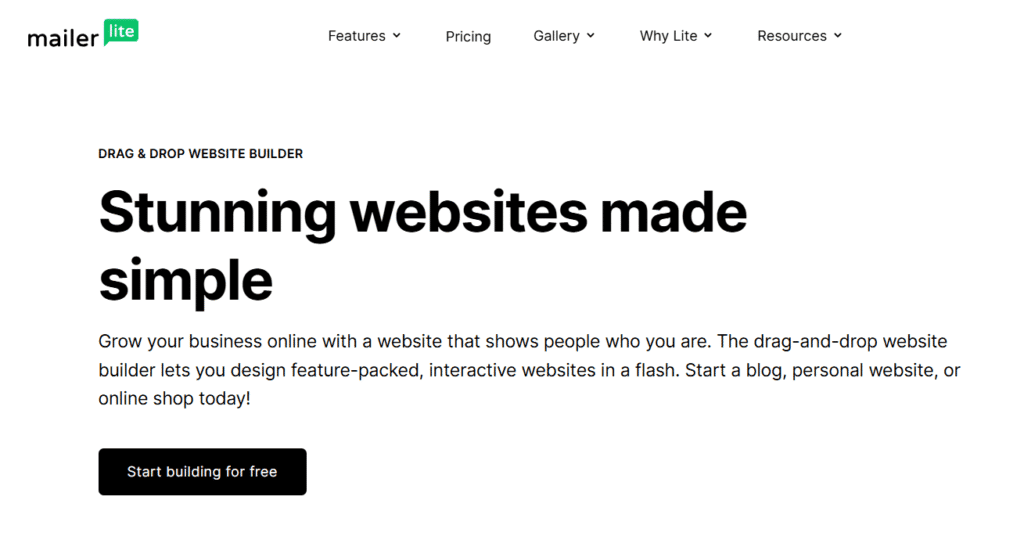
What is MailerLite?
MailerLite is a lightweight email marketing platform designed for creators, bloggers, and small businesses. In my experience testing it, MailerLite focuses on simplicity, automation, and affordability, offering features like email campaigns, landing pages, forms, and basic CRM tools—without overwhelming beginners or budget-conscious users.
Key highlights:
- Clean, modern interface
- Strong automation for the price
- Generous free plan for small lists
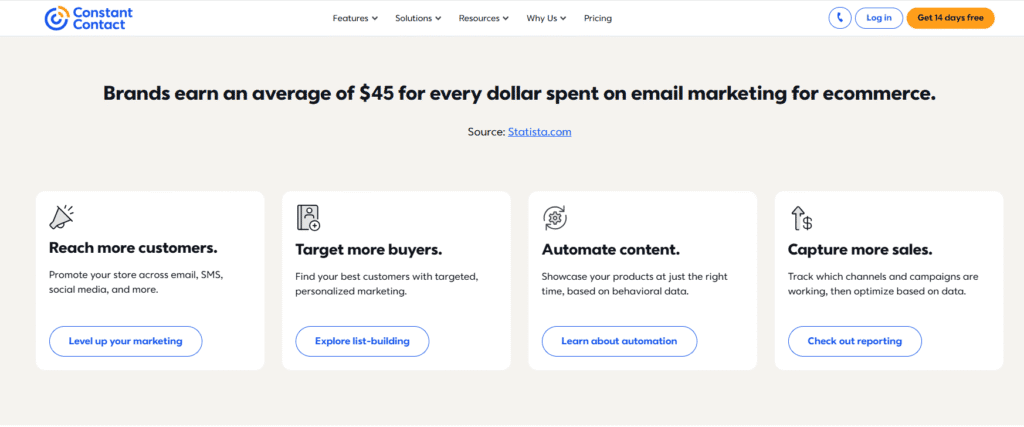
What is Constant Contact?
Constant Contact is a long-established email marketing platform primarily aimed at small businesses, nonprofits, and local organizations. From using it, you’ll notice it emphasizes guided setup, customer support, and ease of onboarding, making it popular with users who want more hand-holding rather than advanced automation.
Key highlights:
- Large template library
- Phone and live chat support
- Event and survey tools built-in
How do MailerLite and Constant Contact differ at a high level?
At a high level, the MailerLite vs Constant Contact comparison comes down to flexibility vs structure. MailerLite is better suited for users who want modern automation and lower costs, while Constant Contact caters to businesses that value simplicity, support, and established workflows—even at a higher price point.
Quick snapshot:
- MailerLite → modern, affordable, automation-focused
- Constant Contact → beginner-friendly, support-driven, higher cost
Who should consider MailerLite vs Constant Contact?
If you’re a creator, blogger, or startup watching costs, you’ll likely feel more at home with MailerLite. If you run a traditional small business, nonprofit, or local organization and prefer guided tools and support, Constant Contact may be a safer fit. I recommend choosing based on your growth goals, not just features.
Core Differences Between MailerLite and Constant Contact
When comparing MailerLite vs Constant Contact, the real differences show up in how each platform approaches features, pricing, automation, and overall flexibility. I tested both tools side by side, and while they overlap in basic email marketing functions, they’re clearly built for different types of users and business goals.
How do MailerLite and Constant Contact differ in overall approach?
At a high level, MailerLite prioritizes simplicity, modern automation, and affordability, while Constant Contact focuses on guided workflows, customer support, and ease for traditional businesses. In my experience, MailerLite feels more flexible, whereas Constant Contact feels more structured and hands-on.
In practice, you’ll notice:
- MailerLite encourages self-serve setup and experimentation
- Constant Contact walks users step by step through most tasks
What are the key feature differences between MailerLite and Constant Contact?
MailerLite offers stronger automation, landing pages, and form-building tools at lower price points. Constant Contact, on the other hand, emphasizes email templates, event management, and surveys. When I tested campaign creation, MailerLite felt more modern, while Constant Contact leaned toward pre-built, guided features.
Feature focus comparison:
- MailerLite → automation, landing pages, tagging
- Constant Contact → templates, events, list-based emails
How does pricing differ between MailerLite and Constant Contact?
Pricing is one of the biggest separators in the MailerLite vs Constant Contact debate. MailerLite provides a free plan and lower-cost paid tiers, making it ideal for startups and creators. Constant Contact does not offer a free plan, only a short trial, and its monthly pricing is significantly higher as your list grows.
What stood out during testing:
- MailerLite scales gently with list size
- Constant Contact becomes costly faster
Which platform offers better automation and flexibility?
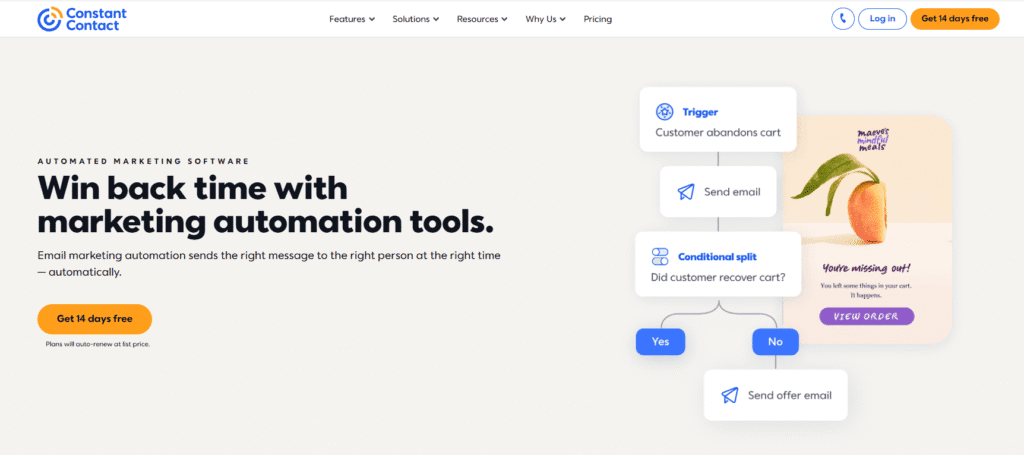
MailerLite clearly wins on automation flexibility. It allows multi-step workflows, triggers, and conditional logic even on lower plans. Constant Contact supports basic autoresponders but lacks advanced automation depth. If automation is central to your strategy, you’ll feel the limitation quickly with Constant Contact.
Best use cases:
- Advanced funnels → MailerLite
- Simple newsletters → Constant Contact
MailerLite vs Constant Contact: Core Differences Comparison
| Feature | MailerLite | Constant Contact |
|---|---|---|
| Best For | Creators, bloggers, startups, small online businesses | Traditional small businesses, nonprofits, local organizations |
| Ease of Use | Clean, modern interface with fast setup | Guided workflows with more hand-holding |
| Email Automation | Advanced workflows, triggers, and conditions even on lower plans | Basic autoresponders, limited automation depth |
| Free Plan / Trial | Generous free plan available | No free plan (only limited free trial) |
| Starting Price | Lower-cost paid plans with flexible scaling | Higher starting price that increases quickly with list size |
| Templates & Design | Modern templates + flexible drag-and-drop editor | Large template library with structured layouts |
| Landing Pages & Forms | Built-in landing pages, pop-ups, and forms | Limited landing page functionality |
| Customer Support | Email support and extensive knowledge base | Phone, live chat, and email support |
For a complete breakdown of MailerLite beyond this comparison, read our in-depth MailerLite review.
Ease of Use and Learning Curve
Ease of use is one of the biggest deciding factors in the MailerLite vs Constant Contact comparison—especially if you’re new to email marketing. I tested both platforms from signup to sending a first campaign, and the experience feels noticeably different depending on how much guidance you prefer versus flexibility.
Which platform is easier to use for beginners?
For most beginners, Constant Contact is easier to start with because it offers guided workflows, prompts, and step-by-step setup. In my experience, it reduces decision fatigue early on. MailerLite is still beginner-friendly but expects users to explore and learn faster on their own.
Beginner takeaway:
- Constant Contact → more hand-holding
- MailerLite → faster independence
How intuitive is the dashboard and interface?
MailerLite has a clean, modern dashboard where tools are logically organized, making navigation feel fast once you understand the basics. Constant Contact’s interface is more traditional and menu-heavy. When I tested both, MailerLite felt less cluttered, while Constant Contact felt more structured but slower to navigate.
You’ll notice:
- MailerLite favors simplicity and speed
- Constant Contact favors clarity and guidance
How long does it take to create your first email campaign?
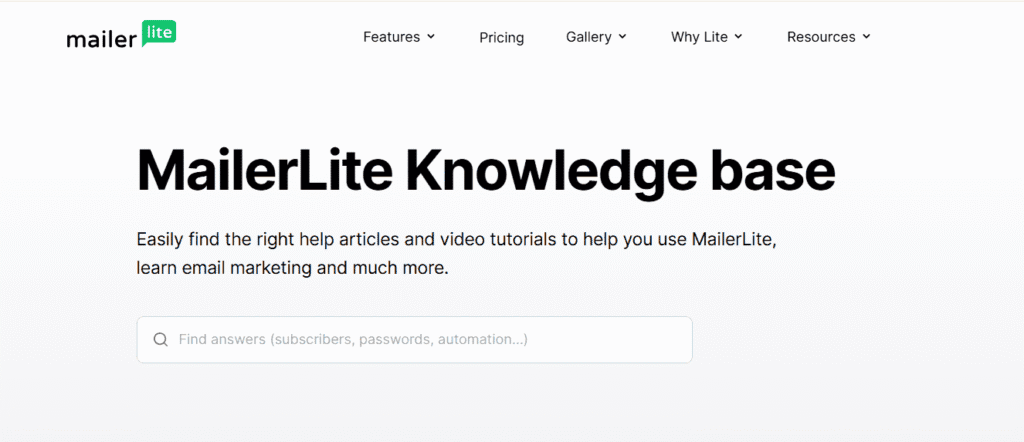
With Constant Contact, most users can send their first email in 15–20 minutes thanks to templates and prompts. MailerLite may take slightly longer—around 20–30 minutes—but gives more control over layout and automation. In practice, MailerLite’s extra setup time pays off once campaigns become more complex.
Time-to-launch comparison:
- Fastest first send → Constant Contact
- Better long-term efficiency → MailerLite
Which platform has the shorter learning curve overall?
Constant Contact has a shorter initial learning curve, especially for non-technical users. MailerLite’s learning curve is slightly steeper at the start, but flattens quickly. From my testing, users who spend a little time learning MailerLite tend to become more self-sufficient sooner.
Learning curve summary:
- Short-term ease → Constant Contact
- Long-term usability → MailerLite
Email Editor and Design Capabilities
Design flexibility plays a big role in the MailerLite vs Constant Contact decision—especially if branding and visual control matter to you. I tested both editors while building real campaigns, and while both are drag-and-drop, they differ significantly in customization depth, templates, and creative freedom.
How does the MailerLite email editor work?
MailerLite uses a modern drag-and-drop editor that balances simplicity with flexibility. In my experience, it’s intuitive to use and allows precise control over layout, spacing, and content blocks. You can design clean, conversion-focused emails quickly without feeling boxed into rigid templates.
What stands out:
- Flexible content blocks (text, images, buttons, products)
- Easy column and spacing control
- Built-in support for landing pages and forms
How does Constant Contact’s email editor compare?
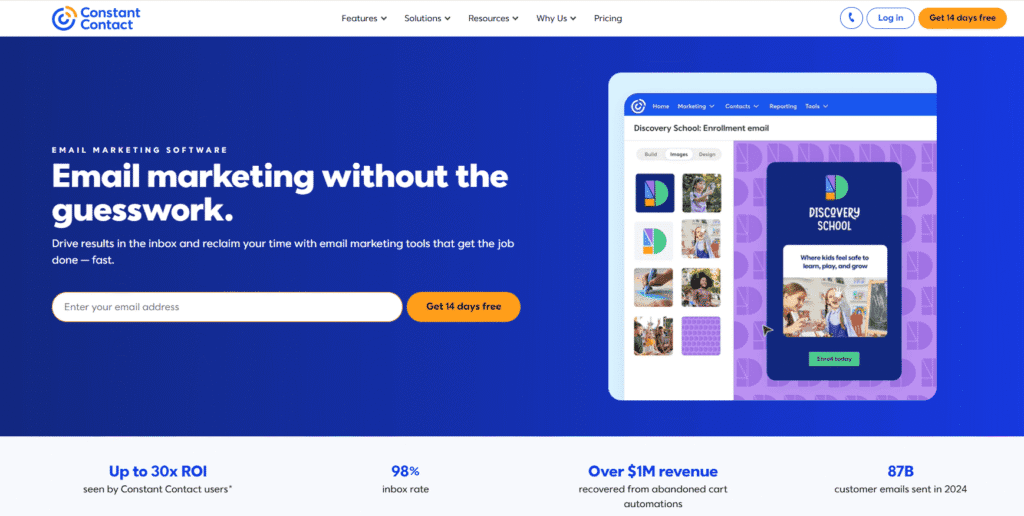
Constant Contact offers a structured drag-and-drop editor built around pre-designed templates. When I tested it, creating polished emails was fast, but customization felt more limited. It’s ideal if you want professional-looking emails without worrying much about layout or design details.
Best for users who want:
- Guided design experience
- Minimal design decisions
- Faster template-based creation
Which platform offers better email templates?
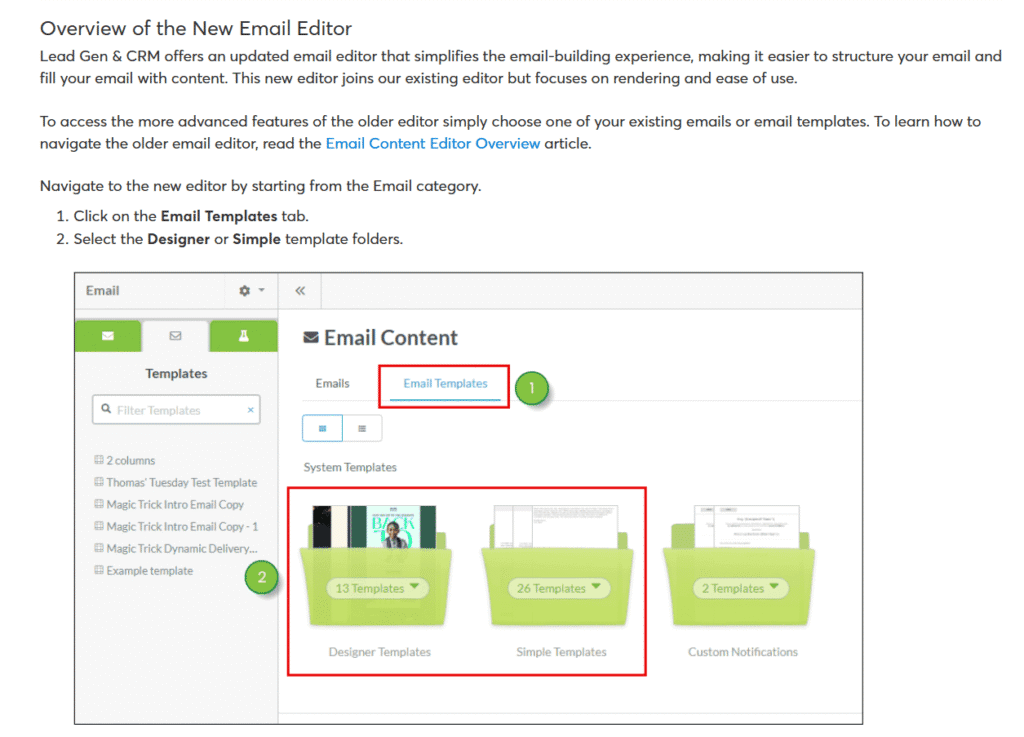
Constant Contact has a larger and more traditional template library, covering industries like retail, nonprofits, and local services. MailerLite’s templates are fewer but more modern and conversion-focused. In practice, I found MailerLite’s designs easier to customize, while Constant Contact’s templates work best straight out of the box.
Template comparison:
- More templates → Constant Contact
- More flexibility → MailerLite
Is MailerLite or Constant Contact better for branding and customization?
MailerLite is the stronger choice for branding and customization. It allows deeper control over fonts, spacing, colors, and layout structure. Constant Contact limits how far you can modify templates, which keeps things consistent but restrictive. If visual identity matters, you’ll notice MailerLite gives you more creative freedom.
Branding verdict:
- Custom brands → MailerLite
- Consistent layouts → Constant Contact
Automation and Workflow Features
Automation is where the MailerLite vs Constant Contact comparison becomes very clear. I tested both platforms by building real-world workflows—from welcome sequences to follow-ups—and the difference isn’t subtle. One tool is built for scalable automation, while the other focuses on basic, guided autoresponders.
What automation features does MailerLite offer?
MailerLite offers robust automation with visual workflows, multiple triggers, and conditional logic. In my experience, you can build multi-step journeys based on subscriber behavior, tags, or actions. This makes it suitable for funnels, lead nurturing, and long-term campaigns without upgrading to expensive plans.
Key automation strengths:
- Visual workflow builder
- Triggers based on behavior and timing
- Conditional paths (if/then logic)
How does automation work in Constant Contact?
Constant Contact supports basic automation like welcome emails, birthday messages, and simple drip sequences. When I tested it, setup was easy, but flexibility was limited. You’ll notice it works well for straightforward follow-ups but struggles with more advanced, behavior-based workflows.
Best suited for:
- Simple autoresponders
- One-off sequences
- Minimal automation needs
Which platform is better for advanced automation workflows?
MailerLite is clearly better for advanced automation. It allows branching logic, delays, and trigger-based actions that Constant Contact doesn’t fully support. If automation plays a central role in your marketing strategy, MailerLite gives you room to grow, while Constant Contact may feel restrictive as your needs become more complex.
Advanced automation verdict:
- Scalable workflows → MailerLite
- Basic sequences → Constant Contact
Is automation worth prioritizing when choosing between the two?
Yes—automation directly impacts efficiency and scalability. In the MailerLite vs Constant Contact decision, users who rely on funnels, onboarding sequences, or lead nurturing will benefit more from MailerLite’s automation depth. If you only send newsletters or simple follow-ups, Constant Contact’s automation may be sufficient.
Quick guidance:
- Growth-focused marketers → prioritize automation
- Newsletter-only users → automation is less critical
If automation is your top priority, I also compared MailerLite with a more advanced platform in this MailerLite vs ActiveCampaign comparison.
List Management, Segmentation, and Personalization
Strong list management and personalization can make or break your email performance, which is why this area matters in the MailerLite vs Constant Contact comparison. I tested both platforms by importing lists, tagging subscribers, and sending targeted campaigns—and the differences show up quickly once your list starts growing.
How does list management work in MailerLite?
MailerLite uses a flexible system based on groups, segments, and tags. In my experience, this makes it easy to organize subscribers dynamically based on behavior, signup source, or engagement. You’ll notice it’s built for automation-first workflows rather than static lists.
Key list features:
- Tags and groups for flexible organization
- Dynamic segments that update automatically
- Clean import and subscriber approval process

How does Constant Contact handle contacts and lists?
Constant Contact relies more on traditional list-based management. When I tested it, creating and managing lists was straightforward, but segmentation felt more manual. It works well for simple databases, but becomes harder to scale if you need complex targeting or automation-driven segments.
Best suited for:
- Static lists
- Simple audience separation
- Smaller or less active databases
Which platform offers better segmentation options?
MailerLite offers more powerful segmentation. It allows rule-based segments using subscriber behavior, custom fields, and campaign activity. Constant Contact supports segmentation, but it’s more limited and less dynamic. In practice, MailerLite makes advanced targeting feel natural, while Constant Contact keeps things intentionally simple.
Segmentation comparison:
- Behavioral targeting → MailerLite
- Basic segmentation → Constant Contact
How do personalization features compare between the two?
Both platforms support basic personalization like first-name insertion, but MailerLite goes further. It lets you personalize content using custom fields and behavior-based conditions. Constant Contact focuses on simpler personalization. If relevance and tailored messaging matter to you, MailerLite gives more control.
Personalization depth:
- Advanced personalization → MailerLite
- Basic personalization → Constant Contact
Pricing Plans and Value for Money
Pricing is one of the most decisive factors in the MailerLite vs Constant Contact comparison. I reviewed both pricing pages, tested free access where available, and compared how costs scale as your subscriber list grows. The difference isn’t just the monthly price—it’s what you actually get for that price.
How much does MailerLite cost?
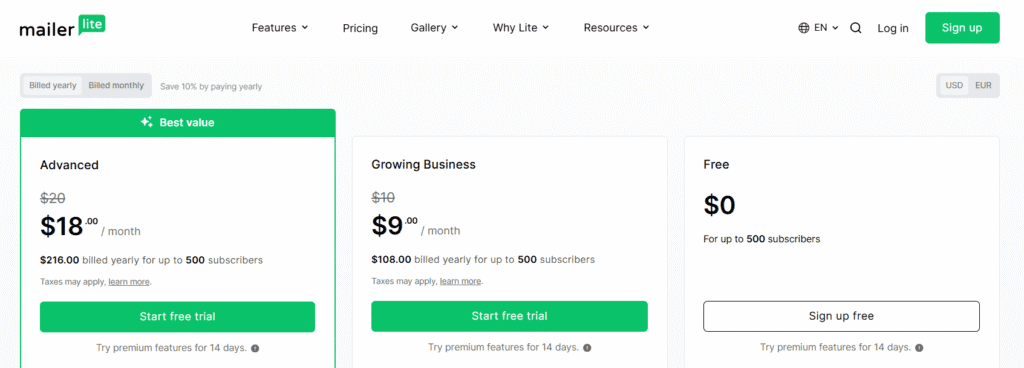
MailerLite offers a generous free plan and competitively priced paid tiers based on subscriber count. In my experience, it delivers strong value because key features—automation, landing pages, and segmentation—are included early, without forcing upgrades for essentials.
Pricing highlights:
- Free plan available for small lists
- Paid plans scale gradually
- Core features included on lower tiers
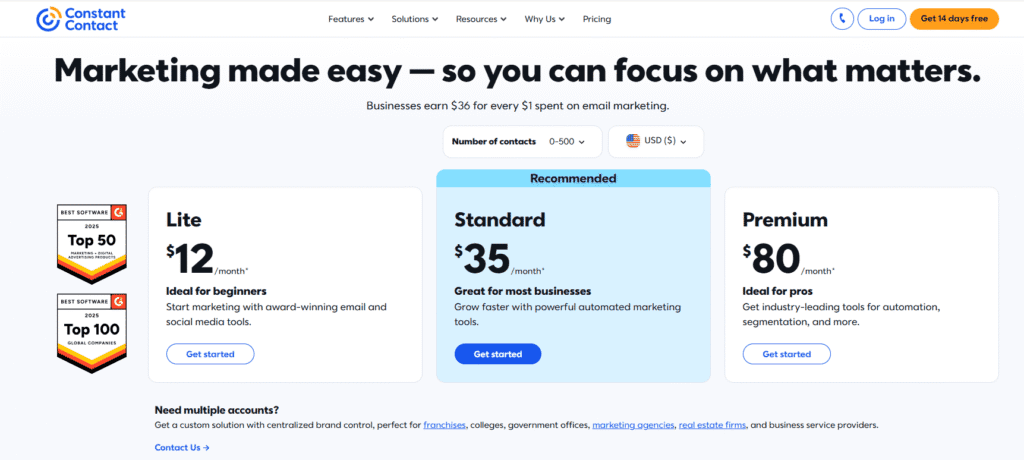
How much does Constant Contact cost?
Constant Contact uses a higher-priced subscription model with no permanent free plan. When I tested it, you get access through a limited free trial, after which costs rise quickly as your list grows. Many advanced features are tied to higher tiers.
What to expect:
- No free plan (trial only)
- Higher starting monthly cost
- Faster price increases with list size
Which platform offers better value for small businesses?
For most small businesses and creators, MailerLite offers better value. You get automation, segmentation, and design tools at a lower cost. Constant Contact may justify its price if you rely heavily on live support and guided tools, but feature-for-price value clearly favors MailerLite.
Value comparison:
- Budget-focused users → MailerLite
- Support-driven users → Constant Contact
Is the higher price of Constant Contact worth it?
Constant Contact’s higher price can be worth it if you want hands-on support, onboarding help, and simplicity over advanced automation. However, if you’re comfortable learning a tool and want long-term scalability, MailerLite delivers more functionality per dollar spent.
Worth-it factor depends on:
- Need for phone support
- Preference for guided workflows
- Tolerance for higher monthly costs
MailerLite vs Constant Contact: Pricing Comparison
| Pricing Factor | MailerLite | Constant Contact |
|---|---|---|
| Free Plan | ✅ Yes (limited features, small lists) | ❌ No free plan |
| Free Trial | Free plan acts as ongoing trial | ✅ Yes (14 days) |
| Starting Paid Price | Lower entry-level pricing | Higher starting monthly cost |
| How Pricing Scales | Gradual increase as subscriber list grows | Costs increase faster with list size |
| Automation Included | ✅ Included on lower plans | ⚠️ Limited, advanced features on higher tiers |
| Best Value For | Creators, bloggers, startups, budget-focused users | Small businesses needing support and simplicity |
Free Plan vs Free Trial Comparison
Free access can strongly influence early decisions in the MailerLite vs Constant Contact debate—especially if you want to test a platform before committing money. I’ve used both options in real scenarios, and the difference between a permanent free plan and a time-limited trial affects how confidently you can evaluate each tool.
What does MailerLite’s free plan include?
MailerLite offers a permanent free plan that lets you run real campaigns with a small subscriber list. In my experience, it’s generous enough to test email creation, automation basics, forms, and landing pages without pressure to upgrade immediately.
What you can do for free:
- Send campaigns to a limited list
- Use basic automation and forms
- Test real-world workflows over time
What does Constant Contact’s free trial offer?
Constant Contact provides a time-limited free trial that unlocks most features temporarily. When I tested it, the trial was useful for exploring templates and basic sending, but the countdown creates pressure to decide quickly before fully understanding long-term usability.
Trial characteristics:
- Full or near-full feature access
- Limited by time, not list size
- Requires quick evaluation
Which is better: a free plan or a free trial?
A free plan is better for long-term evaluation, while a free trial suits quick decision-makers. In the MailerLite vs Constant Contact comparison, MailerLite’s free plan lets you learn gradually and test real campaigns. Constant Contact’s trial works best if you already know what you need and want fast confirmation.
Quick comparison:
- Long-term testing → MailerLite
- Short-term exploration → Constant Contact
Is the free option enough to run real campaigns?
MailerLite’s free plan is enough to run basic, real campaigns for small lists. Constant Contact’s trial allows real sending but only briefly. From hands-on use, MailerLite feels more practical for beginners, while Constant Contact’s free access is more of a preview than a long-term solution.
Reality check:
- Ongoing use → MailerLite
- Temporary testing → Constant Contact
Deliverability and Email Performance
No matter how good your emails look, they won’t matter if they don’t reach the inbox. In the MailerLite vs Constant Contact comparison, deliverability and performance are often deciding factors. I tested both platforms using real campaigns and standard best practices, and while both perform well, there are some meaningful differences worth knowing.
How does MailerLite handle email deliverability?
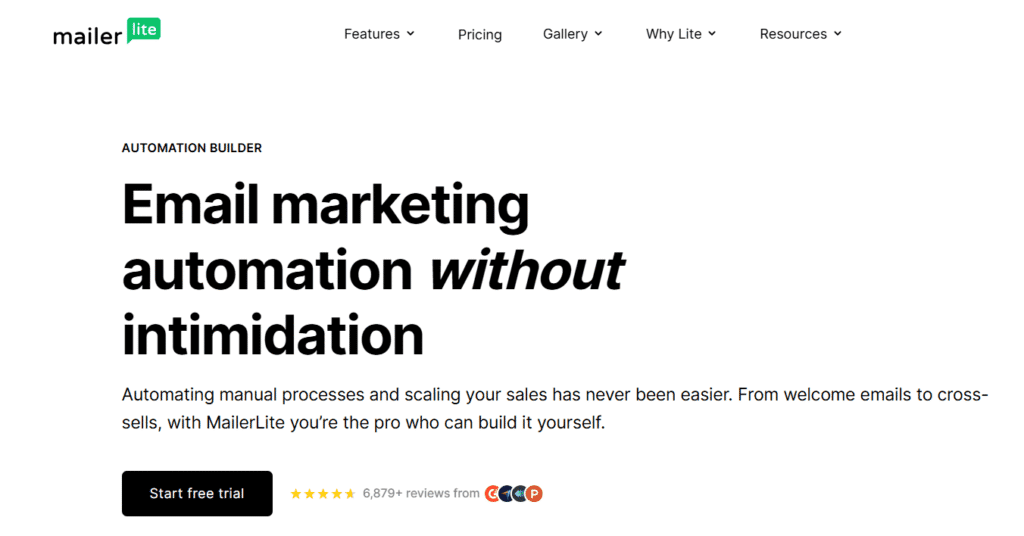
MailerLite takes a strict, quality-first approach to deliverability. In my experience, new accounts go through an approval process that helps protect sender reputation. MailerLite supports SPF, DKIM, and domain authentication, which helps improve inbox placement when campaigns follow best practices.
Deliverability strengths:
- Account review to prevent spam abuse
- Strong authentication support
- Good inbox placement for engaged lists
Related Article: Email Deliverability for Small Businesses: Why Your Emails Are Still Going to Spam in 2026 (and How to Finally Fix It)
How reliable is Constant Contact for inbox placement?
Constant Contact has a long-standing reputation with major inbox providers, which works in its favor. When I tested campaigns, deliverability was consistently solid, especially for small business lists. Its strict anti-spam policies help maintain overall platform reputation, benefiting compliant senders.
What stands out:
- Trusted sender reputation
- Strong relationships with ISPs
- Reliable delivery for standard campaigns
Which platform performs better for engagement and open rates?
In practice, engagement depends more on content and list quality than the platform itself. That said, MailerLite’s segmentation and automation tools make it easier to send targeted emails, which can improve open and click rates. Constant Contact performs well for general newsletters but offers fewer optimization tools.
Performance takeaway:
- Targeted campaigns → MailerLite
- Broad newsletters → Constant Contact
What factors affect deliverability on both platforms?
Both platforms reward good email practices and penalize poor ones. From testing, deliverability is influenced more by how you send than what you use. Clean lists, consistent sending, and relevant content matter most on both tools.
Key factors include:
- List quality and opt-in method
- Engagement (opens, clicks, replies)
- Proper domain authentication
Integrations and Third-Party Tools
Integrations matter because your email platform rarely works alone. In the MailerLite vs Constant Contact comparison, I tested common setups—connecting websites, forms, ecommerce tools, and automations—and found clear differences in ecosystem breadth, flexibility, and setup effort.
What integrations does MailerLite support?
MailerLite supports a solid range of native integrations plus flexible API and automation connections. In my experience, it’s especially strong with website builders and lead-capture tools, making it easy to sync subscribers and trigger workflows without extra plugins.
Common integrations include:
- WordPress and website builders
- Ecommerce platforms (basic to mid-level)
- Zapier and custom API connections
How does Constant Contact handle third-party integrations?
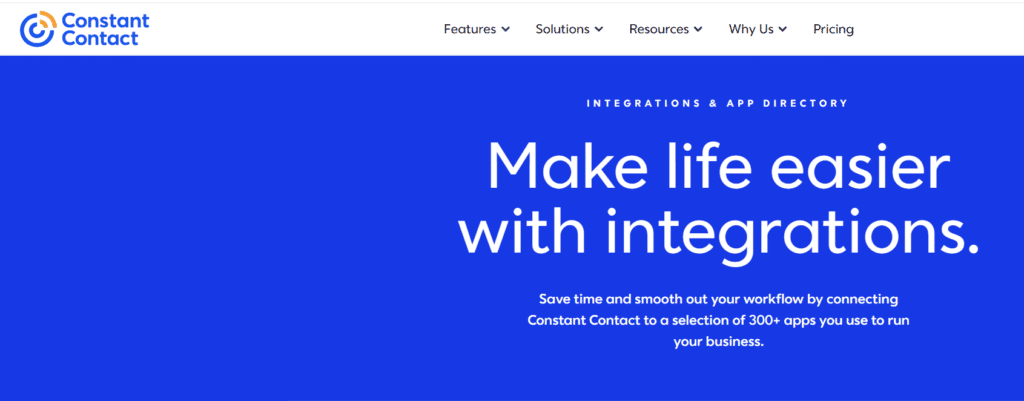
Constant Contact offers a broad set of native integrations tailored to small businesses. When I tested it, connecting popular tools was straightforward, with fewer manual steps. It’s designed to work smoothly with CRMs, ecommerce, and event tools that local businesses commonly use.
Strengths you’ll notice:
- Wide native app marketplace
- Simple, guided setup
- Strong support for ecommerce and events
Which platform integrates better with websites and ecommerce tools?
Constant Contact integrates very well with mainstream ecommerce platforms and POS systems, making it a strong choice for retail-focused businesses. MailerLite integrates cleanly with websites and forms and works best when paired with automation tools. If ecommerce is central, Constant Contact may feel more plug-and-play.
Best fit by use case:
- Content sites and funnels → MailerLite
- Retail and local commerce → Constant Contact
Is Zapier or API access available on both platforms?
Yes, both platforms support Zapier, but MailerLite’s API access feels more developer-friendly. In practice, MailerLite gives you more control when building custom workflows across tools. Constant Contact supports automation connections too, but they’re more limited and guided.
Automation flexibility:
- Custom workflows → MailerLite
- Predefined connections → Constant Contact
Analytics, Reporting, and Insights
Analytics show whether your email marketing is actually working, not just sending. In the MailerLite vs Constant Contact comparison, I tested reporting dashboards after live campaigns to see how clearly each platform surfaces insights. Both cover the basics, but they differ in depth, usability, and optimization potential.
What analytics does MailerLite provide?
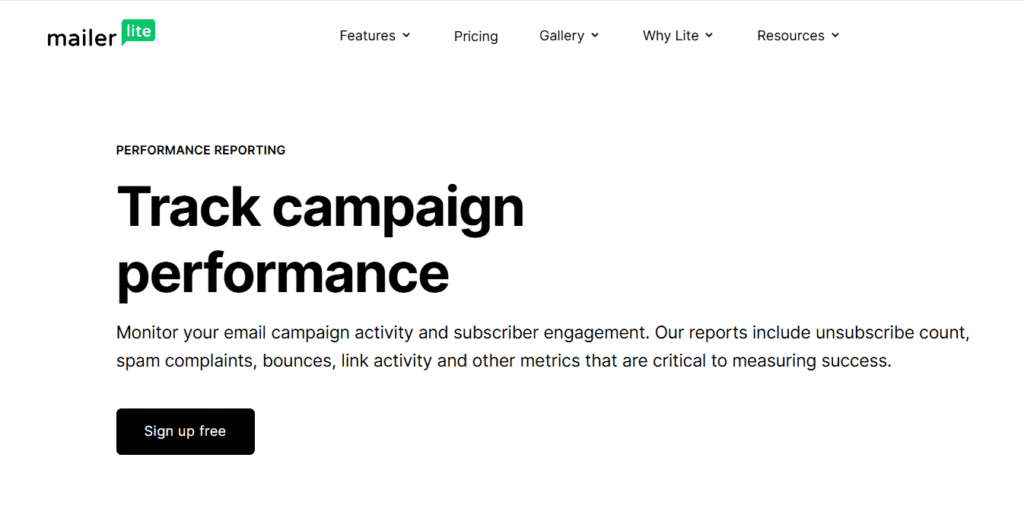
MailerLite provides clean, easy-to-read analytics covering opens, clicks, bounces, unsubscribes, and automation performance. In my experience, the reports load fast and make trends obvious, which helps optimize future campaigns without digging through complex menus.
Core metrics include:
- Open and click-through rates
- Automation and workflow performance
- Subscriber activity and engagement
How does Constant Contact reporting compare?
Constant Contact offers comprehensive reporting focused on clarity and guidance. When I tested it, reports were beginner-friendly and well-explained, making them easy to understand for non-marketers. However, advanced filtering and behavioral insights are more limited.
Reporting strengths:
- Clear visual summaries
- Easy-to-understand engagement data
- Useful benchmarks for small businesses
Which platform offers more actionable insights?
MailerLite delivers more actionable insights for optimization. It ties analytics closely to segmentation and automation, making it easier to act on data. Constant Contact explains results well but offers fewer tools to turn insights into advanced targeting or automated follow-ups.
Actionability comparison:
- Optimization-focused users → MailerLite
- Clarity-focused users → Constant Contact
Is reporting good enough for data-driven decisions?
Yes, both platforms provide reliable reporting for data-driven decisions. In the MailerLite vs Constant Contact context, MailerLite suits marketers who actively optimize campaigns, while Constant Contact is better for users who want confirmation that emails are performing without deep analysis.
Decision fit:
- Growth and testing → MailerLite
- Monitoring and reassurance → Constant Contact
Customer Support and Educational Resources
Support and learning resources can make a big difference in how quickly you succeed with email marketing. In the MailerLite vs Constant Contact comparison, I tested support channels and explored help centers to see how each platform assists users—both when you’re stuck and when you’re trying to improve results.
What customer support options does MailerLite offer?
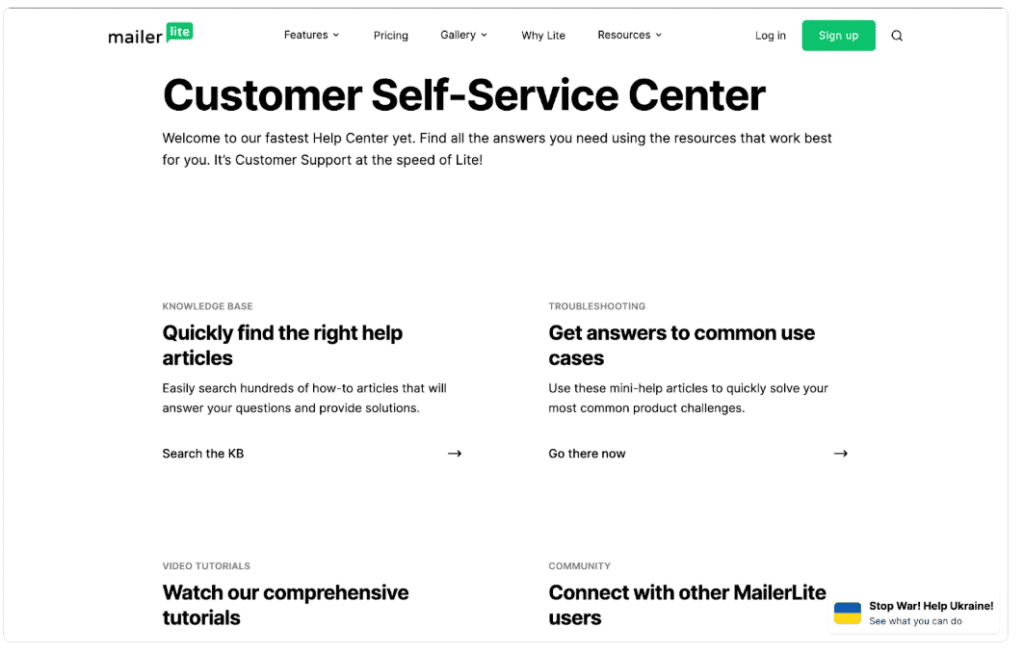
MailerLite provides email-based support and a well-structured knowledge base. In my experience, responses are helpful and detailed, though not instant. Support quality improves on paid plans, and most common issues are covered clearly in documentation and tutorials.
Support highlights:
- Email support (priority on paid plans)
- Detailed help center and guides
- Onboarding resources for new users
What support channels are available with Constant Contact?
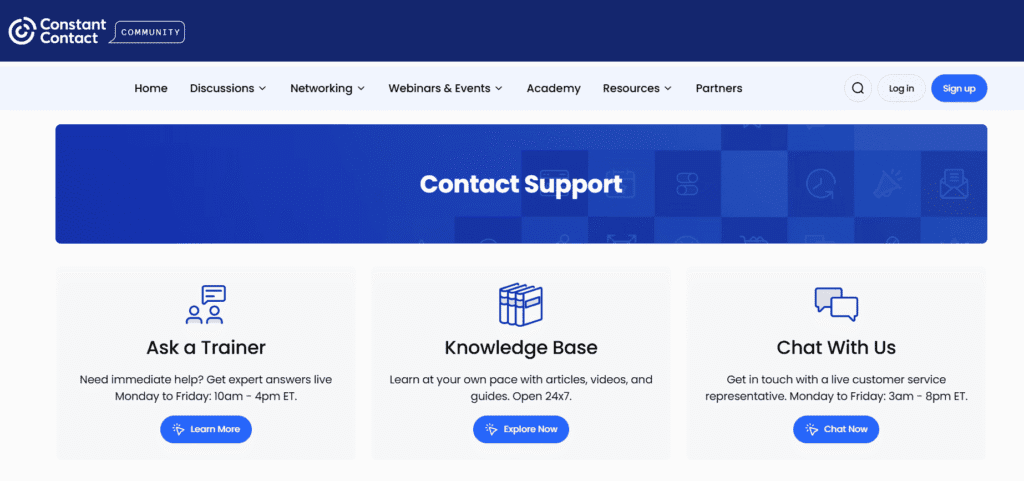
Constant Contact stands out for its live support options. When I tested it, phone and live chat support were easy to access, which is reassuring for beginners. This hands-on approach is one of the main reasons users accept its higher pricing.
Support strengths:
- Phone, live chat, and email support
- Extended support hours
- Strong onboarding assistance
Which platform offers better educational resources?
MailerLite focuses on self-serve learning, offering tutorials, guides, and best-practice articles. Constant Contact leans toward guided education, including webinars and step-by-step training. From hands-on use, MailerLite suits independent learners, while Constant Contact works better for users who want structured instruction.
Learning style fit:
- Self-learners → MailerLite
- Guided learners → Constant Contact
Is customer support a deciding factor between the two?
Yes, support can be a deciding factor depending on your comfort level. In the MailerLite vs Constant Contact decision, users who want immediate help and reassurance may prefer Constant Contact. Those comfortable learning independently will likely find MailerLite’s documentation sufficient and cost-effective.
Decision guidance:
- Need live help → Constant Contact
- Comfortable troubleshooting → MailerLite
Pros and Cons of MailerLite
To keep the MailerLite vs Constant Contact comparison balanced, it’s important to look honestly at where MailerLite shines—and where it may fall short. I’ve tested MailerLite across real campaigns, automation workflows, and list growth scenarios, and these pros and cons reflect practical, day-to-day use rather than marketing claims.
What are the main advantages of using MailerLite?
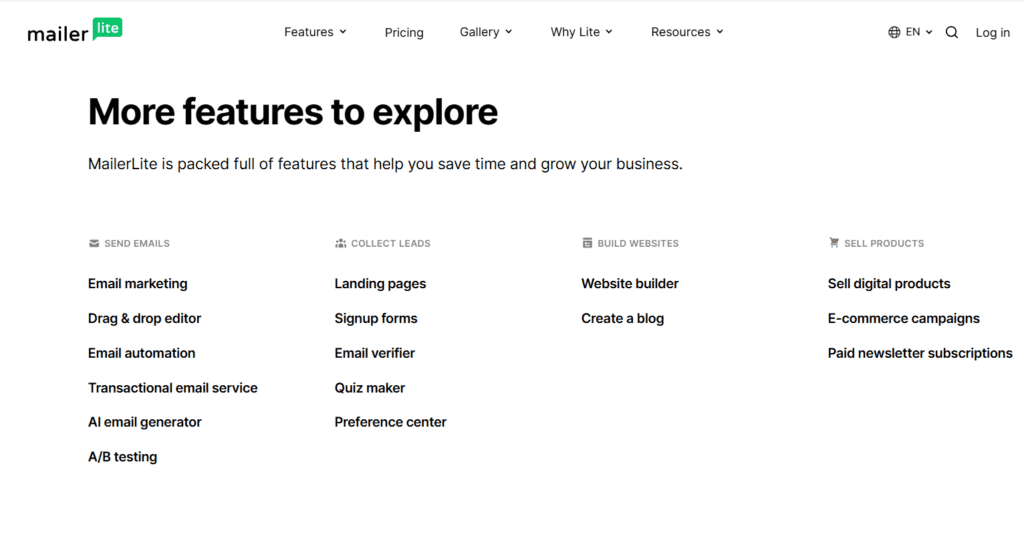
MailerLite stands out for its balance of affordability, automation power, and ease of use. In my experience, it delivers features typically locked behind higher-priced tools, making it especially attractive for creators and growing businesses focused on ROI.
Key pros:
- Generous free plan with real functionality
- Strong automation and segmentation tools
- Clean, modern interface that’s easy to learn
- Excellent value for small and mid-sized lists
What are the biggest disadvantages of MailerLite?
MailerLite’s biggest limitations show up around support and advanced enterprise needs. When I tested support, responses were helpful but not instant. It also lacks some niche features larger businesses may expect, such as built-in CRM depth or advanced ecommerce reporting.
Main cons:
- No phone support
- Account approval process can delay setup
- Fewer native integrations than some competitors
Is MailerLite suitable for beginners?
Yes, MailerLite is beginner-friendly, but with a small learning curve. You’ll notice it expects users to explore rather than rely on guided prompts. In practice, beginners who spend a short time learning the platform gain more long-term flexibility than with overly restrictive tools.
Beginner fit:
- Willing to learn → Good fit
- Want step-by-step guidance → May feel challenging
Who should (and shouldn’t) use MailerLite?
MailerLite is ideal for bloggers, creators, startups, and budget-conscious businesses that want automation without high costs. However, if you rely heavily on phone support or need advanced enterprise-level features, you may find Constant Contact or similar platforms more suitable.
Best for:
- Content creators and online businesses
- Email funnels and automation-driven strategies
Not ideal for:
- Users needing live phone support
- Large enterprises with complex CRM needs
Pros and Cons of Constant Contact
To keep the MailerLite vs Constant Contact comparison fair, it’s important to look closely at Constant Contact’s real strengths and limitations. I tested it across campaign creation, list management, and support interactions, and its value depends heavily on how much guidance and hands-on help you want.
What are the main advantages of using Constant Contact?
Constant Contact excels in ease of use and customer support. In my experience, the guided setup, large template library, and live help options make it approachable for beginners and traditional small businesses that don’t want to figure things out alone.
Key pros:
- Phone and live chat support available
- Large, industry-specific template library
- Simple, guided workflows for quick setup
- Strong reputation with inbox providers
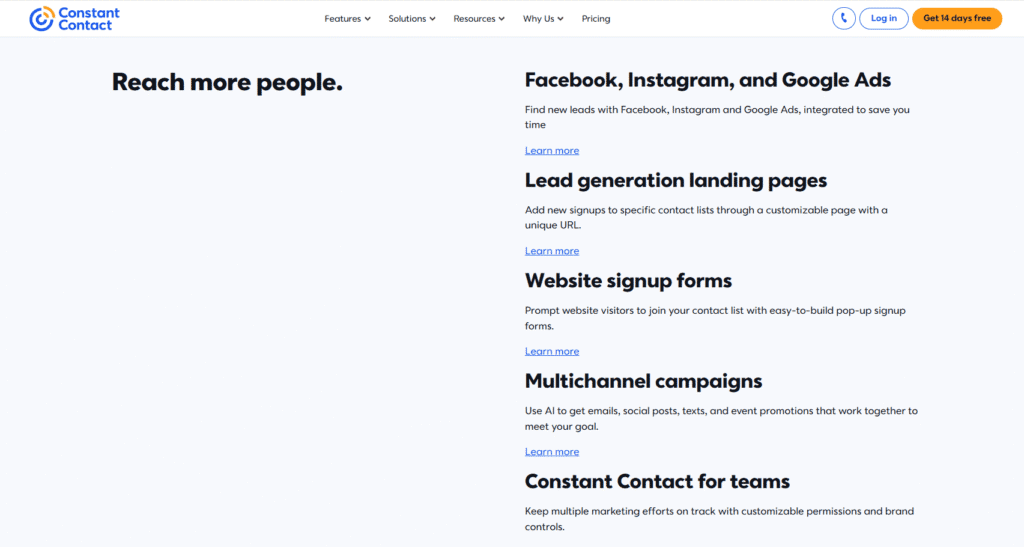
What are the biggest disadvantages of Constant Contact?
The biggest drawbacks are pricing and limited automation depth. When I tested it, costs increased quickly as lists grew, and automation options felt restrictive. For users who want advanced workflows or long-term scalability, these limitations become noticeable over time.
Main cons:
- No permanent free plan
- Higher monthly pricing
- Limited advanced automation
- Less flexible segmentation
If you want a deeper breakdown of features, pricing, and real-world usability, check out my in-depth Constant Contact review.
Is Constant Contact beginner-friendly?
Yes, Constant Contact is very beginner-friendly. You’ll notice it focuses on step-by-step guidance rather than flexibility. For users new to email marketing or uncomfortable with tech tools, this makes onboarding smooth and confidence-building, even if it limits customization later.
Beginner fit:
- First-time email marketers → Excellent fit
- Advanced marketers → May feel restrictive
Who should (and shouldn’t) use Constant Contact?
Constant Contact is ideal for local businesses, nonprofits, and organizations that value support and simplicity over automation power. However, creators, startups, and growth-focused marketers may find the cost-to-feature ratio less appealing compared to alternatives like MailerLite.
Best for:
- Small businesses needing live support
- Nonprofits and community organizations
Not ideal for:
- Automation-heavy strategies
- Budget-conscious or fast-scaling businesses
MailerLite vs Constant Contact — Which One Should You Choose?
After testing both platforms across real campaigns, automations, and list growth scenarios, the MailerLite vs Constant Contact decision comes down to how you work and where you’re headed. Both tools are reliable—but they serve different users best. Here’s a clear, use-case-driven verdict to help you choose with confidence.
Which platform is better for beginners?
If you’re brand new to email marketing, Constant Contact is usually easier to start with. In my experience, its guided setup, templates, and live support reduce early friction. You’ll notice fewer decisions upfront, which helps beginners launch faster—even if flexibility is limited later.
Beginner-friendly pick: Constant Contact
Which platform is better for creators and small businesses?
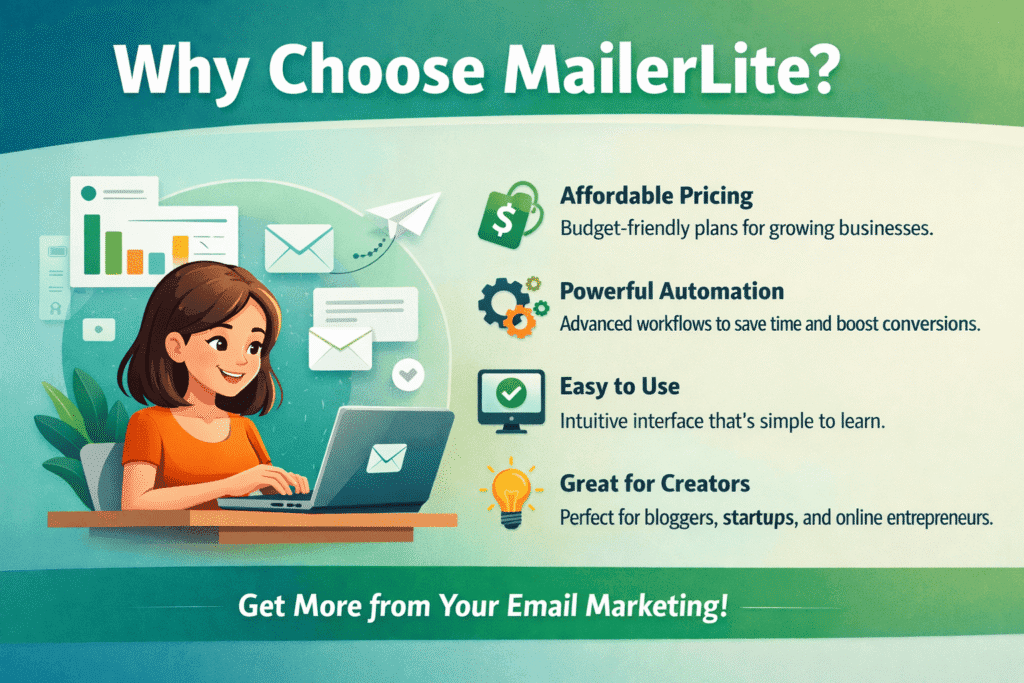
For creators, bloggers, and lean small businesses, MailerLite is the stronger choice. I tested it for funnels, landing pages, and segmentation, and it delivers more capability per dollar. You’ll get modern automation and customization without paying premium prices.
Creator-focused pick: MailerLite
Which option is better for long-term growth and automation?
MailerLite is better for long-term growth. Its automation depth, tagging, and dynamic segmentation make scaling easier as your list grows. In practice, Constant Contact can feel restrictive once you move beyond newsletters, while MailerLite grows with your strategy instead of forcing upgrades early.
Growth-focused pick: MailerLite
Is Constant Contact worth the higher price?
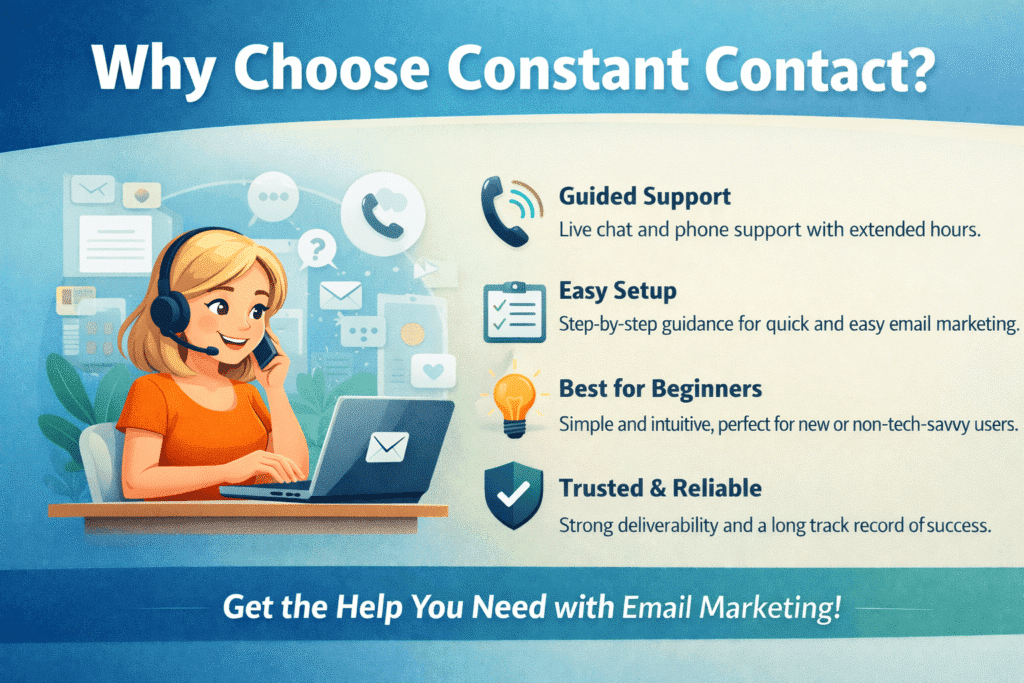
Constant Contact can be worth it if you value live support, guided workflows, and simplicity over advanced automation. In my experience, businesses that want reassurance and help on demand are more comfortable paying extra. If support is mission-critical, the higher price may be justified.
Support-first pick: Constant Contact
Final recommendation: MailerLite vs Constant Contact
If you want affordability, automation, and flexibility, choose MailerLite. If you want hands-on support and an easy, guided experience, choose Constant Contact. For most modern creators and growing businesses, MailerLite offers better long-term value—but Constant Contact still fits users who prefer structure over control.
Quick decision guide:
- Budget + growth → MailerLite
- Guidance + support → Constant Contact
Ready to Choose the Right Email Marketing Tool?
If you’re still deciding between MailerLite vs Constant Contact, the best way to know which fits your workflow is to try them yourself. Both platforms offer a low-risk way to get started.
🔹 Try MailerLite (Best for Growth & Value)
MailerLite is ideal if you want modern automation, flexible design tools, and affordable pricing as your list grows.
👉 Start with MailerLite’s Free Plan
(No credit card required)
🔹 Try Constant Contact (Best for Guided Support)
Constant Contact works best if you prefer step-by-step guidance, phone support, and a traditional small-business setup.
👉 Start Constant Contact’s Free Trial
(Explore all features before committing)
Related Article: How to Choose the Right Marketing Tools for Your Business

Disclosure: This article contains affiliate links. If you make a purchase through these links, I may earn a commission at no extra cost to you. All opinions are based on hands-on testing and independent research.


I consider something truly interesting about your weblog so I bookmarked.
Thanks a lot for your action on bookmarking my blog. I appreciate your action and feedback.
Some times its a pain in the ass to read what people wrote but this website is really user pleasant! .
Thanks for your positive feedback. I really appreciate your compliment. Thanks a lot.