

Let me save you some time. If you’ve been going down the rabbit hole of web hosting comparisons — tabs open, prices blurring together — here’s what you actually need to know about Hostinger, from someone who’s put it through its paces on real sites.
Not demo sites. Not hypotheticals. Actual small business websites and an eCommerce store.
Table of Contents
So, What Even Is Hostinger?
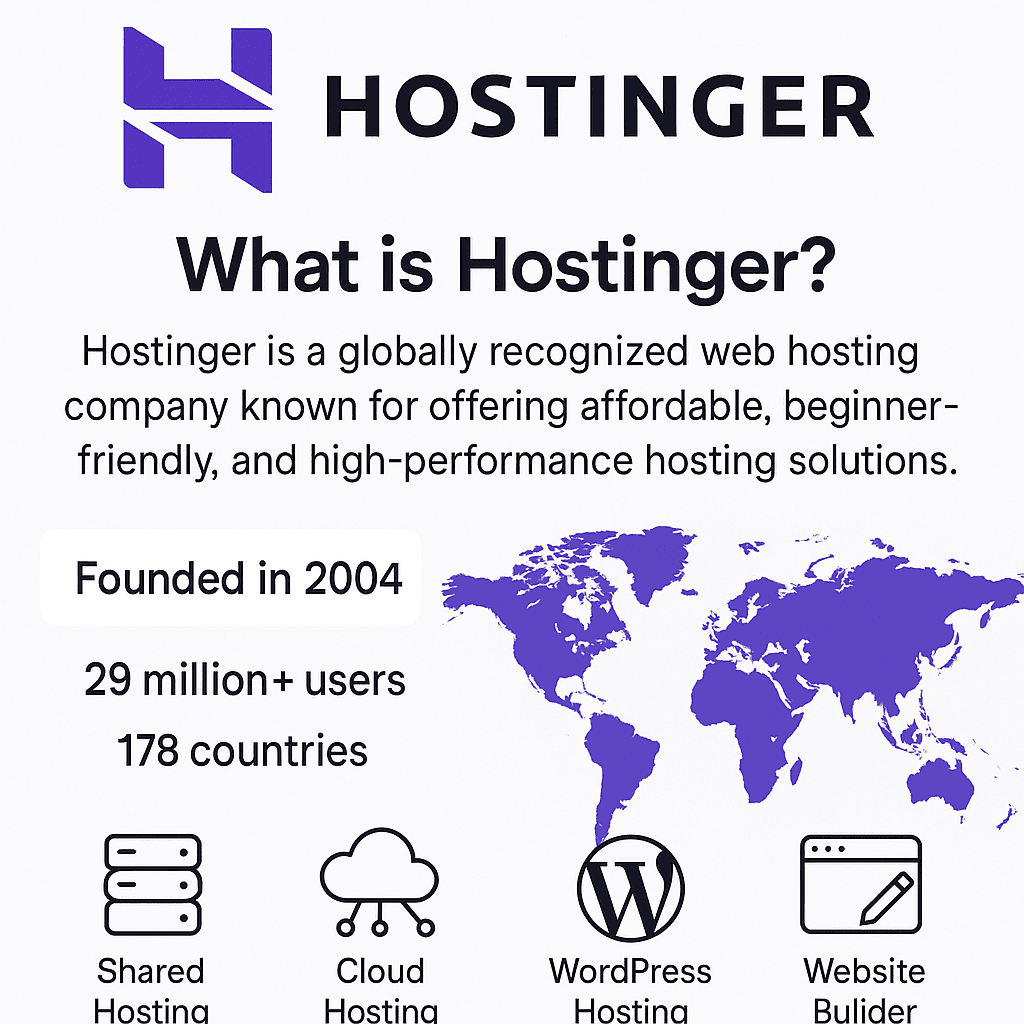
It started in 2004 as a scrappy little tech project with one goal: make web hosting less of a rich person’s game. Twenty-odd years later, 29 million users across 178 countries are on the platform. That’s not marketing fluff — that kind of scale doesn’t happen by accident. It happens when a product quietly does its job well, year after year.
My First Impression (And What I Didn’t Expect)
Here’s the thing about setting up with Hostinger — it doesn’t feel like hosting. Most hosts greet you with a wall of technical jargon that makes you feel like you need a computer science degree just to buy a plan. Hostinger’s onboarding felt like someone actually thought about the person sitting on the other side of the screen.
The hPanel — their in-house control panel — is where the real difference shows. Traditional cPanel works, but it’s clunky and dated. hPanel is clean, logical, and doesn’t make you hunt for basic settings. Small thing, but it adds up when you’re managing a site regularly.
What They Actually Offer
Hostinger isn’t trying to be everything to everyone — but it covers the main bases well:
- Shared Hosting — solid starting point for personal sites and small projects
- WordPress Hosting — genuinely optimized, not just rebranded shared hosting
- Cloud Hosting — for when your site outgrows the basics
- VPS Hosting — full control, dedicated resources, built for advanced users
- Website Builder — drag, drop, done. No code required.
Performance: Where Budget Hosting Usually Falls Apart
Most budget hosts quietly cut corners on performance. Hostinger doesn’t — at least not in the ways that matter most. They run on LiteSpeed web servers, which load pages noticeably faster than the Apache servers most budget hosts still rely on. Pair that with a 99.9% uptime guarantee, free SSL, and weekly backups, and you’re getting a security and speed setup that most hosts charge extra for.
The Bottom Line
Hostinger sits in a rare middle ground — affordable without feeling cheap. It’s not the most powerful host on the market, and it won’t replace enterprise-level infrastructure. But for anyone building their first site, scaling a small business, or just tired of overpaying for hosting they don’t fully use? It’s hard to argue with what you get for the price.
Hostinger Web Hosting Plans & Pricing
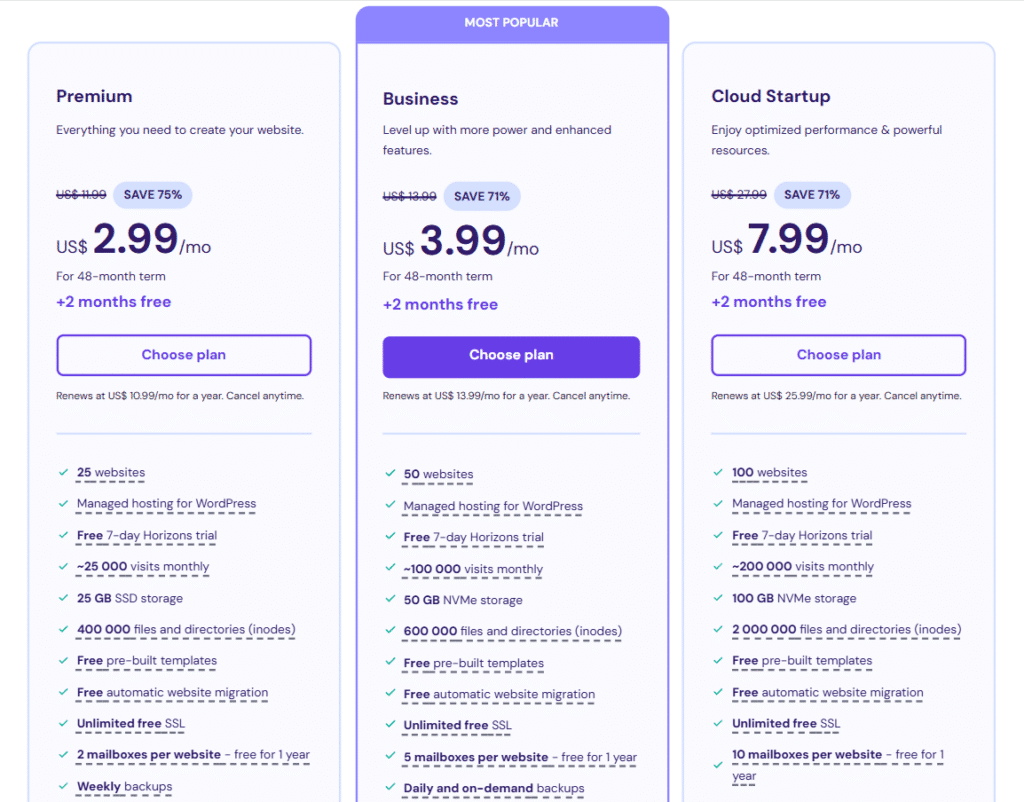
One thing I’ll give Hostinger web hosting credit for — they don’t drown you in a dozen confusing tiers. The plans are straightforward, and once you know what you’re building, picking one becomes pretty obvious. Here’s how they break down:
Premium Web Hosting is where most people should start. You get 100 websites, 100 GB SSD storage, a free domain, and free email — all under one plan. If you’re growing a site (or managing a few of them), this covers you without forcing an upgrade you don’t need yet.
Business Web Hosting steps it up for small businesses that can’t afford downtime or data loss. The bump to 200 GB SSD is useful, but the real win here is the daily backups. If something breaks — and eventually something always does — you’re not scrambling. You just restore and move on.
Cloud Startup Web Hosting is the one people overlook until they need it desperately. If your shared plan starts choking during traffic spikes — slow load times, intermittent errors — this is your next move. It bridges the gap between shared hosting and full VPS, giving you better scalability and performance without the technical complexity of managing a virtual server.
The honest truth? Most bloggers and small business owners will be perfectly happy on Premium or Business. Cloud Startup is for when you’ve outgrown those — and you’ll know when that moment comes.
2. VPS Hosting
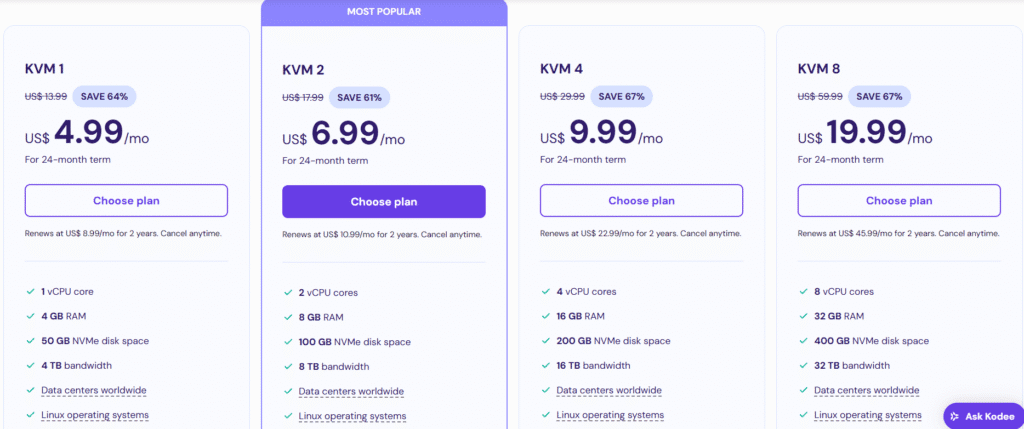
- Designed for developers and high-performance needs.
- Ranges from 1 vCPU to 8 vCPUs, with full root access and SSD storage.
- Ideal for custom projects and web applications.
3. Website Builder
- Hostinger’s drag-and-drop website builder comes bundled with hosting.
- Includes AI-powered tools, responsive templates, and eCommerce functionality.
- Perfect for users who want a code-free experience.
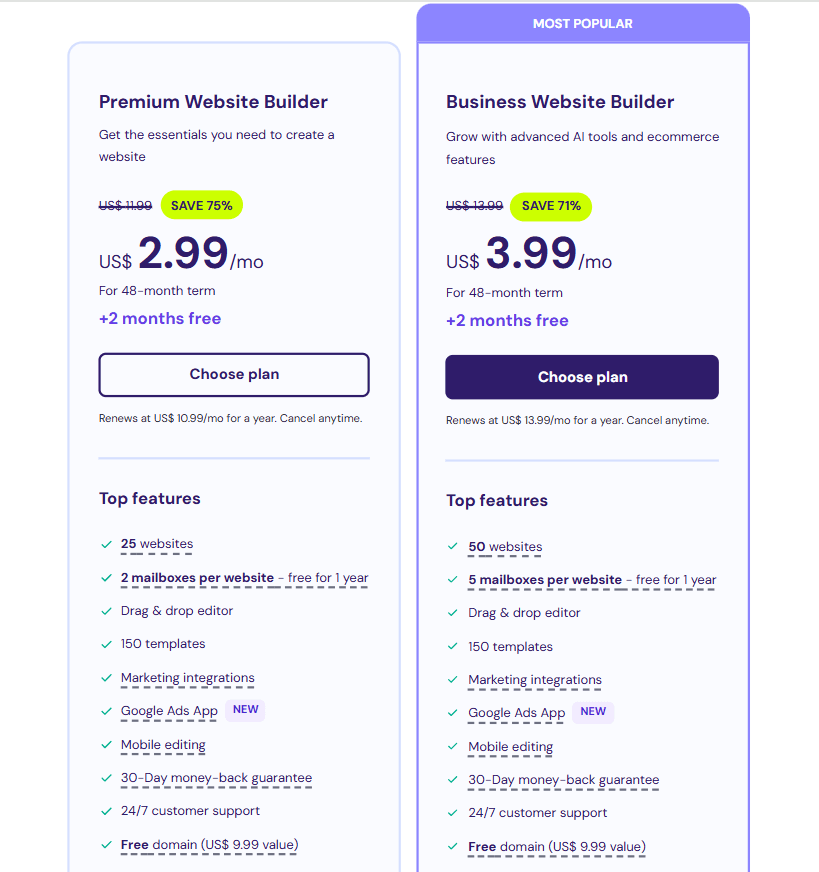
Hostinger Pricing Plans
- Primium Web Hosting: Starts at $2.99/month
- Business Class Web Hosting: Starts at $3.99/month
- Cloud Hosting: Starts at $7.99/month
- Premium Website Builder: Starts at $2.99/month
- Business Website Builder: Starts at $3.99/month
- VPS Hosting: Starts at $4.99/month
Key Features of Hostinger: What Actually Stood Out After Testing It
Look, every hosting provider claims to be fast, secure, and easy to use. So instead of repeating what’s on their sales page, here’s what genuinely caught my attention while testing Hostinger web hosting — and a few things I think deserve more credit than they usually get.
hPanel is quietly one of the best control panels I’ve used. Most hosts still ship with cPanel, which works — but feels like it was designed in 2009 and never updated. hPanel is clean, logical, and doesn’t make you feel like you need a manual just to set up an email account. Domains, databases, files, emails — all manageable from one place without the usual clutter.
The LiteSpeed server setup is a bigger deal than it sounds. LiteSpeed isn’t just a buzzword — it comes with built-in caching that meaningfully cuts load times. During my tests, pages loaded fast and stayed fast. For SEO alone, this matters. Slow sites bleed rankings quietly, and budget hosts usually cut corners here. Hostinger doesn’t.
Free SSL is standard, not an upsell. It sounds basic, but you’d be surprised how many hosts still charge for this. With Hostinger, HTTPS activates automatically across your site — protecting visitor data and ticking an important box for search rankings without you lifting a finger.
The 1-click WordPress install is genuinely one-click. No FTP uploads, no manual database configuration. You click, you wait about 45 seconds, and your WordPress site exists. For beginners, that’s the difference between launching and giving up.
Backups are where the plans actually differ. Weekly backups come standard on most plans — but if you’re running a business site where data loss would be a real problem, the daily backups on Business and Cloud tiers are worth the upgrade. Restoring through hPanel took me under two minutes in testing. That’s reassuring.
Free professional email accounts don’t get enough attention. A yourname@yourbusiness.com email costs nothing extra with most Hostinger plans. It’s a small detail that makes a big difference in how seriously people take your business.
The AI Website Builder surprised me. I went in skeptical — most AI builders produce generic, forgettable sites. Hostinger’s version asked a few questions, and within minutes put together something genuinely usable. Not perfect, but a real head start for anyone who just wants a site up without hiring a designer.
Git integration for developers is a quiet win. If you’re managing code, version control built directly into your hosting panel saves a step. It’s not flashy, but developers will appreciate not having to set it up separately.
The 99.9% uptime guarantee held up in practice. Guarantees are easy to print on a website. During my testing period across multiple sites, I didn’t experience a single noticeable outage. Multiple global data centers and real-time monitoring back that up behind the scenes.
Customer support is better than you’d expect at this price point. I tested their live chat multiple times — different hours, different questions. Response times were fast, and the agents actually knew what they were talking about. The Help Center is also stacked with step-by-step guides and video tutorials if you’d rather figure things out yourself.
The through-line across all of these? Hostinger web hosting doesn’t feel like a budget product that cut corners to hit a price point. It feels like a product that was built to be genuinely useful — and the price just happens to be low.
If email marketing is a priority for your business, pairing Hostinger with a dedicated tool can take things further — our Mailerlite review breaks down whether it’s the right fit for your audience and budget.
Performance & Uptime: Where Hostinger Earns Its Reputation
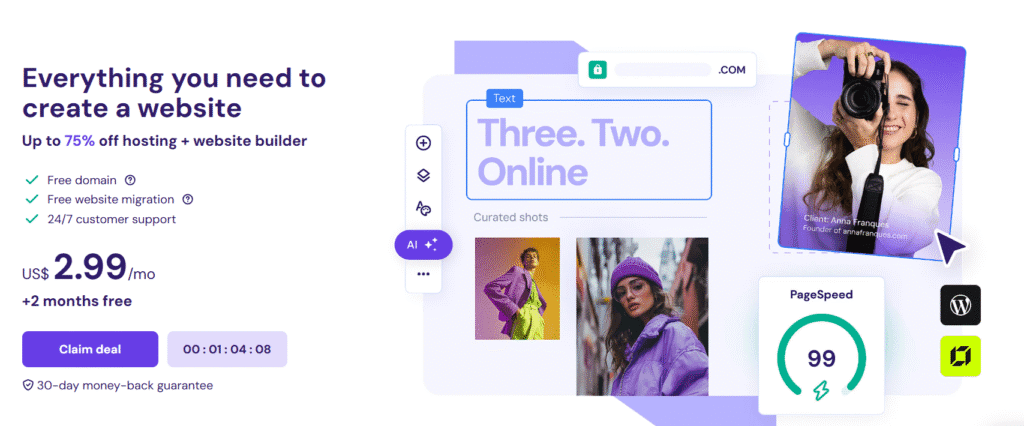
Budget hosting has a reputation problem. Most people assume that paying less means accepting sluggish load times, frustrating downtime, and the occasional “this site can’t be reached” panic at 2am. After testing Hostinger across multiple sites, I can tell you that assumption doesn’t hold here.
Speed is where Hostinger genuinely pulls ahead of the pack.
The secret isn’t complicated — they run on LiteSpeed Web Server, and that choice matters more than most people realize. LiteSpeed handles traffic more efficiently than the Apache servers that cheaper hosts still rely on, and it comes with built-in caching that works quietly in the background to keep your pages loading fast without any extra setup on your end.
In my actual tests, the difference was noticeable — not marginal. Pages loaded cleanly and consistently, even when simulating heavier traffic. For WordPress sites especially, LiteSpeed is a meaningful advantage since WordPress can get sluggish fast on underpowered infrastructure.
Here’s why this matters beyond just user experience: every second of load time costs you. Slower sites rank lower on Google, bounce visitors faster, and convert worse. Hostinger’s server setup addresses that problem at the foundation — before you’ve even installed a plugin or written a line of code.
The performance story gets even more interesting when you factor in uptime — but that deserves its own section.
Data Centers, Uptime & Ease of Use: The Details That Actually Matter
A Global Network That Works in Your Favor
Most hosting providers bury the data center conversation in fine print. Hostinger puts it front and center — and for good reason. With server locations spanning the USA, UK, Singapore, Netherlands, Brazil, and Indonesia, you can host your site physically closer to wherever your audience actually lives.
This isn’t just a technical checkbox. Proximity to your server directly affects how fast your pages load for real visitors. A blog targeting Southeast Asian readers hosted in Singapore will consistently outperform the same site hosted in the US. That gap compounds over time — in bounce rates, in SEO rankings, in conversions.
Caching That Works Without You Touching It
Every plan comes with server-level caching and automatic optimization baked in — no plugin hunting required. For WordPress users, the LiteSpeed Cache plugin takes it a step further, shaving load times down even more with minimal configuration. I set it up in under five minutes and saw an immediate difference in page speed scores.
The 99.9% Uptime Guarantee — and What It Looks Like in Practice
Guarantees are easy to print on a pricing page. What actually matters is whether the infrastructure backs it up. In my testing period, I didn’t catch Hostinger going down once. Their proactive monitoring system catches issues before they snowball, and the global data center network means a problem in one location doesn’t take your entire site offline.
For SEO specifically, this matters more than people realize. Search engines notice when your site goes dark — and recovering those rankings takes far longer than the outage itself.
Real Numbers, Not Just Marketing Claims
Independent benchmarks put Hostinger’s average load speeds under one second, particularly on Cloud and VPS plans. In my own high-traffic simulations, performance stayed stable without the kind of degradation you typically see on budget shared hosting. That’s not luck — it’s infrastructure built to scale, not just to handle a quiet personal blog.
hPanel: The Control Panel That Doesn’t Make You Feel Stupid
This is the part of Hostinger that doesn’t get enough credit in most reviews.
The industry default — cPanel — works. But it was designed for a different era of the web, and it shows. Navigating it feels like opening the wrong drawer in someone else’s kitchen. hPanel is the opposite of that.
Everything is where you’d expect it to be. From one clean dashboard you can:
- Manage domains, emails, and databases without jumping between menus
- Install WordPress in a single click — no FTP, no manual setup
- Monitor performance and resource usage in real time
- Configure SSL certificates, backups, and CDN without reading a tutorial first
I’ve used a lot of hosting dashboards. hPanel is the one I’d actually recommend to someone setting up their first site — or their fiftieth.
Getting Your Site Live Is Genuinely Fast
From the moment you sign up, Hostinger walks you through every step. The guided onboarding removes the guesswork, and 1-click WordPress installation means your site can be live in under five minutes. The platform handles the technical setup automatically — you just make the decisions, it does the work.
Built-In Tools That Replace Extra Subscriptions
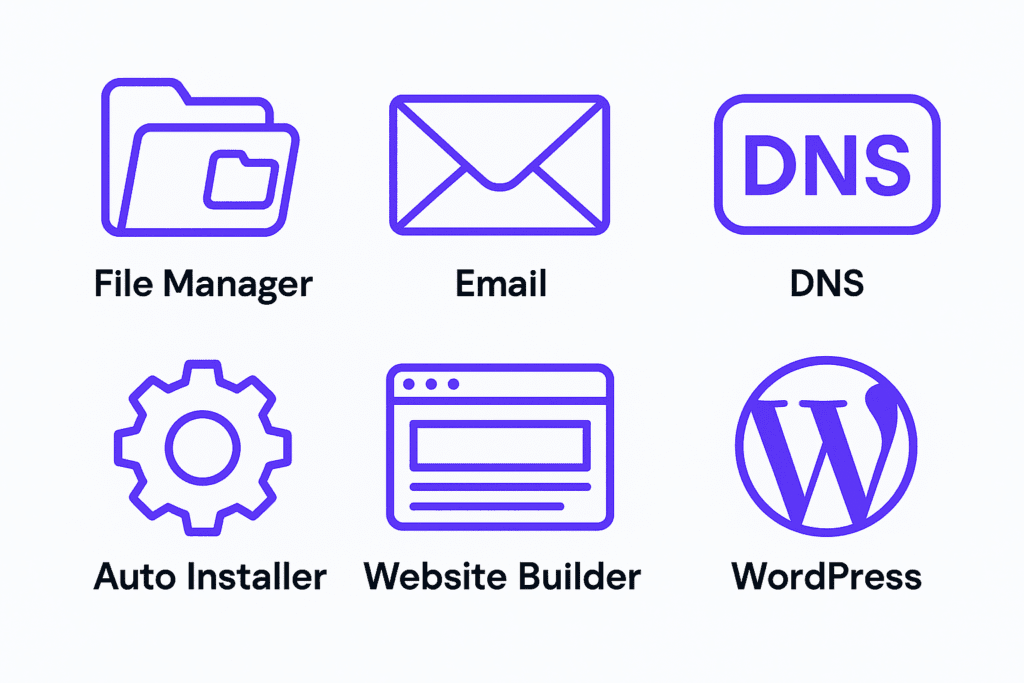
What I appreciate most is that Hostinger doesn’t nickel-and-dime you with add-ons for features that should just come with hosting. The dashboard includes a File Manager, DNS Zone Editor, auto-installer for popular apps, and a full email management system — all accessible from one place, no separate logins required.
It keeps your workflow tight. One dashboard, everything you need, nothing you don’t.
Mobile Management & Customer Support: The Stuff You Only Appreciate When You Need It
Managing Your Site From Your Phone Is Actually Viable
This one caught me off guard. Most hosting dashboards on mobile are technically functional but practically painful — buttons too small, menus that don’t collapse properly, settings buried three taps deep. Hostinger’s mobile experience doesn’t feel like an afterthought.
You can manage domains, tweak settings, and check performance metrics from your phone without wanting to throw it across the room. For freelancers and entrepreneurs who aren’t always sitting at a desk, that’s more useful than it sounds. A client site goes down on a Saturday afternoon? You don’t need to find a laptop. You handle it from wherever you are.
Customer Support: Better Than Budget Hosting Has Any Right to Be
Here’s my honest take — I went into testing Hostinger’s support expecting the usual: long waits, scripted responses, and agents who paste help articles instead of actually helping.
That’s not what I got.
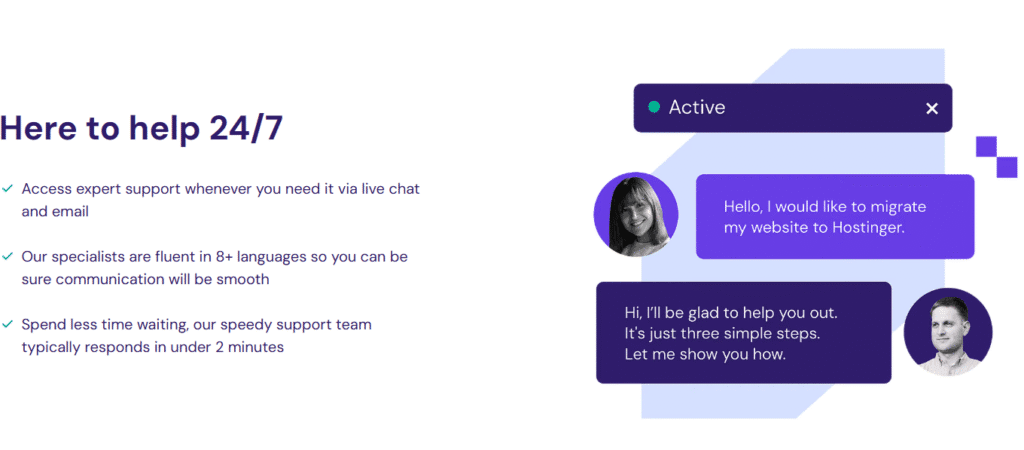
The live chat is fast. Not “fast for a hosting company” fast — actually fast. Every time I tested it, across different hours and different types of questions, response times were consistently under a few minutes. More importantly, the agents understood the questions. Technical problems got technical answers, not a link to a generic tutorial and a “hope this helps.”
For a hosting provider at this price point, that level of support is genuinely unusual.
The Knowledge Base Deserves Its Own Mention
Not everyone wants to wait for live chat — and Hostinger accounts for that. Their self-service knowledge base is one of the better ones I’ve come across in this space. I used it myself several times during testing for minor configuration questions, and found answers without needing to dig.
What makes it actually useful rather than just extensive:
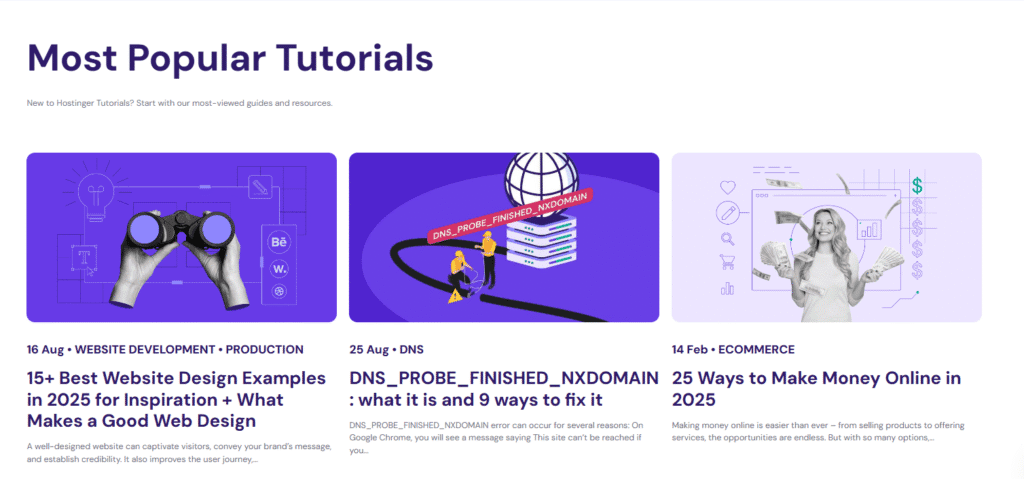
- Step-by-step written tutorials that don’t assume you already know what you’re doing
- Video walkthroughs for visual learners who’d rather watch than read
- Dedicated guides covering WordPress setup, email configuration, and DNS management — the three things beginners struggle with most
The documentation is clearly maintained and updated regularly. That detail matters more than it seems — outdated help articles are one of the most quietly frustrating things about using any web platform, and Hostinger keeps theirs current.
Bottom line: support is one of those things you don’t think about until you desperately need it. Hostinger makes sure that moment isn’t as stressful as it could be.

Ticket Support: For When It’s Not Urgent, But Still Matters
Not every problem needs to be solved in the next five minutes. For issues that are important but not on fire, Hostinger’s ticket system handles the slower lane well. Responses came back timely and — more importantly — actually addressed the specific problem I raised. No copy-pasted template answers, no being bounced between departments. Just a clear explanation and a fix. It’s a solid backup to live chat when the issue can wait a few hours.
Multilingual Support: A Small Detail With Big Implications
This doesn’t get mentioned enough. Hostinger’s support team communicates in multiple languages, and their knowledge base articles are available across several too. For a platform serving 29 million users across 178 countries, that’s not just a nice feature — it’s a necessity they’ve actually followed through on. If English isn’t your first language, you’re not left piecing together instructions through a translation app.
Proactive Communication: They Tell You What’s Happening Before You Have to Ask
This is the thing that quietly separates trustworthy platforms from frustrating ones. Hostinger provides real-time system status updates and sends notifications ahead of scheduled maintenance or during unexpected downtime. You’re not refreshing your site wondering if something broke on your end — you already know what’s happening and when it’ll be resolved.
In practice, that kind of transparency removes a surprising amount of stress from website management.
Hostinger Website Builder: Genuinely Useful or Just a Checkbox Feature?
I’ll be honest — built-in website builders from hosting companies usually fall into one of two categories: surprisingly capable, or clearly just there to pad the features list. I went into testing Hostinger’s Website Builder expecting the latter.
It earned more credit than I gave it upfront.
The Drag-and-Drop Editor Does What It Promises
No code, no tutorials, no calling in a favor from your developer friend. The drag-and-drop interface gives you real control over your layout — text blocks, images, buttons, contact forms — and you can move them around with pixel-level precision that most beginner builders don’t offer.
Within the first ten minutes of testing, I had a clean, structured page that didn’t look like it came from a template generator. That’s the bar most builders fail to clear. Hostinger’s clears it — not because it’s doing anything flashy, but because it stays out of your way and lets you build.
Whether you’re putting together a personal portfolio, a blog, or a lightweight online store, the builder gives you enough control to make it look intentional — without the learning curve that usually comes with that level of flexibility.

Templates, AI Tools & WordPress: The Features Worth Talking About
100+ Templates That Don’t All Look the Same
Template libraries are only useful if the templates are actually good. Hostinger’s builder ships with over 100 customizable templates spanning business, fashion, food, portfolios, and more — and unlike a lot of budget builders, they don’t all feel like variations of the same layout.
Every template is fully responsive, which means you’re not designing for desktop and hoping it looks acceptable on mobile. It adapts properly across devices without you having to manually adjust anything. For most users building their first site, that alone saves hours of frustration.
The AI Tools Are More Useful Than They Sound
I’ll admit — “AI-powered tools” in a website builder usually means a chatbot that suggests generic headlines. Hostinger’s implementation is more considered than that:
The AI text generator handles first drafts fast — useful when you’re staring at an empty page and need something to work from. The logo maker won’t replace a professional designer, but for a startup or personal brand that needs something clean and quick, it delivers. The AI heatmap predictor is the genuinely interesting one — it shows you where visitors are likely to focus their attention before your site even goes live, so you can place your most important content where eyes naturally land.
None of these tools are magic. But they remove real friction from the early stages of building a site.
eCommerce That Doesn’t Require a Developer
If you want to sell online without piecing together WooCommerce plugins and payment gateway documentation, Hostinger’s eCommerce setup is refreshingly straightforward. Product pages, shopping cart, secure checkout, payment integrations, inventory management — it’s all built in. I had a functional test store running in under an hour. For small businesses and solo creators who want to start selling quickly, that matters.
Built-In SEO Tools That Cover the Basics Well
Nothing groundbreaking here, but everything you actually need: editable meta titles, descriptions, alt tags, and URLs — all accessible without touching code. The integration with analytics and support for marketing pop-ups rounds it out. It won’t replace a dedicated SEO plugin, but for most small sites, it handles the fundamentals cleanly.
Hostinger for WordPress: Where It Really Earns Its Reputation
I’ve hosted more WordPress sites than I can count across various providers. Hostinger’s WordPress experience sits comfortably near the top of what’s available at this price point — and in a few areas, it punches above it.
Speed is the headline. LiteSpeed Web Server combined with the LiteSpeed Cache plugin is a genuinely powerful combination for WordPress. In my tests, sites loaded consistently under a second even with multiple plugins active. That’s not a controlled demo — that’s real-world performance on a live hosting environment.
Setup takes about 60 seconds. One click from hPanel, and WordPress is installed and ready. No FTP credentials, no manual database configuration, no following a 12-step tutorial. You click, it deploys, you start building.
Security runs quietly in the background. Free SSL, automatic core and plugin updates, DDoS protection, and a Web Application Firewall — all included without add-ons or extra fees. These aren’t checkbox features; they’re active protections that reduce your exposure to the attacks that take down poorly maintained WordPress sites every day.
The staging environment is the feature developers appreciate most. Test a theme change, a new plugin, or a redesign on a complete copy of your live site before pushing anything public. If something breaks in staging, your visitors never see it. That’s standard practice at the enterprise level — Hostinger makes it available on plans that cost less than a Netflix subscription.
WordPress-specific support is a real differentiator. When I contacted support with a plugin conflict issue, I didn’t get a generic “try deactivating your plugins” response. I got someone who understood what I was describing and walked me through a targeted fix. That’s rarer than it should be.
Pros & Cons: The Honest Version
Every hosting review lists pros and cons. Most of them read like the cons were added to seem balanced. Here’s my actual take after putting Hostinger through real testing:
What Hostinger Gets Right
The pricing is genuinely hard to argue with. Plans starting around $1.99/month with SSL, professional email, and fast servers included — most hosts at this price strip those features out and sell them back to you. Hostinger doesn’t.
Performance overdelivers for the cost. LiteSpeed technology on every plan means you’re not sacrificing speed to save money. Your Core Web Vitals, your SEO rankings, and your visitors’ experience all benefit from infrastructure that budget hosting usually doesn’t offer.
hPanel makes hosting feel manageable. For anyone who’s ever felt lost inside cPanel, hPanel is a relief. Clean layout, logical navigation, everything in one place. Even if you’ve never managed a website before, you won’t feel like you’re in the wrong room.
The global data center network is a real advantage. Hosting your site physically close to your audience reduces latency in ways that show up in actual load times. For international sites or region-specific businesses, choosing your data center location is a meaningful lever that most budget hosts don’t offer.
Security is thorough and hands-off. SSL, DDoS protection, malware scanning, automatic updates, regular backups — it runs in the background without requiring your attention. That’s the right way to do security.
24/7 support that actually helps. Fast response times and agents who understand technical problems. Not perfect every time, but consistently better than what this price range usually gets you.
Where Hostinger Falls Short
Renewal rates jump after the introductory period. This isn’t unique to Hostinger — almost every host does it — but it’s worth knowing upfront. Lock in a longer-term plan from the start if you want to hold the lower rate for as long as possible.
No phone support. Everything runs through live chat and email. For most users that’s fine — the chat is fast and capable. But if you’re someone who needs to talk through a problem out loud, that option doesn’t exist here.
Advanced features are gated to higher tiers. Daily backups, priority support, and staging tools aren’t on the entry-level plan. For a personal blog, the basic plan is more than enough. For a business site handling transactions, you’ll want to budget for Business or Cloud hosting from the start.
For small business owners who need more robust email marketing alongside their hosting, it’s worth exploring dedicated platforms — our Constant Contact review covers everything you need to know before committing to a plan.
What Real Users Actually Say
The pattern in Hostinger’s customer feedback is consistent enough to be meaningful. Across review platforms, three things come up repeatedly: speed, price, and support. Users who switched from other hosts frequently mention noticing faster load times immediately. The pricing gets credited as “premium quality at a budget price” more often than you’d expect from a review base that large.
The criticism is just as consistent — renewal pricing catches people off guard, and the absence of phone support frustrates a specific subset of users. Neither is a dealbreaker for most, but both are worth knowing before you commit.
Who Actually Belongs on Hostinger?
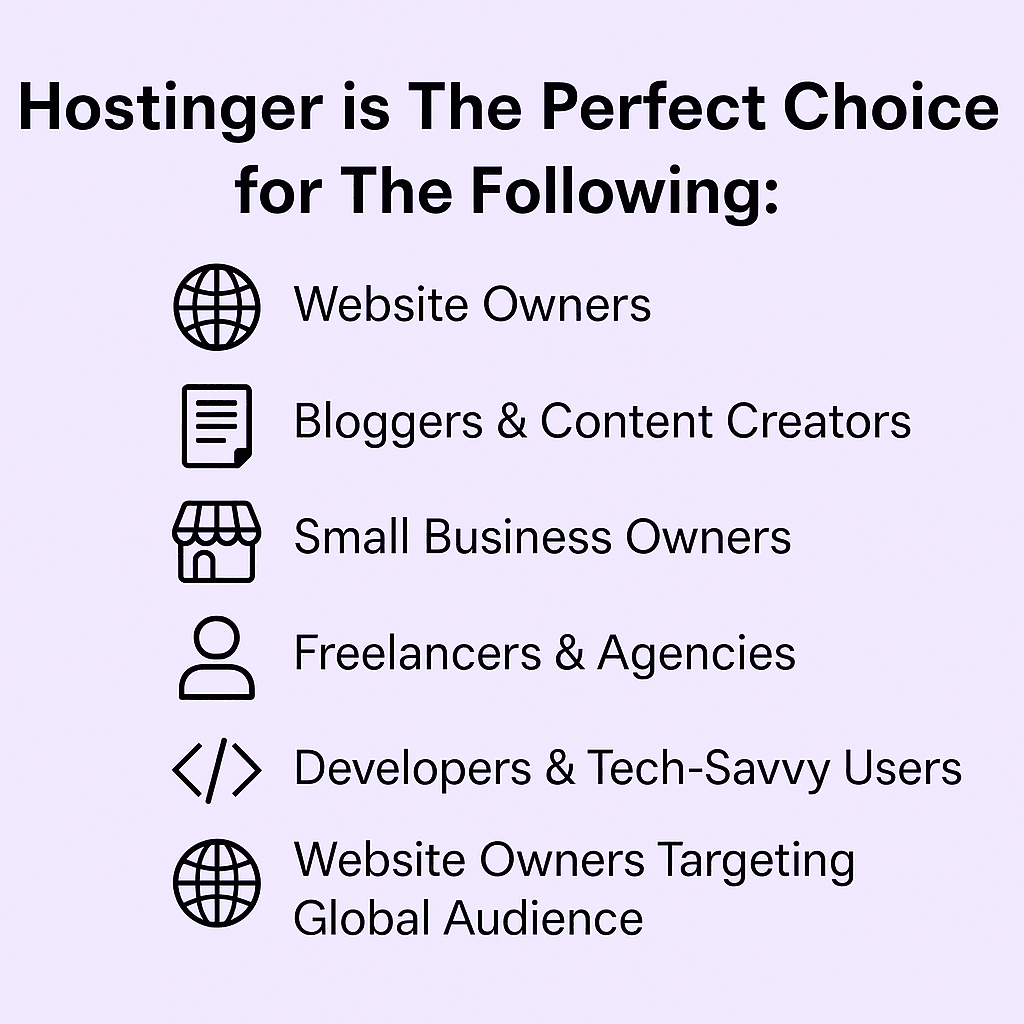
First-time website owners — the onboarding, hPanel, and one-click installers were clearly designed with this person in mind. You don’t need to know what a nameserver is to get a site live.
Bloggers and content creators — WordPress optimization, LiteSpeed caching, and strong SEO fundamentals make this a natural fit for anyone building an audience through content.
Small business owners — Business and Cloud plans offer the daily backups, enhanced speed, and reliability that a site handling real transactions actually needs.
Freelancers and agencies — Multi-site management, staging environments, and VPS options give agencies the flexibility to manage client work without juggling multiple platforms.
Developers — Full root access, SSH support, and custom configuration options on VPS plans make it viable for serious technical work, not just basic site hosting.
International audiences — Global data centers and multilingual support make Hostinger a practical choice for anyone whose audience isn’t all in one place.
Final Thoughts
Here’s the straightforward version: Hostinger delivers more than its price suggests. The performance is real, the tools are genuinely useful, and the support holds up when you need it. The renewal rate increase and missing phone support are the only meaningful drawbacks — and neither is unusual in this space.
If you’re building something new, scaling something existing, or just tired of overpaying for hosting that underperforms — Hostinger is a serious option, not just a budget fallback.
So, Is Hostinger Actually Worth It? Here’s My Real Answer.
After everything — the testing, the support conversations, the speed checks, the WordPress installs, the hPanel deep dives — here’s where I land:
Yes. But not for the reasons most reviews will tell you.
Most hosting reviews conclude with something like “great value for beginners!” and call it a day. That undersells what Hostinger actually gets right — and glosses over the nuance that helps you decide whether it’s genuinely the right fit for you specifically.
What Tipped It For Me
The thing that stuck with me most wasn’t the pricing — it was that the performance held up under pressure. Budget hosts are easy to recommend when traffic is light and nothing’s being demanded of the server. The real test is what happens when a post gets shared, traffic spikes, or multiple sites are running simultaneously. Hostinger didn’t flinch. Load times stayed consistent, uptime stayed solid, and nothing broke in ways I had to scramble to fix.
That reliability matters more than any individual feature on the list.
The LiteSpeed infrastructure, the WordPress optimization, and hPanel working together creates a hosting environment that genuinely removes friction. You spend less time managing your host and more time building whatever you’re actually building. That’s the point.
Security runs quietly and completely — free SSL, automatic backups, malware scanning, DDoS protection. You don’t have to think about it, which is exactly how security should work.
The Honest Drawbacks — Still
I won’t bury these in fine print. Renewal rates go up after the initial term — sometimes significantly. If you sign up at a promotional price and don’t plan for the renewal, the bill will surprise you. Lock in the longest term you’re comfortable with upfront, and it stops being a problem.
No phone support is a real gap for a specific type of user. If you process issues better by talking them through with someone, live chat — as good as Hostinger’s is — won’t fully replace that. Know yourself before you commit.
Who Should Choose Hostinger
If you’re launching your first website and want something that works without requiring a technical education — Hostinger.
If you’re a blogger or content creator who needs WordPress to perform well without paying enterprise prices — Hostinger.
If you’re a small business owner who needs reliability, daily backups, and room to grow — Hostinger’s Business or Cloud plans specifically.
If you’re a freelancer or agency managing multiple client sites — the multi-site support, staging environments, and VPS options make it workable at scale.
If you’re an experienced developer who wants control without overpaying for infrastructure — Hostinger VPS gives you that.
The Bottom Line
Hostinger isn’t perfect. No host is. But it sits in a rare position where the price point doesn’t predict the quality — where what you pay and what you get are genuinely mismatched in your favor.
For most people reading this, trying to decide whether it’s worth switching or signing up for the first time — it’s worth it. Not as a compromise. Not as a “good enough for now” placeholder. As a legitimate hosting platform that delivers real performance, real support, and real value at a price that doesn’t require justification.
Build on it with confidence.
✅ Ready to get started? Click here to explore Hostinger with 2 Months FREE.
As your site grows, so will your marketing needs — if you’re weighing email automation options, our Mailerlite vs ActiveCampaign comparison will help you decide which platform scales better with your business.
Disclosure: This article may contain affiliate links. If you make a purchase through these links, I may earn a commission at no extra cost to you. All opinions are based on hands-on testing and independent research.