
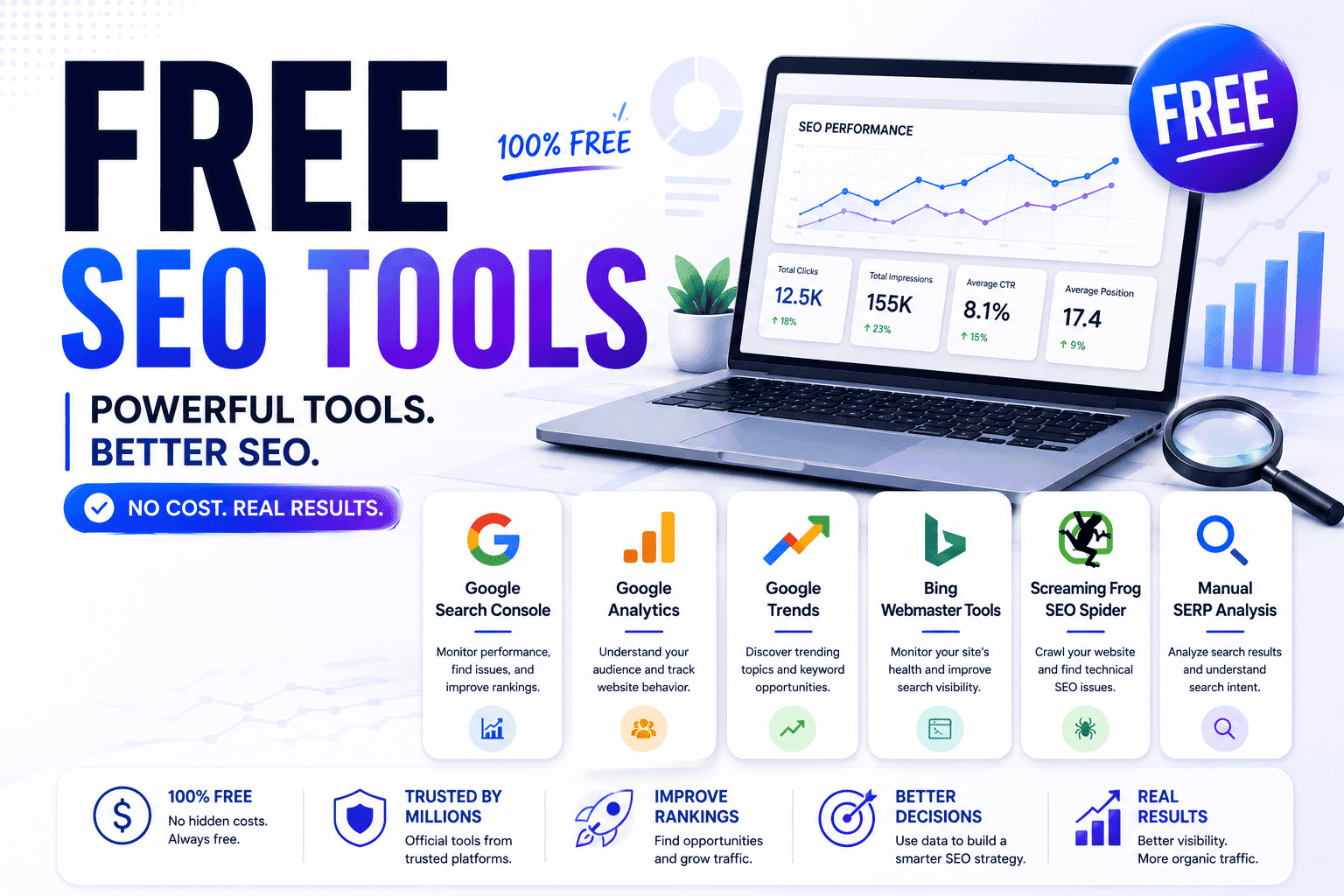
Most lists about free SEO tools feel like recycled directories packed with tools nobody actually uses. This guide is different.
After testing different SEO workflows across content sites, affiliate projects, and smaller websites, I realized you do not need expensive software to grow organic traffic — at least not early on. The real challenge is knowing which tools genuinely help, which ones waste time, and how to combine them into a workflow that actually improves rankings.
In this guide, I’ll break down the best free SEO tools for keyword research, technical SEO, backlinks, content optimization, and local SEO — along with where free tools still work surprisingly well and where they eventually start falling short.
Table of Contents
The Best Free SEO Tools at a Glance
| Tool | Best For | Free Limitations | Best Feature |
|---|---|---|---|
| Google Search Console | Search visibility | Limited competitor data | Direct Google insights |
| Google Trends | Trend discovery | No backlink data | Real-time trend movement |
| Screaming Frog | Technical SEO | 500 URL limit | Fast site crawling |
| Google Analytics | User behavior | Learning curve | Engagement analysis |
| Ahrefs Webmaster Tools | Backlink monitoring | Limited reports | Strong link insights |
Why Most “Free SEO Tools” Lists Are a Waste of Time
Search for “Free SEO tools” and you’ll quickly notice something strange: most articles look almost identical. The same tools appear again and again, often in the same order, with nearly identical descriptions. A lot of these lists are clearly written by people who never spent serious time using the tools they recommend. They’re simply rewriting what already ranks on Google.
That creates a frustrating experience for readers. Instead of getting practical guidance, you end up scrolling through giant collections of random tools with no real context about who the tool is for, what problem it solves, or whether the free version is actually useful. I’ve fallen into that trap myself before. At one point, I had dozens of SEO extensions and “must-have” tools bookmarked, but most of them added more distraction than value.
The biggest lesson I learned after testing different SEO workflows is that most websites do not need more tools — they need better focus. A small group of genuinely useful Free SEO tools can handle a surprising amount of SEO work if you understand exactly what problem you’re trying to solve.
Why do so many free SEO tools feel useless?
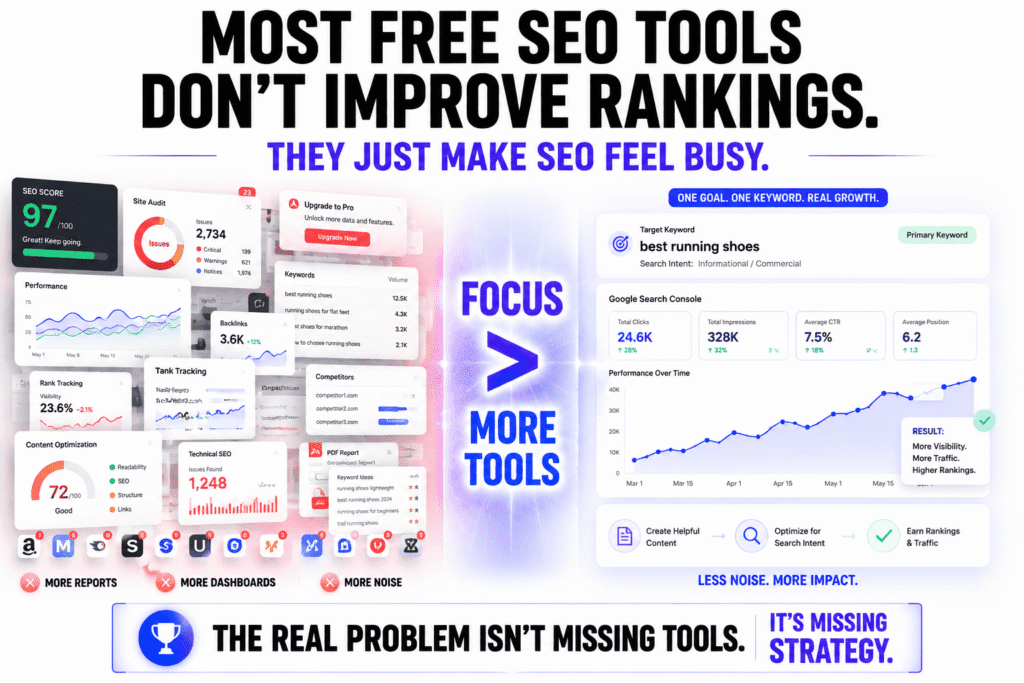
A lot of Free SEO tools feel disappointing because many of them are designed to push upgrades rather than deliver meaningful SEO insights. The free version often gives you just enough information to keep using the platform, but not enough to make confident decisions. You’ll see vague SEO scores, heavily restricted searches, incomplete keyword data, outdated backlink indexes, and constant upgrade prompts.
Another problem is that many tools create the illusion of productivity. You open dashboards, run audits, export reports, and watch colorful charts move around, but none of that automatically improves rankings. In many cases, the tool is simply repackaging publicly available data into a cleaner-looking interface.
In my experience, the best Free SEO tools are usually the simplest ones. They solve one specific SEO problem extremely well. Maybe they help you uncover low-competition keywords, identify indexing problems, detect technical SEO errors, or monitor content performance before traffic starts dropping. Those are actionable insights that can genuinely improve rankings and organic traffic.
The weaker tools mostly generate noise and make SEO feel more complicated than it needs to be. That’s especially true now that AI-generated SEO tools are flooding the market with automated audits and generic recommendations that look impressive but often provide little strategic value.
Which SEO tasks actually need a tool — and which don’t?
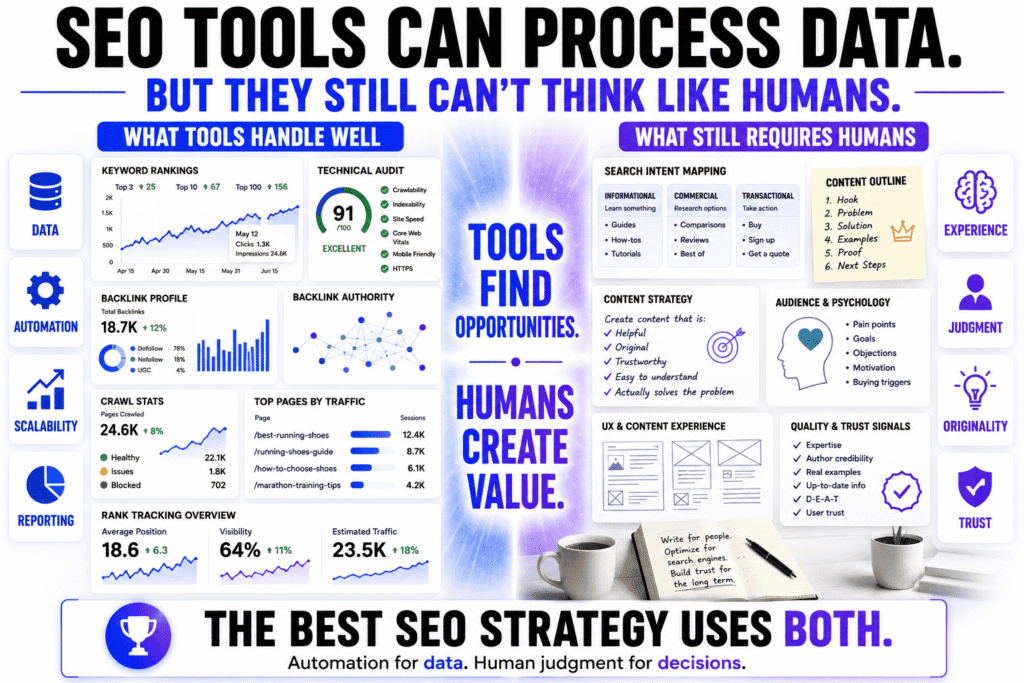
Some parts of SEO absolutely require tools. Keyword research, backlink analysis, technical SEO audits, crawl monitoring, rank tracking, and search performance reporting are extremely difficult to do manually at scale. Without tools, you simply cannot process enough data efficiently. Trying to handle technical SEO without software is a bit like trying to repair a car engine without opening the hood.
But the most important parts of SEO are often less dependent on software than people think. Understanding search intent, writing clearly, structuring content properly, improving user experience, and building trust with readers still rely heavily on human judgment. No tool can fully automate those things.
I’ve seen smaller websites with almost no SEO budget outperform larger competitors simply because the content felt more helpful, more original, and more trustworthy. At the same time, I’ve also seen websites paying for expensive SEO subscriptions while publishing content that feels generic, over-optimized, and written primarily for algorithms instead of real people.
That distinction matters even more now because search engines have become much better at identifying thin content, low-value AI content, and pages created purely to manipulate rankings. SEO tools can help you discover opportunities and diagnose problems, but they cannot replace experience, expertise, originality, and content quality.
A good rule I’ve learned is this: use tools for data, but use human judgment for decisions.
Can free SEO tools still compete with paid platforms in 2026?
For many websites, yes. Free SEO tools are still more than capable of handling a large percentage of day-to-day SEO work in 2026, especially for bloggers, affiliate sites, small businesses, and newer content websites trying to grow organic traffic without a large budget.
In fact, a simple workflow built around Google Search Console, Google Analytics, and Google Trends can already provide valuable insights into:
- keyword performance
- indexing issues
- click-through rates (CTR)
- search visibility
- traffic trends
- seasonal demand shifts
- content decay
For many smaller websites, that foundation is enough to build a strong SEO strategy.
Where platforms like Ahrefs and Semrush still dominate is scale, speed, and competitive intelligence. Their databases are much larger, competitor tracking is more advanced, and their workflows are faster for agencies, enterprise websites, or publishers managing large content operations.
You notice the difference most when:
- scaling content aggressively
- running large backlink campaigns
- analyzing competitors deeply
- tracking thousands of keywords
- managing multiple websites simultaneously
That said, one of the biggest misconceptions in SEO is the belief that paying for more data automatically leads to better rankings. In reality, many people end up drowning in dashboards, reports, and metrics without publishing better content or improving their overall strategy.
A focused website owner using a few carefully selected Free SEO tools consistently will often outperform someone relying entirely on expensive software without a clear content plan.
The tool itself is rarely the competitive advantage.
The ability to interpret the data and turn it into genuinely useful content is what actually drives long-term SEO growth.
The Free SEO Tools I’d Start With if I Had Zero Budget
If I lost access to every paid SEO platform tomorrow, I honestly wouldn’t panic that much.
That probably sounds strange considering how aggressively the SEO industry pushes premium software, but after testing dozens of tools across affiliate sites, blog projects, and content-heavy websites, I’ve realized something: most smaller websites don’t actually suffer from a lack of tools. They suffer from inconsistent publishing, weak content strategy, and spending too much time chasing metrics that never turn into traffic.
A lot of people searching for Free SEO tools think they need an advanced “growth stack” immediately. They don’t.
If your site is still small or growing, the highest ROI usually comes from:
- finding topics people genuinely search for
- understanding what Google already rewards
- fixing obvious technical issues
- publishing consistently
And surprisingly, you can do a huge percentage of that for free.
Which free SEO tools give the biggest ROI first?
The best Free SEO tools are usually the ones closest to the actual search engine. That’s why I’d start with Google Search Console before almost anything else.
Most beginners underestimate how powerful it is.
You can literally see:
- what queries trigger your pages
- which pages are losing clicks
- where your impressions are growing
- which articles have poor CTR
- whether Google is indexing your content properly
That’s real SEO data — not estimated third-party guesses.
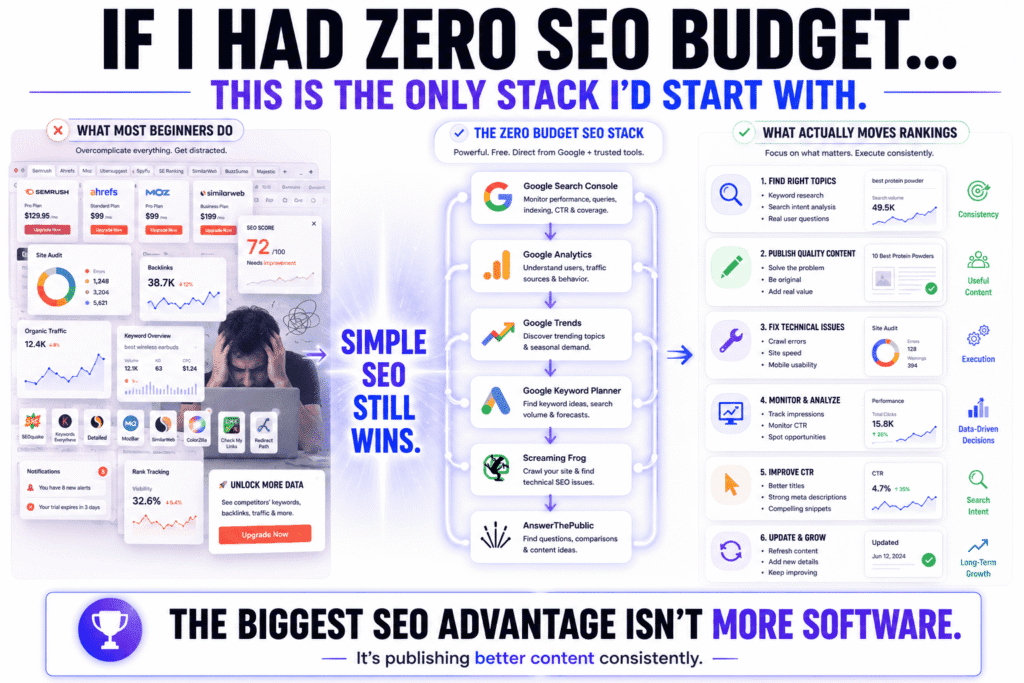
If I had zero budget today, my first setup would probably look like this:
| Tool | Why I’d Use It First |
|---|---|
| Google Search Console | Search queries, indexing, CTR, visibility |
| Google Analytics | User behavior and traffic insights |
| Google Trends | Trending topics and seasonal demand |
| Google Keyword Planner | Basic keyword discovery |
| Screaming Frog | Technical SEO audits |
| AnswerThePublic | Question-based content ideas |
What’s interesting is that these Free SEO tools force you to focus on fundamentals instead of getting distracted by endless competitor charts and vanity metrics.
I’ve seen people buy expensive SEO subscriptions before publishing even ten articles. Meanwhile, some of the fastest-growing smaller sites I’ve watched were built almost entirely using free Google data and smart content targeting.
That’s the part most SEO YouTube videos don’t talk about enough.
What’s the best free SEO setup for beginners?
The best beginner setup is usually the simplest one.
A common mistake with Free SEO tools is trying to build a giant workflow immediately. Beginners download ten Chrome extensions, sign up for multiple platforms, and end up buried under dashboards they barely understand.
You do not need all of that early on.
A beginner-friendly SEO workflow should help you answer four simple questions:
- What are people searching for?
- What content is already working on my site?
- What technical issues are blocking visibility?
- What should I improve next?
That’s it.
In my experience, this setup covers almost everything a newer site genuinely needs:
- Google Search Console → visibility, indexing, CTR
- Google Analytics → traffic and engagement
- Google Trends → rising search interest
- Screaming Frog → crawl and technical SEO checks
- Google Keyword Planner → keyword discovery
That combination is enough to:
- monitor rankings
- improve existing pages
- discover content opportunities
- diagnose technical problems
- understand user behavior
- build a real SEO workflow
Another SEO gap many beginners miss is search intent analysis.
A keyword might have high volume, but if your content format doesn’t match what Google already ranks, the page will struggle no matter how optimized it is.
That’s why some of the best “tools” are actually:
- Google’s own search results
- the “People Also Ask” section
- autocomplete suggestions
- related searches
Those are free signals directly connected to real user behavior.
Which tools are worth learning early vs skipping entirely?
The Free SEO tools worth learning early are the ones that teach you how search engines and search behavior actually work. The ones worth skipping are usually the tools trying to simplify SEO into a single score.
I’d strongly prioritize learning:
- Google Search Console
- Google Analytics
- technical crawling basics
- keyword intent analysis
- content performance tracking
Those skills compound over time.
Once you understand:
- why pages lose traffic
- why some keywords convert better
- how indexing works
- how Google interprets relevance
you become far less dependent on expensive software.
The tools I’d avoid early on are usually the ones overloaded with:
- AI-generated recommendations
- generic optimization scores
- “SEO health percentages”
- automated content grading systems
I tested a lot of these platforms myself, and many of them create a false sense of progress.
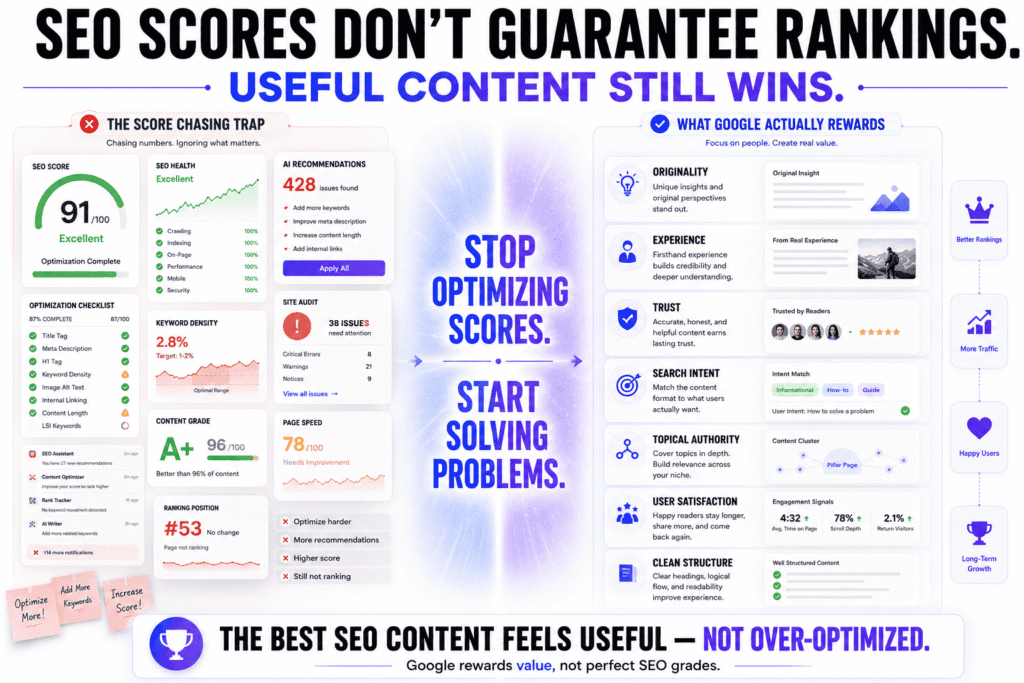
You spend hours improving a score from 78 to 91 while completely ignoring whether the content is:
- useful
- trustworthy
- original
- satisfying actual search intent
That’s becoming a much bigger issue now because Google is increasingly rewarding:
- firsthand experience
- topical authority
- originality
- useful insights
- content depth
—not just pages that look technically optimized.
One thing I’ve noticed repeatedly is that websites growing steadily with Free SEO tools tend to stay focused on publishing genuinely useful content. Sites obsessed with dashboards often end up over-analyzing instead of creating.
And in SEO, publishing useful content consistently usually beats endlessly “optimizing” content that never gets finished.
15 Free SEO Tools Worth Using in 2026
If you’re overwhelmed by giant “100+ SEO tools” lists, this is the simpler version I wish I had when I started. Most websites do not need dozens of platforms running at the same time. They need a handful of reliable free SEO tools that solve specific problems well.
The tools below are the ones I think provide the most practical value for keyword research, technical SEO, content optimization, and backlink analysis without requiring expensive subscriptions upfront.
| Category | Free SEO Tool | Best For | Biggest Strength | Main Limitation |
|---|---|---|---|---|
| Keyword Research | Google Trends | Trend discovery | Reveals rising search interest and seasonal demand | No backlink or competitor data |
| Keyword Research | Google Keyword Planner | Keyword discovery | Reliable Google keyword suggestions | Broad search volume ranges |
| Keyword Research | AnswerThePublic | Question-based keywords | Excellent for content ideas and search intent | Limited free searches daily |
| Technical SEO | Screaming Frog | Site audits | Powerful technical crawling and issue detection | Free version limited to 500 URLs |
| Technical SEO | Google Search Console | Search visibility | Direct Google indexing and ranking insights | Limited competitor analysis |
| Content Optimization | Grammarly | Writing clarity | Improves readability and grammar quickly | Not built specifically for SEO |
| Content Optimization | Hemingway Editor | Readability optimization | Makes content easier to scan and understand | Limited advanced SEO guidance |
| Backlinks | Ahrefs Webmaster Tools | Backlink monitoring | Strong backlink and technical SEO insights | Limited free reporting |
| Backlinks | Moz Link Explorer | Authority analysis | Beginner-friendly backlink metrics | Smaller backlink database |
| Analytics | Google Analytics | User behavior analysis | Deep engagement and traffic insights | Steeper learning curve |
| Local SEO | Google Business Profile | Local visibility | Improves Maps and local search rankings | Limited broader SEO data |
| Search Intent Research | Google Autocomplete | Long-tail keyword discovery | Reveals real search behavior naturally | No search volume data |
| Search Intent Research | Google “People Also Ask” | Content expansion | Excellent for finding related questions | Results vary constantly |
| Competitive Research | Semrush Free Tools | Competitor insights | Broad SEO toolkit for quick analysis | Strict usage limitations |
| Content Research | Reddit & niche forums | Audience research | Reveals real-world user language and pain points | Manual research required |
One thing I noticed after testing different free SEO tools is that the strongest SEO workflows rarely depend on one platform alone.
Most successful websites combine:
- Google’s own search data
- lightweight technical SEO tools
- manual search intent research
- content optimization tools
- competitor observation
instead of relying entirely on massive all-in-one dashboards.
And honestly, for many bloggers, affiliate sites, and smaller publishers, the tools above already cover most of the SEO workflow without requiring expensive monthly subscriptions.
Free Keyword Research Tools That Still Find Real Opportunities
One thing I’ve noticed after testing different free SEO tools is that most people approach keyword research backwards.
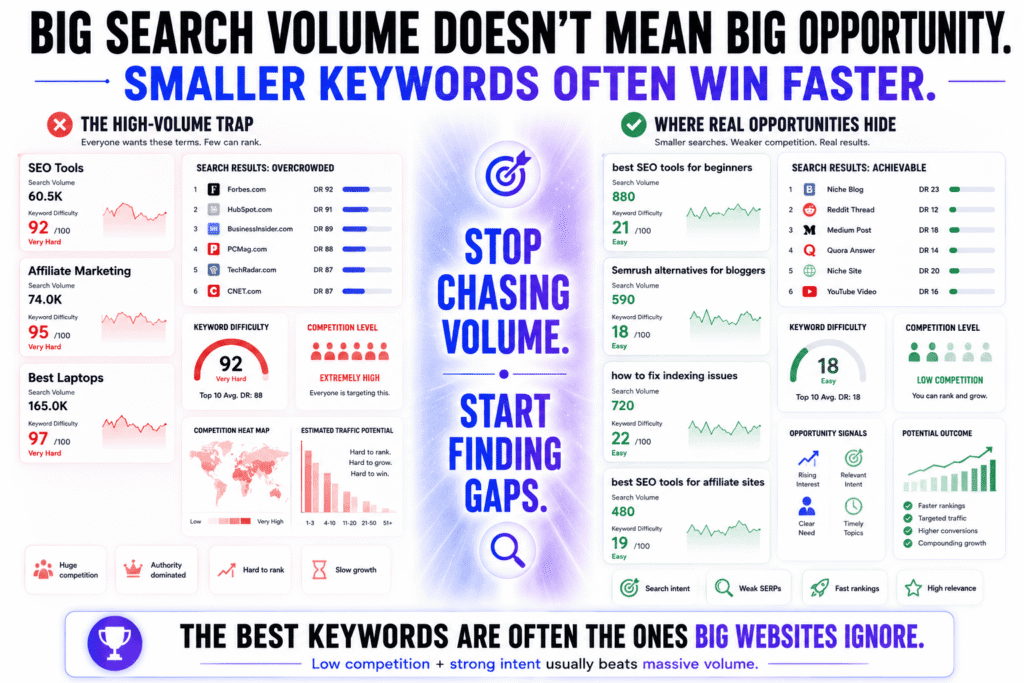
They start by chasing high-volume keywords because the numbers look exciting. Huge search volume. Huge traffic potential. Huge competition they realistically cannot beat.
That usually ends badly.
The better opportunities are often hiding inside smaller, less obvious searches — the kinds of keywords bigger websites ignore because they aren’t large enough to matter at scale. Ironically, those are often the keywords that bring the most targeted traffic and convert the best.
A lot of keyword research today is also overly dependent on software scores. People obsess over “keyword difficulty” numbers without realizing many of those scores are just estimates. Google does not rank pages based on a third-party difficulty metric.
It ranks pages based on:
- relevance
- usefulness
- authority
- search intent satisfaction
That’s why some of the most effective keyword research workflows still rely heavily on simple free SEO tools and careful observation of search results.
How do you find low-competition keywords for free?
The easiest way to find low-competition keywords using free SEO tools is to look for specific searches where the existing Google results are weak, outdated, overly broad, or poorly targeted. Long-tail keywords and problem-focused searches usually offer the best opportunities for smaller websites.
When I first started doing SEO, I wasted a lot of time targeting giant keywords I had almost no chance of ranking for. Things like:
- “SEO tools”
- “best laptops”
- “affiliate marketing”
The traffic potential looked incredible on paper.
The reality was brutal.
Once I shifted toward more specific searches, rankings came much faster. Instead of targeting broad topics, I started focusing on:
- comparisons
- troubleshooting queries
- beginner-focused searches
- alternative keywords
- “best for” modifiers
- low-authority SERPs
That’s where many underrated opportunities still exist.
Some of the best free keyword discovery methods are surprisingly simple:
- Google autocomplete
- the “People Also Ask” section
- related searches at the bottom of Google
- Reddit discussions
- YouTube search suggestions
- forums inside your niche
You’ll notice these sources reveal how real people phrase problems naturally, which is incredibly important now that search engines understand conversational queries much better than they used to.
I also use Google Trends regularly because it helps identify:
- rising search interest
- seasonal patterns
- breakout topics
- declining trends
That alone can help you avoid creating content around topics losing momentum.
One SEO gap many beginners miss is evaluating the actual search results themselves.
Before targeting a keyword, I usually check:
- how strong the top-ranking sites are
- whether forums or weak niche sites are ranking
- whether the results fully satisfy the query
- whether Google seems uncertain about search intent
If page one looks weak, fragmented, or outdated, that’s often a better signal than any keyword difficulty score.
Which free keyword tools show actual search intent?
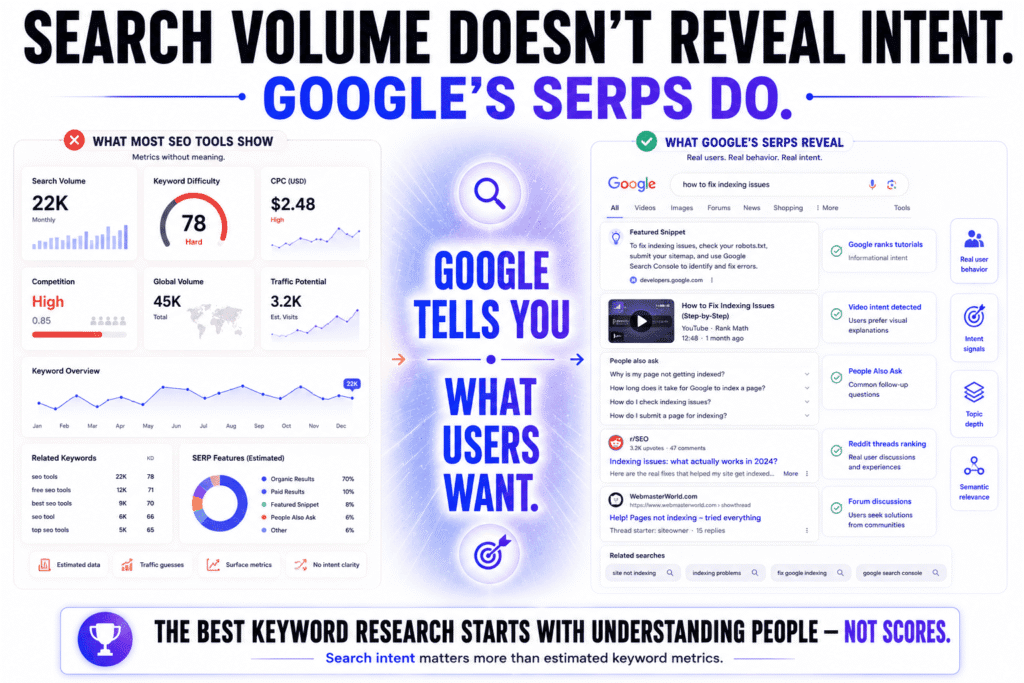
The best free SEO tools for understanding search intent are usually the ones connected directly to user behavior rather than estimated SEO metrics. In many cases, Google itself reveals more about intent than traditional keyword software.
A lot of SEO tools focus heavily on:
- search volume
- CPC
- keyword difficulty
- competition percentages
But those numbers do not explain what the user actually wants.
That’s the part that matters most.
In my experience, one of the fastest ways to understand search intent is simply studying the top-ranking pages manually.
You can learn a surprising amount by looking at:
- titles
- content formats
- article structures
- featured snippets
- video results
- Reddit threads
- product pages
- forum discussions
For example, if Google mostly ranks:
- tutorials
- beginner guides
- step-by-step content
then publishing a short opinion article probably will not perform well, even if the keyword looks attractive in a tool.
That’s why I still think Google’s own search results are one of the most powerful free SEO tools available.
I also pay close attention to:
- autocomplete suggestions
- “People Also Ask”
- related searches
- bolded phrases in snippets
These often reveal:
- secondary intent
- hidden subtopics
- follow-up questions
- semantic relevance
And those details matter a lot for modern SEO because search engines increasingly reward topical depth and intent coverage, not just exact-match keyword usage.
Can Google itself replace expensive keyword tools?
For many websites, partially yes.
I think a lot of smaller site owners would be surprised by how far they can get using mostly Google’s own ecosystem and a few smart free SEO tools.
Tools like:
- Google Search Console
- Google Trends
- Google Keyword Planner
already provide valuable data about:
- search queries
- impressions
- click-through rates
- trend movement
- keyword discovery
- audience interest
And honestly, some of the best keyword insights don’t even come from dedicated tools anymore.
They come from:
- Google autocomplete
- live SERPs
- Reddit conversations
- niche forums
- YouTube comments
- audience questions
That’s where you often uncover the language real people actually use.
However, Google’s free ecosystem still has limitations.
You’ll eventually notice gaps around:
- deep competitor analysis
- large-scale backlink research
- keyword gap analysis
- advanced SERP tracking
- historical ranking databases
That’s where platforms like Ahrefs and Semrush still dominate.
Their datasets are simply much larger.
But I also think many people buy expensive SEO software far too early. They end up drowning in reports before they’ve even mastered the fundamentals of:
- search intent
- content quality
- internal linking
- topical authority
- consistency
A smaller website using free SEO tools intelligently can absolutely compete for meaningful traffic — especially in niches where larger publishers are publishing generic, mass-produced content.
Because at the end of the day, keyword tools do not rank pages.
Content that satisfies search intent better than competing pages does.
The Best Free SEO Tools for Fixing Technical Problems Fast
Technical SEO has a reputation for being complicated, but most websites usually break in very predictable ways.
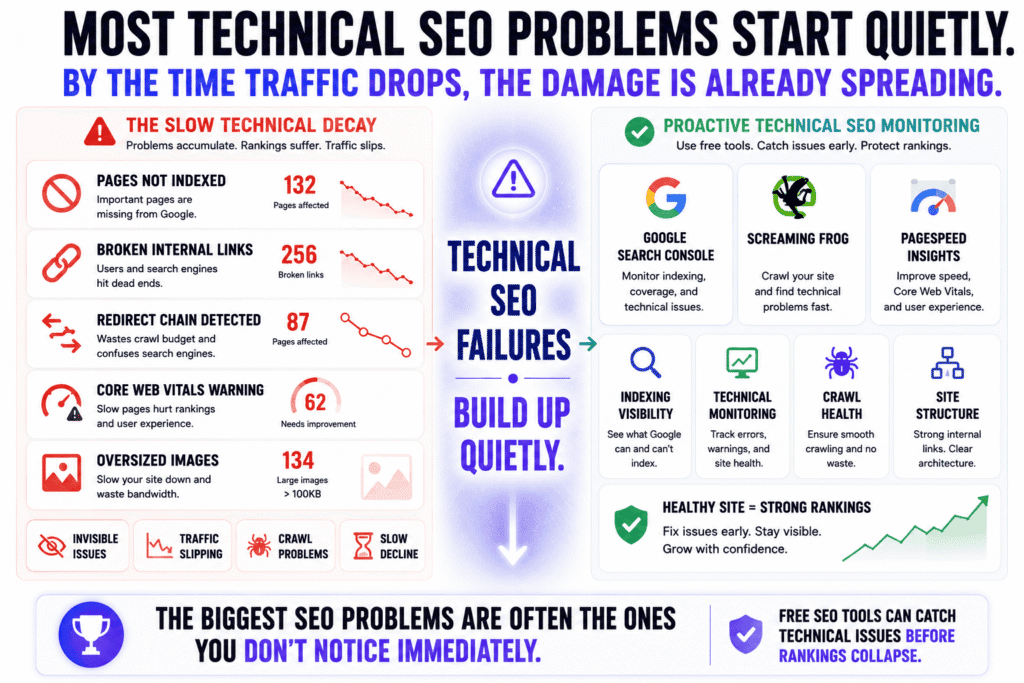
Pages stop indexing. Internal links break quietly. Images become too heavy. Redirects pile up. Mobile usability gets ignored. Then traffic slowly starts slipping and nobody immediately notices why.
What I learned after auditing multiple sites is that technical SEO problems rarely arrive as one giant disaster. They accumulate slowly in the background until rankings become unstable.
The good news is that you do not need enterprise software to catch most of these issues early. Some of the most effective free SEO tools are more than capable of identifying technical problems before they seriously damage your visibility.
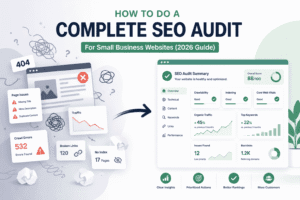
How do you run a proper SEO audit for free?
A proper SEO audit using free SEO tools starts with answering one simple question: Can search engines crawl, understand, and index your content correctly?
That sounds obvious, but you’d be surprised how many websites fail at one of those three things.
If I’m auditing a smaller site without paid software, my process is usually pretty straightforward. I combine:
- Google Search Console
- Screaming Frog
- Google PageSpeed Insights
- manual Google searches
That alone uncovers most meaningful issues.
Inside Google Search Console, I usually look for:
- pages not indexed
- sudden drops in impressions
- Core Web Vitals warnings
- mobile usability issues
- sitemap problems
- crawl anomalies
Then I’ll crawl the site using Screaming Frog to spot:
- broken internal links
- redirect chains
- duplicate titles
- missing meta descriptions
- thin pages
- orphan content
- oversized images
One thing many SEO checklists fail to explain is that not every technical issue matters equally.
Some warnings look scary but barely affect rankings. Others quietly kill visibility.
For example:
- a few missing meta descriptions? Usually manageable.
- important pages accidentally marked “noindex”? Massive problem.
That’s why I think technical SEO is less about chasing a perfect audit score and more about identifying the handful of issues genuinely blocking growth.
Which technical SEO issues matter most for rankings?
The technical SEO issues that matter most are usually the ones affecting indexing, crawlability, page experience, and internal site structure. If Google struggles to access, understand, or navigate your content, rankings become much harder to maintain.
A lot of SEO advice online gets lost in tiny optimization details while ignoring bigger structural problems.
In my experience, these are the issues that consistently matter most:
| Technical Problem | Why It Matters |
|---|---|
| Pages not indexed | Google cannot rank pages it cannot index |
| Slow-loading pages | Hurts user experience and crawl efficiency |
| Weak internal linking | Makes content harder to discover |
| Broken links | Damages crawl flow and user trust |
| Mobile usability issues | Google uses mobile-first indexing |
| Duplicate or near-duplicate pages | Confuses relevance signals |
| Poor site architecture | Weakens topical organization |
One SEO gap I see constantly on smaller sites is poor internal linking strategy.
People obsess over backlinks while completely ignoring how their own pages connect together.
That matters more than many realize because internal links help search engines:
- discover new pages
- understand topic relationships
- distribute authority
- identify important content
I’ve seen rankings improve simply from cleaning up internal links and restructuring content clusters properly.
Another issue many site owners miss is content decay.
Sometimes rankings drop because:
- information becomes outdated
- competitors improve their content
- search intent evolves
- user expectations change
Not every traffic decline is a penalty or algorithm hit. Sometimes the page simply stopped being the best answer available.
That’s why technical SEO and content quality usually work together. Strong technical foundations help Google access your content, but useful content is what keeps rankings stable long term.
Related Reading:
Want a deeper walkthrough of technical SEO checks and site diagnostics?
Read:
How to Do a Complete SEO Audit for a Small Business Website: A Proven Step-by-Step Guide
What’s the easiest free crawler for non-technical users?
For most people, the easiest crawler to learn is the free version of Screaming Frog because it quickly exposes technical SEO issues visually without requiring advanced technical knowledge.
I’ll be honest though: the first time I opened Screaming Frog, I almost closed it immediately.
The interface feels much more technical than modern “all-in-one” SEO tools. There are tabs everywhere, status codes, response filters, canonicals, directives — it can feel overwhelming initially.
But after using it for a while, you realize why so many SEO professionals still rely on it heavily.
It shows you the actual structure of your website instead of hiding everything behind vague “SEO health scores.”
With a basic crawl, you can quickly identify:
- broken pages
- redirect mistakes
- duplicate metadata
- missing headings
- oversized images
- thin content
- orphan URLs
The free version crawls up to 500 URLs, which is enough for many blogs and smaller websites.
That said, if Screaming Frog feels too advanced at first, you can still get meaningful technical insights from:
- Google Search Console
- Google PageSpeed Insights
- browser SEO extensions
- manual site searches in Google
One thing I’ve noticed after testing many automated audit platforms is that some tools create unnecessary panic. They flood users with hundreds of warnings, most of which have little ranking impact.
Good technical SEO is usually about prioritization.
You do not need a “100/100 SEO score” to rank well.
In most cases, fixing:
- indexing problems
- crawl issues
- slow-loading pages
- weak internal links
- mobile usability problems
will move the needle far more than obsessing over tiny technical details nobody visiting your site will ever notice.
That’s especially true for websites relying primarily on free SEO tools instead of large enterprise SEO platforms.
Free On-Page SEO Tools That Actually Improve Content Quality
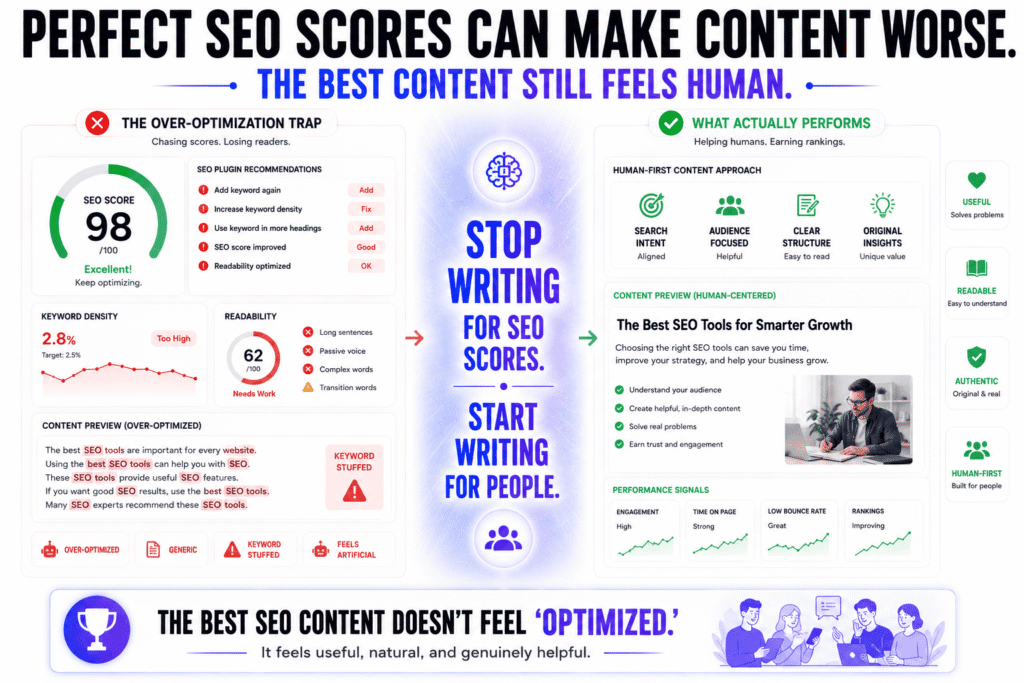
One thing I’ve noticed after testing different free SEO tools is that many on-page optimization tools accidentally make content worse instead of better.
The moment writers start chasing perfect SEO scores, the content often begins sounding strange. Keywords get repeated unnaturally. Headings become robotic. Sentences lose rhythm. Everything starts feeling engineered instead of helpful.
Ironically, some of the pages that look “perfectly optimized” inside SEO plugins are the exact pages real people don’t enjoy reading.
That matters a lot now because search engines are getting much better at detecting the difference between content that genuinely helps users and content that simply looks optimized on the surface.
The best-performing pages today usually feel:
- natural
- useful
- easy to read
- experience-driven
- well-structured
- genuinely written for humans first
That’s why the best free SEO tools are often the ones helping you improve clarity, structure, and intent coverage instead of obsessing over keyword density percentages.
Which free SEO tools help optimize content naturally?
The best free SEO tools for on-page SEO are the ones that help you create clearer, more useful content without forcing unnatural optimization patterns. Tools that improve readability, topical coverage, and search intent alignment are usually far more valuable than tools focused heavily on keyword repetition.
In my experience, some of the most useful on-page optimization insights still come directly from Google itself.
Before writing almost any article, I spend time studying:
- Google search results
- featured snippets
- “People Also Ask”
- related searches
- Reddit discussions
- forum conversations
That process tells you far more about what users actually expect than most SEO scores ever will.
For example, if Google is consistently ranking:
- detailed tutorials
- comparison tables
- beginner explainers
- step-by-step walkthroughs
then that usually means users want practical, structured information — not short opinion pieces.
I also use tools like:
- Google Search Console
- readability checkers
- headline analyzers
- grammar tools
- basic NLP optimization tools
But I use them cautiously.
One mistake I tested myself years ago was over-editing content until it lost all personality. The page became technically optimized but less enjoyable to read.
And honestly, I think search engines are getting increasingly better at recognizing that difference.
Some of the strongest-performing content I’ve published was not the content with the highest optimization scores. It was the content that:
- answered questions clearly
- covered the topic deeply
- felt authentic
- matched search intent properly
- kept readers engaged longer
That’s a huge distinction many SEO tutorials still fail to explain.
Related Reading:
If you want to understand what modern search engines actually reward beyond keyword optimization, read:
On-Page SEO: What Google Actually Rewards Now (and What It Ignores)
How do you avoid over-optimizing with SEO tools?
The easiest way to avoid over-optimization is to remember that free SEO tools are assistants, not authors. The moment the tool starts controlling how every sentence sounds, the writing usually becomes less natural.
I see this problem constantly now, especially with AI-assisted SEO workflows.
Writers begin forcing:
- exact-match keywords repeatedly
- awkward subheadings
- unnatural keyword variations
- overly structured paragraphs
simply because a plugin or optimization tool says the score is too low.
The result often feels lifeless.
You can usually spot over-optimized content immediately because it sounds like it was written primarily for search engines instead of actual readers.
In my experience, strong on-page SEO should feel almost invisible. The page should naturally include relevant terms because the topic is being covered properly — not because the keyword was artificially inserted twenty times.
That’s why I focus much more on:
- topical completeness
- search intent alignment
- readability
- structure
- clarity
- user satisfaction
than on hitting arbitrary optimization numbers.
One thing many people underestimate is how aggressively Google now evaluates content quality signals beyond simple keyword usage. Search engines increasingly look at:
- engagement patterns
- helpfulness
- topical depth
- originality
- trust signals
- overall user experience
That shift is exactly why many older “SEO writing formulas” are becoming less effective.
A good rule I follow is simple:
If the optimization becomes noticeable while reading, it’s probably too aggressive.
What should you check before publishing a page?
Before publishing a page, the most important thing to check is whether the content genuinely satisfies the reason someone searched for the topic in the first place. Technical optimization still matters, but pages often fail because they never fully answer the user’s real problem.
I learned this the hard way after publishing articles that were technically optimized but still struggled to perform. The issue usually wasn’t metadata or keyword placement. The issue was that the content itself wasn’t strong enough compared to competing results.
Before publishing, I normally review:
- whether the introduction immediately matches search intent
- whether the page answers obvious follow-up questions
- whether headings flow logically
- whether the content feels useful instead of padded
- whether internal links support the topic naturally
- whether the page is easy to skim on mobile
- whether examples, screenshots, or statistics feel current
- whether the title is compelling enough to earn clicks
I also reread the page one final time specifically to check whether it still sounds human.
That might sound simple, but it matters more than many people realize.
Sometimes after heavy optimization, a page starts feeling too polished, too repetitive, or too carefully engineered around keywords. When that happens, engagement usually suffers because readers subconsciously notice the content feels unnatural.
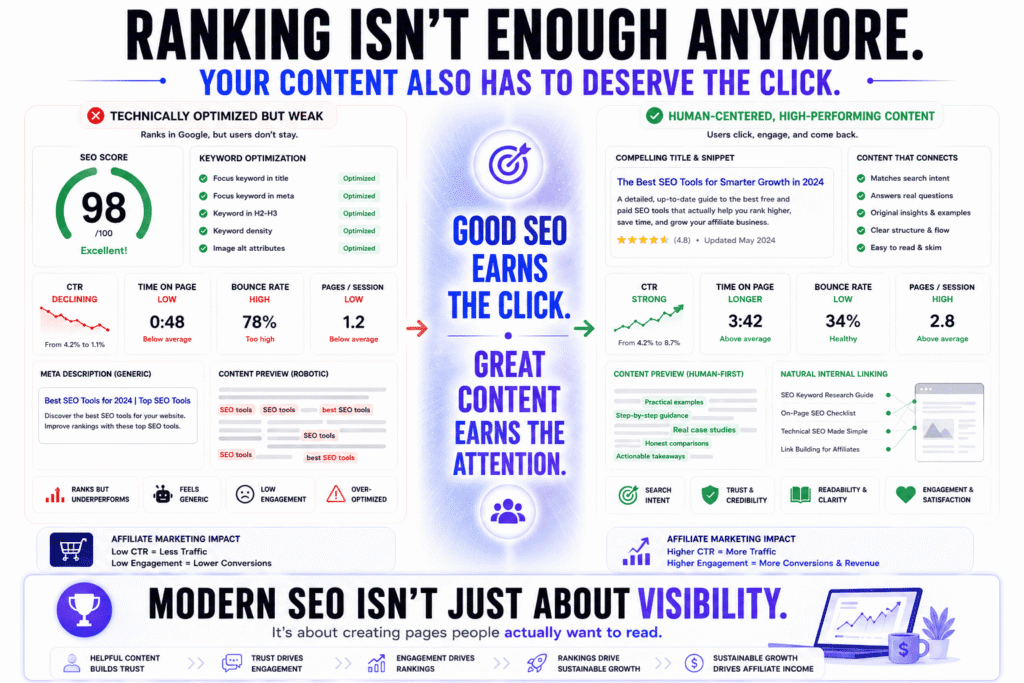
Another SEO gap many articles ignore is CTR optimization.
A page can rank reasonably well and still underperform if:
- the title looks generic
- the meta description feels weak
- competitors appear more trustworthy
- the formatting looks difficult to read
That’s why I always preview how the page will likely appear inside search results before publishing.
Because modern SEO is no longer just about ranking.
Your page also needs to deserve the click — and hold attention once the visitor arrives.
Free Backlink Tools That Help You Compete Without Paying for Ahrefs
Backlinks are still one of the hardest parts of SEO to understand properly because the internet turned them into this mysterious “authority currency” everyone talks about but few explain clearly. Most advice online makes it sound like you need expensive SEO software, giant outreach campaigns, and thousands of links just to compete.
Honestly, I think that mindset confuses a lot of smaller website owners unnecessarily.
After working with different free SEO tools across affiliate sites and content-focused blogs, I’ve noticed something important: most growing websites do not lose rankings because they lack massive backlink databases. They struggle because they misunderstand what actually makes a backlink valuable in the first place.
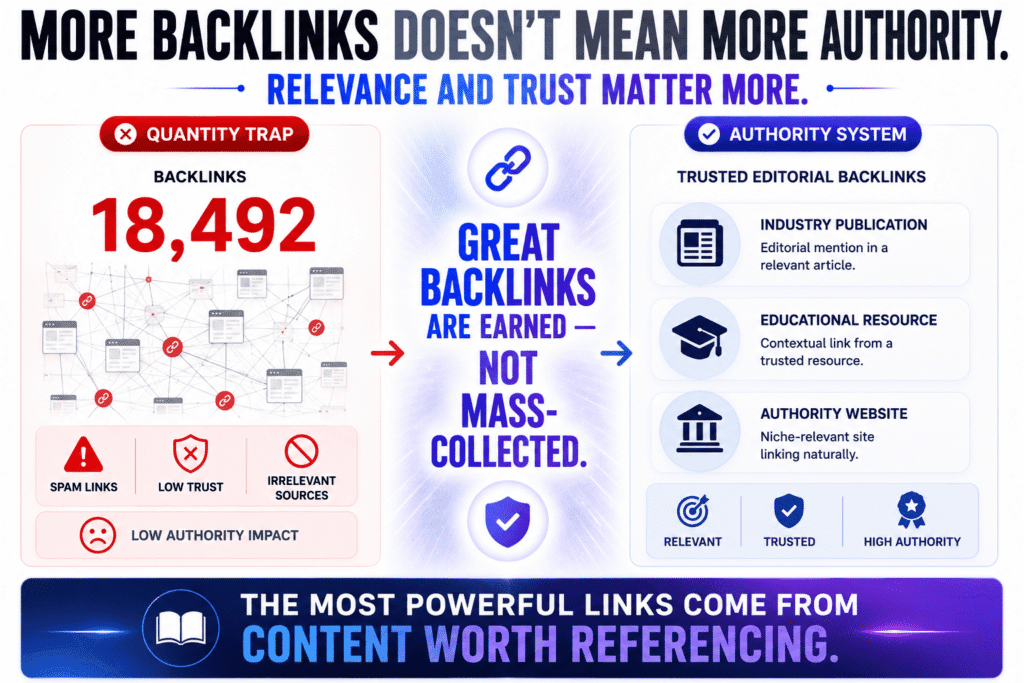
A relevant mention from a trusted page inside your niche can outweigh dozens of random low-quality links. And once you realize that, backlink research becomes much less about collecting numbers and much more about understanding relevance, trust, and why certain pages naturally attract links.
How do you check backlinks for free?
The easiest way to check backlinks using free SEO tools is to combine Google’s own link data with limited reports from third-party backlink platforms. While free versions won’t show every backlink pointing to a site, they’re usually enough to identify important linking patterns and authority signals.
A lot of people overlook the backlink data already available inside Google Search Console. That’s usually the first place I check because it shows:
- which sites link to you
- your most-linked pages
- internal linking structure
- anchor text trends
For a free tool, that’s incredibly useful.
Then I’ll usually compare that information with free backlink reports from:
- Ahrefs
- Semrush
- Moz
The free versions are obviously limited, but they still help uncover:
- competitor backlink sources
- strong referring domains
- content attracting links naturally
- gaps in your authority profile
One thing I learned after spending way too much time analyzing backlinks is that backlink quantity by itself is often misleading.
You can find websites with thousands of backlinks barely getting traffic, while other sites rank extremely well with far fewer links because their backlinks are:
- topically relevant
- editorially placed
- trusted by Google
- naturally earned
That distinction matters much more today because search engines have become far better at identifying manipulative link patterns and low-quality link schemes.
Which free backlink checker is the most reliable?
Among the major free SEO tools, backlink checkers from Ahrefs, Semrush, and Moz are generally the most reliable because they maintain some of the largest SEO link databases available publicly.
That said, one thing becomes obvious once you compare enough backlink tools:
No backlink checker is perfectly complete.
Every platform misses links occasionally. Some tools discover new backlinks faster. Others maintain stronger historical data. Some are better for competitor research while others focus more on authority metrics.
I tested backlink reports across multiple platforms before, and honestly, the exact numbers rarely matched perfectly.
That’s why I think many beginners focus too heavily on backlink metrics instead of looking at the broader picture.
The real questions are usually:
- Are authoritative sites referencing your content?
- Are your links topically relevant?
- Are competitors earning links from places you’re missing?
- Is your content actually link-worthy?
Those questions matter more than obsessing over whether a tool reports 312 backlinks or 347.
Personally, I still think Ahrefs has one of the strongest backlink indexes overall, especially for discovering referring domains quickly. Semrush is excellent when you want broader competitor intelligence, while Moz remains useful for simpler authority analysis and beginner-friendly workflows.
But for most websites relying primarily on free SEO tools, the goal should not be building giant backlink spreadsheets.
It should be understanding:
- what type of content earns links naturally
- where authority comes from in your niche
- how trust signals develop over time
Can free SEO tools help with link-building strategy?
Yes — and honestly, I think free SEO tools are often enough for building a smart link strategy early on because successful link building usually starts with research and positioning, not software automation.
A mistake I see constantly is people jumping directly into outreach campaigns before asking a more important question:
Why would someone link to this page at all?
That question changes everything.
The strongest backlinks usually go to content that offers something genuinely useful, such as:
- original data
- unique insights
- practical tutorials
- free resources
- comparison content
- industry statistics
- opinionated analysis
That’s why I spend much more time studying what attracts links naturally than chasing random outreach targets.
I regularly use free SEO tools to analyze:
- competitors’ most-linked pages
- recurring content formats
- high-authority mentions
- internal linking structures
- topical gaps competitors missed
And you start noticing patterns surprisingly fast.
In some industries, free calculators attract backlinks constantly. In others, statistics pages dominate. Some niches reward detailed tutorials, while others naturally link to controversial opinions or original research.
Those patterns matter because they reveal what your audience actually considers valuable enough to reference.
Another SEO gap many backlink discussions ignore is the relationship between backlinks and topical authority.
A backlink is usually more powerful when:
- the linking site is relevant
- the linked page covers the topic deeply
- the surrounding content provides context
- your website already demonstrates subject expertise
That’s one reason random link-building tactics often disappoint people. The link itself is only part of the equation.
I also think smaller websites sometimes underestimate the value of strong internal linking while focusing entirely on external backlinks. A well-structured internal linking system helps:
- distribute authority
- strengthen topic clusters
- improve crawlability
- reinforce relevance signals
And unlike external backlinks, you control that completely.
One thing I’ve consistently noticed is that websites relying mostly on free SEO tools often become more selective and strategic about link building because they cannot rely on brute-force outreach systems or massive data exports.
Ironically, that limitation sometimes produces better SEO habits.
Instead of chasing every possible backlink opportunity, you start focusing on:
- relevance
- trust
- authority
- originality
- content quality
And long term, those are usually the websites that build stronger organic visibility naturally.
The Google SEO Tools You Should Probably Be Using More
One thing that still surprises me in SEO is how quickly people ignore Google’s own tools the moment they discover premium software. Someone will install three expensive SEO platforms and somehow still barely open Google Search Console.
That never made much sense to me.
If Google is the search engine you’re trying to rank in, then Google’s own data is usually one of the most valuable sources of insight you can get. It may not always look as polished as third-party SEO dashboards, but a lot of the information inside Google’s ecosystem is more direct, more accurate, and often far more actionable than people realize.
Honestly, some of the best SEO decisions I’ve made came from studying simple patterns inside Google’s own free SEO tools instead of staring at endless competitor spreadsheets.
How does Google Search Console help improve rankings?
Google Search Console helps improve rankings by showing how your pages actually perform in Google Search. It reveals which keywords trigger impressions, where pages lose clicks, which URLs have indexing problems, and where optimization opportunities already exist.
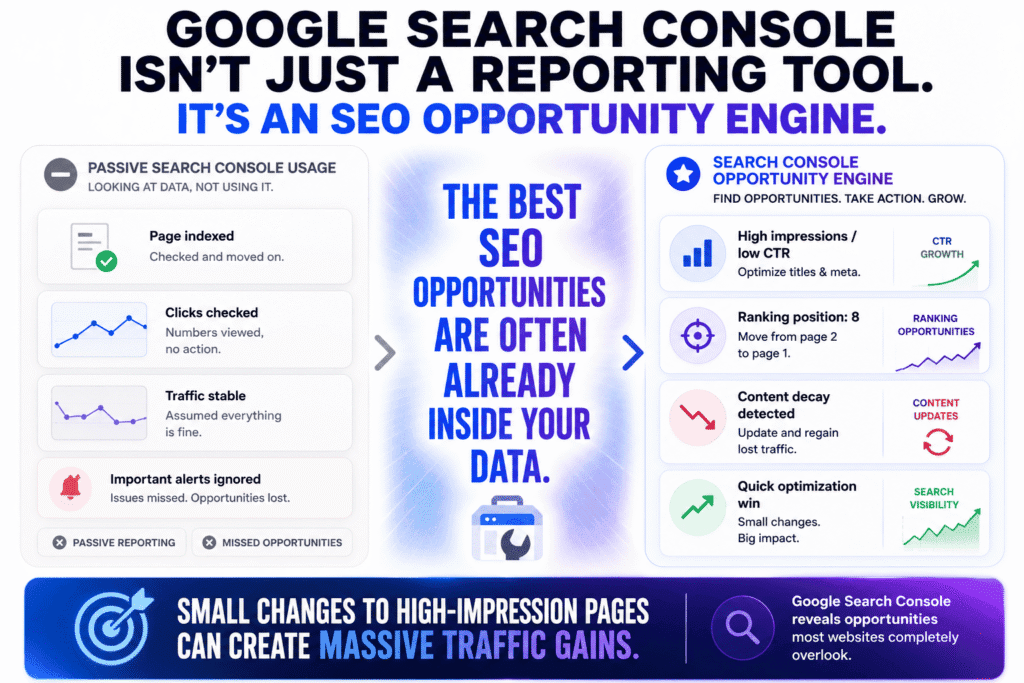
Most people use Search Console very passively.
They check whether a page is indexed, glance at total clicks, then leave.
That’s a mistake.
In my experience, Search Console becomes much more powerful when you stop treating it like a reporting tool and start treating it like an opportunity detector.
For example, one of the fastest ways I find easy SEO wins is by looking for pages with:
- strong impressions
- low CTR
- rankings between positions 5–15
Those pages are often sitting close to meaningful traffic growth already.
Sometimes a few changes to:
- the title
- meta description
- introduction
- content structure
- internal linking
can improve visibility surprisingly fast.
Another thing I use Search Console for constantly is identifying content decay.
You’ll occasionally notice a page slowly losing:
- impressions
- clicks
- average position
without any obvious penalty or technical issue.
Usually that means:
- competitors improved their content
- search intent shifted
- the information became outdated
- Google found better answers elsewhere
That kind of visibility is incredibly valuable because it helps you update pages before they collapse completely in rankings.
And honestly, many smaller sites underuse Search Console badly considering it’s one of the strongest free SEO tools available today.
Related Reading:
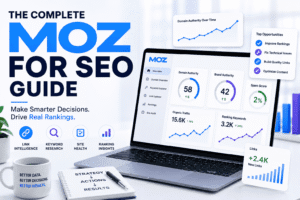
Most Moz tutorials only explain surface-level features. This guide breaks down what actually matters if you want better rankings:
Moz for SEO: What Most Tutorials Leave Out (And How to Finally Improve Your Rankings)
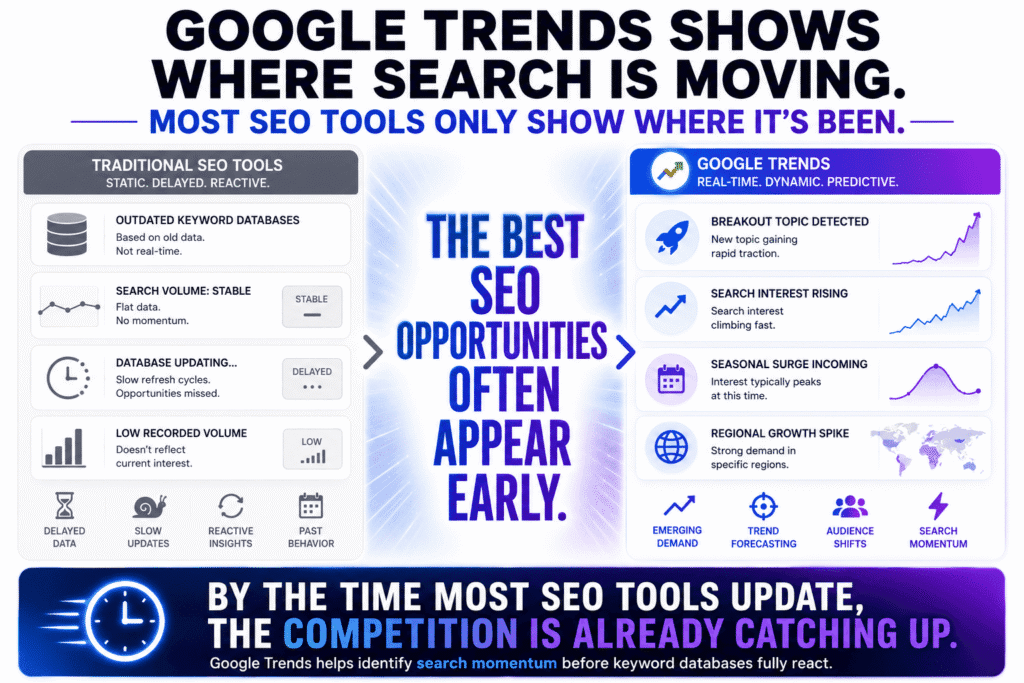
What can Google Trends reveal that SEO tools miss?
Google Trends reveals changes in real search behavior that many SEO platforms react to too slowly. It helps uncover rising topics, seasonal interest, audience shifts, and emerging search patterns before traditional keyword databases fully catch up.
This is one area where I think many SEO workflows become too dependent on static numbers.
A lot of keyword tools focus heavily on:
- search volume
- keyword difficulty
- CPC estimates
But search behavior is constantly moving.
And sometimes the most important opportunities appear before the data looks impressive inside SEO software.
I still use Google Trends regularly because it helps answer questions many traditional free SEO tools struggle with:
- Is interest growing or fading?
- Is this topic seasonal?
- Are people searching differently this year?
- Is a niche losing momentum?
- Are new search patterns emerging?
I’ve caught multiple traffic opportunities early simply because I noticed rising trend movement before SEO tools started showing meaningful search volume.
That matters more now because online trends move faster than they used to. By the time some keyword databases fully update, the opportunity may already be crowded.
Google Trends is also underrated for content timing.
For example, some topics peak:
- every year seasonally
- during product launches
- around major events
- during economic shifts
- after viral discussions
Publishing too late can dramatically reduce traffic potential even if the keyword itself looks strong.
Another thing I like about Trends is that it exposes regional behavior differences. Sometimes a topic performs far better in specific countries or cities than globally, which can completely change your targeting strategy.
Which Google SEO tools are completely free forever?
Some of Google’s most valuable SEO platforms are completely free, including Google Search Console, Google Analytics, Google Trends, and Google Keyword Planner. Together, they cover much of the core functionality smaller websites need to grow organic traffic.
What’s interesting is how many people underestimate how powerful this combination actually is.
Using mostly Google’s own free SEO tools, you can already:
- monitor indexing
- track rankings
- analyze search queries
- study traffic behavior
- identify weak pages
- discover content opportunities
- monitor engagement trends
- research keywords
- analyze seasonal demand
That’s a huge amount of SEO functionality without paying monthly software subscriptions.
I also think many people buy expensive SEO tools far too early because the industry creates the impression that success depends on massive data access.
Sometimes it doesn’t.
Some of the fastest-growing smaller websites I’ve seen relied heavily on:
- Search Console data
- smart content targeting
- strong internal linking
- topical authority building
- consistent publishing
—not giant SEO dashboards.
That doesn’t mean premium platforms are useless. Tools like Ahrefs and Semrush absolutely provide deeper:
- backlink analysis
- competitor intelligence
- keyword databases
- SERP tracking
But for many bloggers, affiliate marketers, local businesses, and niche publishers, Google’s own ecosystem already provides enough data to make very strong SEO decisions.
The bigger challenge usually is not access to information.
It’s knowing what information actually matters.
And honestly, that’s why I still think Google’s ecosystem remains one of the most underrated collections of free SEO tools available — especially for people trying to build traffic without getting buried under expensive software subscriptions and endless vanity metrics.
Using Free SEO Tools Together Instead of Relying on One Platform
One of the biggest misconceptions in SEO is the idea that there’s a single tool capable of solving everything. People spend weeks searching for the “ultimate SEO platform” when, in reality, most successful SEO workflows are stitched together from multiple tools doing different jobs well.
Honestly, that realization saved me a lot of money.
Earlier on, I kept testing all-in-one SEO platforms hoping one dashboard would magically handle keyword research, technical SEO, competitor analysis, content optimization, analytics, and ranking strategy perfectly. What usually happened instead was information overload. Too many charts. Too many scores. Too many features I barely used.
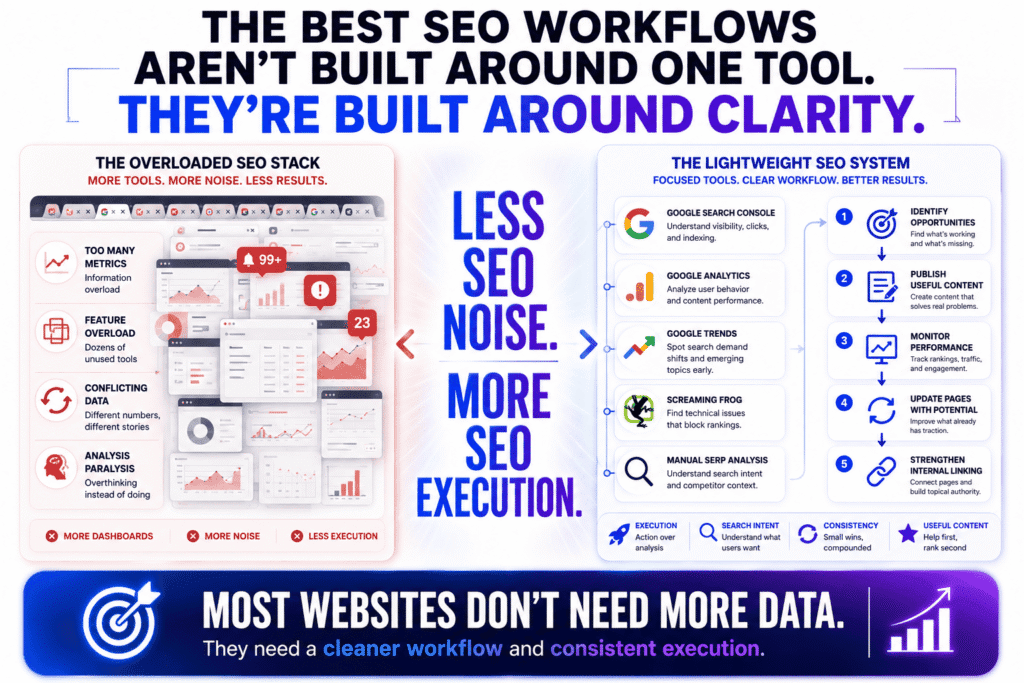
Eventually, I realized something much simpler: most websites do not need more data — they need a cleaner workflow.
That’s why some of the most practical SEO systems I’ve used relied heavily on a few carefully selected free SEO tools working together instead of one expensive platform trying to do everything at once.
What’s the smartest free SEO workflow for small websites?
The smartest SEO workflow for smaller websites is usually the one that helps you publish consistently, identify opportunities quickly, and improve existing pages without drowning in analytics. A lightweight system built around a few focused free SEO tools is often more effective than a bloated enterprise workflow.
I learned this the hard way after wasting months over-analyzing tiny SEO details instead of actually publishing content.
At one point, I had so many tools open that I spent more time checking dashboards than improving pages. Traffic barely moved because I was constantly “researching” instead of executing.
The workflow that finally worked looked much simpler:
- identify search opportunities
- publish useful content consistently
- monitor performance
- update pages showing traction
- strengthen internal linking
- repeat
That’s really the foundation of most sustainable SEO growth.
For smaller websites, I think the best combination of free SEO tools is usually:
- Google Search Console for search visibility and indexing
- Google Analytics for traffic behavior
- Google Trends for demand shifts and topic momentum
- Screaming Frog for technical SEO checks
- manual SERP analysis for search intent research
That workflow already helps uncover:
- low-performing pages
- indexing issues
- declining traffic trends
- content gaps
- CTR opportunities
- technical problems
- emerging search topics
And honestly, that’s enough to grow many websites much further than people expect.
One SEO gap many smaller publishers overlook is content updating.
A surprising amount of SEO growth comes not from publishing new articles endlessly, but from improving pages that already have:
- impressions
- rankings
- partial visibility
- untapped CTR potential
That’s where combining multiple free SEO tools becomes extremely useful because you start spotting opportunities much faster.
Which free tools work best together?
The best free SEO tools usually work well together because they each answer different SEO questions instead of overlapping heavily. A strong workflow combines tools for visibility, analytics, technical SEO, and search intent research rather than depending entirely on one platform.
One thing I noticed after testing dozens of SEO setups is that people often create inefficient workflows by stacking multiple tools doing basically the same thing.
For example, using five separate keyword tools rarely improves decision-making much. It usually just creates conflicting metrics and unnecessary noise.
A better approach is combining tools with distinct strengths.
For example:
- Google Search Console shows how Google already sees your pages
- Google Analytics reveals what users do after arriving
- Google Trends helps identify momentum shifts
- Screaming Frog detects technical weaknesses
- Google search results themselves expose real search intent
That creates a much more balanced workflow.
You stop relying entirely on estimated SEO metrics and start combining:
- actual search visibility
- user behavior
- technical health
- search demand
- intent analysis
which produces far better decisions long term.
I also think many people underestimate how valuable manual research still is.
Some of the best SEO insights I’ve found came from:
- reading Reddit threads
- studying weak search results
- analyzing forum discussions
- comparing competing article structures
- identifying unanswered questions
No SEO dashboard fully replaces that.
And honestly, I think websites relying mostly on free SEO tools sometimes develop stronger SEO instincts because they’re forced to analyze search behavior more directly instead of blindly trusting automated scores.
How do you build a lightweight SEO stack without subscriptions?
The easiest way to build a lightweight SEO stack is to remove every tool that does not directly help you create better content, improve visibility, or fix real SEO problems. Smaller websites usually benefit far more from focus and consistency than from enterprise-level data access.
This is where I think the SEO industry becomes misleading sometimes.
There’s a constant pressure to believe successful SEO requires:
- expensive software
- advanced automation
- giant keyword databases
- complicated reporting systems
But some of the fastest-growing content sites I’ve seen operated with surprisingly simple workflows centered around free SEO tools and strong execution.
If I were building a lean SEO workflow from scratch today, I’d probably keep it extremely minimal:
| SEO Task | Tool |
|---|---|
| Search visibility | Google Search Console |
| Traffic analysis | Google Analytics |
| Topic discovery | Google Trends |
| Technical SEO | Screaming Frog |
| Intent analysis | Google SERPs |
| Audience research | Reddit and forums |
That setup already covers:
- keyword discovery
- traffic monitoring
- technical SEO
- trend analysis
- user behavior
- content planning
- internal optimization
without requiring ongoing subscription costs.
One thing I’ve noticed repeatedly is that complicated workflows often reduce publishing consistency. Every article becomes trapped inside endless optimization checklists, audits, and score chasing.
Meanwhile, websites growing steadily with free SEO tools usually stay focused on:
- topical authority
- publishing consistency
- search intent alignment
- internal linking
- content usefulness
And honestly, those factors tend to move rankings much more than having access to another premium SEO dashboard full of metrics nobody acts on.
The longer I work in SEO, the more convinced I become that the real competitive advantage is not owning more tools.
It’s knowing which signals actually matter — and ignoring the noise that doesn’t.
Where Free SEO Tools Start Breaking Down
I like free SEO tools a lot more than most people in the SEO industry probably expect.
Not because they’re perfect. They’re definitely not. But because I think many websites upgrade to expensive software long before they’ve fully exhausted what free tools can already do.
I’ve seen smaller sites generate meaningful traffic using little more than:
- Google Search Console
- Google Analytics
- Google Trends
- smart content targeting
- consistent publishing
At the same time, I’ve also seen people spend hundreds of dollars monthly on SEO subscriptions while barely publishing anything useful.
That’s the weird contradiction in SEO.
More software does not automatically create better rankings.
But eventually, there is a point where relying entirely on free SEO tools starts slowing you down — especially once your site grows beyond the “small niche blog” stage.
The challenge is recognizing the difference between:
- genuinely needing better data
and - simply wanting more dashboards because the SEO industry convinced you bigger tool stacks equal better SEO.
What are the biggest limitations of free SEO tools?
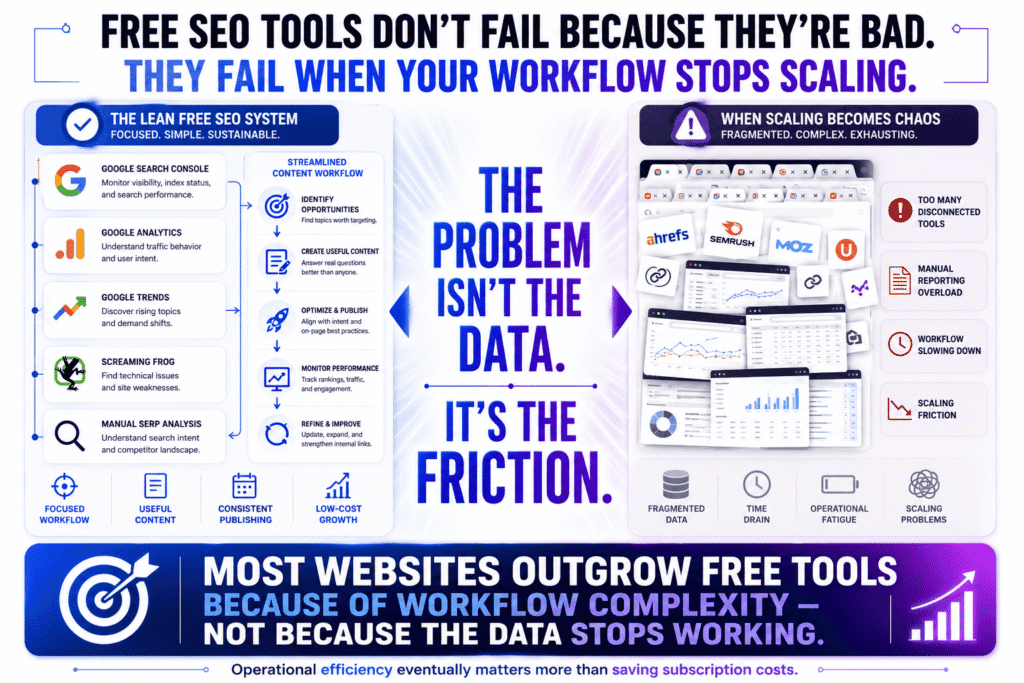
The biggest limitation of most free SEO tools is not accuracy. It’s depth. Free tools usually provide enough information to identify problems and opportunities, but not enough data to scale research efficiently once your website becomes more competitive.
You start noticing this especially when:
- researching larger competitors
- analyzing backlink patterns deeply
- tracking many keywords simultaneously
- updating hundreds of pages
- comparing large content gaps
At that point, the workflow becomes fragmented.
You open one tool for rankings. Another for backlinks. Another for technical SEO. Another for trend analysis. Then you manually combine everything together like some strange SEO detective board.
I did that for a long time myself.
And honestly, it works surprisingly well — until your site reaches a size where time becomes more valuable than the money you’re saving.
One thing I think many people misunderstand is that most free SEO tools are intentionally designed as partial workflows. They’re excellent at solving specific problems:
- indexing visibility
- trend analysis
- basic keyword research
- technical audits
- simple backlink checks
But they rarely provide:
- deep historical data
- large-scale competitor tracking
- advanced keyword clustering
- full backlink ecosystems
- large SERP monitoring systems
That’s where the limitations become obvious.
Another SEO gap people rarely talk about is workflow fatigue.
When your entire SEO process depends on manually jumping between disconnected tools constantly, the friction adds up. Publishing slows down. Updating content becomes harder. Research takes longer than it should.
And eventually, the issue stops being data access.
The issue becomes operational efficiency.
Related Reading:
If you’re starting to outgrow free SEO tools, this guide breaks down which premium platforms are actually worth the money for smaller websites:
Best SEO Tools for Small Businesses (Actually Worth Paying For)
When is it worth upgrading to a paid SEO platform?
It’s worth upgrading from free SEO tools when the extra data or workflow speed directly impacts growth, revenue, or content production efficiency. If your SEO process becomes bottlenecked by manual research, limited datasets, or fragmented workflows, premium platforms usually start making financial sense.
I think many people upgrade for emotional reasons instead of strategic ones.
They see big SEO creators using expensive tools and assume:
“Serious websites must use serious software.”
That’s not always true.
In my experience, upgrading only becomes genuinely valuable when:
- SEO is already producing measurable revenue
- content production is scaling aggressively
- competitor research becomes more important
- manual workflows start wasting significant time
- deeper backlink analysis affects decisions directly
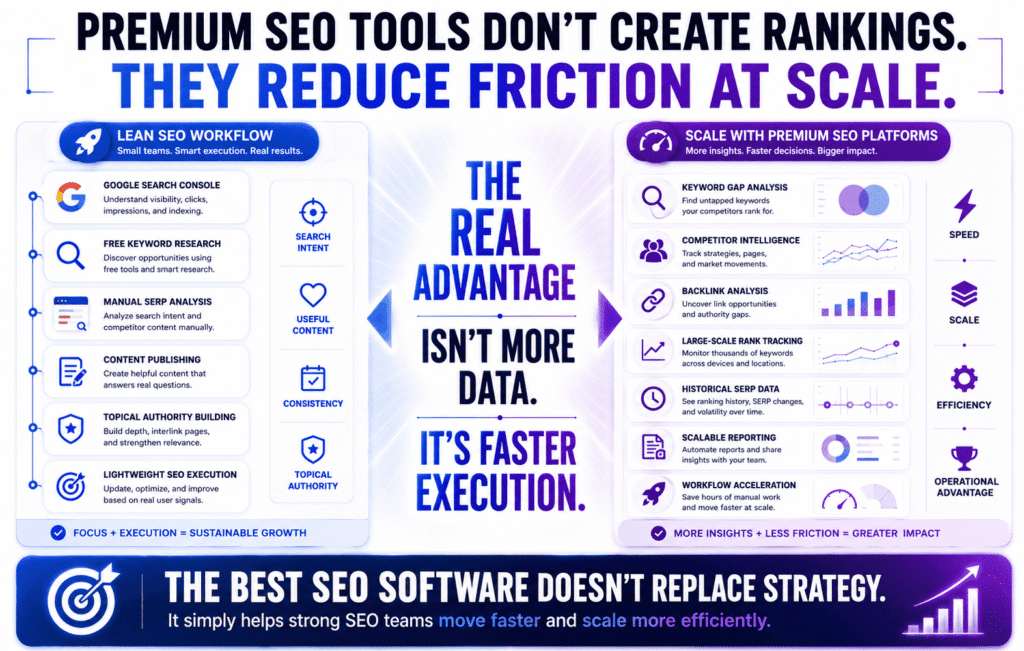
That’s where platforms like Ahrefs and Semrush become powerful — not because they magically improve rankings, but because they dramatically reduce research friction.
For example, premium tools make it much easier to:
- uncover keyword gaps quickly
- monitor ranking volatility
- identify competitor link sources
- track large content portfolios
- analyze SERP movement historically
- discover internal linking opportunities at scale
And honestly, that speed matters once SEO becomes part of a real business operation rather than a side experiment.
But I’ve also seen the opposite happen.
People buy premium SEO tools too early and suddenly spend all day:
- exporting reports
- monitoring competitors obsessively
- checking keyword scores
- chasing vanity metrics
instead of improving actual content.
That trap is more common than most people realize.
Sometimes the obsession with SEO software becomes a form of procrastination disguised as productivity.
Which SEO tasks become impossible without premium data?
Most SEO tasks are still technically possible using free SEO tools, but some become extremely inefficient without premium datasets — especially large-scale competitor research, advanced backlink analysis, historical SERP tracking, and enterprise-level keyword monitoring.
This is where scale changes everything.
If you’re managing:
- a small niche site
- a personal blog
- a local business website
you can still accomplish a huge amount using:
- Google search results
- Google Search Console
- free keyword tools
- manual SERP analysis
- smart internal linking
But once you move into highly competitive environments, premium datasets start creating real advantages.
For example, tools like Ahrefs and Semrush are dramatically stronger for:
- backlink gap analysis
- competitor keyword mapping
- large-scale rank tracking
- SERP history analysis
- link intersect research
- content opportunity clustering
- enterprise reporting workflows
That depth becomes important because competitive SEO is often about identifying small advantages faster than competitors do.
Still, I think one thing gets lost in these conversations constantly:
More SEO data does not automatically create better SEO strategy.
I’ve watched people drown in:
- keyword exports
- backlink spreadsheets
- ranking graphs
- competitor reports
without publishing anything genuinely useful for weeks.
Meanwhile, smaller websites using mostly free SEO tools quietly keep growing because they stay focused on:
- content quality
- search intent
- topical authority
- updating weak pages
- consistency
Another overlooked SEO gap is that Google increasingly rewards:
- firsthand experience
- original insights
- useful information
- topical trust
- user satisfaction
—not just technical optimization and backlink volume.
That’s why some smaller publishers still outperform bigger competitors with far fewer resources.
The software matters.
But the strategy behind the software matters much more.
Related Reading:
Trying to decide between the biggest SEO platforms?
Read:
Ahrefs vs Semrush vs Moz: The Complete & Honest SEO Tool Comparison
The Best Free SEO Tools by Use Case (Quick Picks)
One thing I wish more SEO articles explained is that the “best” SEO tool depends heavily on what kind of website you’re actually trying to grow.
A blogger publishing informational content has completely different needs from a local business owner or an affiliate marketer trying to rank commercial pages. But most “top SEO tools” lists throw the same recommendations at everyone as if every website operates the same way.
That’s part of why so many people end up overwhelmed.
After testing different free SEO tools across affiliate projects, content sites, and smaller niche websites, I’ve noticed the most effective workflows are usually the simplest ones tailored to a very specific goal.
Not every site needs massive competitor databases and enterprise-level reporting dashboards.
Sometimes you just need the right tool solving the right problem.
What’s the best free SEO tool for bloggers?
For bloggers, Google Search Console is probably the most valuable free SEO tool because it shows exactly how existing articles perform in Google Search. It helps identify pages gaining impressions, losing clicks, or sitting close to stronger rankings where small improvements can generate meaningful traffic growth.
Honestly, I think many bloggers completely underestimate how powerful Search Console becomes once a site starts gaining traction.
Most people use it very casually. They check indexing status, maybe glance at total clicks, then leave.
But the real value is hidden inside the query and page data.
You start noticing patterns like:
- pages ranking on page two
- articles with strong impressions but weak CTR
- keywords Google already partially trusts you for
- content slowly losing visibility over time
That’s where some of the easiest SEO wins usually exist.
In my experience, bloggers benefit most from free SEO tools that help improve:
- topical authority
- content relevance
- search intent alignment
- internal linking
- content updates
—not necessarily tools overloaded with advanced technical reports they may never use.
I also think many bloggers underestimate how important content maintenance has become.
A page ranking well today can quietly decline because:
- competitors improved their articles
- search intent shifted
- examples became outdated
- the structure no longer matches modern SERPs
That’s why updating older content often drives more traffic than endlessly publishing new posts.
And honestly, Search Console is one of the best places to detect those opportunities early.
Which free SEO tools are best for affiliate marketing sites?
The best free SEO tools for affiliate websites are usually the ones helping uncover buyer intent, weak commercial search results, and comparison opportunities competitors missed. Affiliate SEO is less about chasing raw traffic and more about targeting searches connected to trust, intent, and purchasing behavior.
This is where affiliate SEO becomes very different from regular blogging.
A keyword with huge traffic potential is not automatically valuable if the visitors have no buying intent.
That’s why I spend far more time studying:
- comparison keywords
- alternative searches
- “best for” modifiers
- buyer questions
- product frustrations
- weak review pages
than obsessing over keyword volume alone.
Honestly, some of the best affiliate opportunities I’ve found came from:
- weak Reddit-heavy SERPs
- outdated product reviews
- thin comparison pages
- poorly explained alternatives
- search queries bigger publishers ignored
That’s where free SEO tools combined with manual SERP analysis become surprisingly effective.
I regularly use:
- Google Search Console
- Google Trends
- Google autocomplete
- Reddit search
- YouTube comments
- forum discussions
because they expose how real users talk about products naturally.
That matters more now because Google increasingly rewards:
- firsthand experience
- review depth
- topical expertise
- trust signals
- authentic product insight
Another SEO gap many affiliate sites still ignore is search intent mismatch.
For example, a keyword might look commercial, but Google could actually prefer:
- informational tutorials
- Reddit discussions
- video reviews
- comparison tables
instead of standard affiliate-style review articles.
Understanding that difference often matters more than the keyword metrics themselves.
What’s the best free SEO tool for local SEO?
For local SEO, Google Business Profile is arguably the most important free SEO tool because it directly influences visibility inside local search results and Google Maps. A properly optimized profile can improve local discovery, customer trust, reviews, and click-through rates significantly.
Honestly, many local businesses spend too much time worrying about complicated SEO tactics while neglecting the thing local customers actually see first.
Their business profile.
I’ve seen businesses with:
- outdated hours
- missing categories
- weak descriptions
- low-quality photos
- inconsistent contact information
wonder why they struggle in local search.
Local SEO behaves differently from traditional content SEO because proximity and trust signals matter heavily.
In my experience, the strongest local SEO workflows usually focus on:
- profile completeness
- review quality
- local relevance
- consistent business information
- user engagement
- local trust signals
more than aggressive keyword optimization.
That’s why combining:
- Google Business Profile
- Google Search Console
- local citation management
- review monitoring
- manual local SERP analysis
works surprisingly well for many smaller businesses using mostly free SEO tools.
Another thing local businesses often overlook is how different local search intent feels compared to informational SEO.
Local searches are usually:
- more urgent
- mobile-driven
- action-oriented
- proximity-based
People searching:
- “dentist near me”
- “best coffee shop Nairobi”
- “emergency plumber”
are usually much closer to taking action than someone casually reading a blog post.
That changes the entire SEO strategy.
And honestly, that’s why smaller local businesses can still compete effectively using mostly free SEO tools. Local search is often less dependent on giant backlink profiles and more dependent on:
- trust
- reviews
- profile optimization
- business relevance
- customer experience
Which is good news for smaller businesses without huge SEO budgets.
Frequently Asked Questions About Free SEO Tools
What are the best free SEO tools for beginners?
The best free SEO tools for beginners are usually Google Search Console, Google Analytics, and Google Trends because they help you understand search visibility, traffic behavior, and keyword trends without overwhelming complexity. These tools cover the core fundamentals of SEO and are useful even as your website grows.
Are free SEO tools actually worth using?
Yes, many free SEO tools are absolutely worth using, especially for bloggers, affiliate marketers, local businesses, and smaller websites. While free tools have limitations, they can still help with keyword research, technical SEO, content optimization, traffic analysis, and search intent research without requiring expensive subscriptions.
Can free SEO tools replace paid SEO platforms?
For smaller websites, free SEO tools can handle a large percentage of SEO tasks effectively. However, paid platforms become more valuable when you need large-scale competitor research, advanced backlink analysis, historical SERP tracking, or enterprise-level workflows. Most growing websites can still achieve meaningful traffic using primarily free tools early on.
What is the best completely free SEO tool?
Google Search Console is arguably the best completely free SEO tool because it provides direct data from Google about indexing, rankings, impressions, click-through rates, and search visibility. It helps website owners identify SEO opportunities and technical issues without paying for third-party software.
Which free SEO tools are best for keyword research?
Some of the best free SEO tools for keyword research include Google Trends, Google Keyword Planner, Google Autocomplete, and AnswerThePublic. These tools help uncover long-tail keywords, trending topics, search intent patterns, and real user questions.
How do free SEO tools help improve rankings?
Free SEO tools help improve rankings by identifying technical problems, uncovering keyword opportunities, improving content quality, and monitoring search visibility. Tools like Google Search Console
can reveal pages with low CTR, indexing issues, and keywords already generating impressions, making optimization decisions much easier.
Which free SEO tools are best for technical SEO?
The best free SEO tools for technical SEO are usually Screaming Frog and Google Search Console. These tools help identify crawl errors, broken links, indexing issues, duplicate metadata, mobile usability problems, and site structure weaknesses affecting search visibility.
Are free backlink checkers accurate?
Free backlink checkers can provide useful backlink insights, but they are usually limited compared to premium SEO platforms. Tools from Ahrefs, Semrush, and Moz offer reasonably accurate free backlink data, although their databases and reporting limits vary.
Which free SEO tool is best for affiliate marketing?
For affiliate marketing websites, Google Search Console and Google Trends are among the most valuable free SEO tools because they help uncover buyer-intent keywords, comparison opportunities, and underperforming pages that can be optimized for higher conversions and organic traffic.
What’s the best free SEO tool for local SEO?
Google Business Profile is one of the most important free SEO tools for local SEO because it directly affects visibility inside Google Maps and local search results. Optimizing your profile can improve local rankings, customer trust, reviews, and mobile search visibility.
Do free SEO tools work for small websites?
Yes, free SEO tools work extremely well for small websites, especially during the early growth stages. Many smaller websites successfully grow organic traffic using a combination of Google’s own tools, lightweight technical SEO tools, and consistent content optimization without paying for enterprise SEO platforms.
When should you upgrade from free SEO tools to paid tools?
You should consider upgrading from free SEO tools once your SEO workflow becomes limited by incomplete data, manual research, or scaling challenges. Paid platforms become more useful when managing multiple websites, tracking large keyword sets, running backlink campaigns, or performing deep competitor analysis regularly.
📖 Related: The 15 Best SEO Tools in 2026 (Free & Paid) See how the best free SEO tools compare against paid alternatives — and exactly which ones are worth upgrading to when free stops being enough.
Disclosure: Some links in this article maybe affiliate links. If you purchase through them I may earn a commission — at no additional cost to you. This article reflects genuine practitioner experience with the tools discussed. Affiliate relationships don’t influence the analysis, including where I’ve been critical.