

When comparing WPS Office vs Microsoft Office, the real question is—what matters most to you: pricing, features, compatibility, or ease of use?
Both suites deliver powerful tools for creating documents, spreadsheets, and presentations, but they cater to slightly different audiences. Whether you’re a student looking for an affordable option, a freelancer who values flexibility, or a business professional needing enterprise-grade reliability, this comparison will help you make the right choice.
Overview of WPS Office and Microsoft Office
The WPS Office vs Microsoft Office debate is one of the most common among users seeking a dependable productivity suite. While both offer robust functionality, they differ in cost, user experience, and ecosystem integration—factors that can make one better suited to your workflow than the other.
WPS Office: A Lightweight, Affordable Alternative
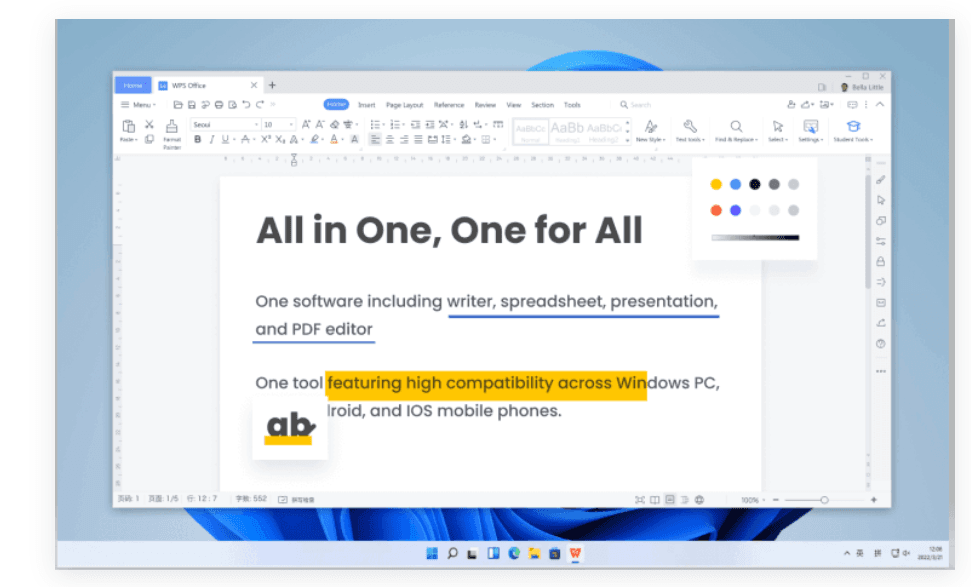
WPS Office, developed by Kingsoft, is best known for being a cost-effective and lightweight solution that mirrors the functionality of Microsoft Office.
Its core apps—WPS Writer, Spreadsheets, and Presentation—align closely with Word, Excel, and PowerPoint, making it familiar and easy to transition to.
In my experience, what makes WPS Office stand out is how feature-rich the free version is. You also get:
- Built-in PDF editing tools without needing third-party software.
- A clean, modern interface that’s intuitive even for first-time users.
- Cross-platform compatibility, with apps for Windows, macOS, Linux, Android, and iOS.
It’s a great choice if you’re looking for an affordable productivity suite that doesn’t skimp on functionality.
Microsoft Office (Microsoft 365): The Industry Standard
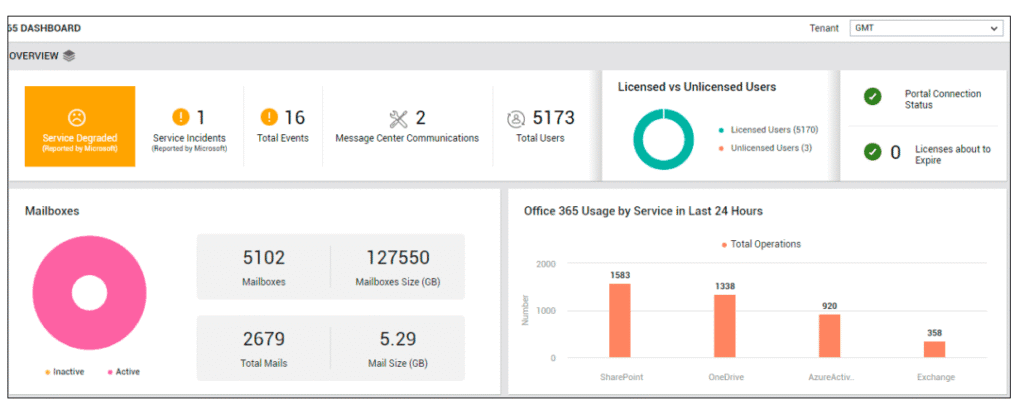
Microsoft Office, now primarily offered through Microsoft 365, remains the gold standard for productivity software. Its key applications—Word, Excel, PowerPoint, and Outlook—are used globally across homes, schools, and businesses.
From my testing and long-term use, what sets Microsoft Office apart is its depth of features and ecosystem integration. You get:
- Seamless cloud syncing through OneDrive for real-time collaboration.
- Advanced features and templates for professionals.
- Consistent compatibility across all Microsoft products and operating systems.
While it’s a premium option, the subscription-based model offers continuous updates, cloud access, and enterprise-level security—perfect for users who rely heavily on Microsoft’s ecosystem.
Bottom Line
Both suites excel at what they do, but the choice between WPS Office vs Microsoft Office ultimately depends on your budget, needs, and workflow preferences.
In the sections that follow, we’ll take a closer look at how they compare in terms of pricing, performance, compatibility, and user experience—so you can decide which one truly fits your productivity goals.
Pricing & Subscription Plans
One of the biggest deciding factors in the WPS Office vs Microsoft Office debate is pricing. While both suites offer access to essential productivity tools, their pricing structures differ significantly — especially when it comes to free access and premium features.
WPS Office Pricing
WPS Office stands out for offering a powerful suite of tools at an exceptional value. With its flexible freemium model, it delivers professional-grade features that appeal to students, freelancers, remote workers, and even small businesses looking for performance without the premium price tag. Here’s a closer look at what it offers
- WPS Free: Includes Writer, Spreadsheets, Presentation, and basic PDF tools. Ads are present but non-intrusive.
- WPS Pro: $2.91/month or $34.88/year
- WPS AI: 11.63/month or $139.55/year
- WPS Pro + WPS AI: Starts around $12.27/month or $147.29/year , offering:
- Ad-free experience
- Advanced PDF editing tools
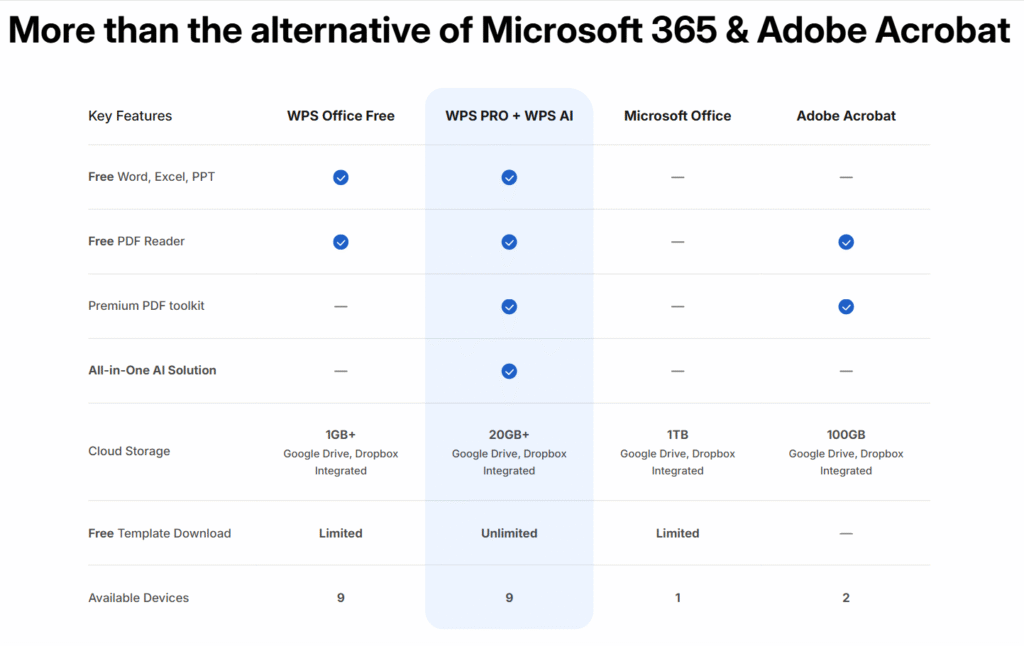
- Up to 20 GB of WPS Cloud storage
- More export formats and templates
- Unlimited access to Ai functionalities
WPS often runs discounts, making it one of the most affordable premium office tools on the market.
Microsoft Office Pricing
Microsoft has moved most of its productivity offerings under the Microsoft 365 subscription model. While a standalone version of Office still exists, it’s limited in updates and features.
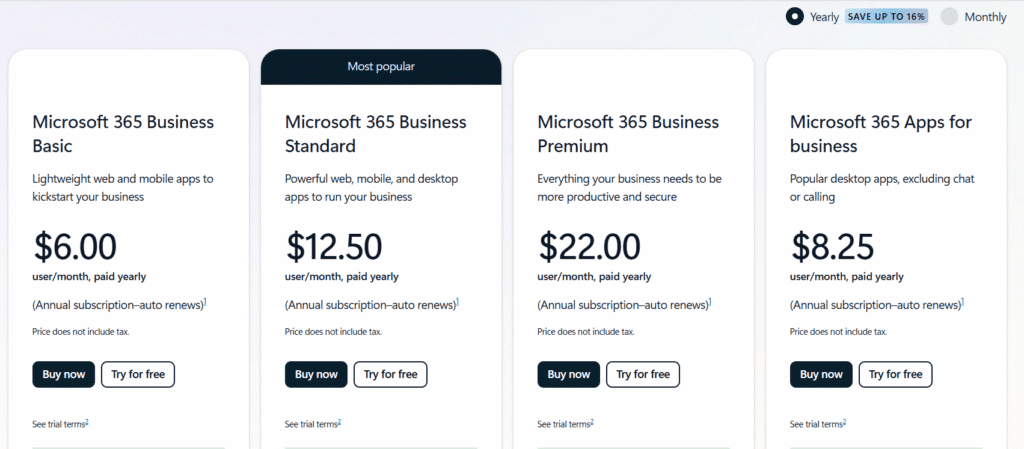
- Microsoft 365 Basic: $6.00/month (1 user), paid yearly
- Microsoft 365 Standard: $12.50/month (1 user), paid yearly
- Microsoft 365 Premium: $22.00/month (1 user), paid yearly
- Microsoft 365 Apps for Business: $8.25/month (1 user), paid yearly
With Microsoft 365, you also get:
- 1 TB of OneDrive storage per user
- Microsoft Outlook, OneNote, and Access (PC only)
- Ongoing feature updates and cloud syncing
In Summary
When it comes to WPS Office vs Microsoft Office, both suites shine in their own ways—but WPS Office clearly stands out for its value and accessibility. It delivers a complete, professional-grade office experience at a fraction of the cost.
Even on its free plan, WPS Office offers essential and advanced tools, seamless cloud storage, and cross-platform compatibility, making it ideal for students, freelancers, and small business owners.
Meanwhile, Microsoft Office (via Microsoft 365) continues to dominate the enterprise space, offering unmatched collaboration features and deeper integration within the Microsoft ecosystem—perfect for large teams and organizations.
In my experience, if your priority is affordability without sacrificing performance, WPS Office is an excellent choice. But if you rely heavily on enterprise-level tools and Microsoft cloud services, then Microsoft Office remains the gold standard.
Ultimately, it’s not about which one is “better,” but which one best fits your budget, workflow, and long-term productivity goals.
Pros & Cons of Each
When comparing WPS Office vs Microsoft Office, it’s clear that both bring a lot to the table—but they shine in different areas. The right choice often depends on your needs, budget, and how deeply you’re invested in a particular ecosystem.
✅ WPS Office: Pros
- Free Version Available: You get a surprisingly full-featured suite at no cost, perfect for students, freelancers, or anyone on a budget.
- Lightweight & Fast: Runs smoothly even on older or low-spec devices, making it ideal for everyday users.
- All-in-One Interface: Combines Writer, Spreadsheets, and Presentation into one convenient tabbed workspace.
- Built-In PDF Tools: Lets you view, convert, and edit PDFs without relying on third-party software.
- Affordable Premium Upgrade: Offers one of the most cost-effective premium plans on the market for unlocking extra tools and cloud storage.
❌ WPS Office: Cons
- Limited Collaboration Options: Lacks advanced real-time editing and robust team collaboration tools.
- Ads in Free Version: The free plan includes ads that can interrupt workflow.
- Compatibility Issues with Complex MS Files: Documents with advanced formatting may not always display perfectly.
- Fewer Apps Included: Doesn’t offer email or database tools like Outlook, Access, or OneNote.
✅ Microsoft Office: Pros
- Industry Standard: Trusted by businesses, schools, and organizations worldwide.
- Feature-Rich Applications: Includes advanced tools in Word, Excel, PowerPoint, and Outlook for professional work.
- Seamless Collaboration: Real-time co-authoring and deep integration with OneDrive and Microsoft Teams.
- Excellent File Compatibility: Handles virtually all file formats without errors or formatting loss.
- AI & Cloud Integration: Features like Microsoft Copilot enhance productivity and automation.
❌ Microsoft Office: Cons
- Higher Cost: Requires a Microsoft 365 subscription or a one-time license, which can be expensive long-term.
- Resource-Heavy Software: Needs more storage space and processing power, especially on older devices.
- Steeper Learning Curve: The abundance of features can be overwhelming for beginners or casual users.
Pros & Cons Comparison Table
| Feature Area | WPS Office | Microsoft Office |
|---|---|---|
| Pros | ✅Free version with core tools ✅ Lightweight and fast ✅ Built-in PDF editor ✅ Affordable premium plan ✅ Tabbed interface for multitasking | ✅ Industry-standard in workplaces ✅ Advanced features in Word, Excel, etc. ✅ Real-time collaboration and cloud sync ✅ Full file compatibility ✅ Includes Outlook, Access, OneNote |
| Cons | ❌ Ads in free version ❌ Fewer apps included ❌ Limited collaboration features ❌ May struggle with complex MS Office files | ❌ Higher cost (subscription-based) ❌ Heavier on system resources ❌ May be overwhelming for basic users |
Included Applications
When comparing WPS Office vs Microsoft Office, it’s clear that both suites deliver excellent tools for productivity — from creating documents and analyzing data to designing professional presentations. However, the difference lies in the breadth and depth of the applications included.
🧩 WPS Office Suite
In my experience testing WPS Office, I found it to be impressively lightweight yet capable of handling everyday office tasks with ease. The suite focuses on delivering the essentials without unnecessary bulk, making it perfect for users who value simplicity and speed.
Included applications:
- WPS Writer: A smooth and intuitive word processor similar to Microsoft Word, perfect for drafting letters, reports, and resumes.
- WPS Spreadsheets: Handles data entry, charts, and formulas much like Excel—great for budgeting, analytics, and reports.
- WPS Presentation: A clean, user-friendly tool for creating engaging slideshows comparable to PowerPoint.
- PDF Tools: Built-in PDF editing, merging, splitting, and converting—no extra software required.
You’ll notice that WPS Office focuses on the essentials and executes them well. However, it doesn’t include advanced tools like an email client or a database app, which are typically reserved for more enterprise-level suites.
🧩 Microsoft Office Suite
In contrast, Microsoft Office (now branded as Microsoft 365) offers a broader and more integrated ecosystem designed for professionals, teams, and organizations that require more than just the basics.
Included applications:
- Microsoft Word: The industry-standard word processor for professional and academic use.
- Microsoft Excel: A powerhouse for data analysis, financial modeling, and automation with advanced formula support.
- Microsoft PowerPoint: Comprehensive presentation software packed with templates and collaboration tools.
- Microsoft Outlook: A robust email and calendar manager ideal for business communication.
- Microsoft OneNote: A digital notebook that syncs across devices for capturing and organizing notes.
- Microsoft Access: A database management solution (Windows only) for structured data handling.
- Microsoft Publisher: A layout and design tool for flyers, brochures, and newsletters (Windows only).
These applications connect seamlessly with OneDrive, Teams, and other Microsoft cloud services, creating a fully integrated productivity environment.
🆚 Key Differences
When evaluating WPS Office vs Microsoft Office, the distinction becomes clear:
- WPS Office delivers all the essential tools for productivity in a streamlined, budget-friendly package. It’s ideal for students, freelancers, and small teams who want professional features without a heavy subscription fee.
- Microsoft Office, on the other hand, provides an enterprise-grade ecosystem with advanced collaboration, database management, and AI-powered tools—perfect for corporate users and institutions that need deeper integrations.
In short, WPS Office stands out for affordability and simplicity, while Microsoft Office excels in depth, scalability, and enterprise readiness.
Performance & Speed
When comparing WPS Office vs Microsoft Office, performance and speed play a major role—especially for users working on large projects or using older devices. Both suites perform impressively, but they handle system resources differently, which can impact your overall workflow experience.
⚡ WPS Office Performance
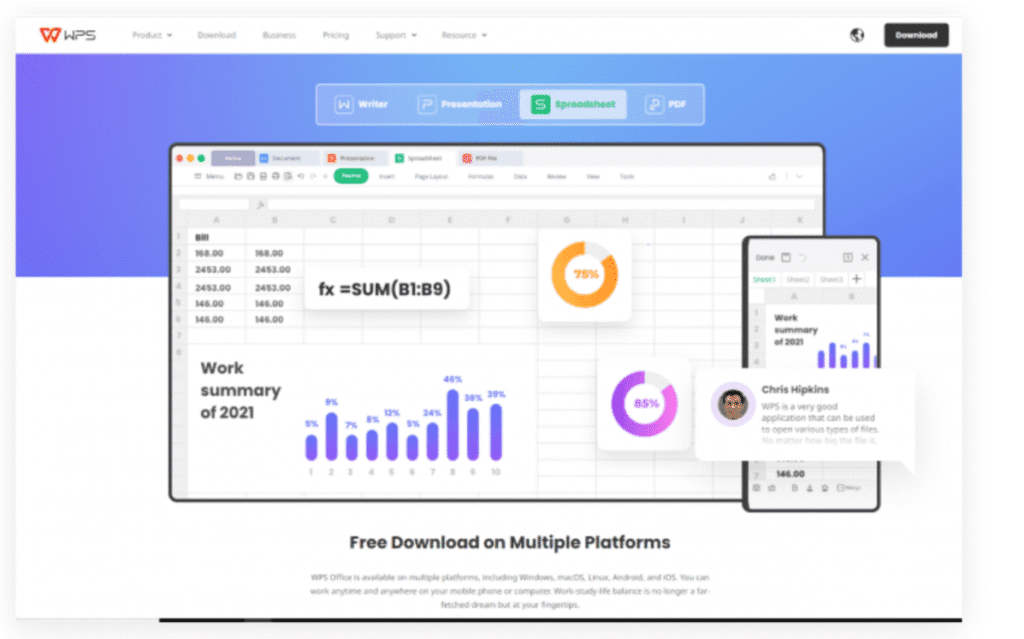
In my experience testing WPS Office, one of the first things you’ll notice is how lightweight and fast it feels. The software is designed with efficiency in mind, using far less RAM and disk space than Microsoft Office while still maintaining a smooth, stable experience.
Even on older laptops or budget desktops, WPS Office opens quickly and transitions between documents seamlessly. Its tabbed interface—which lets you manage multiple files in one window—adds to its speed and convenience.
Performance highlights:
- Quick startup time, even on low-end PCs or mobile devices
- Minimal CPU and memory usage
- Tabbed document management for multitasking
- Consistent performance across Windows, macOS, Linux, Android, and iOS
If you prioritize speed, simplicity, and smooth operation without taxing your system, WPS Office is an excellent choice.
⚡ Microsoft Office Performance
Microsoft Office, on the other hand, is built for power and scalability. In my experience, it runs best on modern hardware where its advanced tools and integrations can truly shine. While it consumes more system resources than WPS Office, it handles large datasets, complex presentations, and collaborative tasks with ease.
However, users on older devices may notice slightly slower startup times or higher memory usage—especially when multiple Office apps are open at once.
Performance considerations:
- Slightly slower load time on older or low-spec systems
- Higher CPU and disk space requirements
- Excellent handling of large files and multitasking
- Cloud sync and real-time collaboration may vary with internet speed
For professionals dealing with complex spreadsheets, detailed reports, or enterprise-level documents, Microsoft Office remains unmatched in performance depth and stability.
🆚 Verdict
When it comes to WPS Office vs Microsoft Office, the right choice depends on your needs and hardware.
- WPS Office shines for users who value speed, efficiency, and smooth performance on low-end or mid-range devices. It’s lightweight, quick to launch, and ideal for everyday productivity tasks.
- Microsoft Office excels in power and scalability. It’s built for handling demanding workflows, large files, and team collaboration—though it requires more system resources.
In short, if you’re looking for a fast, resource-friendly suite, go with WPS Office. But if you need enterprise-grade performance and advanced functionality, Microsoft Office remains the gold standard.
Compatibility & File Support
When comparing WPS Office vs Microsoft Office, one of the most important things to look at is file compatibility — especially if you regularly share documents with others, collaborate across different systems, or rely on precise formatting. Both suites perform well in this area, but their compatibility strengths differ slightly.
WPS Office Compatibility
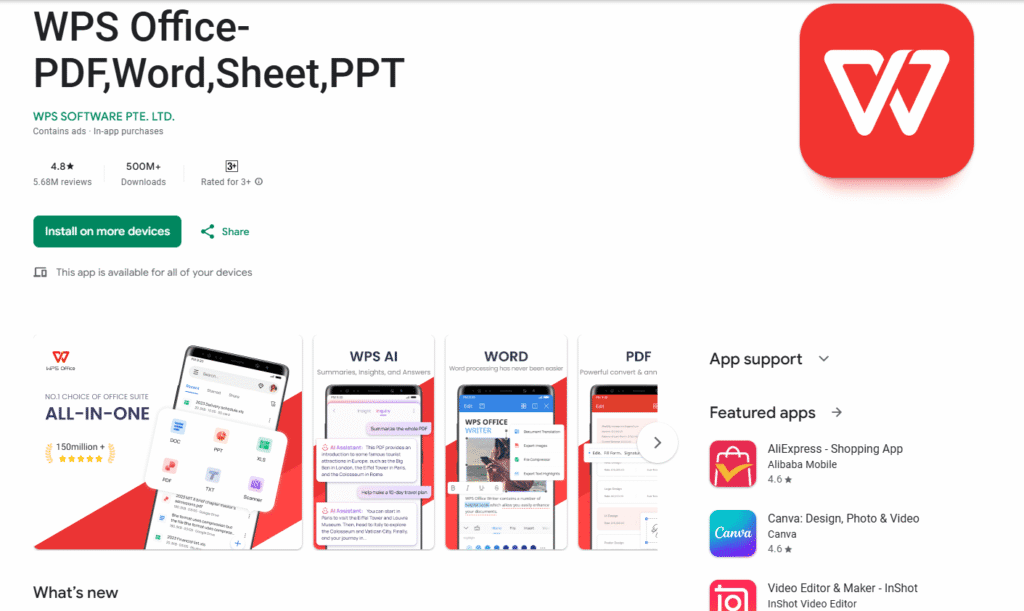
In my experience testing WPS Office, I was impressed by how smoothly it handles most Microsoft Office file formats. It supports the major standards — DOCX, XLSX, and PPTX — as well as formats from Google Docs, Sheets, and Slides.
You can open, edit, and save documents created in Microsoft Word, Excel, or PowerPoint without major issues. I also found its built-in PDF tools and cloud integrations with Google Drive, Dropbox, and OneDrive to be very convenient for working across devices.
Key compatibility highlights:
- Supports DOC, DOCX, XLS, XLSX, PPT, and PPTX formats
- Integrates with Google Drive, Dropbox, and other cloud storage
- Can open and edit PDFs directly
- Works well with Google Workspace file types
That said, during my testing, I noticed that WPS sometimes struggles with very complex formatting, macro-enabled documents, or large Excel datasets. While not a deal-breaker, this could be a limitation for users handling advanced corporate files. For typical everyday use—writing, budgeting, and presentations—WPS Office performs admirably and maintains consistent formatting.
Microsoft Office Compatibility
Microsoft Office naturally delivers the best compatibility across all productivity suites. Since it sets the standard for modern file formats, it handles its own extensions (.docx, .xlsx, .pptx) flawlessly—and even maintains strong support for older versions like .doc and .xls.
In my experience, Microsoft Office also offers near-perfect formatting retention and compatibility with other systems, including cloud and collaboration tools such as OneDrive, SharePoint, and Teams.
Key compatibility strengths:
- Native support for DOCX, XLSX, PPTX, and legacy formats
- Handles macro-enabled files (.docm, .xlsm) with full functionality
- Excellent support for complex formulas, pivot tables, and VBA macros
- Seamless integration with Microsoft’s cloud ecosystem for real-time editing
Because Microsoft Office remains the industry standard, its files are the most universally accepted and least likely to lose formatting when shared.
Cloud Integration & Storage
In today’s remote work era, cloud storage and integration are essential for anyone managing files across multiple devices. When comparing WPS Office vs Microsoft Office, both offer reliable cloud options—but their depth, storage limits, and collaboration capabilities set them apart.
WPS Office Cloud Features
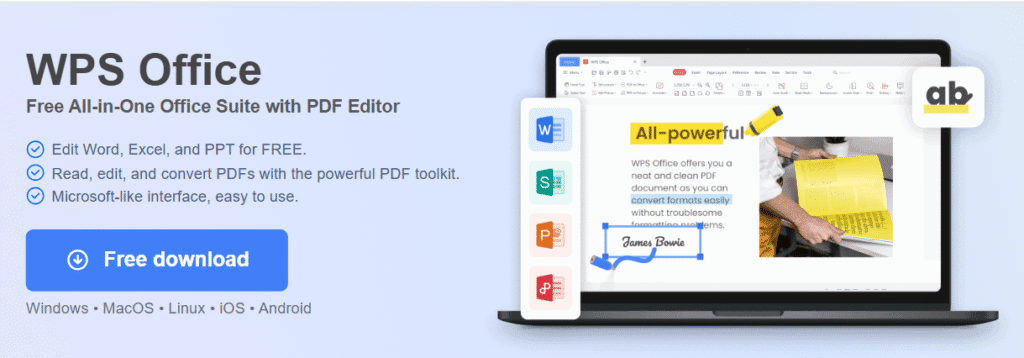
In my experience testing WPS Office, one of the standout conveniences is its built-in cloud service — WPS Cloud. It’s designed to keep your files accessible, synced, and secure across all your devices without extra setup.
Here’s what WPS Cloud offers:
- 1 GB of free storage (expandable with premium upgrades)
- Automatic file backups to prevent data loss
- Cross-device syncing across Windows, macOS, Android, and iOS
- Quick sharing options, including direct links or QR codes
During testing, I found WPS Cloud to be smooth and straightforward, perfect for individual users or freelancers who just need simple file access and syncing. However, it does have some limitations — especially if you’re working with a team. Unlike Microsoft Office, WPS Cloud doesn’t support real-time co-authoring or deep integrations with communication platforms like Teams or Slack.
If your workflow is mostly solo and you just want reliable cloud backup and syncing, WPS Cloud is more than sufficient.
☁️ Microsoft Office Cloud Integration
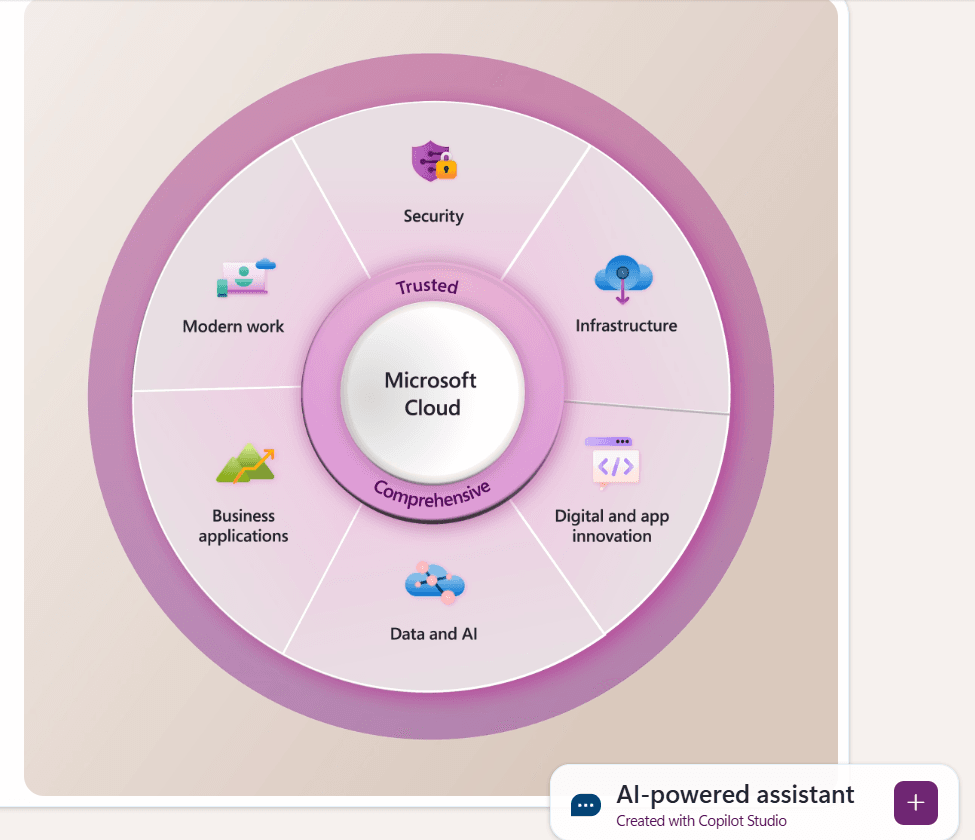
Microsoft Office, through OneDrive, takes cloud integration to an enterprise level. Having used Microsoft 365 extensively, I can confirm that the combination of OneDrive + Microsoft Office apps creates one of the most seamless cloud ecosystems available.
Key OneDrive and Microsoft 365 features include:
- 1 TB of cloud storage per user (included with Microsoft 365)
- Real-time collaboration and co-authoring in Word, Excel, and PowerPoint
- Automatic file syncing across all devices
- Deep integration with Microsoft Teams, Outlook, and SharePoint
This ecosystem is perfect for businesses, remote teams, and professionals who rely on shared documents and secure collaboration. Everything syncs effortlessly, allowing multiple users to work on the same document simultaneously while maintaining version control.
The trade-off? These features are primarily tied to a Microsoft 365 subscription, which can be costly for individuals who only need basic cloud storage.
🆚 Summary
When it comes to cloud integration in WPS Office vs Microsoft Office, the choice depends on how you work:
- WPS Office is excellent for individual users, freelancers, and students who value simplicity, free storage, and quick syncing without a subscription.
- Microsoft Office, on the other hand, is the better choice for teams, professionals, and organizations that require real-time collaboration, secure sharing, and deep ecosystem integration.
In short, WPS Office keeps things lightweight and accessible, while Microsoft Office delivers a more collaboration-driven, enterprise-grade cloud experience.
Mobile & Cross-Platform Access
When comparing WPS Office vs Microsoft Office, mobile and cross-platform accessibility is one of the biggest deciding factors. In today’s fast-paced world, the ability to create, edit, and share documents from any device — whether it’s your laptop at home or your phone on the go — can greatly impact your productivity.
WPS Office: Seamless, Lightweight, and User-Friendly
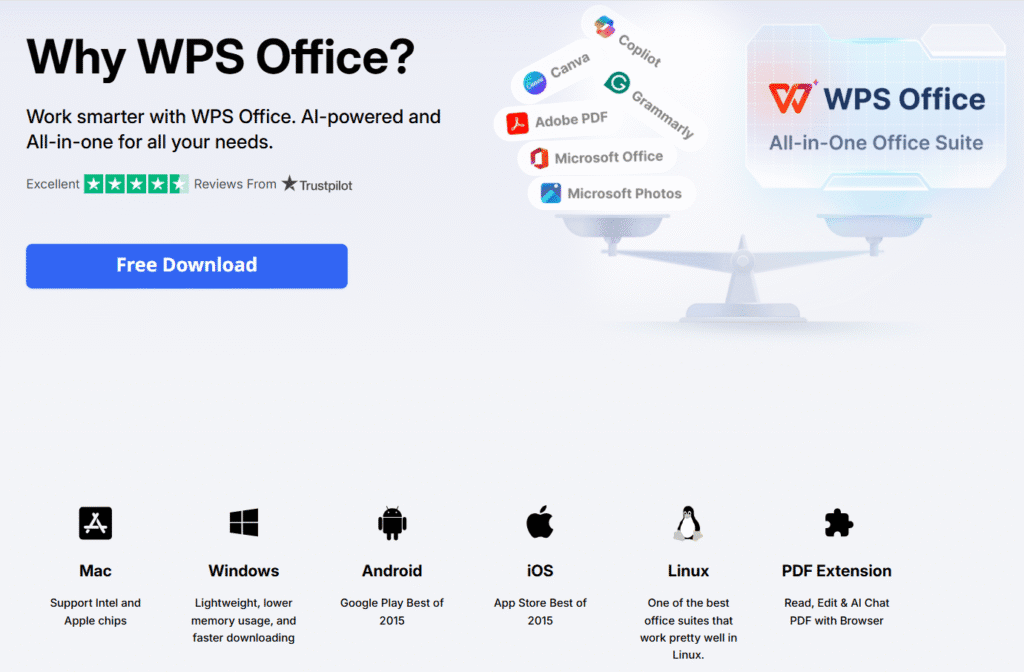
In my experience, WPS Office really stands out for its flexibility across platforms. It’s available on:
- Windows, macOS, and Linux
- Android and iOS smartphones
- Web browsers (WPS Office Online)
You’ll notice how well-optimized the mobile app is — lightweight, quick, and surprisingly powerful for its size. You can easily create, edit, and share Word, Excel, PowerPoint, and PDF files without performance issues.
Another thing I appreciate is how smoothly WPS Cloud keeps everything in sync. Whether I start editing a report on my desktop or review it later on my phone, all my updates carry over instantly. Plus, the tabbed interface looks and feels consistent across all platforms, which helps maintain a smooth workflow.
Microsoft Office: Powerful but Heavier
Microsoft Office also supports multiple platforms, including:
- Windows and macOS
- Android and iOS
- Office Online (browser version)
While Microsoft’s mobile apps are feature-rich and tightly integrated with OneDrive, there’s a catch — full functionality often requires a Microsoft 365 subscription. Without it, editing options can feel limited.
Another downside I noticed is that Microsoft’s mobile apps tend to be heavier and slower, especially on older or budget smartphones. This can make WPS Office a more efficient choice for users who value speed and simplicity on the go.o be larger in file size and slower on older phones, making them less ideal for budget or mid-range devices.
🆚 Summary
When it comes to mobile and cross-platform performance in the WPS Office vs Microsoft Office debate:
- WPS Office shines with its lightweight design, full mobile functionality, and consistent user experience across all devices — even for free users.
- Microsoft Office, on the other hand, delivers powerful tools and deeper integrations but feels more restrictive on mobile unless you’re subscribed to Microsoft 365.
If you prioritize accessibility and ease of use, WPS Office offers a smoother and more flexible mobile experience — perfect for anyone who works across multiple devices without wanting to compromise on performance.
Templates & Design Tools
When comparing WPS Office vs Microsoft Office, one area that often gets overlooked — yet makes a huge difference — is templates and design tools. Whether you’re creating a business report, marketing presentation, or personal resume, having access to high-quality templates can save time and make your work look more professional.
WPS Office: Rich Templates with a Creative Edge

In my experience, WPS Office shines in this area. It offers thousands of ready-to-use templates across nearly every document type, including resumes, calendars, reports, invoices, and PowerPoint-style slides.
Here’s what stands out:
- You’ll find thousands of professional templates directly in the app or via the WPS Template Store.
- Templates are neatly categorized for business, education, personal, and creative purposes, making it easy to browse and choose.
- Customizing them is effortless — the drag-and-drop and design tools feel intuitive, even for beginners.
- Many templates are completely free, and the premium ones come at a fraction of Microsoft’s cost.
From what I’ve seen, WPS Office’s design options feel more modern, colorful, and creative than traditional templates, which makes it perfect for users who want beautiful results without much design effort — or an expensive subscription.
Microsoft Office: Powerful but More Limited Access
Microsoft Office also provides a strong collection of templates for its main apps — Word, Excel, and PowerPoint. You’ll find templates for:
- Business proposals and reports
- Budget trackers and timelines
- Marketing slides and project plans
However, there are a few caveats:
- Many of the more stylish templates are locked behind a Microsoft 365 subscription.
- The built-in templates tend to be more formal and traditional, which might not appeal to users looking for creative or visually dynamic options.
- Some customization tools require more manual setup, which can slow you down if you just need a quick professional layout.
In short, Microsoft’s templates get the job done — they’re clean, consistent, and professional — but they don’t offer the same level of creative freedom or affordability that WPS Office does.
🆚 Summary
When it comes to templates and design tools in the WPS Office vs Microsoft Office comparison:
- WPS Office gives users a larger variety of visually engaging templates that are easy to edit and mostly free — perfect for freelancers, students, and small business owners.
- Microsoft Office delivers reliable and polished templates, but access is often limited unless you’re subscribed to Microsoft 365, and the overall design options feel more conservative. If creativity, convenience, and affordability are your priorities, WPS Office clearly takes the lead here.
Advanced Features & Productivity Tools
When comparing WPS Office vs Microsoft Office, both suites offer a strong set of tools designed to boost productivity. However, the difference lies in how accessible and intuitive those features are for the average user — and this is where WPS Office presents a real edge, especially for those who want premium features without premium prices.
⚙️ WPS Office: Surprisingly Powerful for a Lightweight Suite
Despite its smaller installation size, WPS Office packs an impressive suite of advanced tools that are easy to use and ideal for both personal and professional work. Key features include:
- PDF Editing & Conversion: Easily convert, merge, annotate, and sign PDF files — features that are usually locked behind a paywall in other tools.
- Tabbed Document View: Work on multiple documents in the same window using tabs — a major productivity booster.
- AI Tools: Built-in AI assistant for summarizing text, rewriting content, and improving grammar, perfect for writers and students.
- File Repair & Recovery: Quickly fix corrupted documents or recover lost content.
- OCR Functionality: Extract text from images and scanned files with Optical Character Recognition.
- Cloud-based Templates & Auto-backup: Save your documents securely and access them from anywhere.
Microsoft Office: Industry-Grade Power with a Learning Curve
Microsoft Office is well-known for its depth and sophistication — offering a range of enterprise-level tools:
- Power Automate: Set up workflow automations for repetitive tasks.
- Advanced Excel Functions: Macros, pivot tables, data analysis tools, and scripting support.
- Researcher and Editor Tools in Word: Helps academic users and professionals streamline research and writing.
- Outlook Integration: Deep integration with calendar, email, and task management.
- Co-authoring in Real-Time: Seamless collaboration across Microsoft 365 accounts.
While these tools are robust and powerful, they can often be overwhelming for beginners and are mostly locked behind a paid subscription. Many users don’t fully utilize them — making WPS a more accessible and practical choice for everyday productivity.
🆚 Summary
| Feature | WPS Office | Microsoft Office |
|---|---|---|
| PDF Editing | ✅ Built-in (Free & Pro) | ❌ Requires third-party tools or subscription |
| AI Assistance | ✅ Built-in writing tools | ❌ Limited to select apps with Copilot |
| Tabbed View | ✅ Yes | ❌ No |
| Workflow Automation | ❌ Basic automation only | ✅ Advanced via Power Automate |
| Collaboration Tools | ⚠️ Limited real-time collaboration | ✅ Seamless cloud-based co-authoring |
Security & Privacy
When comparing WPS Office vs Microsoft Office, one of the most important factors to consider is how each platform protects your data and privacy. In an era where information is constantly being shared and stored online, both office suites provide strong security features — but they differ in how they balance user control, data protection, and transparency.
🔒 WPS Office: Simple, Secure, and Privacy-Focused
In my experience testing WPS Office, I found its approach to security both straightforward and user-friendly. It’s designed with individuals, students, and small businesses in mind — people who want reliable protection without needing to configure complex enterprise tools.
Key security strengths include:
- Encrypted file protection: You can easily set passwords for your documents to restrict access, ensuring sensitive files stay private.
- Secure cloud storage: With WPS Cloud, users can save documents safely and even assign sharing permissions, keeping control over who can view or edit files.
- Minimal data collection: WPS focuses on functionality, not user profiling. It collects very little personal data compared to larger platforms.
- Offline access: Most WPS Office features work perfectly without an internet connection, reducing exposure to online threats and keeping your data local.
From my perspective, WPS Office is ideal if you value simplicity, privacy, and control without needing corporate-grade tools.
🔐 Microsoft Office: Enterprise-Level Protection with Added Complexity
Microsoft Office, on the other hand, takes a more advanced — and enterprise-oriented — approach to security. If you’re part of a large organization or handle sensitive business data, its Microsoft 365 ecosystem offers one of the most robust protection systems available.
Top security features include:
- Advanced Threat Protection (ATP) and Data Loss Prevention (DLP) to identify and block threats before they spread.
- Multi-factor authentication (MFA) for stronger account access control.
- End-to-end encryption for emails sent through Outlook.
- Centralized admin tools for compliance management, device security, and user monitoring.
However, there are a few trade-offs:
- Many of these tools are only available with higher-tier business subscriptions.
- Microsoft’s data collection practices are more extensive, which may concern users with strict privacy expectations.
- Configuring advanced settings can be complex for non-technical users.
🆚 Summary
When it comes to security and privacy in WPS Office vs Microsoft Office, both perform well — but they cater to different types of users:
- WPS Office offers a simpler, more transparent approach, making it perfect for individuals and small teams who want to protect their data without hassle.
- Microsoft Office delivers enterprise-grade protection and advanced management tools, but it’s best suited for large organizations with IT support and premium subscriptions.
If you prioritize ease of use and privacy control, WPS Office is the better choice. But if your work demands corporate-level security and compliance, Microsoft Office clearly takes the lead.
🆚 Summary Table
| Security Feature | WPS Office | Microsoft Office |
|---|---|---|
| File Encryption | ✅ Yes (Password protection) | ✅ Yes |
| Data Privacy | ✅ Minimal data collection | ❌ Extensive data telemetry |
| Cloud Security | ✅ WPS Cloud with sharing controls | ✅ OneDrive with enterprise-level encryption |
| Offline Use | ✅ Fully functional offline | ⚠️ Limited offline access for some tools |
| Advanced Enterprise Controls | ❌ Not available | ✅ Available in Microsoft 365 Business plans |
Best For: Who Should Use Which Office Suite?
When it comes to choosing between WPS Office vs Microsoft Office, the right option largely depends on your needs, budget, and how you work. Both suites deliver excellent productivity tools, but they cater to different audiences.
WPS Office: Best for Students, Freelancers, and Small Businesses
In my experience testing WPS Office, it’s a surprisingly capable alternative to Microsoft Office — lightweight, affordable, and packed with essential features. It offers a smooth experience even on low-spec devices and includes everything most users need for daily work.
WPS Office is ideal for:
- Students & educators: Its free plan, clean interface, and compatibility with Word, Excel, and PowerPoint files make it perfect for writing essays, preparing slides, and managing coursework.
- Freelancers & content creators: Built-in templates, cross-device syncing, and mobile editing tools make WPS a reliable companion for those who work on the go.
- Small business owners & entrepreneurs: WPS Office provides a cost-effective alternative with strong document, spreadsheet, and presentation tools that work seamlessly across Windows, macOS, Linux, Android, and iOS.
If you’re looking for an affordable, easy-to-use, and efficient office suite, WPS Office delivers impressive value without requiring a subscription.
Microsoft Office: Best for Enterprises and Power Users
On the other hand, Microsoft Office — especially with a Microsoft 365 subscription — is designed for advanced users and organizations that need collaboration, scalability, and enterprise-level security.
Microsoft Office is best for:
- Corporate teams & large enterprises: Its deep integration with SharePoint, Teams, and Azure Active Directory makes it ideal for large organizations and regulated industries.
- Heavy Excel users & data analysts: Microsoft Excel remains unmatched in handling complex formulas, pivot tables, macros, and large datasets.
- Power users & IT professionals: Those who rely on automation tools like VBA, advanced formatting, or business-level compliance features will find Microsoft Office more capable and flexible.
In short, Microsoft Office shines in professional and enterprise environments where collaboration, automation, and security take priority — while WPS Office excels as a lightweight, affordable solution for students, freelancers, and small teams who need efficiency without the high subscription cost.
🆚 Quick Breakdown: Who Should Choose What?
| User Type | Best Choice | Why |
|---|---|---|
| Students & Educators | ✅ WPS Office | Free plan, easy to use, great mobile access |
| Freelancers & Creators | ✅ WPS Office | Affordable, template-rich, cross-platform support |
| Small Businesses | ✅ WPS Office | Low cost, essential tools, minimal setup |
| Large Enterprises | 🏢 Microsoft Office | Deep integration with Microsoft services, business-grade security |
| Data Analysts & Excel Experts | 🏢 Microsoft Office | Full Excel functionality, macro and formula depth |
| Offline Users | ✅ WPS Office | Works great without internet, especially on mobile |
Conclusion: WPS Office vs Microsoft Office – Which Should You Choose?
After testing and comparing WPS Office vs Microsoft Office, one thing is clear — both deliver strong productivity performance, but they cater to different needs and budgets.
If you’re after an affordable, lightweight, and versatile office suite, WPS Office is the smarter choice for most everyday users. In my experience, it runs smoothly across all devices, offers beautifully designed templates, and even provides a free plan with all the essential tools — word processing, spreadsheets, presentations, and PDF management. It’s perfect for students, freelancers, and small businesses who want professional features without the weight of monthly subscription fees.
On the other hand, Microsoft Office remains the gold standard for enterprises, power users, and professionals who rely heavily on advanced Excel functions, team collaboration, and deep integration with Microsoft’s cloud ecosystem. However, this level of functionality comes at a higher price and may feel excessive for casual users.
✅ Bottom Line
If your priority is value, simplicity, and flexibility, go with WPS Office. It offers professional-grade tools, smooth performance, and modern cloud syncing — all without the recurring cost.
If you need enterprise-level integrations, advanced analytics, or large-scale collaboration, Microsoft Office still leads the way.
✅ Try WPS Office Today – Powerful. Free. No Strings Attached.
Looking for a feature-packed office suite that won’t drain your wallet?
WPS Office offers everything you need—word processing, spreadsheets, presentations, and cloud sync—all in one lightweight and easy-to-use package.
Whether you’re a student, freelancer, or small business owner, WPS Office gives you professional tools without the Microsoft 365 subscription.
👉Ready to boost your productivity for free?
Click below to get started with WPS Office and enjoy the best mix of performance, simplicity, and value.
Get 40% OFF Instantly. FREE DOWNLOAD
You May Also Read About IObit Antivirus Advanced Systemcare Ultimate
(Disclaimer: This review may contain affiliate links, which means I may earn a small commission if you purchase through them — at no extra cost to you. This helps support the site and allows me to continue testing and reviewing cybersecurity tools.)