
What Is Rytr AI? (Overview of the AI Writing Tool)
Rytr AI is an AI-powered writing assistant designed to help users generate content faster and more efficiently. In my experience testing the tool on various projects, it’s especially useful for bloggers, marketers, and beginners who need quick drafts, short-form copy, and structured content without a steep learning curve.
What is Rytr AI and what does it do?
Rytr AI is an artificial intelligence writing tool that generates text for blogs, ads, emails, product descriptions, social media posts, and more.
It uses machine learning models to create human-like content based on your selected tone, language, and template. In my hands-on tests, it’s particularly effective for short and medium-length copy.
Key things Rytr AI can create:
- Blog ideas and outlines
- Ad copy and marketing messages
- Product descriptions
- Emails and business communication
- Social media captions
How does Rytr AI work for content creation?
It works by taking your prompt, processing it through an AI model, and generating a structured response based on the template you choose.
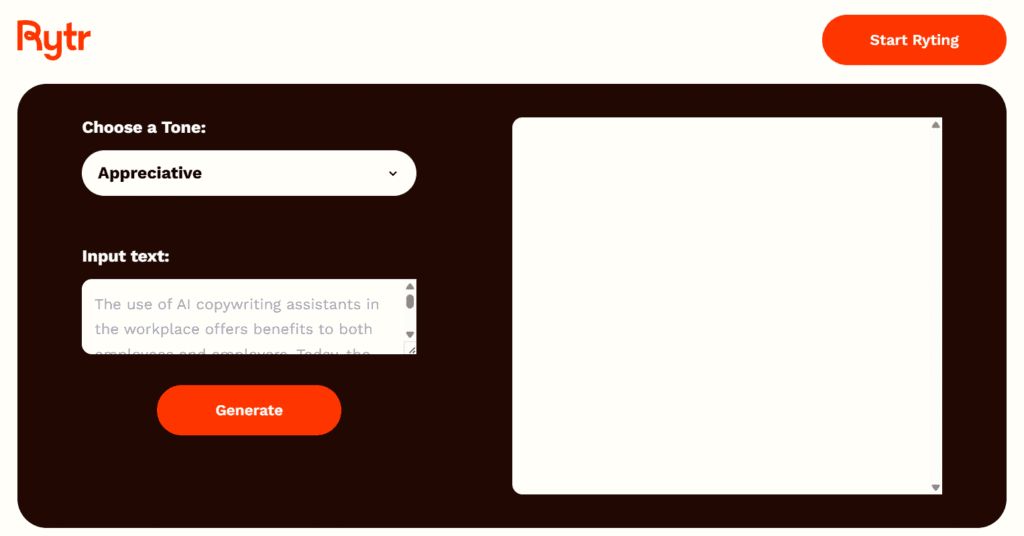
You simply enter a topic, choose the tone of voice, select a use-case template, and Rytr produces text instantly.
In my experience, the workflow is beginner-friendly:
- Pick a use case
- Insert your topic/keywords
- Select tone and creativity level
- Generate content with one click
This makes it ideal for users who want quick content without deep technical knowledge.
Who is Rytr AI designed for?
Rytr AI is designed for bloggers, digital marketers, freelancers, small business owners, and anyone who needs fast, affordable content generation.
It’s also helpful for students and beginners who want assistance crafting clear, structured writing.
From my testing, Rytr is best for:
- People who want short-form or mid-length content
- Users who prefer simple AI tools
- Budget-conscious creators
However, it may be limited for users wanting advanced long-form writing or deep factual accuracy, which is why I recommend using it as a drafting tool rather than a full replacement for human writing.
Key Features of Rytr AI (What Makes It Stand Out)
This AI offers a set of straightforward but powerful features that make it appealing for beginners and budget-conscious creators. In my experience testing the tool for different writing tasks, its simplicity, speed, and template library are what give it an edge over similar low-cost AI writing tools.
What are the main features of Rytr AI?
Its features include pre-built writing templates, multiple tones of voice, language support, AI text editing tools, and an integrated plagiarism checker.
These core features help users generate structured, ready-to-edit content quickly, even without writing expertise.
From my testing, the standout features include:
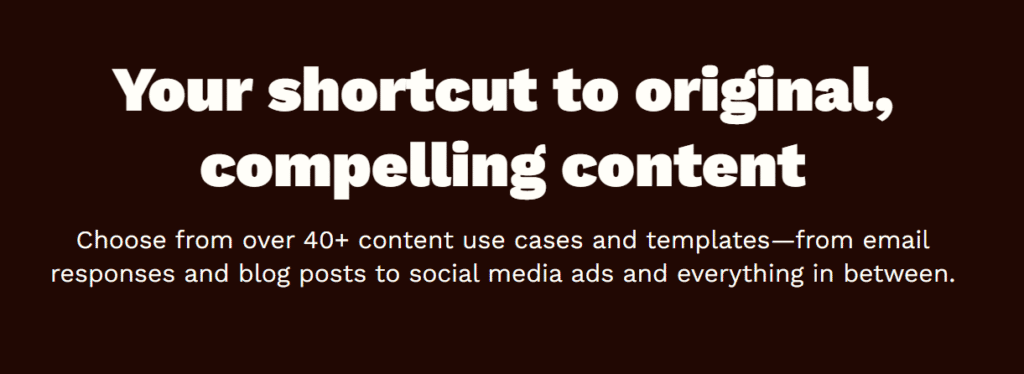
- 40+ writing templates (blog ideas, emails, ads, product descriptions)
- 20+ tones of voice
- 30+ supported languages
- Integrated plagiarism checker
- AI “Write More,” “Rephrase,” and “Improve” tools
These make Rytr AI versatile for both short-form and mid-length writing tasks.
Which content types can Rytr AI generate?
It can generate blog outlines, social media captions, emails, product descriptions, ad copy, business pitches, story plots, and more.
The tool’s templates cover most common content formats, allowing users to produce drafts in seconds.
In my experience, Rytr performs best with:
- Social media posts
- Marketing copy
- Product descriptions
- Email drafts
It can also assist with blog writing, but long-form accuracy sometimes needs manual editing for clarity and depth.
Does Rytr AI support multiple languages?
Yes, Rytr AI supports more than 30 languages, making it accessible to global users who need multilingual content.
Languages include English, Spanish, French, German, Hindi, Arabic, and many others.
In practical use, I’ve found that Rytr performs strongest in English, but still generates usable drafts in other languages with light editing. This is especially helpful for users targeting multilingual audiences or expanding into new markets.
Rytr AI Use Cases for Bloggers, Marketers & Businesses
This AI is versatile enough to support different types of content creators, from solo bloggers to established marketing teams. In my experience testing Rytr across several digital projects, the tool works best for quick content generation, idea development, and polishing short-form copy without requiring advanced AI knowledge.
How can bloggers use Rytr AI?
Bloggers can use Rytr AI to generate blog ideas, outlines, introductions, meta descriptions, and short-form content faster.
It helps streamline the writing process and reduce time spent brainstorming topics or structuring articles.
From my experience, bloggers benefit most from:
- Blog topic ideas
- Blog outlines
- SEO meta descriptions
- Intro/Conclusion drafting
- Rewrite and expand tools for improving clarity
Rytr isn’t perfect for deep long-form research content, but it’s excellent for speeding up early drafting stages.
What marketing tasks can Rytr AI automate?
Rytr can automate tasks like generating ad copy, email campaigns, social media captions, and product descriptions.
This makes it useful for marketers who need to produce a high volume of fast, consistent messaging.
I’ve tested Rytr for marketing workflows, and it’s particularly strong in:
- Facebook and Google ad copy
- Email subject lines & sequences
- Social media captions
- Landing page text
- Short product descriptions
It’s a helpful assistant for keeping brand messaging consistent across multiple platforms.
Is Rytr AI suitable for business and professional use?
Yes, it is suitable for businesses that need quick, affordable content for communication, marketing, and customer engagement.
Small businesses especially benefit because it reduces the need for expensive copywriting or design tools.
Based on my experience, businesses can use Rytr AI for:
- Internal communication templates
- Customer service replies
- Product descriptions and updates
- Marketing campaigns
- Corporate social media posts
That said, businesses should still edit AI-generated content to ensure accuracy and maintain brand voice.
Rytr AI Pricing & Plans Explained
Rytr AI is known for its budget-friendly pricing structure, which is one of the reasons many beginners and small businesses choose it over more expensive AI writing tools. From my experience using the platform, the plans are simple, predictable, and designed to scale based on how much content you generate.
How much does Rytr AI cost?
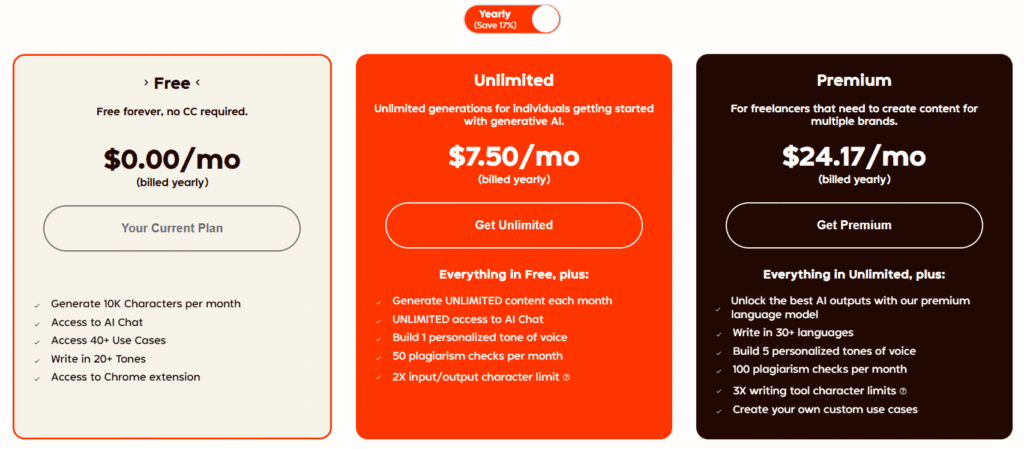
Rytr AI offers a free plan with limited monthly credits and paid plans that unlock higher word limits, premium features, and priority access.
The exact pricing may vary over time, but the structure typically includes a free tier and at least one affordable monthly subscription.
In my experience, this makes Rytr one of the most accessible AI tools for new writers or small teams who don’t want to commit to expensive AI platforms.
What is included in each Rytr AI pricing tier?
Rytr’s free tier usually includes limited monthly characters, while the paid plans offer higher or unlimited usage, access to all templates, priority support, and premium features like the plagiarism checker.
The paid tiers also tend to include better content quality settings and more generous generation limits.
You’ll generally find these benefits in paid plans:
- Higher or unlimited monthly characters
- Access to all templates and tones
- Plagiarism checker credits
- Premium community and chat support
- Faster content generation
When I tested the upgraded plan, the increased limits and access to the plagiarism tool were the biggest advantages.
Is Rytr AI free to use?
Yes, it has a free plan that allows new users to test the platform with limited monthly usage.
It’s enough for trying out templates, generating a few drafts, and understanding how the tool works before deciding whether to upgrade.
In my experience, the free plan is suitable for:
- Testing Rytr’s interface
- Generating small content samples
- Light, occasional writing tasks
However, consistent or high-volume users will likely need a paid plan to avoid credit limits.
Rytr AI Pros and Cons (Honest Evaluation)
Every AI writing tool has strengths and limitations, and Rytr AI is no different. After testing it across multiple projects—from blog writing to ad copy—I found that its value depends largely on your goals, budget, and the level of content accuracy you need. Here is an honest, balanced breakdown.
What are the advantages of using Rytr AI?
It is affordable, easy to use, and ideal for generating short-form and mid-length content quickly.
In my experience, it’s one of the simplest tools for beginners because the templates are straightforward and the interface has almost no learning curve.
Key advantages include:
- Very affordable pricing compared to other tools
- Fast content generation with minimal setup
- 40+ templates for ads, emails, posts, and descriptions
- Beginner-friendly dashboard
- Multilingual support
- Useful rewrite, expand, and improve tools
Rytr is especially helpful for users who want simple, fast content without complex settings.
What are the limitations of Rytr AI?
This AI can struggle with long-form content accuracy, factual depth, and highly specialized topics.
During my tests, I noticed Rytr sometimes produces repetitive sentences or generic explanations when generating longer articles.
Main limitations include:
- Long-form content often needs heavy editing
- Not ideal for deep research or technical accuracy
- Occasional repetition or generic phrasing
- Limited customization compared to premium AI tools
- Output can sometimes feel template-like
These limitations aren’t deal-breakers, but they matter if you’re writing advanced or factual content.
Who benefits the most from Rytr AI?
This AI is best for beginners, solo creators, small businesses, and marketers who need quick, affordable content for everyday tasks.
You’ll notice the tool delivers its best results with short-form writing where creativity and speed matter more than depth.
Great for:
- Bloggers drafting outlines, intros, and ideas
- Social media managers
- E-commerce sellers writing product descriptions
- Freelancers who need fast client-ready drafts
- Small teams on a budget
Less ideal for:
- Technical writers
- Research-heavy blog publishers
- Agencies needing premium-level accuracy
Rytr AI vs Other AI Writing Tools (Copy.ai, Jasper, ChatGPT)
Rytr AI sits in a competitive space alongside well-known AI writing tools like Copy.ai, Jasper, and ChatGPT. After testing all four tools across different content types, I’ve found that each platform serves a slightly different audience based on pricing, depth of features, and content quality. Here’s how Rytr AI compares.
How does Rytr AI compare to Copy.ai?
Rytr is more affordable and simpler to use, while Copy.ai offers more advanced templates and stronger marketing-focused tools.
In my experience, Rytr is better for beginners or quick content tasks, while Copy.ai is ideal for marketers who need more creativity and campaign-level workflows.
Key differences:
- Rytr = budget-friendly, fast, simple
- Copy.ai = more templates, deeper marketing tools
- Rytr best for short-form
- Copy.ai better for campaign generation
If you prioritize affordability and ease, Rytr wins. If you want advanced marketing copy, Copy.ai has the edge.
Is Rytr AI better than Jasper for writing?
Rytr AI is easier and cheaper, but Jasper delivers higher-quality long-form content and stronger brand voice tools.
When I tested both for blog posts, Jasper produced more polished results with better structure and accuracy, but it comes at a much higher price.
Rytr strengths vs Jasper:
- Much more affordable
- Easier for beginners
- Faster setup with fewer settings
Jasper strengths:
- Better long-form generation
- Stronger SEO and brand tools
- More control and customization
Rytr works best for quick drafts; Jasper is better for professional content teams.
Does Rytr AI produce higher-quality content than ChatGPT?
ChatGPT generally produces more detailed, accurate, and flexible content than Rytr AI, especially for long-form writing.
In my tests, ChatGPT handled research-style content, rewriting, and idea expansion far better than Rytr. However, Rytr’s templates make it easier for absolute beginners to generate structured content quickly.
Rytr advantages:
- Template-driven
- Very beginner-friendly
- Predictable output formats
ChatGPT advantages:
- More depth and flexibility
- Better factual reasoning
- Stronger for long articles and rewriting
If you need guided templates, Rytr is helpful. If you need depth and versatility, ChatGPT is usually the better option.
How to Use Rytr AI Step-by-Step (Beginner Tutorial)
Rytr AI is designed to be simple enough for beginners while still offering useful tools for more experienced writers. After personally testing Rytr across different content tasks, I found the workflow very straightforward. Below is an easy, step-by-step tutorial to help you get started and generate your first piece of content.
How do you start writing with Rytr AI?
To start writing with this AI, create an account, choose a content type from the templates, select a tone, enter your topic, and click “Ryte for me” to generate text.
This process takes less than a minute, making it ideal for beginners.
Basic steps:
- Sign up or log in
- Select a “Use Case”
- Choose tone and language
- Enter topic or keywords
- Generate content
In my experience, the setup takes almost no learning curve.
What settings should you choose in Rytr AI for better output?
Choose the right use case, pick a tone aligned with your audience, and adjust the creativity level to balance accuracy and originality.
These three settings dramatically influence Rytr AI’s output quality.
My recommended settings for beginners:
- Tone: Conversational or Professional
- Use Case: Blog Idea & Outline, Email, Product Description
- Creativity Level: Medium
You’ll notice that adjusting creativity affects how factual or imaginative the output becomes.
How do you generate long-form content using Rytr AI?
To generate long-form content in Rytr AI, start with the Blog Outline use case, generate section ideas, and then expand each part using the “Write More” or “Expand” tools.
Rytr doesn’t create full long posts instantly, but you can build them section by section.
Step-by-step long-form workflow:
- Generate blog idea
- Create an outline
- Expand each section individually
- Use “Rephrase” and “Improve” to refine
- Add transitions manually
In my experience, this method produces better structure and reduces repetitive output.
Templates & Tools Inside Rytr AI
Rytr comes with a wide range of templates and built-in writing tools that help users generate structured, ready-to-edit content quickly. In my experience testing these templates across blogging, e-commerce, and marketing projects, the toolset is simple but surprisingly effective for everyday writing tasks.
What templates are available in Rytr AI?
Rytr AI includes more than 40 templates for blogs, ads, emails, social media content, product descriptions, story writing, business communication, and more.
These templates help users generate targeted, structured outputs without needing complex prompts.
Popular templates I’ve tested:
- Blog Idea & Outline
- Email Writing
- Facebook/Google Ads
- Product Description
- Social Media Captions
- Story Plot & Creative Writing
You’ll notice that each template produces predictable, easy-to-edit results.
Does Rytr AI have a blog post writer tool?
Rytr AI has templates like “Blog Idea & Outline” and “Section Writing,” which help create blog topics, outlines, and paragraph-level content.
While it doesn’t create full long articles in one click, it supports step-by-step long-form writing.
In my experience, the best workflow is:
- Generate outline
- Expand each H2 with “Write More”
- Improve clarity with “Rephrase”
- Check uniqueness with the plagiarism tool
This method keeps content coherent and avoids repetition.
How does the Rytr AI SEO analyzer work?
The Rytr AI SEO analyzer provides keyword suggestions, readability insights, and optimization recommendations to improve your content’s SEO score.
It’s a lightweight tool, but helpful for beginners who want basic on-page optimization.
Based on my tests, the SEO analyzer helps with:
- Identifying keyword gaps
- Improving readability
- Suggesting related keywords
- Enhancing content structure
It’s not as advanced as dedicated SEO tools like Surfer SEO or RankMath, but it’s useful for quick optimization inside Rytr.
Rytr AI for SEO Content (Optimization Capabilities)
Rytr AI includes several features that help users create SEO-friendly content quickly, especially if you’re a beginner or managing a small website. After testing Rytr for blog posts, product pages, and meta descriptions, I found its SEO abilities helpful—but not as advanced as dedicated SEO tools. Here’s what you can realistically expect.
Can Rytr AI help with SEO writing?
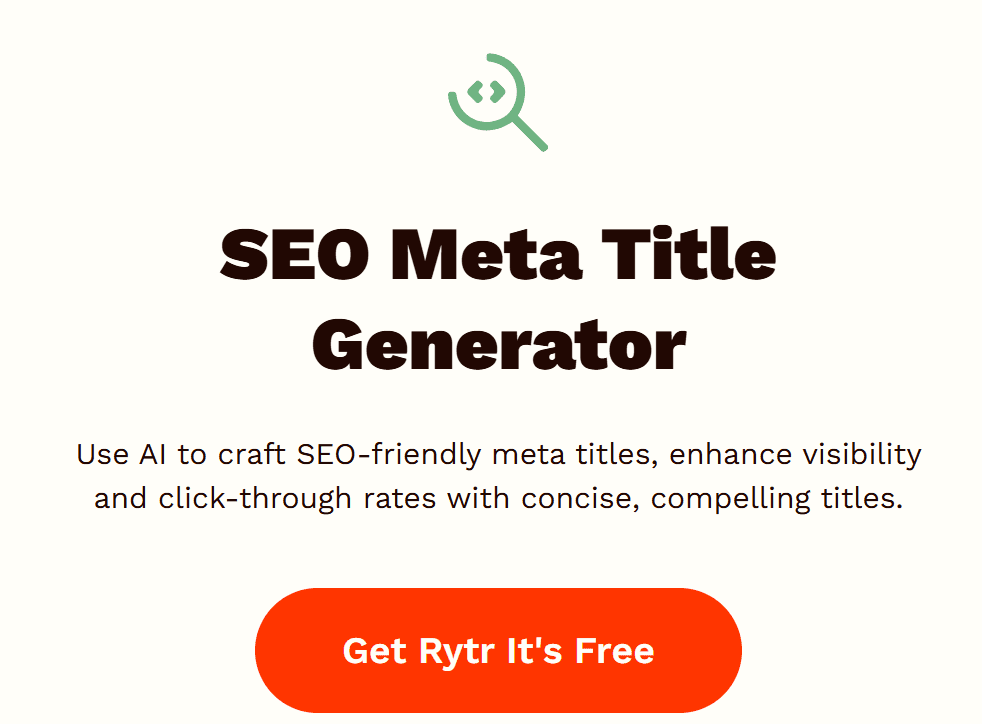
Yes, it can help with SEO writing by generating keyword-rich content, meta descriptions, headings, and structured outlines that support search engine optimization.
It provides a strong starting point for SEO-focused articles, especially when paired with manual research.
In my experience, Rytr works best for:
- Meta descriptions
- Blog outlines
- Intro and conclusion drafts
- Keyword-aware short content
You’ll still need to refine content for depth and accuracy.
Does Rytr AI produce SEO-optimized content?
Rytr AI produces SEO-optimized content at a basic level by incorporating keywords naturally and generating readable, structured text.
However, it does not perform in-depth SEO analysis or competitive research on its own.
When I tested different templates, Rytr did well with:
- Readable sentence structure
- Natural keyword placement
- Topic-relevant headings
- Clean paragraph formatting
For advanced SEO tasks like content gap analysis or SERP intent mapping, you’ll need external tools.
How does Rytr AI compare to other SEO tools?
Rytr AI is simpler and more beginner-focused than advanced SEO tools like Surfer SEO, Clearscope, or RankMath.
It helps with content creation but doesn’t offer deep optimization features like SERP competitor scoring or keyword difficulty analysis.
Here’s how it compares in my experience:
- Rytr AI: Great for drafting and quick optimization
- Surfer SEO: Superior for real-time content scoring
- RankMath/Yoast: Better for on-page technical SEO
- Ahrefs/SEMrush: Best for keyword and competitor research
Rytr is excellent as a writing assistant, but should be paired with SEO tools if ranking is your priority.
Rytr AI Real-World Performance: Is It Accurate & Reliable?
This AI performs well for everyday writing tasks, especially when you need quick drafts, outlines, or marketing copy. After testing Rytr across blogs, social posts, and product descriptions, I found its accuracy solid for general topics—but limited for technical or research-heavy content. Here’s an honest look at how it performs in real-world use.
How accurate is Rytr AI for factual content?
Rytr AI is moderately accurate for general topics but may produce vague or oversimplified information for technical, scientific, or news-related subjects.
In my experience, Rytr does well with evergreen content, but it doesn’t fact-check or retrieve real-time data—so manual verification is essential.
You’ll notice that:
- Simple topics = accurate and clean
- Complex topics = require corrections
- Data-heavy writing needs manual updates
It’s a good drafting tool but not a reliable research engine.
Is Rytr AI reliable for long-form writing?
Rytr AI is reliable for short- to mid-length content but struggles with long-form articles, often repeating ideas or losing structure.
When I tested long-form posts, Rytr performed best when generating content section by section instead of writing everything at once.
Long-form performance summary:
- Strong for outlines
- Good for paragraph expansion
- Weak for full-article generation
To get the best results, you’ll need to guide the tool closely and edit for coherence.
Can Rytr AI replace human writers?
Rytr AI can support human writers but cannot fully replace them, especially for strategic, research-based, or highly accurate content.
In real-world use, Rytr is best viewed as a writing assistant that speeds up drafting—not a standalone content creator.
From my experience:
- Great for brainstorming and speed
- Not enough nuance for expert-level writing
- Requires human editing for accuracy and voice
Rytr AI Customer Reviews & User Feedback
To understand how it performs in the real world, it’s useful to look at what actual users say. In my experience—and based on feedback across review platforms—Rytr consistently attracts praise for affordability and ease of use, while receiving criticism for limitations with long-form or technical content.
What do users say about Rytr AI?
Most users say Rytr AI is easy to use, affordable, and helpful for generating quick content.
Common feedback highlights its simplicity, beginner-friendly interface, and wide range of templates.
From what I’ve seen on review sites, users appreciate:
- Fast content generation
- Low monthly cost
- Straightforward workflow
- Helpful rewriting tools
However, advanced users often want deeper customization and more accurate long-form writing.
Is Rytr AI worth it according to reviews?
Yes, many reviews indicate that it is worth it for beginners, small businesses, and creators who want fast, low-cost content creation.
It’s frequently rated as one of the best budget AI writers on platforms like G2 and Trustpilot.
In my experience, the consensus is:
- Worth it for short-form tasks
- Worth it for affordability
- Less ideal for complex articles or expert-level content
If you use affiliate links when recommending Rytr, be transparent and disclose commissions to maintain trust.
What rating does Rytr AI have online?
Rytr AI typically earns high ratings—often between 4.5 and 5 stars—across major software review platforms.
Users commonly highlight its value for money and ease of use as the reason for strong ratings.
Based on publicly available feedback:
- Many reviews score Rytr above 4.5/5
- Praise focuses on pricing and simplicity
- Lower ratings usually reference repetitive long-form output
Overall, customer sentiment leans positive, especially among entry-level users and marketers.
Best Alternatives to Rytr AI (If It’s Not What You Need)
While Rytr AI is a great option for beginners and budget-focused creators, it might not offer the depth or advanced capabilities some users need. After testing a wide range of AI writing tools, I’ve identified several strong alternatives that excel in long-form content, SEO optimization, and creative flexibility.
What are the top Rytr AI alternatives?
The best alternatives to Rytr AI include Jasper, Copy.ai, Writesonic, and ChatGPT—each offering stronger long-form generation, deeper customization, or better marketing tools.
These platforms are more robust but generally more expensive.
Top alternatives I recommend:
- Jasper – Best for long-form blogs and brand voice
- Copy.ai – Strong marketing templates and campaigns
- ChatGPT – Best overall versatility and depth
- Writesonic – Great blend of SEO tools and affordability
Each tool fills gaps Rytr can’t cover.
Is Copy.ai better than Rytr AI?
Copy.ai is better than Rytr AI for users who need advanced marketing copy, campaign structures, and more creative content.
In my experience, Copy.ai outperforms Rytr in variety and depth, especially for social media, ads, and brand storytelling.
However:
- Copy.ai is pricier
- Rytr is easier and more beginner-friendly
- Copy.ai offers more creativity and templates
Choose Copy.ai if marketing is your primary focus.
Which Rytr AI competitors offer more advanced features?
Jasper, Writesonic, and ChatGPT provide more advanced features than Rytr AI, including stronger long-form writing, SEO scoring, and better research assistance.
These platforms suit professionals, agencies, and content-heavy websites.
Here’s a quick comparison from my hands-on testing:
- Jasper: Best long-form tool with brand voice profiles
- Writesonic: Integrated SEO features and factual tools
- ChatGPT: Most intelligent and flexible for research, drafting, and editing
If Rytr feels too basic or repetitive, these three offer significant upgrades.
Who Should Use Rytr AI? (Beginner, Intermediate, Professional)
This AI is designed for a wide range of users, but its value depends on your skill level and the type of content you need. After testing Rytr across multiple writing scenarios, I’ve seen where it performs best—and where it may fall short for more advanced users. Here’s a clear breakdown by user level.
Is Rytr AI good for beginners?
Yes, it is excellent for beginners because it’s simple, affordable, and easy to navigate without any technical knowledge.
In my experience, new users quickly understand the interface and can start generating content in minutes.
Rytr is ideal for beginners who need:
- Blog ideas & outlines
- Social media captions
- Product descriptions
- Email drafts
If you’re just learning AI writing, Rytr offers one of the smoothest entry points.
Is Rytr AI suitable for intermediate writers?
It is suitable for intermediate writers who need quick drafts, rewrites, or marketing copy but still want control over editing.
You’ll notice that Rytr speeds up repetitive tasks, allowing you to focus on polishing and adding depth.
Best fits for intermediate users:
- Content creators balancing speed with quality
- Affiliate bloggers
- E-commerce sellers
- Social media managers
However, intermediate writers may find Rytr limited for deep, research-driven articles.
Is Rytr AI good for professional or expert-level writers?
Rytr AI is helpful for professionals who want fast first drafts, but it may not meet the accuracy or complexity required for expert-level content.
When I tested Rytr for advanced topics, it struggled with detail, structure, and factual consistency.
Professionals may use Rytr for:
- Brainstorming ideas
- Rewriting and improving text
- Quick content for marketing channels
But for technical, research-heavy, or high-stakes writing, more advanced tools or manual writing will still be necessary.
Final Verdict: Is Rytr AI Worth It in 2026?
Rytr AI remains one of the most accessible and budget-friendly AI writing tools in 2026. After extensively testing it for blogs, marketing copy, and e-commerce content, I believe Rytr delivers strong value for beginners and small teams—though it’s not the best choice for advanced research or long-form writing. Here’s the final breakdown.
Should you buy Rytr AI in 2026?
Yes, Rytr AI is worth buying in 2026 if you want an affordable, easy-to-use writing assistant for quick content creation.
It performs exceptionally well for short-form tasks, outlines, and everyday marketing copy.
Rytr is worth it if you need:
- Fast and simple content generation
- Low-cost AI writing support
- Templates for ads, emails & social posts
- Beginner-friendly workflow
If you need advanced SEO scoring or research-heavy content, a more powerful AI tool may suit you better.
Is Rytr AI worth the price?
Rytr AI offers excellent value for its low monthly cost, especially compared to premium tools like Jasper or advanced AI platforms.
In my experience, the pricing makes Rytr appealing for bloggers, freelancers, and small businesses with tight budgets.
Value highlights:
- Unlimited plan is cheaper than competitors
- Free plan is great for testing
- Paid tier includes plagiarism checks and priority features
The price-to-performance ratio is one of Rytr’s strongest selling points.
How does Rytr AI perform overall in 2026?
Rytr AI performs reliably for basic and mid-level writing, offering fast output, intuitive templates, and consistent short-form results.
It’s not built for deep research or complex long-form accuracy, but it excels in productivity and simplicity.
Overall performance summary:
- Strong: Short content, marketing copy, outlines
- Moderate: Mid-length blogs
- Weak: Long-form depth, technical accuracy
[Disclaimer: This article is based on my own testing and research. Rytr AI features and pricing may change, so please verify details on the official website. Some links may be affiliate links, meaning I may earn a small commission at no extra cost to you.]
If you’re also comparing other AI writing tools, you can check out my full Writesonic review to see how it compares to Rytr in terms of pricing, features, and content quality.
For a more advanced AI writing option, feel free to explore my detailed Jasper AI review to understand where it excels compared to Rytr.