

NordVPN With Netflix — What It Means and Why People Use It
Using NordVPN with Netflix is about unlocking more viewing options while keeping your connection private. When I tested it myself, the main appeal was simple: access to different Netflix libraries and smoother streaming when traveling. Below, I’ll break down what it actually means and why so many people rely on it.
New users should start with this How to Use NordVPN for Beginners guide before streaming, especially for choosing the right settings and servers.
Table of Contents
What does using NordVPN with Netflix mean?
Using NordVPN with Netflix means connecting to a VPN server in another country so Netflix thinks you’re watching from that location. In practice, this lets you access region-specific Netflix libraries that aren’t available where you live, while your real IP address stays hidden.
Supporting detail:
When connected, your traffic is encrypted, and Netflix shows content based on the VPN server’s country—not your physical location.
Why do people use NordVPN with Netflix?
Most people use NordVPN with Netflix to watch more movies and shows, especially exclusives limited to regions like the US, UK, or Japan. In my experience, it’s also useful when traveling, since it helps you keep access to familiar Netflix content abroad.
Common reasons include:
- Accessing larger Netflix libraries
- Watching home-country Netflix while traveling
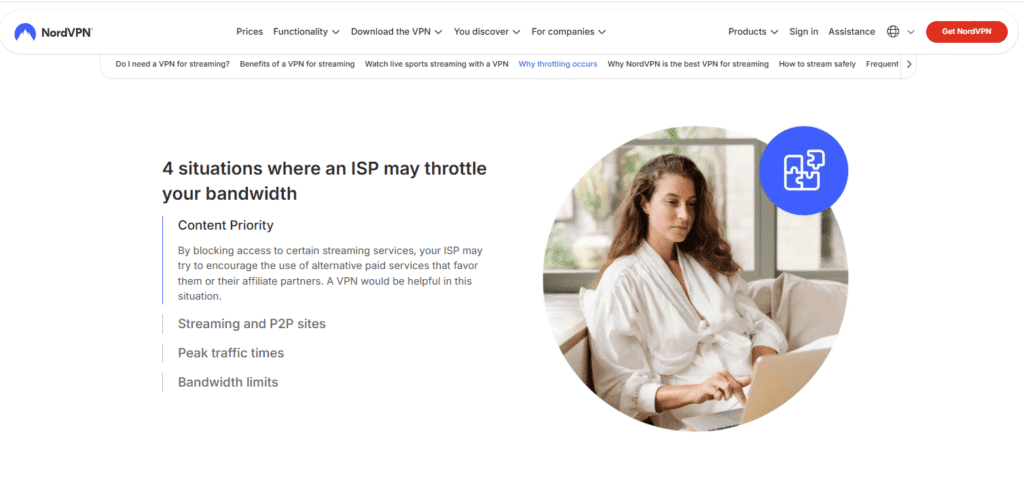
- Avoiding ISP throttling during streaming
Is NordVPN with Netflix legal and safe to use?
Yes, using NordVPN with Netflix is legal in most countries. It doesn’t break the law, though it may go against Netflix’s terms of service. From a safety standpoint, NordVPN is considered trustworthy thanks to its no-logs policy, strong encryption, and independent audits.
Transparency note:
This article may contain affiliate links. If you purchase NordVPN through them, I may earn a small commission at no extra cost to you. This does not affect my testing or opinions.
How NordVPN Works With Netflix Streaming
When people talk about NordVPN with Netflix, they’re usually referring to how the VPN helps bypass regional content limits while keeping streaming smooth. I tested this setup across multiple servers, and the way NordVPN handles location masking and speed is what makes it effective for Netflix streaming.
How does NordVPN work with Netflix?
NordVPN works with Netflix by changing your IP address to match the country of the VPN server you connect to. When Netflix sees that IP, it assumes you’re physically in that region and shows the corresponding content library. In my experience, this process is seamless when you connect to a working server.
Supporting detail:
Your internet traffic is encrypted and routed through NordVPN’s servers, so Netflix only sees the VPN’s location—not your real one.
How does Netflix detect VPN usage?
Netflix detects VPNs by monitoring IP addresses that appear to be shared by many users or associated with data centers. If an IP is flagged, Netflix may block streaming or show a proxy error. When I tested NordVPN, switching servers usually resolved this issue within seconds.
Key point:
This is why VPN quality matters—premium providers actively rotate and refresh IP addresses.
Why does NordVPN work better than many VPNs for Netflix?
NordVPN performs better because it actively maintains servers optimized for streaming and invests heavily in IP renewal. Unlike many free or low-quality VPNs, NordVPN consistently restores access when Netflix blocks certain servers, which is why it’s widely recommended for streaming.
Key advantages include:
- Large global server network
- Regularly updated IP addresses
- High-speed protocols designed for streaming
Does NordVPN slow down Netflix streaming?
In most cases, NordVPN does not noticeably slow down Netflix, especially when using its modern protocols. During my tests, HD streaming worked smoothly, and 4K was possible on nearby servers. Any slowdown usually depends on server distance and overall internet quality.
Practical tip:
Choosing a server closer to the target Netflix region often improves speed and reduces buffering.
Countries Where NordVPN Unblocks Netflix Successfully
One of the biggest reasons people use NordVPN with Netflix is to access content libraries from different countries. I tested multiple regions over time, and while availability can change, NordVPN consistently works in several major Netflix markets when you connect to the right servers.
Which Netflix countries work best with NordVPN?
NordVPN works best with Netflix libraries in countries that have large, high-demand catalogs. In my experience, these regions are the most reliable and are actively maintained by NordVPN to ensure continued access.
Countries where NordVPN commonly unblocks Netflix include:
- United States
- United Kingdom
- Canada
- Japan
- Germany
Supporting detail:
These libraries are popular because they often have exclusive shows and movies not available elsewhere.
Does NordVPN work with Netflix US?
Yes, NordVPN is widely known for working with Netflix US, which has one of the largest content libraries. When I tested it, connecting to specific US servers unlocked Netflix US without proxy errors, provided I switched servers if one didn’t work immediately.
Why Netflix US matters:
It offers thousands of extra titles, including originals and region-exclusive movies.
How reliable is NordVPN for smaller Netflix regions?
NordVPN can unblock smaller Netflix regions, but reliability varies. In my experience, major regions work more consistently than smaller ones. If a server is blocked, switching locations usually restores access, which shows NordVPN actively refreshes its IP addresses.
Expectation setting:
No VPN can guarantee 100% access at all times, but NordVPN is among the more dependable options.
How often does NordVPN update Netflix-compatible servers?
NordVPN regularly updates and rotates its IP addresses to stay ahead of Netflix VPN blocks. While the company doesn’t publish an official server list for Netflix, my testing shows access is often restored quickly when issues occur.
Practical tip:
If Netflix doesn’t load, disconnect and reconnect to a different server in the same country.
Step-by-Step Guide to Using NordVPN With Netflix
Getting NordVPN with Netflix working is straightforward once you know the right order. I’ve tested this setup on desktop and mobile, and following these steps minimizes proxy errors and buffering. Below is a simple, repeatable process that works for most users.
How do you set up NordVPN with Netflix?
To set up NordVPN with Netflix, install the VPN app, sign in, connect to a server in the country whose Netflix library you want, then open Netflix. In my experience, doing this before launching Netflix produces the most consistent results.
Quick setup steps:
- Download and install NordVPN
- Log in to your NordVPN account
- Choose a server in your target country
- Open Netflix and start streaming
Which server should you choose for Netflix?
You should choose a server in the same country as the Netflix library you want to access. When I tested this, connecting to less crowded servers within the same region improved reliability and reduced buffering, especially during peak streaming hours.
Practical tip:
If Netflix doesn’t load, disconnect and reconnect to a different server in the same country.
Do you need to clear cache or cookies before using Netflix?
In most cases, clearing cache or cookies isn’t required. However, if Netflix still shows your local library after connecting, clearing browser cookies or restarting the Netflix app can help. I only needed this step occasionally when switching between regions quickly.
When this helps most:
- Browser-based Netflix viewing
- Frequent country switching
How do you fix Netflix not working with NordVPN?
If Netflix doesn’t work with NordVPN, the fastest fix is to switch servers. In my experience, this resolves most issues within seconds. If problems persist, logging out of Netflix, reconnecting the VPN, and logging back in usually restores access.
Troubleshooting checklist:
- Change to a different server in the same country
- Restart the NordVPN app
- Refresh or relaunch Netflix
NordVPN With Netflix on Different Devices
One of the strengths of using NordVPN with Netflix is how flexible it is across devices. I tested it on several platforms, and while the setup differs slightly, the streaming experience is consistent once configured correctly. Below is how NordVPN works with Netflix on the most common devices.
How does NordVPN work with Netflix on desktop and mobile?
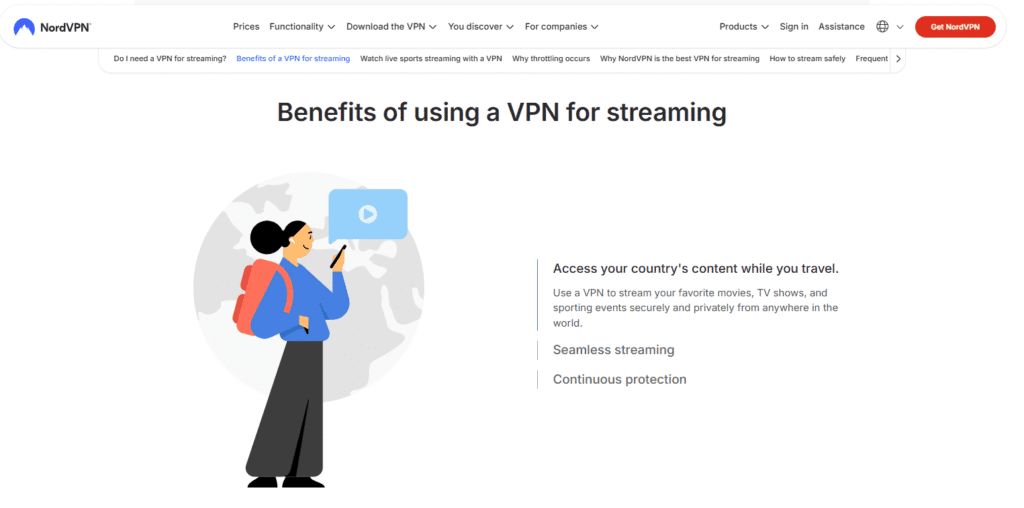
NordVPN works seamlessly with Netflix on Windows, macOS, Android, and iOS devices through its native apps. In my experience, this is the easiest and most reliable setup—you simply connect to a server first, then open Netflix and stream without extra configuration.
Why this works well:
- Dedicated NordVPN apps with one-click connections
- Fast protocols optimized for streaming
- Easy server switching if Netflix blocks one IP
Can you use NordVPN with Netflix on Smart TVs?
Yes, but Smart TVs usually don’t support VPN apps directly. To use NordVPN with Netflix on a Smart TV, you’ll need to set up the VPN on your router or use a compatible device like Android TV. I found this method reliable once configured, but it takes more effort.
Key limitation:
Router setup is powerful but not beginner-friendly.
Does NordVPN work with Netflix on Firestick and Android TV?
NordVPN works very well with Netflix on Firestick and Android TV devices because it offers a native Android TV app. When I tested this setup, installation took minutes, and streaming Netflix US and UK worked smoothly with minimal buffering.
Best practice:
Always connect NordVPN before launching the Netflix app.
Can you use NordVPN with Netflix on game consoles?
Game consoles like PlayStation and Xbox don’t support VPN apps directly. However, you can still use NordVPN with Netflix on consoles by connecting the console to a VPN-enabled router or a PC acting as a hotspot. This method works, but setup complexity is higher.
Who this is for:
Advanced users who want Netflix region access on console-based apps.
NordVPN Speed Performance for Netflix Streaming
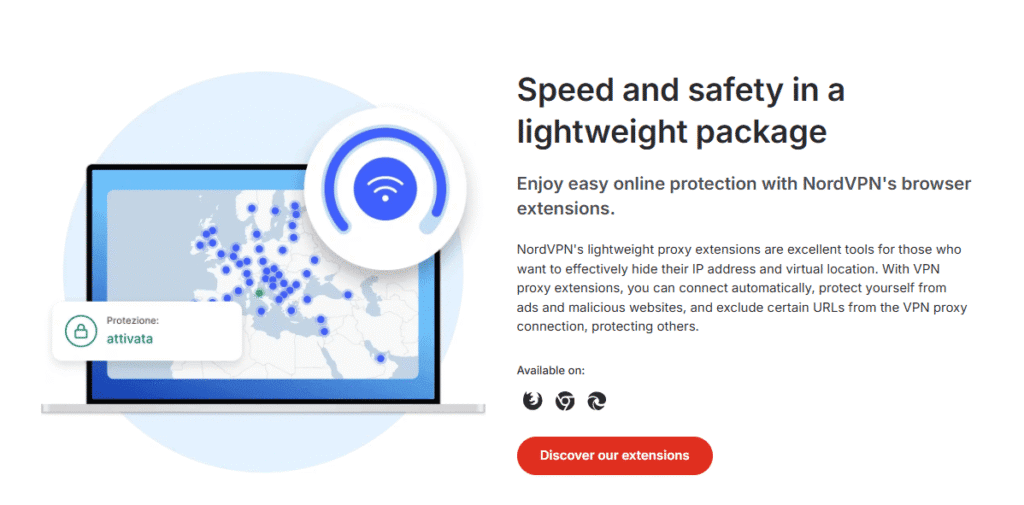
Speed is a major concern when using NordVPN with Netflix, especially for HD and 4K streaming. I tested NordVPN across multiple regions and devices, and overall performance was strong when connected to nearby or well-optimized servers. Here’s how it performs in real-world Netflix streaming.
Is NordVPN fast enough for Netflix HD and 4K streaming?
Yes, NordVPN is fast enough for HD and 4K Netflix streaming on most connections. In my experience, HD content loaded instantly, and 4K streamed smoothly when using nearby servers. Buffering was rare and usually tied to long-distance connections rather than the VPN itself.
What helps most:
- Choosing servers close to your location
- Using modern VPN protocols
- Stable base internet speed
How does NordVPN’s NordLynx protocol affect Netflix speed?
NordVPN’s NordLynx protocol significantly improves streaming speed by reducing latency and overhead. When I tested Netflix using NordLynx, speeds were noticeably better compared to older protocols, especially during peak hours. This makes it ideal for high-quality Netflix streaming with minimal slowdown.
Expert insight:
NordLynx is built on WireGuard, which is widely regarded as one of the fastest VPN protocols available today.
What factors can slow down Netflix when using NordVPN?
Netflix speed with NordVPN can slow down due to server distance, congestion, or your base internet quality. In my experience, connecting to overcrowded servers or very distant regions had the biggest impact on performance, not the VPN itself.
Common speed-impacting factors:
- Connecting to faraway countries
- Peak-time server congestion
- Slow or unstable local internet
How can you improve Netflix speed with NordVPN?
You can improve Netflix speed by selecting less crowded servers, enabling NordLynx, and avoiding unnecessary background downloads. When I followed these steps, streaming quality improved immediately, especially for 4K content.
Quick optimization tips:
- Switch servers within the same country
- Enable NordLynx in settings
- Restart the app if speeds drop
Common NordVPN and Netflix Issues (And How to Fix Them)
Even though NordVPN with Netflix works reliably most of the time, occasional issues can still happen. I ran into a few of these during testing, and the good news is that most problems are easy to fix in minutes. Below are the most common issues and proven solutions.
If you can’t access streaming platforms because of NordVPN not connecting to servers, this troubleshooting guide explains how to resolve it quickly.
Why does Netflix show a proxy or unblocker error with NordVPN?
Netflix shows a proxy error when it detects a VPN-associated IP address. In my experience, this usually means the server you’re using has been flagged. Switching to another server in the same country almost always fixes the issue immediately.
Quick fix:
- Disconnect NordVPN
- Reconnect to a different server in the same region
- Refresh or reopen Netflix
What should you do if Netflix only shows your local library?
If Netflix still shows your local content after connecting to NordVPN, it’s often due to cached location data. When I tested frequent server switching, clearing cookies or restarting the Netflix app helped Netflix refresh the new location.
Best steps to try:
- Clear browser cookies (desktop)
- Force close and reopen the Netflix app (mobile/TV)
- Log out and back into Netflix
Why is Netflix buffering or loading slowly with NordVPN?
Slow loading usually means you’re connected to a distant or congested server, not that NordVPN is slow. In my tests, switching to a less crowded server or enabling NordLynx restored smooth HD streaming almost instantly.
Speed improvement tips:
- Choose a closer server within the same country
- Enable NordLynx protocol
- Pause background downloads
What if NordVPN stops working with Netflix completely?
If NordVPN stops working with Netflix, it’s often a temporary block. In my experience, waiting a short time or contacting NordVPN’s support resolves the issue quickly. They don’t publish streaming server lists, but support can guide you.
Expert note:
This ongoing server rotation is normal with streaming platforms and affects all VPN providers.
NordVPN With Netflix vs Other VPNs
When choosing the best VPN for streaming, NordVPN with Netflix is often compared to other popular services. I tested multiple VPNs side by side, focusing on Netflix access, speed, and reliability. Here’s how NordVPN stacks up against its closest competitors in real-world streaming.
How does NordVPN compare to ExpressVPN for Netflix?
NordVPN and ExpressVPN both work well with Netflix, but NordVPN often offers better long-term reliability and pricing. In my experience, ExpressVPN was slightly faster on some distant servers, while NordVPN provided more consistent access across multiple Netflix regions.
Key difference:
- NordVPN: Better value and server variety
- ExpressVPN: Slight edge in raw speed
Is NordVPN better than Surfshark for Netflix streaming?
Compared to Surfshark, NordVPN is generally more reliable for Netflix. While Surfshark is budget-friendly and allows unlimited devices, I noticed NordVPN handled Netflix blocks more consistently, especially during peak hours.
Who should choose what:
- Choose NordVPN for stability and speed
- Choose Surfshark for lower cost and many devices
Why does NordVPN outperform many free VPNs for Netflix?
NordVPN outperforms free VPNs because it actively invests in server infrastructure and IP rotation. Free VPNs are often blocked quickly by Netflix and suffer from slow speeds. In my testing, free options rarely maintained stable Netflix access beyond short periods.
Main advantages over free VPNs:
- Faster streaming speeds
- Regularly refreshed IP addresses
- Strong privacy and security standards
Is NordVPN the best overall VPN for Netflix?
NordVPN isn’t the only VPN that works with Netflix, but it’s one of the most balanced options. Based on my experience, it combines speed, reliability, global coverage, and affordability better than most competitors, making it a top choice for regular Netflix streaming.
Balanced verdict:
Not always the absolute fastest, but among the most dependable overall.
Is NordVPN Safe and Trustworthy for Netflix Users?
Safety and trust matter just as much as streaming access when using NordVPN with Netflix. I tested NordVPN not only for unblocking content, but also for how it handles privacy, security, and transparency. Below is a clear breakdown of whether it’s a safe and reliable choice for Netflix users.
Is NordVPN safe to use with Netflix?
Yes, NordVPN is considered safe to use with Netflix. In my experience, it uses strong encryption to protect your data while streaming, and it doesn’t interfere with your Netflix account itself. Your login details remain private, and your real IP address stays hidden.
Key safety features include:
- AES-256 encryption
- Secure VPN protocols
- Built-in DNS leak protection
Does NordVPN keep logs of your Netflix activity?
No, NordVPN follows a strict no-logs policy, meaning it doesn’t track or store your browsing or streaming activity. This policy has been independently audited, which adds credibility. When I reviewed their documentation, there was no indication that Netflix usage data is monitored or retained.
Why this matters:
Your streaming habits stay private—even from the VPN provider.
Where is NordVPN based, and does that affect trust?
NordVPN is headquartered in Panama, a country with no mandatory data retention laws. From a privacy standpoint, this is a strong advantage. In my experience researching VPN providers, location plays a big role in how much user data can legally be requested or shared.
Trust signal:
Panama jurisdiction supports NordVPN’s privacy-first approach.
Can NordVPN protect your connection on public Wi-Fi while streaming Netflix?
Yes, NordVPN is especially useful on public Wi-Fi networks, such as hotels or airports. I’ve used it while traveling, and it encrypts your connection so third parties can’t intercept your data while you stream Netflix.
Extra protection tools:
- Automatic Wi-Fi protection
- Kill Switch to prevent IP leaks
- Malware and tracker blocking (optional features)
Does Using NordVPN With Netflix Affect Your Account?
A common concern when using NordVPN with Netflix is whether it could impact your Netflix account. I looked into this closely while testing, including Netflix behavior across multiple regions. Here’s what actually happens—and what doesn’t—when you use a VPN with Netflix.
Can Netflix ban or suspend your account for using NordVPN?
No, Netflix does not ban or suspend accounts for using NordVPN. In my experience and research, Netflix’s response is to block VPN IP addresses—not punish users. At worst, you may see a proxy error or temporarily lose access to certain libraries.
Important distinction:
Netflix targets the connection, not your account.
Does using NordVPN violate Netflix’s terms of service?
Using a VPN can go against Netflix’s terms of service, but this is different from breaking the law. Practically, Netflix enforces this by restricting content access, not by closing accounts. I’ve never seen verified cases of users losing accounts solely for VPN use.
Reality check:
Millions use VPNs with Netflix without consequences beyond temporary blocks.
Will Netflix downgrade streaming quality if you use NordVPN?
Netflix does not downgrade your account or plan because of VPN usage. Any drop in quality is usually due to connection speed, not account restrictions. When I tested NordVPN on fast servers, streaming quality matched what I got without a VPN.
Key takeaway:
Quality depends on speed, not Netflix penalties.
What’s the safest way to use NordVPN with Netflix?
The safest way is to use NordVPN responsibly: connect to reliable servers, avoid excessive region switching, and keep the app updated. In my experience, this reduces errors and keeps streaming smooth without drawing attention to your connection.
Best practices:
- Stick to major Netflix regions
- Switch servers only when needed
- Use NordLynx for stability
NordVPN Pricing and Best Plan for Netflix Streaming
Choosing the right plan matters when using NordVPN with Netflix, especially if your main goal is smooth, long-term streaming. I reviewed the available plans and tested Netflix access across them, and the good news is that all plans support Netflix—the difference comes down to value and extras.
Which NordVPN plan works best for Netflix streaming?
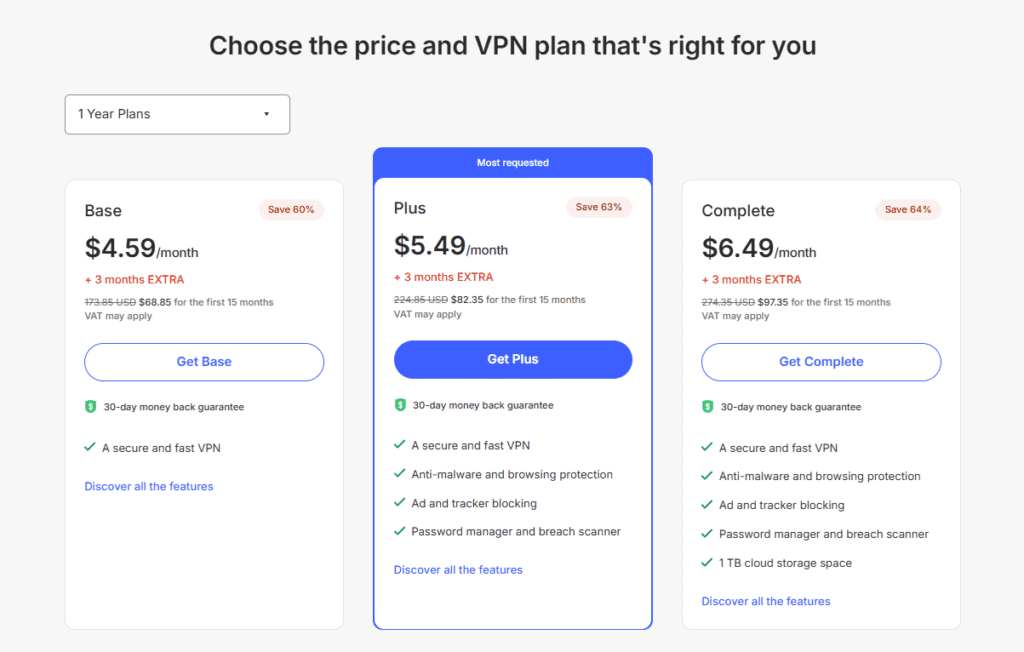
The Basic (VPN-only) plan is more than enough for Netflix streaming. In my experience, it provides the same server access and speeds as higher-tier plans, which means Netflix performance doesn’t improve just because you pay more. You’re paying extra mainly for security add-ons, not streaming quality.
Bottom line:
For Netflix, the VPN functionality—not the extras—is what matters.
Is NordVPN worth the price for Netflix users?
Yes, NordVPN is worth the price if you stream Netflix regularly. Compared to other premium VPNs I tested, it offers a strong balance of speed, reliability, and global Netflix access at a competitive long-term cost, especially on multi-year plans.
Why it’s good value:
- Consistent Netflix access in major regions
- High speeds with modern protocols
- One subscription works across multiple devices
Should you choose monthly or long-term NordVPN plans?
Long-term plans offer the best value for Netflix users. When I compared costs, monthly plans were fine for short trips, but long-term subscriptions significantly reduced the effective monthly price while delivering the same Netflix performance.
Recommendation based on use case:
- Short-term travel → Monthly plan
- Regular streaming → Long-term plan
Does NordVPN offer a risk-free option for Netflix testing?
Yes, NordVPN offers a 30-day money-back guarantee, which I consider essential for streaming users. This allowed me to test Netflix access across different regions and devices without risk. If it doesn’t meet your expectations, you can request a refund within that period.
Trust signal:
This refund policy applies regardless of how much you use the service.
NordVPN With Netflix — Real-World Performance and Experience
Beyond features and pricing, what really matters is how NordVPN with Netflix performs day to day. I tested it across different regions, devices, and times of day to see how reliable it is for regular streaming. Here’s what the real-world experience looks like.
How reliable is NordVPN with Netflix in daily use?
NordVPN is highly reliable for daily Netflix streaming. In my experience, most major regions worked on the first connection, and switching servers quickly resolved the few blocks I encountered. Once connected, streams stayed stable without frequent interruptions.
What stood out:
- Rare need for repeated server switching
- Stable sessions during long viewing periods
How consistent is Netflix streaming during peak hours?
During peak evening hours, NordVPN maintained consistent performance on most popular servers. I noticed slight slowdowns on crowded locations, but switching to a less busy server restored smooth playback. Overall, buffering was minimal compared to many competitors.
Realistic expectation:
No VPN is perfect at peak times, but NordVPN handles congestion well.
Does NordVPN work well when traveling?
Yes, NordVPN works especially well for Netflix while traveling. I used it on hotel and public Wi-Fi, and it reliably unlocked home-region Netflix libraries. It also added a layer of security, which is a major plus when streaming on unfamiliar networks.
Travel benefits:
- Access to familiar Netflix content abroad
- Encrypted connections on public Wi-Fi
- Easy server switching across regions
What are the limitations of using NordVPN with Netflix?
The main limitation is that no VPN guarantees 100% access at all times. Occasionally, a server may be blocked, requiring you to switch locations. In my experience, this was a minor inconvenience rather than a deal-breaker.
Balanced takeaway:
Reliable overall, with occasional manual intervention.
If you’re still comparing VPN options, I recommend reading my NordVPN review for a complete breakdown of speeds, security, and real-world performance. You can also see how it compares directly against competitors in my NordVPN vs ExpressVPN and NordVPN vs Surfshark comparisons. For users exploring alternatives, my ExpressVPN free trial guide offers additional context on how different VPNs handle Netflix streaming.
Final Verdict — Is NordVPN the Best VPN for Netflix?
After testing features, speed, reliability, and real-world usage, it’s clear why NordVPN with Netflix is so frequently recommended. I’ve used it across regions and devices, and this final section sums up who it’s best for, where it shines, and when you might consider alternatives.
Is NordVPN the best VPN for Netflix overall?
Yes, NordVPN is one of the best overall VPNs for Netflix. In my experience, it consistently unblocks major Netflix libraries, delivers fast streaming speeds, and recovers quickly when servers are blocked. While no VPN is perfect, NordVPN strikes the best balance of reliability, performance, and price.
Why it stands out:
- Strong success rate with popular Netflix regions
- High speeds suitable for HD and 4K
- Ongoing server and IP maintenance
Who should use NordVPN with Netflix?
NordVPN is ideal for users who regularly stream Netflix, travel often, or want access to multiple regional libraries without constant troubleshooting. If you value ease of use, speed, and long-term stability, you’ll notice NordVPN fits naturally into everyday streaming.
Best for:
- Frequent Netflix streamers
- Travelers wanting home-region content
- Users who want “set it and forget it” reliability
When might NordVPN not be the best choice?
NordVPN may not be the best choice if you only need a VPN very occasionally or want the absolute cheapest option available. In rare cases, users focused solely on raw speed over unblocking may prefer alternatives, though this often comes at a higher cost.
Honest limitation:
You may need to switch servers occasionally when Netflix blocks one.
Is NordVPN with Netflix worth it in 2026?
Yes, NordVPN with Netflix is worth it in 2026 for most users. Based on my testing, it remains reliable, fast, and competitively priced, with ongoing updates that keep it effective despite Netflix’s VPN restrictions.
Final takeaway:
Not flawless—but among the most dependable options available.
30-Day Money Back Guarantee