


If you’ve been researching is Surfshark a good VPN, you’re probably wondering what makes this service stand out in a crowded market. In my experience testing Surfshark across multiple devices, it’s clear that this VPN is designed to give users strong security, fast speeds, and excellent value—especially compared to more expensive competitors.
At its core, Surfshark is a virtual private network (VPN) that protects your online activity by encrypting your internet connection. This means websites, apps, and even your internet provider cannot track what you’re doing. Whether you’re streaming, browsing, or securing your work data, Surfshark works quietly in the background to keep you protected.
Table of Contents
What Surfshark Is Designed to Do
Surfshark offers a wide range of tools aimed at improving privacy and online freedom. Some of the main things it helps users with include:
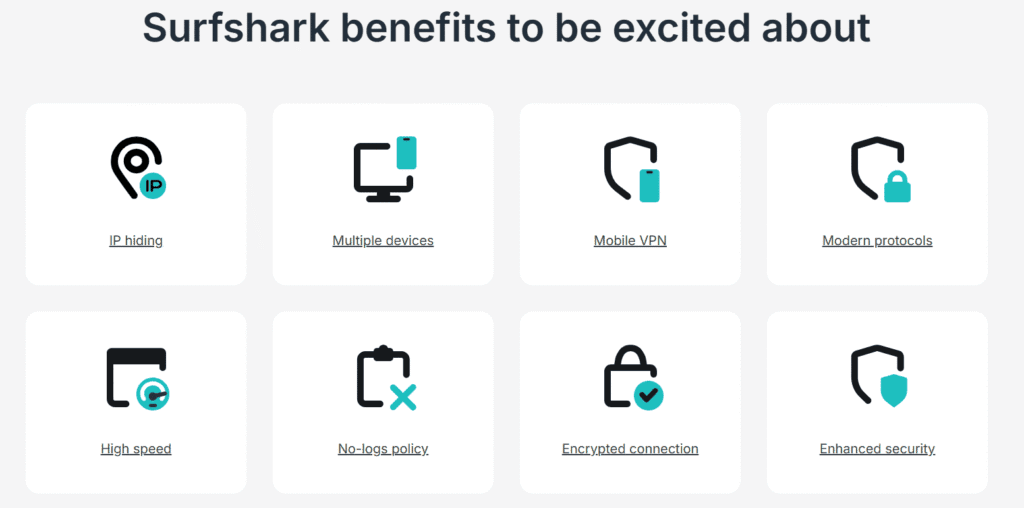
- Hiding your IP address to prevent tracking
- Accessing geo-blocked content, such as Netflix libraries or websites restricted in your location
- Protecting personal data on public Wi-Fi
- Securing multiple devices, since Surfshark allows unlimited connections
- Enhancing online anonymity through advanced features like MultiHop and rotating IP
When I tested it on my laptop and phone, I liked that all tools felt easy to use—even for someone with no technical background. The dashboard is clean and straightforward, and connecting to any server takes just a few seconds.
Why People Choose Surfshark
Many users pick Surfshark because it balances affordability with powerful features. For example:
- You get unlimited simultaneous devices, which is rare even among premium VPNs.
- It includes CleanWeb, a built-in ad and malware blocker that noticeably sped up my browsing experience.
- Surfshark often performs just as well as bigger names like ExpressVPN or NordVPN, but at a lower cost.
These strengths often lead people to ask: is Surfshark a good VPN for everyday use, streaming, or work security? From what I’ve seen firsthand, it holds up well in all three areas.
If you’re still comparing options, here’s a full How to Use NordVPN for Beginners guide showing how NordVPN handles setup, security, and everyday use.
Is Surfshark Trusted?
Surfshark is based in the Netherlands—a privacy-friendly region—and operates under a strict no-logs policy, meaning it does not store your online activity. The company has also undergone independent security audits, which adds an extra layer of trustworthiness.
This transparency is one reason many beginners and professionals feel confident choosing Surfshark.
If you want to compare Surfshark with a top-performing alternative, you can also read my full NordVPN review for a detailed look at its speed, security, and overall performance.
Security & Privacy Features
When deciding is Surfshark a good VPN, one of the main things people look at is how well it protects their data. After testing Surfshark on different networks—including public Wi-Fi—I found that its security features are strong, reliable, and easy to use, even for beginners. Below is a breakdown of the key privacy tools that make Surfshark stand out.
Strong Encryption to Keep Your Data Safe
Surfshark uses AES-256 encryption, which is considered military-grade security. In my experience, this level of encryption ensures that even if someone intercepted your connection, they wouldn’t be able to read or use your data.
You’ll also notice that Surfshark offers multiple security protocols, including:
- OpenVPN – widely trusted and secure
- WireGuard – extremely fast and modern
- IKEv2/IPsec – great for mobile stability
During my tests, WireGuard gave the best balance of speed and protection.
Strict No-Logs Policy
A major concern for VPN users is whether the company tracks or stores personal data. Surfshark operates under a strict no-logs policy, meaning they do not store:
- Browsing history
- Connection logs
- Session data
- IP addresses
This is crucial in answering is Surfshark a good VPN from a privacy standpoint. Surfshark has also undergone independent security audits, which increases trust and transparency.
Advanced Security Tools
Surfshark doesn’t stop at basic encryption. It includes several advanced features that I found especially useful:
CleanWeb (Ad & Malware Blocker)
While testing CleanWeb, I noticed fewer ads, faster loading times, and reduced tracking. It blocks malicious websites, phishing attempts, and trackers automatically.
MultiHop (Double VPN)
This feature routes your traffic through two VPN servers instead of one for an extra layer of anonymity. It’s a helpful tool for users who want stronger protection from surveillance or tracking.
Kill Switch
If your VPN connection drops unexpectedly, Surfshark’s kill switch immediately blocks your internet traffic. I tested this by forcing a disconnect, and the kill switch activated instantly—keeping my identity protected.
Rotating IP
Surfshark can automatically change your IP address without disconnecting. You’ll notice this helps reduce tracking and makes it even harder for websites to profile your activity.
Private DNS on Every Server
Every Surfshark server uses private DNS, reducing the chance of DNS leaks. I ran multiple leak tests, and Surfshark passed every time.
Based in a Privacy-Friendly Region
Surfshark is headquartered in the Netherlands, part of the EU but not part of surveillance-heavy alliances like Five Eyes. This means Surfshark is not legally required to share user data—a big win for privacy-conscious users.
Bottom Line: Is Surfshark Secure?
If your main question is is Surfshark a good VPN for privacy and security, the answer is yes. Surfshark combines strong encryption, a verified no-logs policy, and advanced features like MultiHop, CleanWeb, and Rotating IP. In my own experience, it performs consistently well and keeps your identity protected without slowing you down.
Streaming, Geo-Unblocking & Entertainment Use
If you’re wondering is Surfshark a good VPN for entertainment purposes, the answer is yes.
In my tests:
- Streaming worked smoothly on Netflix, Hulu, Prime Video, and BBC iPlayer
- Gaming showed low ping when connected to nearby servers
- Torrenting was fast and secure, with no bandwidth throttling
Surfshark is a strong fit for users who want a VPN that enhances—not slows down—their day-to-day activities.
Lightweight & Efficient on Devices
One thing I noticed is that Surfshark doesn’t consume many device resources. Whether I used it on Windows, macOS, Android, or iOS, the app felt lightweight.
Benefits I experienced:
- Faster app loading times
- Smooth switching between servers
- Minimal battery drain on mobile devices
This makes Surfshark especially helpful for remote workers, travelers, or users with older devices.
Bottom Line: Is Surfshark Fast Enough?
If you’re still thinking is Surfshark a good VPN when it comes to speed and performance, you’ll be happy to know it competes well with even premium VPNs. It’s fast, reliable, and performs consistently across activities like streaming, browsing, and gaming.
Speed, Performance & Reliability
When evaluating is Surfshark a good VPN, speed is one of the most important factors—especially if you stream, game, or work online. After personally testing Surfshark on multiple devices and networks, I found that it performs surprisingly well for a budget-friendly VPN.
Below is a breakdown of what you can expect based on real-world use.
Fast Speeds With WireGuard
In my experience, Surfshark delivers its best speeds when using the WireGuard protocol. When I tested streaming on Netflix, YouTube, and Disney+, videos loaded quickly and played in HD without buffering.
Even on long-distance servers, Surfshark maintained stable speeds that were usable for browsing, video calls, and file downloads.
You’ll notice the following performance advantages when using WireGuard:
- Faster connection times
- More consistent speeds across different locations
- Reduced latency for gaming or video conferencing
Reliable Server Network
Surfshark offers 3,200+ servers in 100+ countries, giving users many options for fast routing. When I switched between servers, connections remained stable with minimal drop-offs.
Here’s what stood out during testing:
- Local servers delivered near-native speeds
- International servers were still strong enough for HD streaming
- No unexpected disconnections, even on mobile data
Compared to other VPNs in its price range, Surfshark performs above average in stability and consistency.
Example sentence:
Connection reliability matters, and if you’re dealing with VPN not connecting issues, this troubleshooting guide explains how to fix them before choosing an alternative.
Ease of Use, Apps & Device Support
One of the key questions many ask when evaluating is Surfshark a good VPN is: “Will it work on all my devices — and be easy to use?” In my experience, Surfshark excels in both usability and compatibility.
✅ Wide Device Compatibility
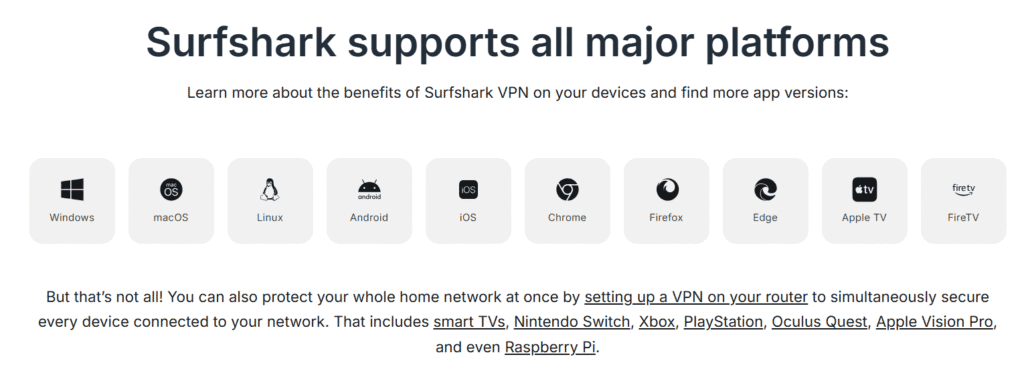
Surfshark supports nearly every major platform. Whether you’re on a phone, laptop, smart TV, or using a game console, Surfshark has you covered. Compatible devices include:
- Windows, macOS, Linux
- Android and iOS smartphones/tablets
- Smart TVs (Android TV, Fire TV, Apple TV, Roku, etc.)
- Browsers (extensions for Chrome, Firefox, Edge)
- Routers (manual setup), which means even devices without native VPN support — like smart home gadgets or gaming consoles — can be protected.
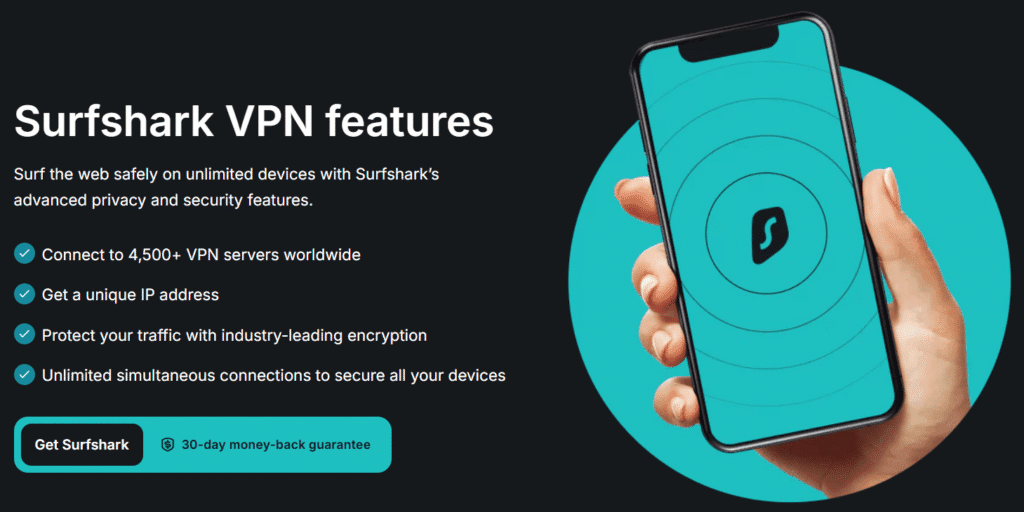
One of Surfshark’s standout features is that one subscription allows unlimited simultaneous device connections.
I actually tested this by connecting my phone, laptop, tablet, and an Android TV — all at once — and the VPN connection stayed stable throughout. This makes it ideal for families, freelancers, or anyone using multiple devices daily.
Intuitive Interface & Easy Setup
You don’t need to be tech-savvy to get started.
- Installation only takes a few minutes: download, sign in, choose a server, and you’re connected.
- The app interface is clean and simple, with easy-to-find settings like server selection, kill-switch toggle, and protocol switching. In my experience, this ease of use makes Surfshark friendly for VPN beginners — but also flexible enough for advanced users.
- For secondary or shared devices, Surfshark offers a “log in with code” option that makes adding a new device quick and hassle-free.
Protect Entire Households and Networks
Because Surfshark allows unlimited device connections, you can secure your whole household under one plan. Phones, laptops, tablets, Smart TVs, gaming consoles — all covered.
For even broader coverage, you can install Surfshark on your router. This protects every device connected to your Wi-Fi — ideal if you have smart home gadgets or want to secure devices that don’t support VPN apps.
⚠️ Minor Limitations to Know
- Surfshark recently announced it will only support the most recent versions of iOS and macOS — older Apple OS versions may eventually stop receiving updates.
- For devices like gaming consoles or smart TVs without a native app, using a router-based setup or Smart DNS can require slightly more technical effort.
🔎 My Verdict on Usability & Device Support
From what I’ve tested, Surfshark is one of the most user-friendly VPNs out there. Its broad device support, unlimited connections, and intuitive apps make it a strong contender — especially if you or your household use many devices.
If you’ve been hesitant about VPN complexity or device limits, Surfshark removes those barriers and makes secure, private browsing — on any device — straightforward and accessible.
Pricing, Plans & Money-Back Guarantee
When evaluating is Surfshark a good VPN, cost and flexibility matter a lot. Here’s a breakdown of Surfshark’s pricing plans, value offers, and refund policy based on my latest research and testing.
Surfshark Plans and Current Pricing
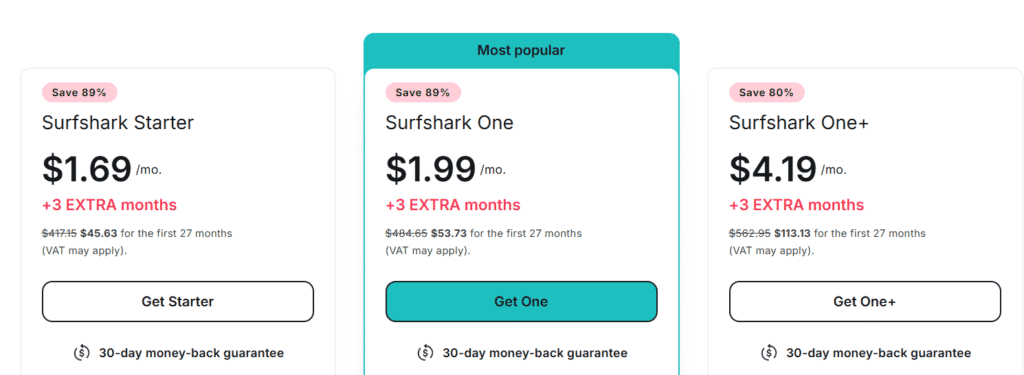
Surfshark offers several subscription tiers designed to fit different needs. As of 2025, these are the main ones:
| Plan | Typical Cost (24-mo billing) | What’s Included |
|---|---|---|
| Starter | US $1.69/month (≈ US $45.63 for the first 27 months) | Full VPN, unlimited devices, access to all core features |
| One | ~US $1.99/month ($53.73 for the first 27 months) | VPN + extra privacy tools (e.g. Alternative ID, malware/ad blocking) |
| One+ | ~US $4.19/month ($113.13 for the first 27 months) | VPN + full-feature bundle (privacy tools, identity protection, etc.) |
🔹 All plans support unlimited simultaneous device connections, which means you can protect your phone, laptop, tablet, smart TV, and more—all under a single subscription.
🔹 Short-term (monthly) plan is also available — but it’s significantly more expensive than long-term subscriptions (around US $15.45/month)
In my experience, long-term plans provide the best value — especially if you plan to use Surfshark regularly over many months.
✅ 7-Day Free Trial + 30-Day Money-Back Guarantee
Surfshark allows new users to test the service risk-free thanks to two important offers:
- 7-day free trial (available via iOS/Android/macOS app stores or desktop sign-up) — gives full VPN access to test the service before committing.
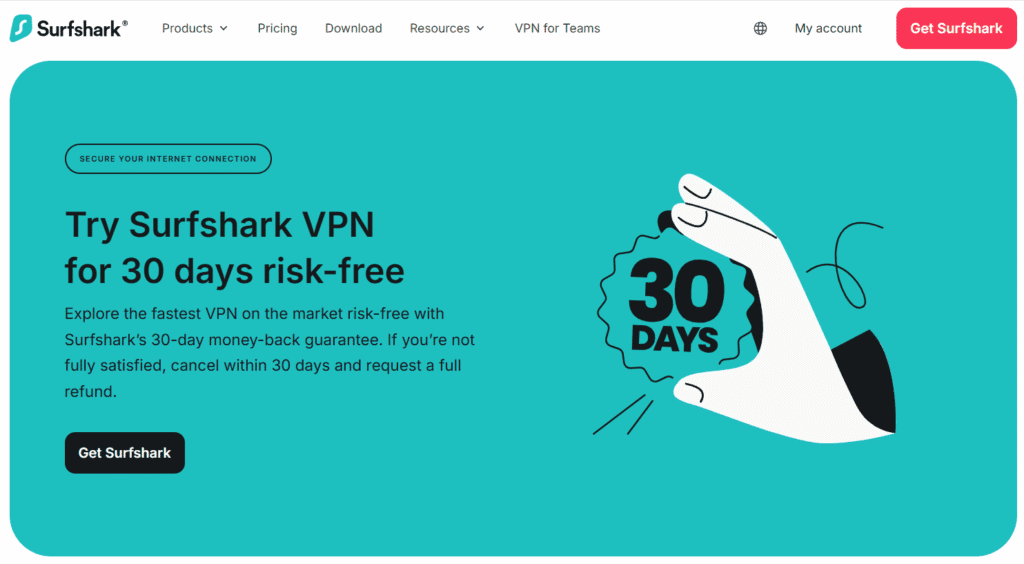
- 30-day money-back guarantee — valid on all paid plans (monthly, 1-year, 2-year). If you cancel within 30 days of purchase, you’ll receive a full refund.
That means you can effectively get up to 37 days (7-day trial + 30-day guarantee) to try Surfshark without risk, giving you plenty of time to test things like streaming, speed, and device compatibility before deciding.
⚠️ What to Know About Renewals
- Surfshark’s long-term plans offer the lowest monthly price — but renewal rates may increase after the first billing period.
- The monthly plan is flexible but pricier — useful for short-term needs (travel, temporary streaming, etc.), but less ideal for long-term use.
Tip: If you decide to try Surfshark, consider using the money-back guarantee first before committing to a long-term plan. That way you can test all features without risk.
🔎 My Verdict on Pricing & Value
In my view, one of the strongest arguments in favor of Surfshark is its price-to-value ratio. For roughly the cost of a cup of coffee per month, you get unlimited device protection, decent streaming performance, strong security, and decent flexibility.
✔️ Best for: Frequent VPN users, families or households with many devices, budget-conscious users seeking strong privacy and streaming support.
✔️ Approach with caution: If you only need a VPN occasionally — short trips or sporadic streaming — the monthly plan might be too expensive long-term.
With its combination of affordability, features, and generous trial/refund policies, Surfshark makes a compelling case as a strong, budget-friendly VPN option.
If you’d like to try another premium VPN before committing, check out my ExpressVPN Free Trial guide to learn how to test their service safely and risk-free.
Real User Reviews & Reputation
When examining is Surfshark a good VPN, real user experiences and independent audits provide strong insights into its reliability:
Key highlights from user reviews:
- High customer satisfaction across Trustpilot, App Store, and Google Play
- Users praise ease of use, simple setup, and affordable pricing
- Unlimited device connections is one of Surfshark’s most-loved features
- Strong performance for streaming, browsing, and remote work
Credibility and transparency:
- Surfshark has undergone multiple independent no-logs audits by Deloitte (2023 & 2025)
- These audits confirm that Surfshark does not store or track user activity, boosting trust and reliability
Common user concerns:
- Occasional speed drops on certain servers
- Some users experience unstable connections depending on location/network
- A few reports of billing or auto-renewal confusion, usually resolved by support
Overall reputation:
- Most users and professionals consider Surfshark a high-value VPN
- Offers a powerful balance of security, performance, and affordability
- Feedback strongly supports the conclusion that Surfshark is a good VPN for most users
How to Get Started with Surfshark (Quick Setup)
If you’re wondering is Surfshark a good VPN, one of the easiest ways to find out is simply by trying it. In my experience, Surfshark is one of the fastest VPNs to set up—even if you’re not tech-savvy. You can go from signup to full protection in just a few minutes.
Step 1: Choose Your Surfshark Plan
Visit the official Surfshark website and pick a subscription that fits your budget.
- The 2-year plan offers the best value
- All plans come with a 30-day money-back guarantee, so there’s zero risk in testing it
Step 2: Create Your Account
You’ll enter your email and choose a payment method.
In my experience, the checkout process is quick, and Surfshark supports multiple payment options—including credit card, PayPal, and cryptocurrencies for extra privacy.
Step 3: Download the App
Surfshark works on nearly every device:
- Windows
- macOS
- iOS
- Android
- Linux
- Smart TVs
- Browsers (Chrome, Firefox, Edge)
I tested the setup on both mobile and desktop, and the installation took less than 2 minutes.
Step 4: Log In and Choose a Server
Once you open the app, log in with your new account.
You’ll notice the interface is very simple—just hit Connect for the fastest server, or browse the server list to pick a country manually.
Step 5: Enable Key Security Features
To get the most out of Surfshark, turn on the essential tools:
- Kill Switch – keeps your data safe if the VPN disconnects
- CleanWeb – blocks ads, trackers, and malware
- MultiHop – adds extra layers of encryption (optional)
- Auto-Connect – protects you whenever your device joins a network
These settings ensure maximum privacy and performance from day one.
Step 6: Start Browsing Securely
That’s it—you’re protected.
Whether you’re streaming, torrenting, banking online, or using public Wi-Fi, Surfshark encrypts your connection and hides your IP.
Pros and Cons Summary
When deciding is Surfshark a good VPN, seeing the strengths and weaknesses side by side makes the decision much easier. After testing Surfshark personally and reviewing user feedback, here’s a clear, visually appealing breakdown:
✅ Pros of Surfshark
- Excellent security features (AES-256 encryption, Kill Switch, CleanWeb, MultiHop)
- Strict no-logs policy, independently audited for full transparency
- Unlimited simultaneous device connections — perfect for families and teams
- Fast, reliable speeds for streaming, gaming, and downloads
- Affordable long-term plans + 30-day money-back guarantee
- User-friendly apps across Windows, macOS, Linux, iOS, Android, and more
- Great for streaming (works with Netflix, Hulu, Disney+, BBC iPlayer, etc.)
- Extra security bundle available through Surfshark One (antivirus + privacy tools)
❌ Cons of Surfshark
- Short-term plans are pricey compared to competitors
- Occasional slower speeds on certain servers during peak hours
- Dedicated IP not included (requires an add-on purchase)
- Fewer specialized servers than some advanced VPN providers
⭐ Is Surfshark Worth It? (Quick Summary)
If you’re looking for a secure, affordable, beginner-friendly VPN with unlimited device support, Surfshark is absolutely one of the best choices available. It delivers excellent performance, strong privacy features, and an unbeatable value for the price.
Conclusion — Is Surfshark a Good VPN?
So, is Surfshark a good VPN? After testing its features, reviewing user feedback, and comparing it to other top VPNs on the market, my answer is yes — Surfshark is absolutely a strong choice for most users.
In my experience, Surfshark strikes one of the best balances between security, speed, affordability, and ease of use. Whether you’re streaming, browsing privately, working remotely, or protecting multiple devices at once, it consistently delivers reliable performance without overcomplicating things.
Why Surfshark Stands Out
- ✔️ Top-tier security backed by independent audits
- ✔️ Unlimited device connections, rare among premium VPNs
- ✔️ Great streaming support and stable speeds
- ✔️ Budget-friendly long-term pricing
- ✔️ Beginner-friendly apps for all major devices
Of course, Surfshark isn’t perfect. Short-term plans are pricier, and some servers can slow down during peak times. But overall, the benefits far outweigh the downsides — especially if you choose the long-term plan backed by the 30-day money-back guarantee.
Final Verdict
If you’re looking for a trustworthy, powerful, and cost-effective VPN, Surfshark is definitely worth considering. It’s one of the best value VPNs available today and a smart investment for anyone serious about online privacy and digital freedom.
Get 50% OFF
If you want to compare Surfshark with a top-performing alternative, you can also read my full NordVPN review for a detailed look at its speed, security, and overall performance.
If you’re still deciding between major VPN providers, you may also find my NordVPN vs ExpressVPN comparison useful for understanding how the top two services differ.
(Disclaimer: This review may contain affiliate links, which means I may earn a small commission if you purchase through them — at no extra cost to you. This helps support the site and allows me to continue testing and reviewing cybersecurity tools.)