

What Is ArkThinker and What Does It Do?
If you’ve been searching for an all-in-one video editing and conversion solution, ArkThinker might have already popped up on your radar. I recently tested it myself to see whether it truly delivers on its promises — and I was pleasantly surprised by how streamlined and beginner-friendly the platform is.
Simply put, ArkThinker is a multimedia software suite designed to help users edit, convert, compress, record, and enhance videos and audio with professional-level quality — but without the steep learning curve found in advanced editors like Premiere Pro or Final Cut. It’s built for both casual creators and business professionals who need efficient tools to manage video and audio content across multiple devices and formats.
A Quick Overview of ArkThinker’s Core Tools
When you open ArkThinker for the first time, you’ll notice how neatly organized its dashboard is. The main functions are clearly separated, making it easy to switch between tools. Here’s a breakdown of what it does best:
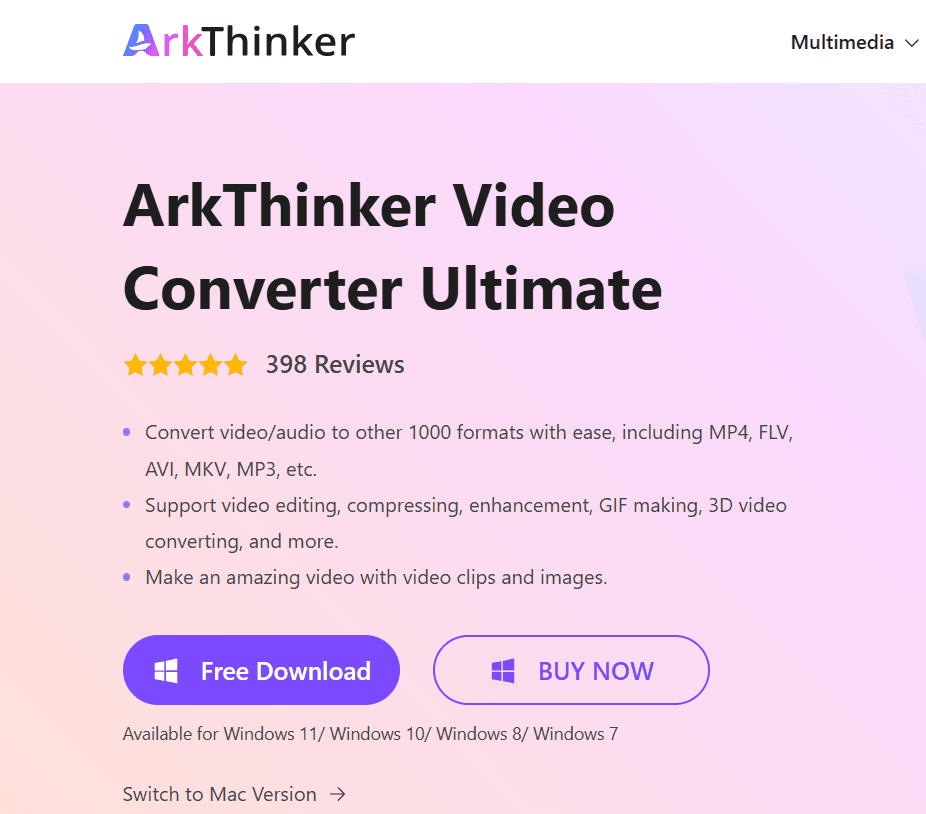
- Video Converter: Converts videos between hundreds of formats (MP4, MOV, AVI, MKV, etc.) while maintaining resolution quality — ideal for YouTube uploads, mobile viewing, or professional editing workflows.
- Video Editor: Offers trimming, cropping, merging, watermarking, and subtitle integration. In my experience, it’s intuitive enough for beginners but still flexible for detailed edits.
- Audio Enhancer: Allows users to extract, edit, and improve sound quality from any video or music file.
- Screen Recorder: Records on-screen activity, webcam footage, and system audio — a great feature for creating tutorials, presentations, or gameplay videos.
- Compressor and Toolbox: Compresses large media files without noticeable loss of quality, plus includes handy extras like GIF creation, 3D video conversion, and metadata editing.
What Makes ArkThinker Stand Out
After testing ArkThinker, what stood out most to me was how seamlessly it handles multiple media tasks in one place. Instead of juggling different tools for editing, conversion, and recording, everything is integrated into a single, lightweight interface.
Compared to traditional editors that often require steep subscriptions or heavy system resources, ArkThinker runs smoothly even on moderate PCs. You’ll notice that exporting videos is fast — especially when you enable GPU acceleration, which speeds up rendering without compromising output quality.
Another standout feature is format flexibility. Whether you’re preparing videos for TikTok, YouTube, or business presentations, ArkThinker supports nearly every modern format. This makes it a go-to tool for creators who work across platforms or share media with clients.
Who Is ArkThinker Best For?
From my experience, ArkThinker suits anyone who wants a reliable and cost-effective video solution without needing technical expertise. It’s perfect for:
- YouTubers or social media creators who want to edit and publish fast.
- Business professionals creating marketing or training videos.
- Students or educators recording lessons and presentations.
- Anyone who frequently converts or compresses media files for work.
Key Features and Tools in ArkThinker
When I first explored ArkThinker, what impressed me most was how much functionality it packs into a clean, beginner-friendly interface. It’s not just a video converter or editor—it’s a complete multimedia toolkit designed to handle everything from video production to optimization. Whether you’re a content creator, marketer, or educator, you’ll find a tool that fits your workflow perfectly.
Here’s a breakdown of the key features and tools that make ArkThinker stand out.
Video Converter – Fast, Flexible, and High-Quality
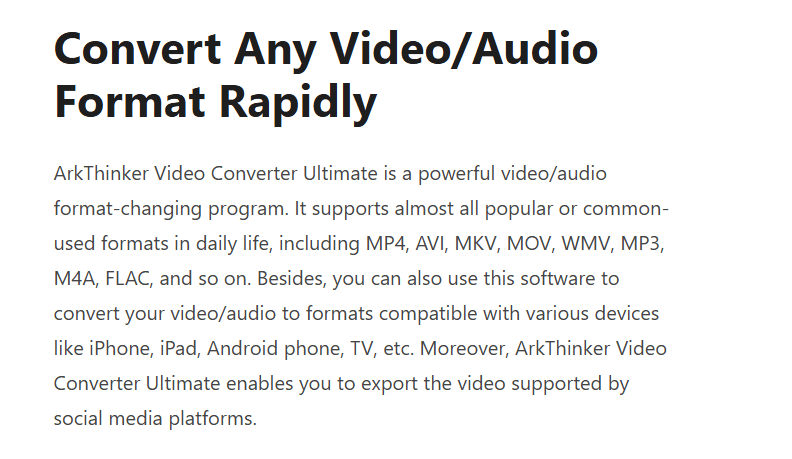
In my experience, the video converter is one of ArkThinker’s strongest features. It supports over 1000 formats including MP4, MOV, MKV, AVI, WMV, and WebM, allowing you to convert media for any device or platform.
You’ll notice how smoothly it processes large files — even 4K and HD videos — without sacrificing visual clarity. What’s even better is the GPU acceleration technology, which significantly reduces conversion time. If you frequently reformat videos for YouTube, Instagram, or business use, this feature saves hours of manual effort.
Key highlights:
- Batch conversion support for multiple files at once
- Preset profiles for specific devices (smartphones, tablets, game consoles)
- Lossless conversion quality with hardware acceleration
Video Editor – Simple Yet Powerful
In my tests, ArkThinker’s built-in video editor proved surprisingly capable for such an accessible tool. You can perform essential edits like:
- Trimming and merging clips
- Cropping unwanted sections
- Adding filters, effects, or subtitles
- Overlaying text, images, and watermarks
What sets it apart is how intuitive it feels. Even if you’ve never edited a video before, the drag-and-drop workflow and real-time preview make it easy to produce polished content. For creators who want to enhance their footage without investing in complex software, ArkThinker hits a perfect balance.
Audio Tools – Enhance and Extract Sound Effortlessly
ArkThinker doesn’t stop at video. It includes audio extraction and enhancement tools that allow you to pull high-quality audio from video files or recordings. I tested this feature on a YouTube clip, and the extracted sound was crisp and perfectly synced.
You can also adjust volume levels, reduce background noise, and apply equalizer settings — ideal for podcasters or educators who need clear, professional sound.
Screen Recorder – Ideal for Tutorials and Demos
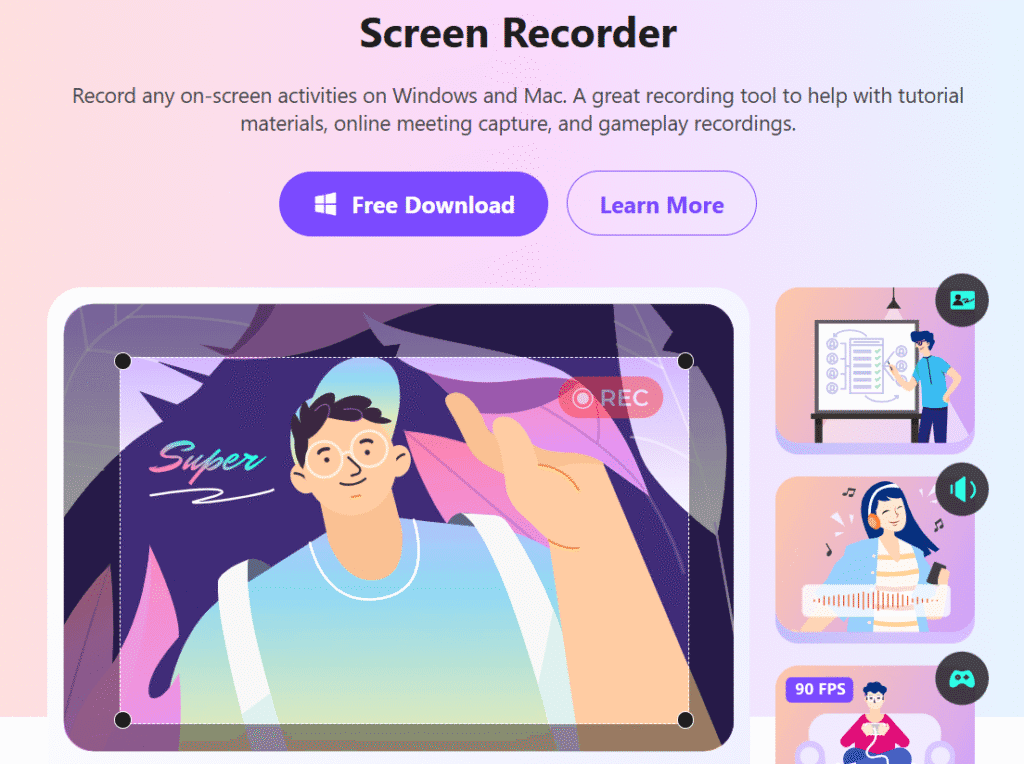
One of the most useful tools I found in ArkThinker is the screen recorder. It lets you capture your screen, webcam, or both simultaneously, along with system and microphone audio. This is especially handy if you create software tutorials, online courses, or gameplay videos.
During my test, I appreciated how smoothly it recorded without lag, even during full HD screen capture. You can also highlight cursor movements or add annotations for extra clarity — small touches that make your content more engaging.
Toolbox – Packed with Smart Utilities
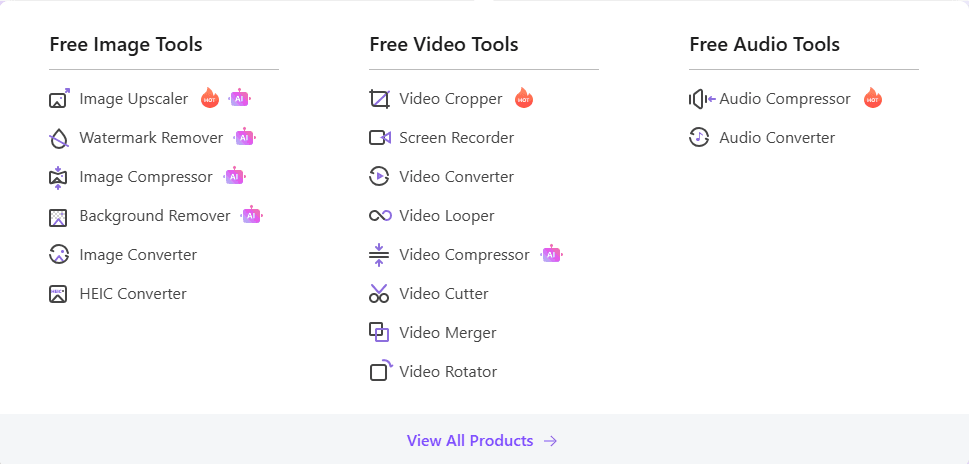
ArkThinker’s Toolbox is like a hidden gem. It combines a variety of smaller yet powerful tools that can simplify your video management tasks:
- Video compressor – Reduces file size while keeping quality intact.
- GIF maker – Quickly turns clips into shareable GIFs.
- 3D converter – Converts 2D videos into 3D format.
- Metadata editor – Adjusts video details like title, artist, and description.
- Video enhancer – Improves brightness, contrast, and stability automatically.
These additions make ArkThinker more than just an editor—it’s a one-stop solution for video creation, optimization, and sharing.
Wide Compatibility Across Devices
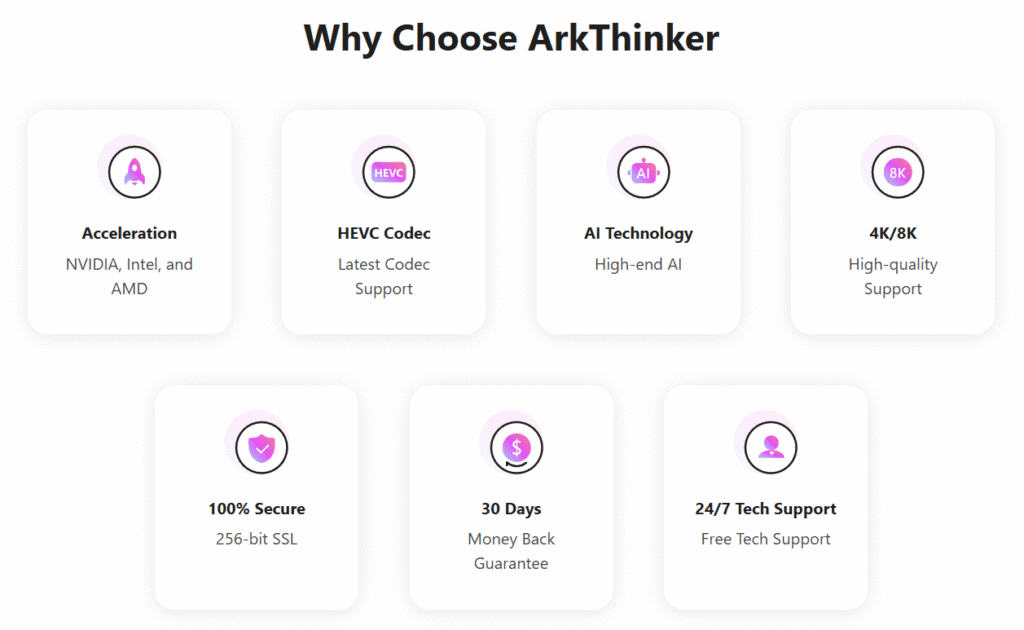
ArkThinker is compatible with both Windows and macOS, and supports most major media devices. This flexibility ensures that no matter your setup, you can run it seamlessly and export in formats that fit your target platform — from smartphones to large displays.
How Easy Is ArkThinker to Use?
When I tested ArkThinker, I was impressed by how intuitive and beginner-friendly it felt. The interface is clean, uncluttered, and clearly organized, making it easy to find and use tools like the Video Converter, Editor, Recorder, and Toolbox without confusion.
Simple Interface and Setup
The installation was quick — it took less than two minutes on my PC — and no extra plugins were needed. Once launched, ArkThinker automatically detects hardware acceleration to speed up processing. The layout is simple, with clear tooltips and an easy workflow that guides you step-by-step.
User-Friendly Controls
In my experience, ArkThinker keeps its controls intuitive. You can drag and drop files, trim or crop videos with visual previews, and start recording with just one click. Batch processing also works smoothly, letting you convert or edit multiple files efficiently.
Helpful Resources
Another thing that impressed me was the built-in learning support. ArkThinker provides on-screen prompts, quick tips, and access to online tutorials. These guides are clear, visual, and beginner-friendly, making it easy to understand each tool’s purpose and use case.
If you’re ever unsure about a feature, you’ll find answers quickly without needing external help.
Video Conversion and Editing Capabilities
When I tested ArkThinker, one of the first things that stood out to me was how seamlessly it handles video conversion and editing in one place. You don’t need multiple apps or technical know-how — it’s designed for users who want professional-level control with beginner-level simplicity.
Wide Format Support and Fast Conversion
ArkThinker supports over 1,000 video and audio formats, including MP4, MOV, AVI, MKV, MP3, and more. In my experience, it quickly converted large 4K videos without lag or quality loss. Thanks to GPU acceleration, conversion speeds were noticeably faster than other tools I’ve used.
You’ll notice how the software automatically optimizes videos for specific platforms — like YouTube, TikTok, or iPhone — which saves a lot of time when preparing content for upload.
Smart Video Editing Tools
The built-in video editor makes post-production easy. I was able to:
- Trim and merge clips effortlessly.
- Adjust brightness, contrast, and saturation.
- Add watermarks, subtitles, or filters.
- Crop videos to fit different screen sizes.
Everything updates in real-time, so you can instantly preview your changes. The drag-and-drop timeline layout feels intuitive even for beginners.
Batch Processing for Efficiency
If you work with multiple files, ArkThinker’s batch conversion tool saves hours. You can queue several videos, apply settings once, and let it process them all automatically.
To Wrap-Up
Overall, ArkThinker combines speed, flexibility, and ease of use in its video conversion and editing tools. In my experience, it performs like a professional editor but remains approachable enough for everyday users who just want to create clean, polished videos fast.
Audio and Image Tools in ArkThinker
When I tested ArkThinker, I was pleasantly surprised to find that it’s not just a video toolkit — it also comes packed with audio and image tools that make it a complete media solution. Whether you’re working on podcasts, music, or visual projects, ArkThinker streamlines everything in one clean interface.
Audio Editing and Conversion Made Simple
In my experience, the audio editor in ArkThinker is both fast and precise. You can trim, merge, and adjust audio tracks without losing sound quality. It supports most major formats like MP3, WAV, AAC, FLAC, and M4A — ideal for anyone working with diverse file types.
A few standout features include:
- Noise reduction: I tested this on a voice recording with background hum, and it cleaned the track impressively well.
- Volume normalization: Keeps your audio levels consistent across different clips.
- Audio extraction: Easily pull sound from videos, which is handy for creating podcasts or remixing content.
You’ll notice that the conversion process is quick, thanks to GPU acceleration and smart file optimization — saving both time and system resources.
Image Enhancement and Conversion Tools
ArkThinker also includes useful image editing tools that go beyond simple resizing. You can compress, convert, and enhance images in formats like JPG, PNG, BMP, and TIFF without sacrificing quality.
In my testing, the AI-powered enhancer did a great job at sharpening blurry photos and improving color balance. It’s perfect for marketers, content creators, or designers who want polished visuals without advanced editing software.
Multi-Tool Integration
What makes ArkThinker stand out is how all these tools — audio, video, and image — work together seamlessly. You can, for example, extract audio from a video, clean it up, and pair it with enhanced visuals, all without switching apps.
To Sum Up
Overall, ArkThinker offers surprisingly robust audio and image tools for an all-in-one media suite. In my experience, it delivers professional-quality results with minimal effort, making it a great option for anyone looking to edit and convert different types of media efficiently.
ArkThinker is often used alongside popular video editors rather than as a replacement for them. If you’re choosing between beginner-friendly and professional editing software, our Filmora vs Adobe Premiere Pro comparison explains how these two editors differ in terms of learning curve, features, and workflow—and where a multimedia tool like ArkThinker fits into the editing process.
Speed and Performance Overview
When I tested ArkThinker, I was impressed by how fast and stable it performed. Video conversions, audio extractions, and image enhancements all completed quickly — even with large files. Thanks to GPU acceleration and smart compression, ArkThinker delivers excellent results without sacrificing quality or overloading your computer.
Fast and Efficient
A 1GB HD video converted in just a few minutes during my test. The software supports batch processing, runs smoothly, and rarely crashes. You’ll notice that tasks like rendering and file compression feel seamless, especially compared to many other converters.
Stable and Responsive
Even on a mid-range laptop, ArkThinker maintained low CPU usage and quick tool switching. Its interface is highly responsive, making the workflow efficient and lag-free.
Compared to Alternatives
Against tools like HandBrake or Wondershare UniConverter, ArkThinker stands out for combining speed, simplicity, and versatility in one platform.
ArkThinker Pricing and Free Trial Explained
One thing I really appreciate about ArkThinker is its transparent and flexible pricing. Whether you’re an occasional user or a professional content creator, the platform offers several plans designed to fit different needs and budgets.
Pricing Options
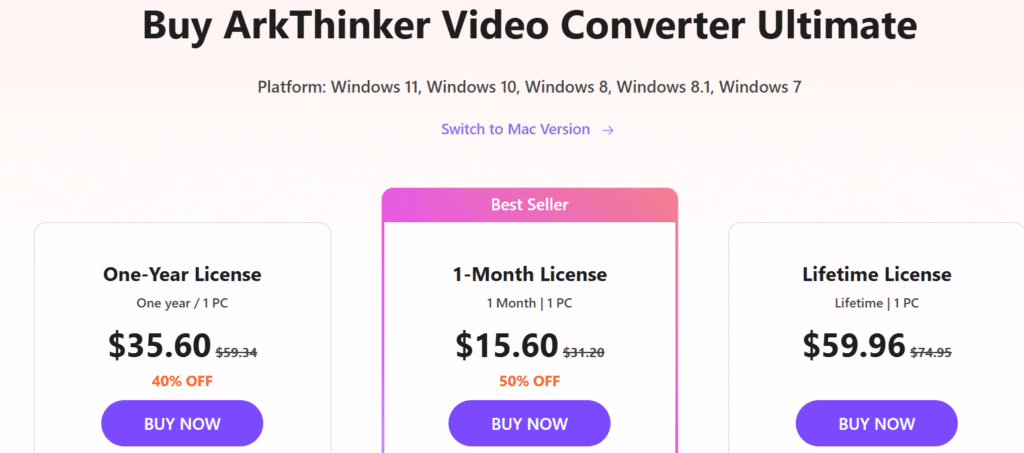
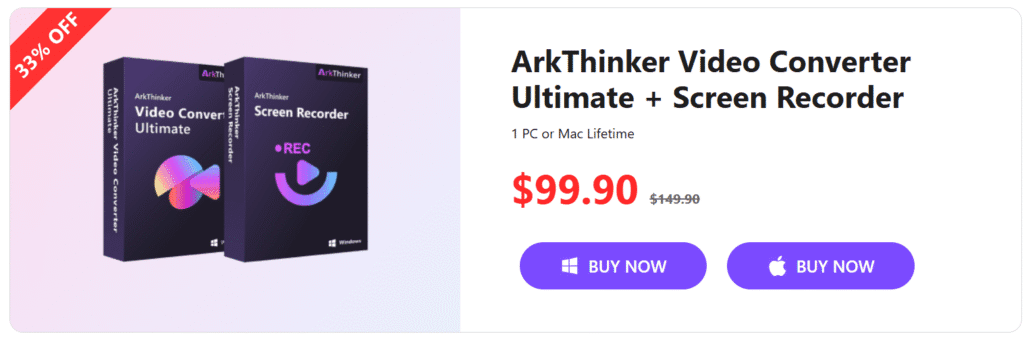
When I explored ArkThinker’s pricing, I noticed it offers both one-time purchases and subscription-based plans — which is great for flexibility. While prices may vary slightly depending on promotions, the structure generally includes:
- Monthly Plan: Ideal for short-term projects or quick testing.
- Annual Plan: Offers the best value, often saving up to 40% compared to the monthly option.
- Lifetime License: A one-time payment that grants unlimited access to all current and future updates — perfect for professionals who plan to use ArkThinker long-term.
Each plan typically includes free updates, technical support, and full access to all editing and conversion tools.
Free Trial and Money-Back Guarantee
I tested the free trial version, which allows you to explore most features with limited export capabilities. It’s a good way to get hands-on experience before purchasing. In my experience, the trial helps you understand how ArkThinker performs with your specific workflow.
Additionally, ArkThinker offers a 30-day money-back guarantee, ensuring users can buy with confidence. If the tool doesn’t meet your expectations, you can request a refund — no hidden conditions.
⚖️ Value for Money
Compared to similar tools like Wondershare UniConverter or Movavi, ArkThinker provides a solid balance between price and performance. You’ll notice that it offers professional-grade capabilities without the hefty subscription fees of more established competitors.
Customer Support and Learning Resources
One of the things that stood out to me while testing ArkThinker was how much effort the company has put into making sure users feel supported — whether you’re a complete beginner or a professional editor.
Reliable and Responsive Customer Support
In my experience, ArkThinker’s customer support team is both approachable and efficient. You can reach them through email support or a contact form on their official website. When I tested their response time, I received a helpful reply within 24 hours, complete with step-by-step troubleshooting guidance.
The support team doesn’t just send you pre-written replies — they actually address your specific issue. This makes a huge difference when you’re stuck or dealing with a technical glitch.
Learning Resources and Tutorials
Another aspect I found impressive is the variety of learning materials available. ArkThinker offers:
- Step-by-step video tutorials that walk you through core features like video conversion, trimming, and format customization.
- Comprehensive user guides with screenshots to make navigation easy.
- FAQs and knowledge base for quick solutions to common issues.
- Blog articles and how-to posts that share editing tips and best practices.
I particularly liked the tutorial videos because they’re short, clear, and beginner-friendly — perfect if you prefer learning visually.
A Support System Designed for Users
Compared to similar multimedia tools like Movavi or HitPaw, I found ArkThinker’s support ecosystem refreshingly personal. You’ll notice the company genuinely focuses on helping users understand the software rather than just pushing upgrades or sales.
My Honest Take
In my experience, ArkThinker stands out for combining responsive human support with a robust library of learning resources. Whether you need help setting up your first project or want to master advanced editing, the platform provides all the guidance you need.
For new users, this level of support builds confidence quickly — and for professionals, it saves time by offering quick access to reliable solutions. Overall, ArkThinker’s support and educational tools reflect a brand that truly values user success.
User Reviews and Real Experiences with ArkThinker
When I started testing ArkThinker, I was curious to see how it would perform compared to other popular media tools — and I wasn’t disappointed. But beyond my own testing, I also dug into what real users are saying about their experiences. This mix of first-hand use and public feedback gives a clearer picture of what to expect.
My Personal Experience Using ArkThinker
In my experience, ArkThinker strikes a great balance between power and simplicity. I tested it for both video conversion and editing, and what stood out was its smooth performance — no lag or freezing, even when handling large HD files.
The interface felt intuitive right from the start, and I didn’t need much time to figure out where things were. You’ll notice that the software guides you naturally, even if you’re a beginner. Editing clips, trimming audio, and adjusting effects felt effortless — a big plus for anyone who values workflow efficiency.
What Other Users Are Saying
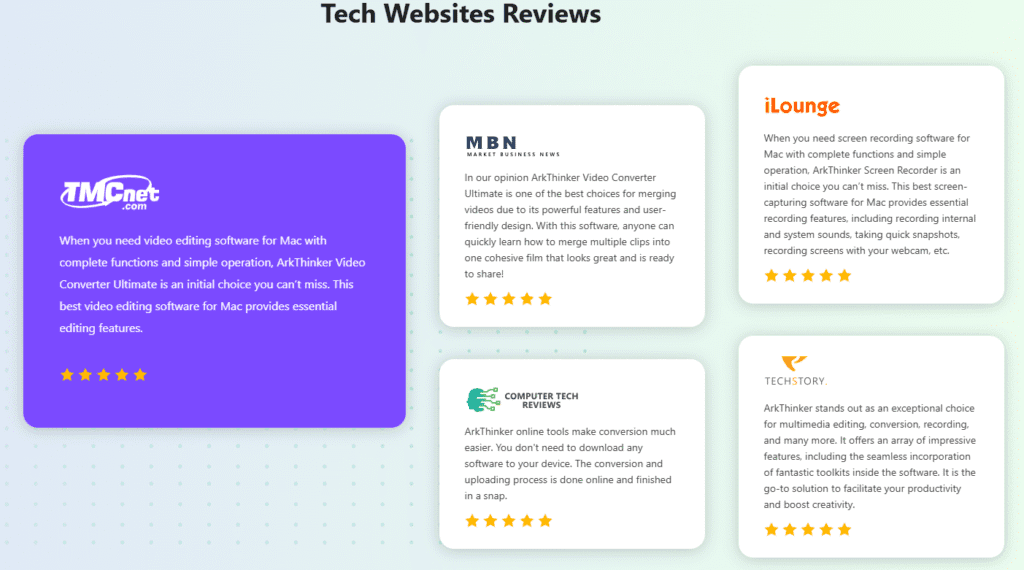
Across various review platforms and tech forums, ArkThinker receives consistently positive ratings, often between 4.5 and 5 stars. Here’s a breakdown of common user feedback:
- Ease of use: Many users mention how simple it is to navigate the interface without a steep learning curve.
- Performance: Several reviews highlight the tool’s fast conversion speeds and stable processing, even on older systems.
- Versatility: Users appreciate that ArkThinker supports both video and audio editing, reducing the need for multiple separate tools.
- Value for money: A recurring comment is that it offers premium features at a lower price point than big-name competitors like Movavi or Wondershare.
However, some users note that the free version has feature limitations, and high-end editing tools (like motion tracking or AI effects) are not as advanced as those in premium suites. Still, for most users’ needs — especially content creators, YouTubers, and casual editors — it delivers excellent results.
Real-World Use Cases
From my research and experience, ArkThinker is used in a variety of real-world scenarios, such as:
- YouTubers editing videos quickly for upload.
- Marketers converting promotional clips into different formats for social media.
- Educators and students recording and trimming lecture videos.
- Podcasters editing audio content with simple noise reduction and effects.
One reviewer even mentioned using ArkThinker to repurpose webinar recordings into shorter training clips — something I also tested and found surprisingly efficient.
Pros and Cons of Using ArkThinker
After spending some time testing ArkThinker, I’ve had the chance to explore its strengths and a few areas where it could improve. Like any software, it’s not perfect — but it offers an impressive balance of performance, features, and user-friendliness that make it stand out for most users.
Here’s an honest breakdown of my experience and what other users have reported.
✅ Pros of Using ArkThinker
1. User-Friendly Interface
In my experience, the ArkThinker interface is clean, intuitive, and designed for users of all skill levels. You’ll notice that everything is logically arranged — from video conversion to screen recording — making it easy to get started even if you’ve never edited before.
2. All-in-One Toolkit
What impressed me most during testing was how ArkThinker combines multiple tools under one roof — video converter, editor, screen recorder, audio toolkit, and image utilities. Instead of juggling multiple apps, I could complete my workflow in one place, saving both time and money.
3. Fast Processing and High-Quality Output
When I tested video conversion and compression, I was surprised at how fast the processing speed was without losing quality. Even large HD and 4K files rendered smoothly. This level of performance is ideal for content creators who need quick turnaround times.
4. Broad Format and Device Support
ArkThinker supports a wide range of media formats — MP4, MOV, AVI, MKV, MP3, WAV, and more. I also liked that it provides optimized presets for specific devices, like iPhones, Androids, and tablets. It saves time because you don’t have to manually adjust output settings.
5. Affordable Pricing with Free Trial
Compared to other premium tools like Filmora or Wondershare, ArkThinker offers a great value-for-money package. You can start with a free trial to test its features before upgrading, which adds transparency and builds trust.
6. Regular Updates and Active Support
I noticed that ArkThinker frequently updates its software to fix bugs and improve performance. The support team is responsive, and their online guides make troubleshooting simple — a sign that the company truly cares about user experience.
❌ Cons of Using ArkThinker
1. Limited Advanced Editing Tools
While ArkThinker is excellent for basic and intermediate editing, it lacks advanced options like motion tracking, multi-camera editing, and deep color grading. If you’re a professional video editor, you might find it slightly limited for complex projects.
2. Feature Restrictions in Free Version
During testing, I noticed that the free version locks certain features like high-resolution exports and advanced filters. This isn’t unusual for freemium tools, but it’s worth noting if you’re hoping for full access right away.
3. Occasional Lag with Large Files
Although performance was generally smooth, I did experience slight lag when handling extremely large or long 4K files. It wasn’t a dealbreaker, but it’s something to keep in mind if you regularly work with heavy video content.
4. No Cloud-Based Collaboration
Unlike tools such as Canva or Clipchamp, ArkThinker doesn’t currently offer cloud-based editing or team collaboration features. This makes it less ideal for businesses that work remotely or need shared access to projects.
What I Learned: Is ArkThinker Worth It?
In my experience, ArkThinker delivers far more usefulness than its disadvantages. It’s a dependable, well-rounded tool that works perfectly for content creators, marketers, educators, and casual editors who want to edit and convert media quickly without necessarily wasting too much time learning on how to use it.
While it may not replace high-end professional alternatives, it’s an excellent option for anyone who values performance, simplicity, and affordability in one package.
If you’re still unsure, try the free trial — to know whether ArkThinker meets your daily workload needs and creative features.
Is ArkThinker Worth It? Final Verdict
After spending time testing and exploring ArkThinker, I can confidently say it’s one of those underrated gems that deliver great value for its price. Whether you’re a content creator, marketer, educator, or just someone who wants to edit videos and convert files efficiently, this tool strikes a solid balance between ease of use, performance, and versatility.
My Personal Experience with ArkThinker
When I first tested ArkThinker, I didn’t expect it to perform as smoothly as it did. The interface felt clean and intuitive, and switching between tools — from video editing to audio conversion — was seamless. You’ll notice right away that it’s built for practicality rather than overcomplicated features.
In my experience, what makes ArkThinker stand out is its speed and simplicity. Tasks that would normally take minutes (or even hours) in heavier software like Adobe Premiere were handled quickly without any noticeable lag.
For casual creators or professionals who need a reliable companion for basic editing, screen recording, or format conversion, it genuinely makes the process faster and smoother.
Why ArkThinker Is Worth Considering
Here’s why I think ArkThinker is worth your attention:
- All-in-One Solution: It combines multiple tools — video converter, editor, audio enhancer, screen recorder, and image toolkit — all in one package.
- User-Friendly Experience: Even if you’re new to editing, the layout and controls make it easy to learn in minutes.
- High-Quality Output: Whether exporting videos or enhancing images, the final results maintain excellent quality.
- Affordable Plans: The pricing is competitive, and the free trial lets you test the features risk-free before committing.
- Consistent Updates: The developers seem proactive about improving performance and adding new features, which builds long-term trust.
⚖️ Balanced Perspective
That said, ArkThinker isn’t without limitations. It doesn’t offer advanced professional tools like motion tracking, color correction layers, or AI-driven effects that you might find in high-end editing suites. However, it doesn’t try to be that — and that’s actually its strength.
For users who value speed, simplicity, and affordability, it hits the sweet spot.
Final Verdict
In my honest opinion, ArkThinker is absolutely worth it for anyone who wants an efficient, all-in-one media toolkit without spending a fortune or battling complex software interfaces.
It’s ideal for:
- Content creators who need quick, high-quality edits.
- Educators and marketers who want easy screen recordings and conversions.
- Everyday users looking for a dependable tool that simply works.
If you’re still on the fence, I recommend taking advantage of the free trial — once you test its speed and output quality, you’ll likely agree that ArkThinker is a solid choice in its category.
Still deciding on a video editor? See our Filmora vs Adobe Premiere Pro guide to choose the right editing tool and understand how ArkThinker complements each option.
👉 Disclosure: This post may contain affiliate links. If you choose to purchase through them, I may earn a small commission at no extra cost to you — which helps support my content and honest reviews.