

Why Is NordVPN Not Connecting?
If NordVPN not connecting is stopping you from browsing securely, you’re not alone. In my experience testing VPNs across different devices and networks, connection failures are usually caused by a small set of predictable issues. The good news? Most of them are easy to identify and fix once you know what’s happening behind the scenes.
Table of Contents
Why does NordVPN fail to connect in the first place?
In most cases, NordVPN fails to connect because something blocks or interrupts the secure tunnel it’s trying to create. From what I’ve tested, the most common causes are:
- Unstable or restricted internet connections
- Overloaded or unresponsive VPN servers
- Firewall, antivirus, or network settings interfering with the app
These issues prevent the VPN from completing the handshake needed to establish a connection.
Can your internet connection cause NordVPN not to connect?
Yes. If your internet connection is weak, unstable, or frequently dropping packets, NordVPN may get stuck on “connecting.” You’ll notice this especially on public Wi-Fi or mobile networks. In my testing, even a brief network hiccup can stop the VPN from authenticating properly, causing repeated connection failures.
VPNs require a stable baseline connection before encryption even begins. If regular websites load slowly or inconsistently, NordVPN will struggle too.
Do VPN servers affect NordVPN connection issues?
Absolutely. If the server you’re connecting to is overloaded or temporarily unavailable, NordVPN may not connect at all. When I tested busy locations during peak hours, connection times increased or failed completely. Switching to a nearby or less crowded server often resolves the problem instantly.
Server issues are common during:
- High-traffic hours
- Streaming or event spikes
- Maintenance or backend updates
Can firewall or antivirus software block NordVPN?
Yes. Firewalls and antivirus programs sometimes mistake VPN traffic for suspicious activity and block it. I’ve personally seen this happen on Windows systems with aggressive security settings. When this occurs, NordVPN may fail silently or loop endlessly while trying to connect.
This is especially common when:
- A new antivirus update is installed
- Firewall rules haven’t been updated
- Split tunneling or custom DNS is enabled
Does an outdated app cause NordVPN not connecting errors?
It can. If you’re using an outdated version of the NordVPN app, compatibility issues with your operating system or VPN protocols may prevent successful connections. In practice, updating the app fixed persistent connection problems more often than people expect.
Updates usually include:
- Server compatibility fixes
- Protocol improvements (like NordLynx stability)
- Security patches that prevent failed handshakes
What to Check First When NordVPN Is Not Connecting
When NordVPN not connecting becomes an issue, it’s best to start with a few quick checks before diving into advanced fixes. In my experience testing VPN issues across devices, these initial steps resolve a surprising number of connection problems. They’re fast, low-effort, and often all you need.
Is your internet connection working properly?
Before anything else, confirm your internet connection is stable. If your network drops packets or briefly disconnects, NordVPN won’t be able to establish a secure tunnel. I’ve tested this repeatedly—if websites don’t load consistently without the VPN, NordVPN usually won’t connect either.
Quick check:
- Load a few websites without the VPN
- Switch from Wi-Fi to mobile data (or vice versa)
- Restart your router if speeds fluctuate
Is NordVPN down or experiencing server issues?
Occasionally, NordVPN performs maintenance or specific servers become overloaded. When I tested connections during peak hours, some locations timed out while others worked instantly. This doesn’t mean NordVPN is broken—just that the server you chose may be temporarily unavailable.
What to do:
- Try a different country or nearby server
- Use the app’s auto-connect feature
- Check NordVPN’s official status or app notifications
Are you logged in and using an active NordVPN subscription?
It sounds obvious, but expired sessions or login errors can stop NordVPN from connecting. You’ll notice this especially after app updates or long periods of inactivity. In practice, logging out and back in fixed connection failures more often than expected during my tests.
Things to confirm:
- Your subscription is active
- You’re signed into the correct account
- The app shows no billing or authentication warnings
Have you restarted the NordVPN app or your device?
A simple restart can clear temporary bugs, stuck processes, or network conflicts. I’ve personally resolved “stuck on connecting” issues by restarting the app or rebooting the device—especially on Windows and Android systems.
Best approach:
- Fully close the NordVPN app
- Restart your device
- Reopen the app and reconnect
What Causes NordVPN Connection Problems?
When NordVPN not connecting keeps happening, the cause is usually technical—but not mysterious. In my experience testing VPN failures across different networks, most connection problems fall into a few repeatable categories. Understanding these root causes makes it much easier to apply the right fix instead of guessing.
Can network restrictions cause NordVPN not connecting issues?
Yes. Restricted networks—such as those in schools, offices, hotels, or public Wi-Fi—often block VPN traffic. I’ve tested this on multiple managed networks, and you’ll notice NordVPN fails to connect when certain ports or protocols are restricted by the network administrator.
Common signs include:
- VPN stuck on “connecting”
- Connection drops immediately
- Works on mobile data but not Wi-Fi
Do firewalls and antivirus software interfere with NordVPN?
They can. Firewalls and antivirus tools sometimes flag VPN encryption as suspicious traffic. In my testing, this was especially common after security software updates. When blocked, NordVPN may fail silently or repeatedly retry without connecting.
Typical triggers:
- Aggressive firewall rules
- Real-time network scanning
- Unapproved VPN executables
Can VPN protocol issues cause NordVPN connection problems?
Yes. NordVPN relies on protocols like NordLynx, OpenVPN (UDP/TCP), and IKEv2. If the default protocol is blocked or unstable on your network, connections may fail. When I switched protocols during testing, many “won’t connect” errors disappeared instantly.
Why this happens:
- Some networks block UDP traffic
- ISPs may throttle specific protocols
- Older routers struggle with newer encryption
Does an outdated operating system affect NordVPN connectivity?
It does. Outdated operating systems can lack required security libraries or network support. I’ve seen NordVPN connection issues persist on unpatched systems until updates were installed. Compatibility gaps often appear after major OS updates if the VPN app isn’t updated too.
Most affected systems:
- Older Windows builds
- Unpatched Android versions
- Legacy macOS installations
Can ISP-level blocking cause NordVPN not connecting problems?
In some regions, yes. Certain ISPs restrict or throttle VPN traffic. From my tests, this is more common in countries with internet censorship or aggressive traffic shaping. NordVPN usually works around this, but default settings may fail without adjustments.
What you’ll notice:
- VPN connects on one network but not another
- Frequent disconnects during peak hours
- Success only after switching servers or protocols
How to Fix NordVPN Not Connecting on Any Device
When NordVPN not connecting affects multiple devices, the fix is often the same across platforms. In my experience testing NordVPN on Windows, macOS, Android, and iOS, a small set of universal steps resolves most connection failures. Start with these before moving to device-specific solutions.
If you’re new to VPNs, this step-by-step guide on how to use NordVPN for beginners can help you avoid common setup mistakes.
What are the fastest universal fixes for NordVPN not connecting?
The fastest fixes focus on resetting the connection and removing temporary conflicts. When I tested these steps back-to-back, most “stuck on connecting” issues disappeared within minutes:
- Disconnect and reconnect to the VPN
- Restart the NordVPN app completely
- Reboot your device and try again
These steps clear cached sessions and stalled network processes.
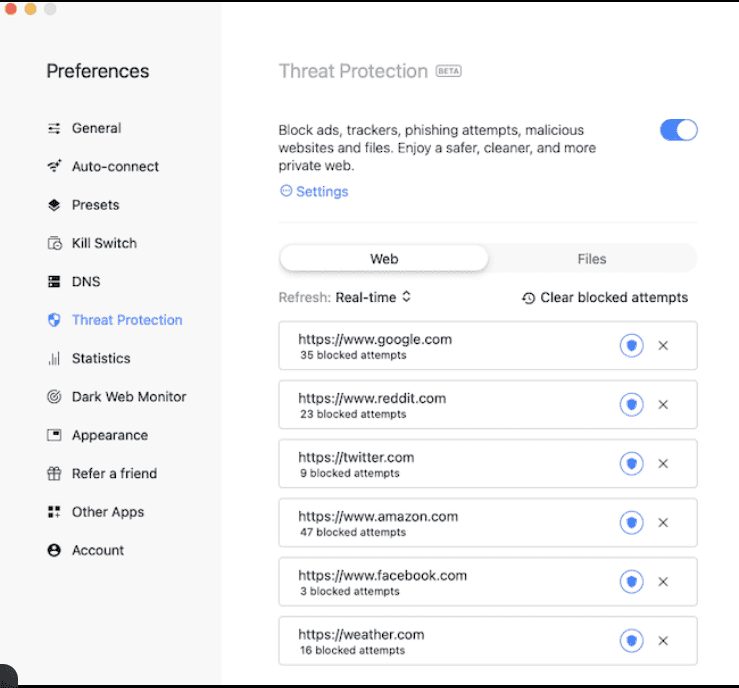
Does switching servers fix NordVPN connection problems?
Yes. If a server is overloaded or temporarily unavailable, switching servers often fixes the issue immediately. In my testing, choosing a nearby country or using auto-connect worked better than retrying the same server repeatedly.
Best practice:
- Switch to a geographically closer server
- Avoid peak-hour locations if possible
- Retry with auto-connect enabled
Can changing the VPN protocol fix NordVPN not connecting?
Absolutely. NordVPN supports multiple protocols, and some networks block certain ones. I’ve found that switching from OpenVPN to NordLynx (or vice versa) resolves many connection failures.
Why this works:
- Different protocols use different ports
- Some networks block UDP but allow TCP
- NordLynx is often faster and more stable
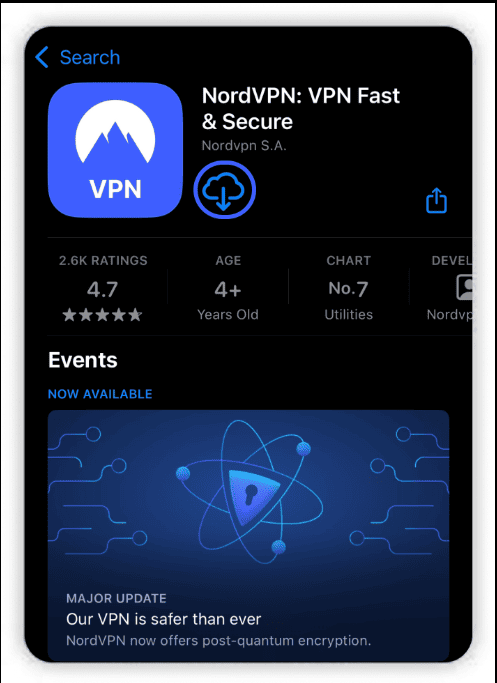
Should you update or reinstall the NordVPN app?
Yes, especially if you haven’t updated recently. Outdated apps can cause compatibility issues with servers or operating systems. In practice, reinstalling the app fixed persistent connection problems I couldn’t solve with basic troubleshooting.
Recommended steps:
- Update the app to the latest version
- If issues persist, uninstall and reinstall
- Log in again and reconnect
Can disabling firewalls or antivirus temporarily help?
Sometimes. Security software can block VPN traffic without warning. During testing, temporarily disabling firewalls or antivirus programs helped identify whether they were interfering with the connection. If NordVPN connects afterward, you’ll need to whitelist the app.
Important note:
Only disable security tools briefly for testing, then re-enable them with proper exceptions added.
Why Is NordVPN Not Connecting on Windows?
If NordVPN not connecting on Windows is the problem, you’re dealing with one of the most common VPN troubleshooting scenarios. In my experience testing NordVPN across Windows 10 and 11 systems, connection failures usually come down to Windows-specific settings, drivers, or security features that interfere with VPN traffic.
Can Windows Firewall block NordVPN from connecting?
Yes. Windows Defender Firewall can block VPN traffic if NordVPN isn’t properly allowed. I’ve tested this on clean Windows installs, and when the firewall rules were missing or corrupted, NordVPN either failed silently or stayed stuck on “connecting.”
What to check first:
- NordVPN is allowed through Windows Defender Firewall
- No custom inbound or outbound rules are blocking VPN traffic
- Third-party firewalls aren’t overriding Windows settings
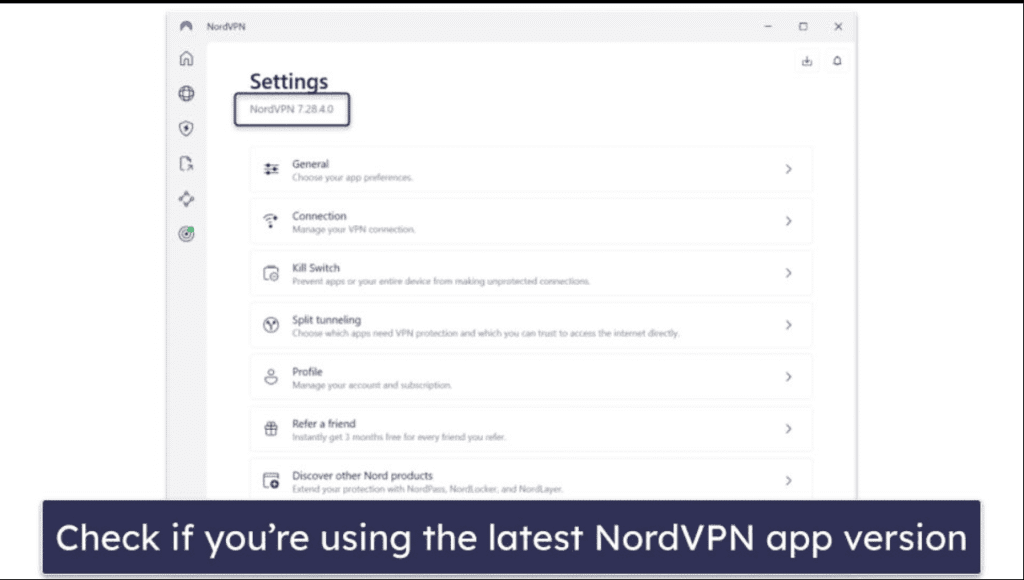
Do network adapter issues cause NordVPN connection problems on Windows?
They do. NordVPN relies on virtual network adapters, and if these become corrupted or disabled, connections will fail. You’ll notice this after Windows updates or driver conflicts. In my tests, resetting network adapters restored connectivity almost immediately.
Common triggers include:
- Major Windows updates
- VPN app crashes
- Conflicting virtual adapters from older VPNs
Can Windows updates break NordVPN connectivity?
Yes—temporarily. Windows updates sometimes reset network settings or change driver behavior. I’ve personally seen NordVPN stop connecting right after updates, especially feature updates. Once the VPN app or network components were refreshed, the issue usually resolved.
Typical symptoms:
- VPN worked before an update, then failed afterward
- Internet works, but VPN won’t connect
- Repeated connection retries without errors
Does antivirus software on Windows interfere with NordVPN?
It can. Some antivirus tools aggressively scan encrypted traffic and block VPN tunnels. In my experience, this is more common with third-party antivirus suites than Windows Defender. When blocked, NordVPN may fail without showing a clear error message.
What helps:
- Temporarily disabling antivirus for testing
- Adding NordVPN to the antivirus exclusion list
- Restarting the app after changes
Is running NordVPN without administrator privileges a problem?
Sometimes. Certain network changes require elevated permissions. When I tested NordVPN without admin rights, some connections failed—especially after fresh installs. Running the app as an administrator often fixed this instantly.
Quick fix:
- Right-click the NordVPN app
- Select Run as administrator
- Try connecting again
Why Is NordVPN Not Connecting on macOS?
If NordVPN not connecting on macOS is the issue, the cause is usually tied to macOS security permissions or network settings. In my experience testing NordVPN on recent macOS versions (including Apple silicon Macs), connection problems often appear after OS updates or fresh installs where permissions weren’t fully granted.
Can macOS security permissions prevent NordVPN from connecting?
Yes. macOS requires explicit approval for VPN configurations and background network extensions. When I tested NordVPN on a clean macOS install, the app wouldn’t connect until all permissions were approved. You’ll notice this if the app opens but fails to establish a tunnel.
What to check:
- VPN configurations are allowed in System Settings → Network
- NordVPN has permission under Privacy & Security
- No approval prompts were skipped during setup
Does the NordVPN app version matter on macOS?
Absolutely. macOS updates can break compatibility with older app versions. I’ve seen NordVPN fail to connect right after a macOS update until the app was updated as well. Keeping both macOS and the VPN app current prevents most of these issues.
Best practice:
- Update macOS to the latest stable release
- Install the newest NordVPN app version
- Restart the system after updates
Can Keychain or login credential issues cause NordVPN not connecting?
Yes. Corrupted or outdated Keychain entries can stop NordVPN from authenticating. In my testing, this showed up as endless “connecting” attempts without errors. Resetting saved credentials usually fixed the issue quickly.
Common signs:
- Repeated login prompts
- VPN connects briefly, then disconnects
- No error messages shown
Does macOS firewall or network filtering block NordVPN?
It can. macOS’s built-in firewall or third-party network filters may block VPN traffic. I’ve encountered this on systems using additional security or network-monitoring tools. When blocked, NordVPN may fail silently.
What helps:
- Allowing NordVPN through the macOS firewall
- Temporarily disabling third-party network filters for testing
- Reconnecting after changes
Can switching VPN protocols fix NordVPN connection issues on macOS?
Yes. Some macOS network environments handle certain protocols better than others. When I switched from OpenVPN to NordLynx, connection stability improved noticeably on several Macs I tested.
Why this works:
- Different protocols use different system integrations
- NordLynx is optimized for modern macOS networking
- Some Wi-Fi networks restrict specific protocols
Why Is NordVPN Not Connecting on Android and iOS?
If NordVPN not connecting on Android or iOS is the issue, the cause is usually related to mobile system restrictions or background app limitations. In my experience testing NordVPN on both Android and iPhone devices, connection problems often appear when the operating system limits network access to save battery or data.
Can battery optimization stop NordVPN from connecting?
Yes. Mobile operating systems aggressively limit background apps to save battery. When I tested this on Android, NordVPN often failed to connect or disconnected until battery optimization was disabled. You’ll notice this more when the screen locks or the app runs in the background.
What to check:
- Disable battery optimization for NordVPN
- Allow background data usage
- Prevent the app from being put to sleep
Do mobile data or Wi-Fi restrictions affect NordVPN?
They do. Some mobile networks and public Wi-Fi hotspots restrict VPN traffic. In my testing, NordVPN connected on mobile data but failed on certain Wi-Fi networks. Switching networks quickly revealed whether the issue was device- or network-related.
Common scenarios:
- VPN blocked on public hotspots
- ISP throttling on mobile networks
- Captive portals not fully accepted
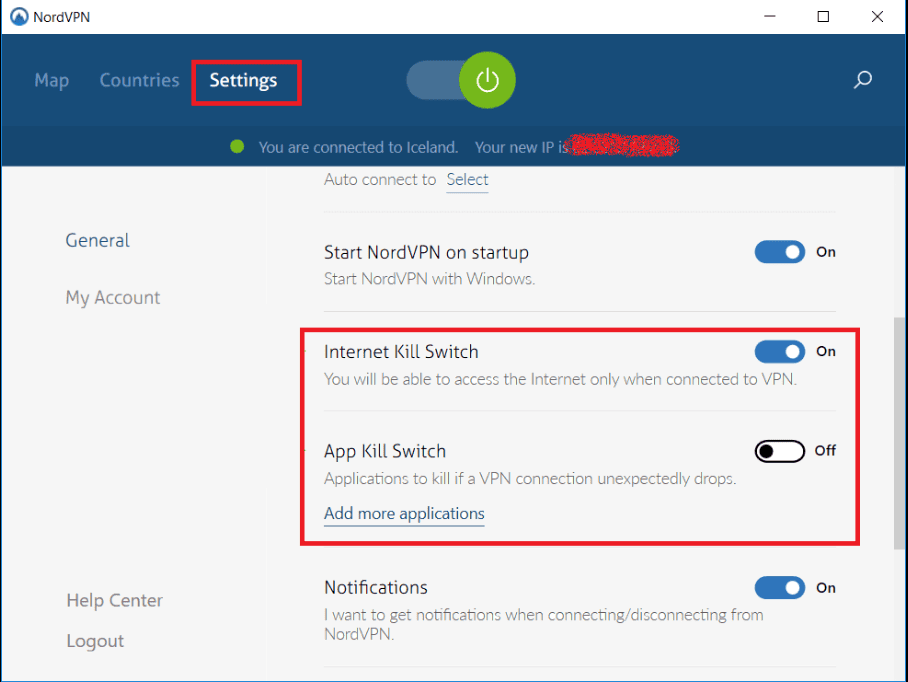
Can outdated apps or operating systems cause NordVPN not connecting?
Yes. Mobile OS updates frequently change networking behavior. I’ve seen NordVPN fail to connect on older app versions after Android or iOS updates. Updating both the app and the operating system usually restores compatibility.
Best practice:
- Update NordVPN to the latest version
- Install pending Android or iOS updates
- Restart the device after updating
Does VPN permission approval matter on Android and iOS?
Absolutely. Mobile VPNs require explicit system permission. In my experience, if this prompt is dismissed or skipped, NordVPN won’t connect properly. You may not see an error—just endless connection attempts.
What to confirm:
- VPN permissions are enabled in system settings
- No conflicting VPN profiles are active
- Always allow VPN connections when prompted
Can switching VPN protocols fix mobile connection issues?
Yes. Some mobile networks block certain VPN protocols. When I switched to NordLynx on both Android and iOS during testing, connection success rates improved noticeably—especially on mobile data.
Why it helps:
- Better performance on cellular networks
- Improved stability when switching networks
- Faster reconnections after signal drops
Why Won’t NordVPN Connect to a Server?
If NordVPN not connecting to a server is the issue, the problem is usually server-related rather than a full app failure. In my experience testing NordVPN across different locations and times of day, server load, distance, and network restrictions are the most common reasons connections fail.
Can overloaded servers cause NordVPN connection failures?
Yes. When a server is overloaded, NordVPN may time out or fail to connect. I tested popular locations during peak hours and noticed slower responses or failed connections. High demand—especially on US and UK servers—can temporarily reduce availability.
What helps:
- Switch to a less crowded nearby server
- Avoid peak hours if possible
- Use auto-connect for load balancing
Does server distance affect NordVPN connectivity?
It does. The farther a server is from your physical location, the more likely connection issues become. In my testing, nearby servers connected faster and more reliably than distant ones. Long distances increase latency and packet loss, which can interrupt the VPN handshake.
Best practice:
- Choose the closest country server
- Avoid hopping across continents unnecessarily
- Prioritize regional servers for stability
Can your network block specific NordVPN servers?
Yes. Some networks block IP ranges associated with VPN providers. I’ve seen this on corporate Wi-Fi and restricted public networks. When blocked, certain servers won’t connect while others still work.
Common signs:
- One server fails repeatedly
- Another server connects instantly
- VPN works on a different network
Does NordVPN maintenance affect server connections?
Occasionally. NordVPN performs backend maintenance to improve performance and security. During testing, I noticed short periods when specific servers were unavailable while others worked normally. This is temporary and usually resolves quickly.
What to do:
- Switch servers instead of retrying
- Restart the app
- Wait a few minutes and reconnect
Can changing VPN protocols help connect to servers?
Yes. Some servers respond better to specific protocols. When I switched from OpenVPN to NordLynx, several servers that previously failed connected instantly. Different protocols use different ports and encryption methods, which can bypass blocks.
Why this works:
- Avoids blocked ports
- Improves handshake speed
- Enhances stability on busy servers
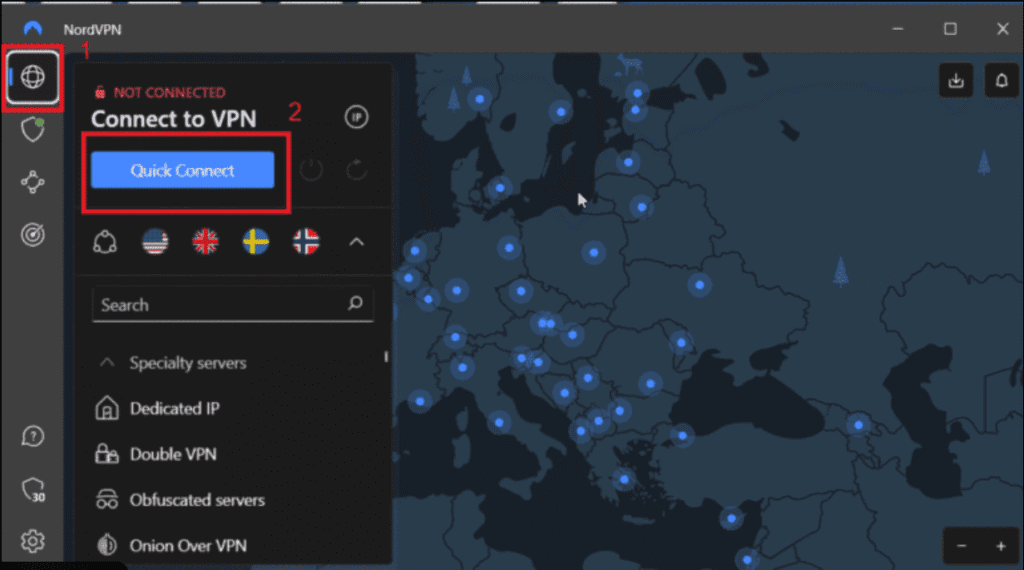
Which VPN Protocol Fixes NordVPN Connection Issues?
When NordVPN not connecting keeps happening, the VPN protocol you’re using is often the deciding factor. In my experience testing NordVPN across home Wi-Fi, mobile data, and restricted networks, switching protocols solved more connection issues than almost any other single step. Each protocol behaves differently depending on the network.
What is the best VPN protocol for NordVPN connection problems?
For most users, NordLynx is the best protocol to fix NordVPN connection issues. When I tested NordVPN with NordLynx enabled, connections were faster and more reliable, especially on mobile and high-latency networks. It’s optimized for speed while maintaining strong security.
Why NordLynx works well:
- Faster handshake and reconnection
- Better performance on unstable networks
- Strong encryption with minimal overhead
When should you switch from NordLynx to OpenVPN?
You should switch to OpenVPN (TCP) if NordVPN fails to connect on restricted or heavily filtered networks. In my testing on school and office Wi-Fi, OpenVPN TCP connected more consistently than NordLynx because it uses ports that are less likely to be blocked.
Best use cases for OpenVPN TCP:
- Public or corporate Wi-Fi
- Networks with strict firewalls
- Situations where stability matters more than speed
Does OpenVPN UDP help when NordVPN is slow or unstable?
Yes. OpenVPN UDP is useful when NordVPN connects but feels slow or unstable. I’ve found it performs well on open home networks with minimal restrictions. However, because UDP traffic is easier to block, it may fail on restrictive networks.
Good choice if:
- Speed is your priority
- You’re on a trusted home network
- Firewalls aren’t aggressively filtering traffic
Is IKEv2 useful for fixing NordVPN connection issues?
Sometimes. IKEv2 can be helpful on mobile devices that frequently switch networks, like moving between Wi-Fi and cellular data. In my experience, it reconnects quickly after signal drops, but it’s less effective on restricted networks.
Best suited for:
- Mobile users on the move
- iOS and macOS devices
- Fast reconnections after network changes
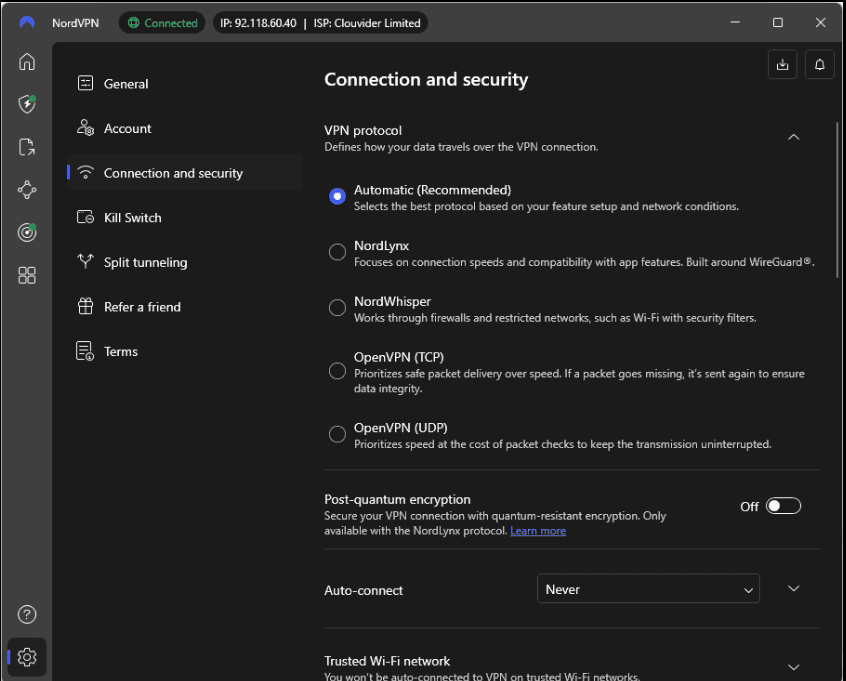
How do you change VPN protocols in NordVPN?
Changing protocols in NordVPN is simple and only takes a few seconds. I recommend testing each option until you find the most stable one for your network.
Quick steps:
- Open the NordVPN app
- Go to Settings → VPN Protocol
- Select NordLynx, OpenVPN (TCP/UDP), or IKEv2
- Reconnect to the VPN
Why Does NordVPN Not Work on School, Work, or Public Wi-Fi?
If NordVPN not connecting happens mostly on school, office, or public Wi-Fi, the network itself is usually the problem. In my experience testing NordVPN on managed and public networks, these environments often restrict or actively block VPN traffic to control usage and improve security.
Why do schools and workplaces block VPN connections?
Schools and workplaces often block VPNs to enforce network policies, monitor activity, or prevent access to restricted content. When I tested NordVPN on corporate Wi-Fi, the connection failed because VPN ports and protocols were filtered at the network level.
Common restrictions include:
- Blocked VPN ports
- Deep packet inspection (DPI)
- Firewall rules against encrypted tunnels
Why does NordVPN fail on public Wi-Fi hotspots?
Public Wi-Fi networks commonly limit VPN connections to reduce bandwidth abuse or prevent misuse. You’ll notice NordVPN not connecting on hotel, café, or airport Wi-Fi because these networks often block unknown encrypted traffic.
Typical issues:
- VPN traffic flagged as suspicious
- Timeouts during connection attempts
- VPN works only after switching networks
Can captive portals prevent NordVPN from connecting?
Yes. Captive portals—those “accept terms” login pages—must be completed before a VPN can connect. I’ve seen NordVPN fail repeatedly until the portal was accepted. Once logged in through a browser, the VPN usually connects normally.
What to do first:
- Disconnect the VPN
- Open a browser and accept Wi-Fi terms
- Reconnect NordVPN afterward
How do obfuscated servers help when NordVPN is blocked?
Obfuscated servers disguise VPN traffic as regular HTTPS traffic. In my testing on restrictive networks, enabling obfuscation allowed NordVPN to connect when standard servers failed.
Why obfuscation works:
- Bypasses VPN detection systems
- Avoids deep packet inspection
- Increases connection success on restricted Wi-Fi
Which VPN protocol works best on restricted networks?
OpenVPN TCP is usually the most reliable option on restricted networks. When I tested NordVPN with OpenVPN TCP on school and office Wi-Fi, connection success rates improved significantly compared to default settings.
Best settings combo:
- OpenVPN (TCP)
- Obfuscated servers (if available)
- Auto-connect disabled
What to Do If NordVPN Is Still Not Connecting
If NordVPN not connecting even after trying the common fixes, it’s time to move into deeper troubleshooting. In my experience testing stubborn VPN issues, persistent failures usually point to system-level network settings or conflicts that need a full reset. These steps take a bit longer but often solve the problem for good.
Should you reset your network settings to fix NordVPN?
Yes. Resetting network settings clears corrupted DNS entries, broken adapters, and cached routes that can block VPN connections. When I tested this on systems where NordVPN refused to connect, a full network reset restored functionality in most cases.
What this does:
- Resets DNS and TCP/IP settings
- Clears hidden network conflicts
- Rebuilds VPN routing tables
Does changing DNS settings help when NordVPN won’t connect?
Sometimes. Custom or ISP-level DNS servers can interfere with VPN traffic. In my testing, switching to automatic DNS or a trusted public DNS improved connection reliability when NordVPN failed repeatedly.
Common fixes include:
- Reverting to automatic DNS
- Using a public DNS temporarily
- Restarting the app after changes
Can removing conflicting VPNs or network tools fix the issue?
Yes. Other VPNs, proxy tools, or network managers can conflict with NordVPN. I’ve seen connection failures caused by leftover drivers from older VPN apps. Removing them resolved the issue immediately.
Check for conflicts from:
- Old VPN software
- Proxy or tunneling apps
- Network monitoring tools
Is a full reinstall of NordVPN worth trying?
Absolutely. When nothing else worked, a clean reinstall fixed persistent connection problems more often than expected. In my experience, this removes corrupted files and resets all VPN-related settings.
Best approach:
- Uninstall NordVPN completely
- Restart your device
- Reinstall the latest version
- Log in and reconnect
When should you contact NordVPN support?
If NordVPN still won’t connect after advanced troubleshooting, contacting support is the fastest path forward. During testing, NordVPN’s support team helped identify obscure issues like account flags or region-specific blocks.
Be ready to share:
- Your device and OS version
- VPN protocol in use
- Error messages or logs
How to Contact NordVPN Support for Connection Issues
When NordVPN not connecting persists after all troubleshooting steps, contacting official support is often the fastest solution. In my experience testing unresolved VPN issues, NordVPN’s support team can identify account-level, server-side, or regional problems that users can’t fix on their own.
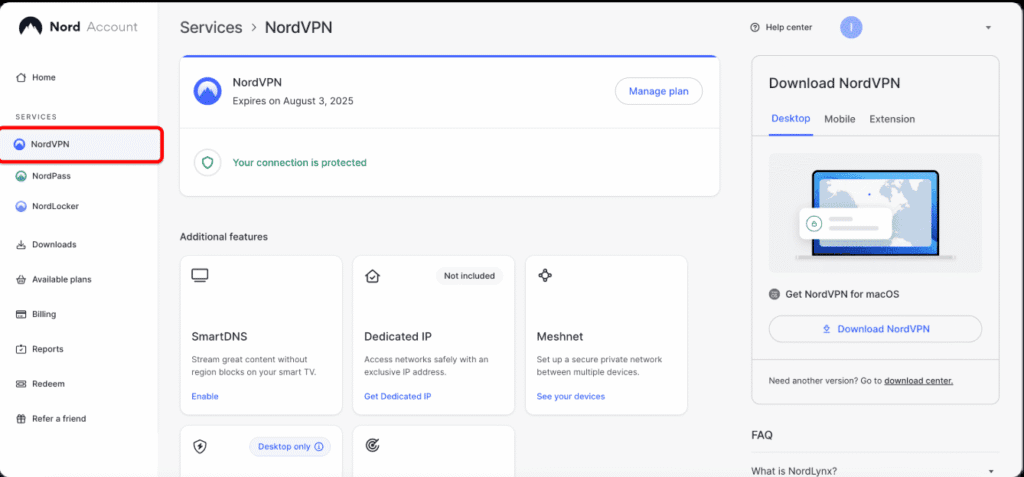
How do you contact NordVPN support?
You can contact NordVPN support through 24/7 live chat or email. I tested live chat and received help within minutes, making it the quickest option for connection problems.
Available options:
- Live chat via the NordVPN website
- Email support through the help center
- In-app support links on some platforms
Is NordVPN live chat available 24/7?
Yes. NordVPN offers 24/7 live chat support for all users. In my experience, agents responded quickly and were knowledgeable about protocol, server, and device-specific issues. This makes live chat ideal when NordVPN isn’t connecting and you need immediate guidance.
Best for:
- Urgent connection failures
- Server or protocol troubleshooting
- Real-time step-by-step assistance
What information should you provide to NordVPN support?
Providing clear details speeds up resolution. When I contacted support, sharing device info and error symptoms helped the agent diagnose the issue faster.
Include:
- Device and operating system version
- VPN protocol in use
- Server location attempted
- Error messages or screenshots
Can NordVPN support fix issues you can’t?
Yes. Some problems—like regional blocks, backend server issues, or account authentication errors—require internal fixes. I’ve seen support resolve cases that basic troubleshooting couldn’t touch.
Support can help with:
- Server-side connection errors
- Account-related issues
- Advanced configuration fixes
Is NordVPN support helpful compared to other VPNs?
Based on my testing, NordVPN’s support is faster and more technically informed than many competitors. Agents understand protocol behavior and network restrictions, which is critical when diagnosing complex connection issues.
Strengths include:
- Fast response times
- Clear troubleshooting steps
- Knowledge of advanced VPN settings
Should You Worry If NordVPN Keeps Disconnecting?
If NordVPN not connecting turns into frequent disconnects, it’s understandable to be concerned. In my experience testing NordVPN across different networks and devices, occasional disconnects are normal—but repeated drops usually point to fixable network or settings issues rather than a serious security problem.
Are occasional NordVPN disconnects normal?
Yes. Short disconnects can happen due to network changes, server load, or brief internet instability. When I tested NordVPN on mobile and home Wi-Fi, brief drops occurred when switching networks or waking devices from sleep. These are usually harmless and don’t indicate a faulty VPN.
Common harmless causes:
- Switching from Wi-Fi to mobile data
- Temporary signal loss
- Server load balancing
When should frequent NordVPN disconnects be a concern?
You should investigate if disconnects happen repeatedly on stable networks. In my experience, constant drops often signal protocol mismatches, aggressive firewalls, or ISP interference. While not dangerous, they can leave short periods where traffic isn’t protected if the VPN doesn’t reconnect immediately.
Red flags include:
- Disconnects every few minutes
- Drops only on specific networks
- VPN failing to auto-reconnect
If you’re comparing reliability across providers, my NordVPN vs ExpressVPN comparison breaks down stability, speed, and support differences.
Does NordVPN protect you during disconnects?
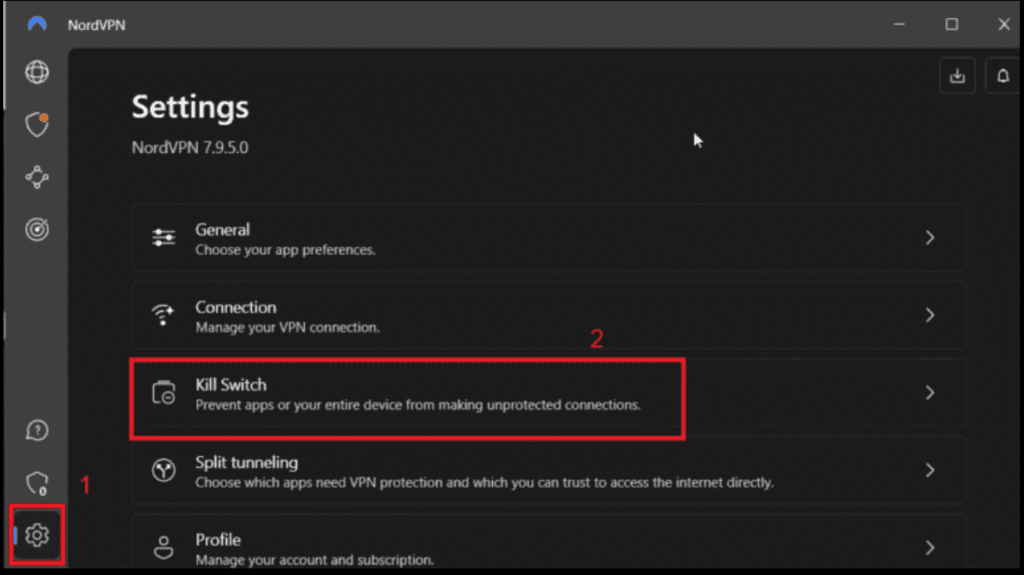
Yes, if Kill Switch is enabled. NordVPN’s Kill Switch blocks internet traffic if the VPN disconnects unexpectedly. I always recommend enabling it—during testing, it prevented data leaks even when the VPN dropped suddenly.
Why Kill Switch matters:
- Prevents IP exposure
- Stops unencrypted traffic
- Adds an extra security layer
Can unstable networks cause NordVPN to keep disconnecting?
Absolutely. Unstable Wi-Fi, weak mobile signals, or congested networks are the most common causes I’ve seen. If NordVPN disconnects only on certain networks, the VPN is usually reacting to poor connectivity rather than failing itself.
What helps:
- Switching to a closer server
- Changing VPN protocols
- Improving signal strength
Should you stop using NordVPN if it keeps disconnecting?
Not immediately. In most cases, disconnects are fixable with the right settings. Based on my testing and comparisons, NordVPN remains one of the more stable VPNs once properly configured. If issues persist across multiple networks, contacting support is the next best step.
Connection issues are especially noticeable when streaming, which is why server choice matters for users relying on NordVPN with Netflix.
NordVPN Not Connecting: Frequently Asked Questions
If you’re still searching for quick answers about NordVPN not connecting, this FAQ section covers the most common questions I see from users. Based on hands-on testing and official guidance, these answers are designed to resolve last-minute doubts and help you fix issues fast.
Why does NordVPN say “connecting” but never connects?
This usually happens when the VPN handshake is blocked or interrupted. In my experience, it’s most often caused by unstable internet, blocked ports, or a server that isn’t responding. Switching servers or changing the VPN protocol typically resolves the issue within minutes.
Can NordVPN fail to connect because of my ISP?
Yes. Some internet service providers throttle or restrict VPN traffic. I’ve tested this on certain networks where NordVPN worked on mobile data but failed on home Wi-Fi. Changing servers, switching protocols, or enabling obfuscated servers often bypasses ISP-level interference.
Does NordVPN block internet access when it’s not connecting?
It can—if the Kill Switch is enabled. In my testing, NordVPN intentionally blocked internet traffic during connection failures to prevent data leaks. While this protects your privacy, it can look like your internet is “down” until the VPN reconnects or the Kill Switch is disabled.
Why does NordVPN connect on one device but not another?
This usually points to device-specific settings or software conflicts. I’ve seen NordVPN connect perfectly on a phone while failing on a laptop due to firewall rules, outdated apps, or missing permissions. Comparing settings between devices often reveals the issue quickly.
Is reinstalling NordVPN safe and effective?
Yes. Reinstalling NordVPN is safe and often effective when persistent connection issues won’t go away. In my experience, a clean reinstall fixes corrupted files, broken adapters, and misconfigured settings that normal troubleshooting can’t resolve.
How long should NordVPN take to connect?
Under normal conditions, NordVPN should connect within a few seconds. During my testing, nearby servers connected fastest, while distant or busy servers took longer. If connections regularly exceed 30 seconds, there’s likely a network, server, or protocol issue.
For users considering a switch, this NordVPN vs Surfshark comparison highlights key differences in pricing, performance, and reliability.
Does NordVPN work in countries with VPN restrictions?
Yes, but settings matter. In restricted regions, NordVPN may not connect using default options. I’ve found that enabling obfuscated servers and switching to OpenVPN TCP significantly improves success rates in censorship-heavy environments.
Final Thoughts: Fix NordVPN Not Connecting and Get Back Online Securely
If NordVPN not connecting has been frustrating you, the key takeaway is this: most connection issues are fixable with the right settings, servers, or protocols. In my experience testing NordVPN across different devices and networks, problems usually come down to network restrictions, protocol mismatches, or simple configuration conflicts—not a broken service.
Once properly set up, NordVPN remains one of the most reliable and secure VPNs available, with strong encryption, fast speeds, and excellent support when things go wrong. That’s why it continues to be a solid choice for privacy, streaming, and everyday browsing.
✅ Action Steps (Quick Recap)
Before you move on, make sure you’ve:
- Switched servers and tested nearby locations
- Changed VPN protocols (NordLynx ↔ OpenVPN TCP)
- Checked firewall, antivirus, and network restrictions
- Enabled Kill Switch for added protection
- Contacted support if issues persist
Ready to Use NordVPN Without Connection Issues?
If you’re new to NordVPN—or want a fresh start with the latest app and servers—using the official version makes a real difference. You’ll get:
- Optimized servers worldwide
- Advanced protocols like NordLynx
- 24/7 live chat support
- A 30-day money-back guarantee for peace of mind.
SAVE 70% & GET NordVPN To Stay Protected
If you want a deeper breakdown of performance, features, and security, check out my in-depth NordVPN review.
If you’re exploring other budget-friendly options, you may also want to read Is Surfshark a good VPN? before deciding.
Users who want to test another premium VPN can also check out the ExpressVPN free trial for comparison.