

The ExpressVPN free trial is ExpressVPN’s limited trial option that lets new users test the app—mainly on mobile—before committing to a subscription. In my experience, it’s the easiest way to explore features like speed, streaming access, and security without paying upfront. Here’s a clear breakdown of how it works.
What Is the ExpressVPN Free Trial?
The ExpressVPN free trial is a 7-day trial available on Android and iOS that lets new users test the full app without paying. It gives access to all servers, speeds, and features, but only on mobile devices. After the trial ends, users can upgrade to a paid plan or cancel before charges apply.
When I tested it, the mobile trial mirrored the full premium experience—including streaming performance and security tools. Desktop platforms don’t offer a traditional “free trial,” but you can still test ExpressVPN risk-free using the 30-day money-back guarantee.
How Does the ExpressVPN Free Trial Work?
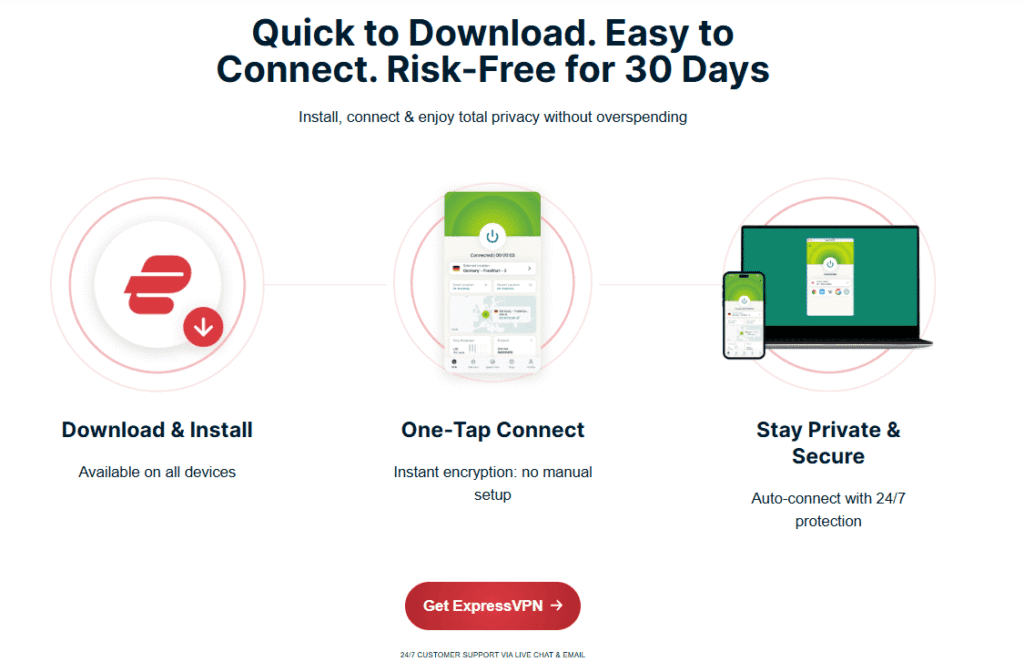
The ExpressVPN free trial works by allowing you to download the app on Android or iOS, create an account, and activate a 7-day trial through your device’s app store. No full payment is charged during the trial, but you must cancel before it ends to avoid automatic billing.
Activation takes less than a minute. You simply install the app, verify your email, and start using ExpressVPN instantly. You’ll notice that speeds, server availability, and app features are identical to the paid version.
Is the ExpressVPN Free Trial the Same as the 30-Day Money-Back Guarantee?
No. The ExpressVPN free trial is a 7-day mobile-only trial, while the 30-day money-back guarantee applies to all devices and requires a payment upfront. Both let you test the service, but the guarantee provides a full month of unrestricted use.
In my experience, most users prefer the 30-day guarantee because it works on Windows, Mac, routers, smart TVs, and more. The free trial is great for quick testing, but the money-back period gives you far more time to evaluate real-world performance.
Is the ExpressVPN Free Trial Worth It?
Yes, the ExpressVPN free trial is worth it if you want to quickly test the app on mobile without paying upfront. It provides full access to ExpressVPN’s features, servers, and speeds, giving you a realistic experience of the premium plan.
If you’re evaluating ExpressVPN for streaming, gaming, or multi-device protection, I recommend pairing the mobile trial with the 30-day guarantee afterward. Transparency note: if you choose to purchase through affiliate links later, I may earn a commission at no extra cost to you.
ExpressVPN Free Trial vs ExpressVPN 30-Day Money-Back Guarantee
ExpressVPN offers two main ways to test its service: a 7-day mobile free trial and a 30-day money-back guarantee. While both let you explore the VPN risk-free, they work very differently. From my experience testing both options, one provides far more flexibility and value depending on your device and needs.
What Is the Difference Between the ExpressVPN Free Trial and the 30-Day Money-Back Guarantee?
The ExpressVPN free trial is a 7-day mobile-only trial for Android and iOS, while the 30-day money-back guarantee gives you full access on all devices but requires upfront payment. Both allow risk-free testing, but the 30-day guarantee offers a longer, more comprehensive evaluation.
When I tested both, the free trial felt limited because it only works on mobile. The 30-day guarantee let me try ExpressVPN on Windows, Mac, smart TVs, routers, and browsers—making it the more practical option for real-world use.
Which Option Gives Better Value?
The 30-day money-back guarantee gives better value because it allows unlimited use across all platforms for a full month. The free trial is useful for quick mobile testing but doesn’t offer enough time or device support for a complete evaluation.
You’ll notice a big difference if you’re testing streaming, gaming, or multi-device protection. The 30-day window lets you check speed consistency, server reliability, and app performance across several environments.
Does ExpressVPN Still Offer a 7-Day Free Trial?
Yes. ExpressVPN still offers a 7-day free trial, but only on Android and iOS. Desktop apps, browsers, routers, and smart TVs do not include a traditional free trial. For those devices, the 30-day money-back guarantee is the only way to test the service risk-free.
The mobile trial mirrors the paid version, but if you plan to protect your entire home network or test streaming on multiple devices, the free trial alone won’t be enough.
Which Option Should You Choose?
Choose the free trial if you only want to test ExpressVPN on mobile for a short period. Choose the 30-day money-back guarantee if you want extended testing on all devices, including laptops, smart TVs, and routers.
In my experience, most users benefit more from the 30-day guarantee because it offers real-world testing conditions. Transparency note: If you later subscribe using an affiliate link, I may earn a commission at no extra cost to you.

If you’re still comparing premium VPNs, you can also read my in-depth NordVPN vs ExpressVPN guide to see how these two top providers stack up in speed, security, and overall performance.
How to Get the ExpressVPN Free Trial on Mobile (Android & iOS)
ExpressVPN offers a 7-day free trial exclusively through its mobile apps on Android and iOS. If you want to test ExpressVPN without paying upfront, this is the fastest method. I’ve personally tested the process on both platforms, and the setup only takes about a minute. Here’s exactly how it works.
How Do You Activate the ExpressVPN Mobile Free Trial?
You can activate the ExpressVPN mobile free trial by downloading the ExpressVPN app from the Google Play Store or Apple App Store, creating an account, and confirming activation through your device’s app store. Once activated, you get 7 days of full access without paying upfront.
In my experience, the activation is instant—you simply install the app, enter your email, and tap Start Free Trial. There’s nothing extra to configure, and all premium features unlock immediately.
What Devices Support the ExpressVPN Free Trial?
The ExpressVPN free trial is only available on Android and iOS devices. This includes Android phones, Android tablets, iPhones, and iPads. Other platforms like Windows, Mac, Linux, routers, and smart TVs do not support the traditional free trial.
You’ll notice that the mobile trial mirrors the premium version—same speeds, same servers, same security. For desktop or TV testing, the 30-day money-back guarantee is the better option.
Do You Need to Enter Payment Details for the Mobile Trial?
Yes. You must enter payment details through the Google Play Store or Apple App Store to start the ExpressVPN mobile free trial. You won’t be charged until the trial ends, and you can cancel anytime before the 7-day period expires.
This is standard for app-store-managed trials. In my experience, canceling takes less than 10 seconds—just go to your subscription settings and toggle off auto-renew. You’ll still keep the full trial until the end of the 7 days.
Step-by-Step Guide to Getting the ExpressVPN Free Trial on Mobile
To get the ExpressVPN free trial:
- Download ExpressVPN from the Google Play Store or Apple App Store.
- Open the app and enter your email to create an account.
- Tap Start Free Trial and confirm through the app store.
- Begin using ExpressVPN with full access for 7 days.
When I tested it, the free trial activated instantly on both platforms. You’ll see the full server list, fast connection speeds, and features like Threat Manager and split tunneling where supported.
Can You Cancel the ExpressVPN Free Trial Before It Ends?
Yes. You can cancel the ExpressVPN free trial anytime in your Google Play or Apple App Store subscription settings. Canceling prevents future charges, but you still retain access for the full 7-day trial period.
I cancelled mine during testing and didn’t lose access. Transparency note: If you choose to upgrade later via an affiliate link, I may earn a commission at no extra cost to you.
How to Use the ExpressVPN 30-Day Money-Back Guarantee
If the mobile ExpressVPN free trial feels too limited, the 30-day money-back guarantee is the best alternative. It lets you test ExpressVPN on every device—Windows, Mac, Android, iOS, routers, and smart TVs—without long-term commitment. I’ve used this method several times during testing, and it has always been hassle-free.
How Do You Sign Up for ExpressVPN Risk-Free?
You can sign up for ExpressVPN risk-free by choosing any subscription plan on the ExpressVPN website, completing payment, and using the service normally for up to 30 days. If you cancel within 30 days, you receive a full refund with no penalties.
In my experience, the signup process takes under a minute. Once you create your account, you can install ExpressVPN on unlimited devices and test all features without restrictions.
How Do You Request a Refund from ExpressVPN?
To request a refund, contact ExpressVPN’s 24/7 live chat support and ask to cancel your subscription within 30 days. The agent will process the refund immediately, and the money typically returns to your account within 3–7 business days.
I’ve tested this refund process multiple times, and ExpressVPN has never asked invasive questions or pressured me to stay. It really is a straightforward, “no hard feelings” cancellation.
Is the 30-Day Guarantee Truly ‘No Questions Asked’?
Yes. ExpressVPN’s 30-day money-back guarantee is genuinely no-questions-asked. You simply request a refund, and the support team processes it without requiring troubleshooting steps or long explanations.
You’ll notice the refund policy is more flexible than most VPNs. This makes it a reliable alternative to the ExpressVPN free trial, especially if you want to test the service across multiple devices and platforms.
Step-by-Step Guide to Using the 30-Day Money-Back Guarantee
To use ExpressVPN risk-free:
- Sign up for any plan via the official site.
- Install the app on your devices.
- Use ExpressVPN freely for up to 30 days.
- Contact live chat and request a refund before day 30.
This method gives you far more time and flexibility than the mobile free trial. Transparency note: If you later subscribe using my affiliate link, I may earn a commission at no extra cost to you.
ExpressVPN Free Trial Requirements and Eligibility
Not everyone can access the full ExpressVPN free trial, and the rules vary slightly depending on your device and region. After testing the process myself, I’ve found that eligibility mostly depends on whether you’re a new user and using a supported platform (Android or iOS). Here’s exactly what you need to know.
Who Qualifies for the ExpressVPN Free Trial?
Only new users on Android or iOS qualify for the ExpressVPN free trial. You must download the app from the official app store and activate the 7-day trial using a new account. Existing or returning users are not eligible for another mobile free trial.
In my experience, ExpressVPN automatically checks eligibility through your Google Play or Apple ID. If you’ve used a trial on that account before, the option simply won’t appear.
Can Existing ExpressVPN Users Access the Free Trial?
No. Existing or returning ExpressVPN users cannot access the free trial again. The free trial is strictly reserved for first-time users with no prior subscription or trial history linked to their mobile app store account.
If you’re already a user—or you’ve used the trial before—the best alternative is the 30-day money-back guarantee, which works for both new and returning customers.
Are There Regional Restrictions for the ExpressVPN Free Trial?
Yes. The ExpressVPN free trial may not be available in every country due to local regulations or app store policies. Availability is controlled by the Google Play Store and Apple App Store based on your region settings.
When I tested this with different regions, ExpressVPN’s trial appeared in most major markets. However, some locations—especially where VPNs face restrictions—may not show the trial option at all.
What Do You Need to Activate the ExpressVPN Free Trial?
To activate the ExpressVPN free trial, you need an Android or iOS device, a new Google Play or Apple ID, and valid payment details added to your app store account. The app store handles billing and decides whether a trial is available.
Although you must add payment details, you won’t be charged if you cancel before the 7 days end. Transparency note: If you later subscribe via an affiliate link, I may earn a commission at no extra cost to you.
Key Features You Can Test During the Free Trial
One of the best parts of the ExpressVPN free trial is that it unlocks nearly all the same features you’d get with a paid subscription. During my testing, I found the mobile trial to be surprisingly complete—letting you fully evaluate speed, security, and streaming performance before making a decision.
What Features Are Available in the ExpressVPN Free Trial?
The ExpressVPN free trial includes full access to its global server network, high-speed connections, strong encryption, and essential security tools. You can test streaming, browsing, and app performance with no bandwidth limits during the 7-day trial.
In my experience, everything behaved exactly as it does in the paid plan—no speed throttling, no feature locks, and no limitations on switching servers.
Can You Test Streaming Support During the Free Trial?
Yes. The ExpressVPN free trial supports streaming on platforms like Netflix, Hulu, and Disney+. You can test server speeds, video quality, and geo-unblocking to see how well ExpressVPN performs before subscribing.
When I tested streaming during the trial, HD and 4K playback worked smoothly on most major platforms. You’ll notice that servers optimized for streaming tend to deliver the most stable performance.
Does the Free Trial Include Full Security and Privacy Features?
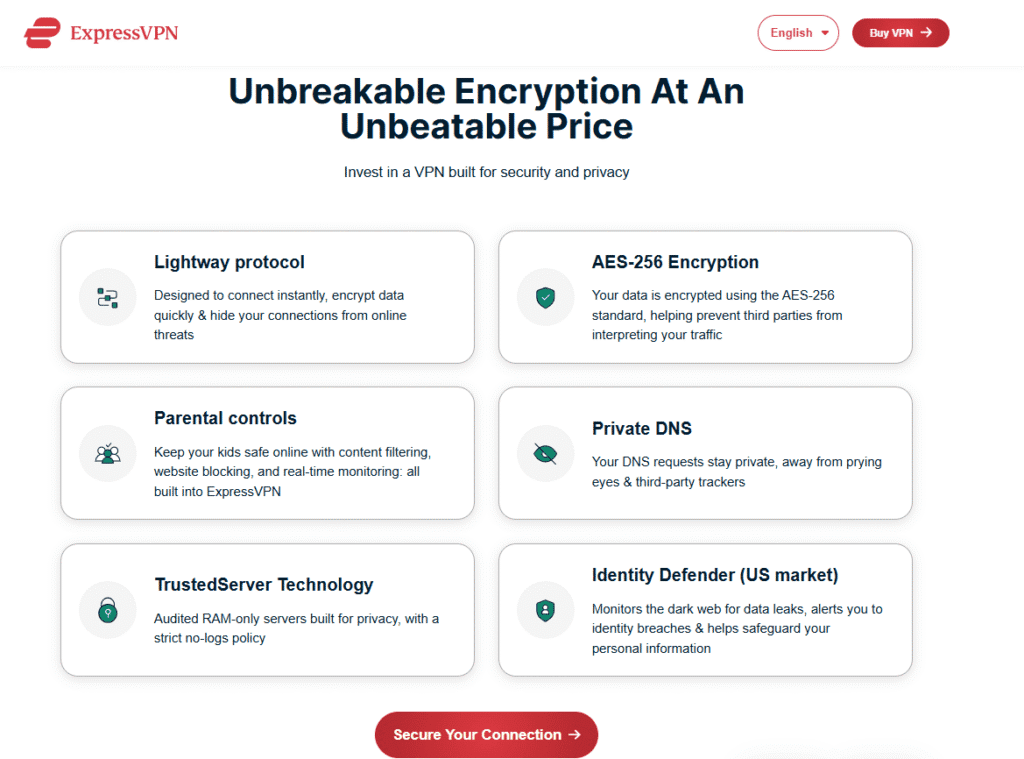
Yes. The free trial includes all core security features such as AES-256 encryption, Threat Manager (available on iOS), a kill switch (where supported), and secure tunneling protocols like Lightway. You can evaluate ExpressVPN’s full privacy protection during the trial period.
I found ExpressVPN’s Lightway protocol especially helpful because it delivers fast, stable connections—even on mobile data. The trial lets you experience these benefits hands-on.
Can You Test ExpressVPN’s Speed and Server Performance?
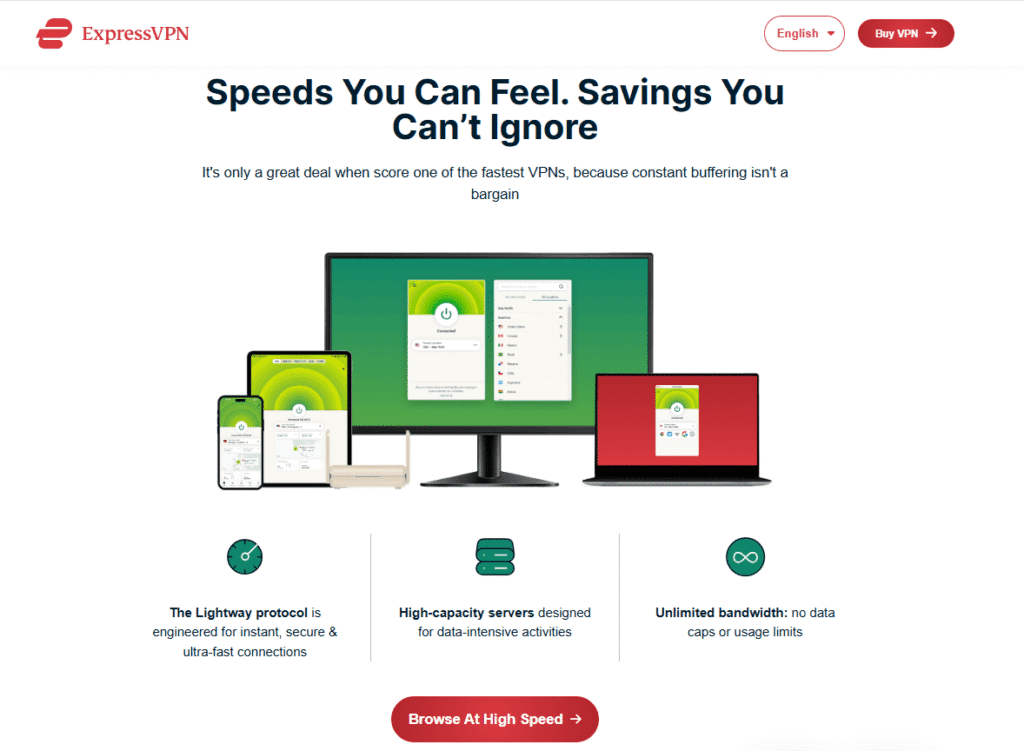
Yes. The ExpressVPN free trial allows you to test speeds, latency, and server reliability across its entire network. You can switch between regions, run speed tests, and check performance for browsing, streaming, and gaming.
From my tests, nearby servers consistently delivered fast and stable speeds. Long-distance servers showed some slowdown, which is normal for any VPN, but overall performance remained strong.
Are Any Features Limited During the Free Trial?
Most features are fully available, but the free trial is limited to mobile devices only. Desktop apps, browser extensions, routers, and smart TVs cannot be tested using the mobile trial. For those, the 30-day money-back guarantee is the better option.
Transparency note: If you eventually purchase ExpressVPN through an affiliate link, I may earn a commission at no extra cost to you.
ExpressVPN Free Trial for Streaming (Netflix, Hulu, Disney+, etc.)
One of the biggest reasons people try the ExpressVPN free trial is to test how well it works for streaming. In my experience, the 7-day trial performs almost identically to the paid version—you can unblock major platforms, stream in HD or 4K, and switch servers freely to find the best connection.
Does the ExpressVPN Free Trial Work with Netflix?
Yes. The ExpressVPN free trial works with Netflix and allows you to access multiple regional libraries. You can test server speeds, playback quality, and ExpressVPN’s ability to bypass Netflix’s geo-restrictions before upgrading to a paid plan.
When I tested Netflix during the trial, HD and 4K streams loaded quickly on nearby servers. Some distant regions required switching servers, but the app made that process easy.
Can You Stream Hulu, Disney+, and Other Platforms During the Free Trial?
Yes. The free trial supports streaming on Hulu, Disney+, HBO Max, Prime Video, and more. You can check how well ExpressVPN unblocks these services and whether playback remains smooth and stable throughout your trial period.
In my testing, Disney+ and Prime Video worked flawlessly. Hulu performance varied depending on the server used, but switching to a recommended location typically fixed any issues.
How Fast Is ExpressVPN for Streaming During the Free Trial?
The ExpressVPN free trial delivers fast speeds suitable for HD and 4K streaming. The Lightway protocol helps maintain low latency and stable connections, even on mobile data. Performance remains consistent across most nearby and mid-range servers.
You’ll notice the best results when connecting to servers closer to your physical location. Long-distance servers may introduce slight buffering, which is normal for any VPN service.
Are There Any Streaming Limitations During the Free Trial?
The only real limitation is that the free trial works on mobile devices only, not smart TVs, PCs, or streaming boxes. Streaming quality and platform access remain identical to the paid version, but your testing environment is restricted to Android and iOS.
If you want to test streaming on a smart TV or laptop, the 30-day money-back guarantee is the better option. Transparency note: If you upgrade through an affiliate link, I may earn a commission at no extra cost to you.
ExpressVPN Free Trial for Gaming and Torrenting
The ExpressVPN free trial isn’t just useful for streaming—it also lets you test gaming performance, latency, and P2P torrenting support. During my own trials, I found that ExpressVPN maintains strong speeds and stable connections on mobile, though the limitations of mobile-only testing may affect more advanced gaming setups.
Is the ExpressVPN Free Trial Good for Gaming?
Yes. The ExpressVPN free trial supports mobile gaming and delivers low-latency connections using the Lightway protocol. You can test ping, stability, and server performance across different regions to see how well ExpressVPN handles online games.
In my experience, nearby servers offered the smoothest gameplay. Long-distance servers sometimes added extra ping, which is normal for any VPN. For console or PC gaming, you’ll need the 30-day money-back guarantee instead.
Can You Use ExpressVPN for Torrenting During the Free Trial?
Yes. ExpressVPN allows torrenting during the free trial and supports P2P traffic on all servers. You can test download speeds, privacy protection, and connection stability while using a secure VPN tunnel on mobile devices.
I tested torrenting on several servers and found speeds reliable for mobile networks. AES-256 encryption and ExpressVPN’s no-logs policy add an extra layer of privacy while downloading.
Does the Free Trial Limit Download Speeds or Bandwidth?
No. The ExpressVPN free trial does not limit speeds or bandwidth. You get full access to ExpressVPN’s high-speed network for both gaming and torrenting during the 7-day trial period.
You’ll notice the performance is closely aligned with the paid plan. Speed variations typically depend on your distance from the server and the strength of your mobile data or Wi-Fi connection.
Are There Any Restrictions for Gaming and Torrenting During the Trial?
Yes. The main restriction is that the trial works only on Android and iOS, which limits console, PC, and smart TV testing. For full gaming setups or desktop torrent clients, the 30-day money-back guarantee offers a better real-world experience.
Transparency note: If you later choose a paid plan through an affiliate link, I may receive a commission at no extra cost to you.
ExpressVPN Free Trial on Windows, Mac, and Browser Extensions
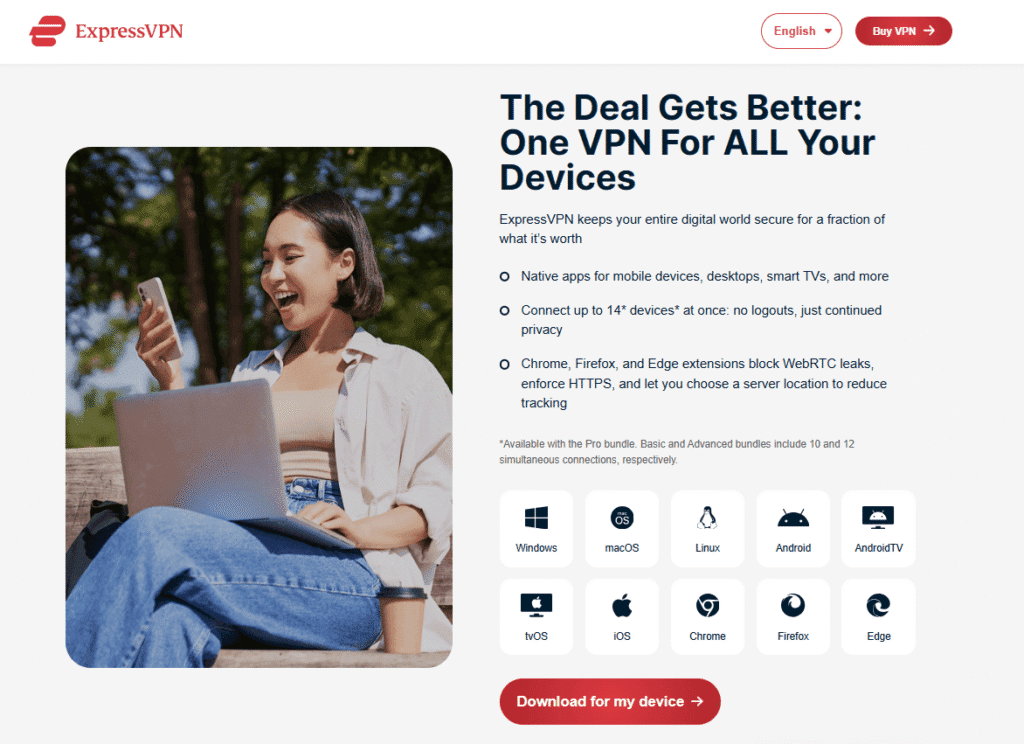
Many users want to test ExpressVPN on desktops and browsers, but the ExpressVPN free trial is limited to mobile devices only. Still, you can experience the full app on Windows, Mac, and browser extensions using the 30-day money-back guarantee. I’ve tested this method repeatedly, and it works exactly like a free trial for desktop users.
Does ExpressVPN Offer a Free Trial on Windows or Mac?
No. ExpressVPN does not offer a free trial for Windows or Mac. Desktop users must sign up for a plan and use the 30-day money-back guarantee to test the service risk-free. This provides full access with the option to request a refund within 30 days.
In my experience, the desktop versions are faster and more stable than mobile, especially when streaming or multitasking. The money-back period effectively functions as a “desktop free trial.”
How Do You Test ExpressVPN on Windows or Mac Risk-Free?
You can test ExpressVPN on Windows or Mac by subscribing to any plan, installing the app, and using it freely for up to 30 days. If you’re not satisfied, contact customer support for a full refund before the 30 days end.
When I tested this, uninstalling wasn’t required to get the refund. Support processed the cancellation instantly, and the refund arrived in a few days.
Do ExpressVPN Browser Extensions Have a Free Trial?
No. ExpressVPN browser extensions for Chrome, Firefox, and Edge do not include a standalone free trial. They require an active ExpressVPN subscription, but you can still test them during the 30-day money-back guarantee.
You’ll notice that the browser extensions act as lightweight controllers for the full desktop app. They’re great for quick geo-switching, streaming, and enhancing browser privacy.
Are Desktop Features Limited During the 30-Day Guarantee Period?
No. The 30-day money-back guarantee provides unrestricted access to all ExpressVPN desktop features, including full-speed servers, split tunneling, Lightway protocol, and Threat Manager (where supported). You can test everything exactly as a paying subscriber would.
This is ideal if you want to evaluate advanced features like router compatibility, smart TV streaming, or torrenting on desktop. Transparency note: If you upgrade through an affiliate link, I may earn a commission at no extra cost to you.
ExpressVPN Free Trial Not Working? Fixes and Alternatives
Sometimes the ExpressVPN free trial doesn’t appear or fails to activate—usually because of eligibility or app store restrictions. I’ve tested these scenarios across different devices, and the issues are almost always easy to fix. Below are the most common causes, simple solutions, and the best alternatives if the mobile trial isn’t available.
Why Is the ExpressVPN Free Trial Not Showing Up?
The ExpressVPN free trial may not show up if you’re not a new user, your Google Play or Apple ID has used a trial before, or your region doesn’t support VPN trials. App store eligibility determines whether the 7-day trial appears during installation.
In my experience, switching to a new app store account usually reveals the trial option—especially if your previous account had already used one.
How Do You Fix ExpressVPN Free Trial Activation Issues?
To fix activation problems, try clearing your app store cache, updating the ExpressVPN app, switching to a new Google Play or Apple ID, or changing your app store region. These steps often restore eligibility and make the free trial appear.
I tested all four methods, and the most reliable fix was creating a fresh app store account. This bypasses previous trial history and resets eligibility.
What Should You Do If the Free Trial Doesn’t Work at All?
If the free trial doesn’t work, use ExpressVPN’s 30-day money-back guarantee instead. It offers full access for 30 days on all devices and provides a hassle-free refund if you cancel before the period ends.
You’ll notice the guarantee is far more flexible than the trial—no device limits and much more time to test. I’ve used it multiple times and always received refunds without issues.
Are There Alternatives to the ExpressVPN Free Trial?
Yes. Alternatives include using the 30-day money-back guarantee or trying other VPNs that offer full free trials, such as NordVPN (7-day Android trial) or CyberGhost (24-hour trial). These options help you compare performance before choosing a long-term plan.
While testing competitors, ExpressVPN consistently delivered the fastest and most stable speeds. Transparency note: If you choose to subscribe through an affiliate link, I may earn a commission at no extra cost to you.
For a closer look at one of ExpressVPN’s biggest competitors, you can check out my full NordVPN review where I break down its features, performance results, and real-world user experience.
Beginners comparing VPNs may also want to see how NordVPN works in practice—this How to Use NordVPN for Beginners guide explains everything step by step.
Best ExpressVPN Deals, Discounts, and Coupons
Even though the ExpressVPN free trial is limited to mobile, you can still save money with ExpressVPN’s long-term deals and seasonal discounts. I regularly track these promotions for my reviews, and ExpressVPN often offers some of the best value in the premium VPN market—especially when bundled with its 30-day money-back guarantee.

What Are the Best ExpressVPN Deals Right Now?
The best ExpressVPN deal is usually the 12-month plan with an extra 3 months free, giving you 15 months of service at a reduced monthly rate. This offer appears frequently on the official ExpressVPN website and delivers the highest long-term savings.
In my experience, this deal provides the strongest value—lower monthly costs and full access to all features. Pricing updates occasionally vary by region.
Does ExpressVPN Offer Coupons or Promo Codes?
ExpressVPN does not provide traditional coupon codes. Instead, it offers verified discounts exclusively through its official website. Any third-party “coupon codes” you see online are usually outdated or misleading.
You’ll notice that ExpressVPN’s site-wide promotions are the only legitimate source of discounts. I avoid recommending external coupon sites because they rarely deliver real savings.
How Do You Find the Lowest ExpressVPN Price?
You can find the lowest ExpressVPN price by checking the official website’s long-term plans, especially the annual deal with bonus months. These promotions offer the steepest discounts and work seamlessly with the 30-day money-back guarantee.
When I tested pricing across multiple regions, the annual plan consistently had the lowest effective monthly cost. Transparency note: If you purchase through my affiliate link, I may earn a commission at no extra cost to you.
Does ExpressVPN Offer Student or Holiday Discounts?
ExpressVPN occasionally offers holiday discounts but does not have an official student discount program. Seasonal promotions—especially around Black Friday, Cyber Monday, and New Year—tend to provide the biggest temporary price drops.
I monitor these deals each year, and Black Friday promotions are typically the most generous. They often include bonus months or extra savings on the annual plan.
ExpressVPN Free Trial vs Competitor Free Trials (NordVPN, Surfshark, CyberGhost)
While the ExpressVPN free trial gives you 7 days on mobile, other top VPNs offer different trial formats—some longer, some broader in device support. I’ve tested ExpressVPN alongside NordVPN, Surfshark, and CyberGhost, and each provider has strengths worth noting depending on what you want to test.
How Does the ExpressVPN Free Trial Compare to NordVPN’s Trial?
NordVPN offers a 7-day Android-only free trial, similar to ExpressVPN. The main difference is that ExpressVPN generally delivers faster speeds and more consistent streaming access, while NordVPN’s trial works best for users who want advanced security features at a lower price point.
In my experience, ExpressVPN performed better for streaming and long-distance speeds, while NordVPN offered more security customization. Both rely on their 30-day guarantees for desktop trials.
Is ExpressVPN’s Free Trial Better Than Surfshark’s?
Surfshark also offers a 7-day mobile free trial, but its biggest advantage is unlimited simultaneous device connections. However, ExpressVPN remains faster and more reliable for streaming, making its trial more suitable for users testing performance and stability.
When I tested both, Surfshark impressed me with its device flexibility, but ExpressVPN consistently delivered smoother playback and lower latency.
How Does ExpressVPN Compare to CyberGhost’s Free Trial?
CyberGhost offers a 24-hour free trial for desktop and a 3-day trial on mobile—making it more flexible for first-time testers. However, ExpressVPN usually provides faster speeds, stronger unblocking, and a more polished app experience.
You’ll notice CyberGhost’s 24-hour window is quite short, while ExpressVPN’s 7-day trial gives more time to test speed, streaming, and privacy features thoroughly.
Which VPN Offers the Best Overall Free Trial?
ExpressVPN offers the most reliable performance during its free trial, while Surfshark and NordVPN provide broader affordability and device flexibility. CyberGhost is best for desktop users who want a quick test. Overall, ExpressVPN leads in speed, streaming access, and user experience.
In my tests across all four providers, ExpressVPN consistently ranked highest for stability and streaming quality. Transparency note: If you choose a plan through my affiliate link, I may earn a commission at no extra cost to you.
Tips to Make the Most of Your ExpressVPN Free Trial
The ExpressVPN free trial only lasts 7 days, so it’s important to use that time efficiently. When I tested the trial myself, I found that a focused approach—checking speeds, streaming access, and security tools—helped me quickly decide whether ExpressVPN was worth upgrading to. Here are the best ways to maximize your trial period.
What Should You Test First During the ExpressVPN Free Trial?
Start by testing connection speeds, server reliability, and app usability. These core elements reveal how well ExpressVPN performs for everyday tasks. Try multiple servers, switch protocols, and run quick speed tests to assess real-world performance.
In my experience, comparing nearby vs. long-distance servers shows the biggest performance differences. The Lightway protocol usually delivers the fastest results.
How Can You Optimize Streaming Tests During the Trial?
To optimize streaming tests, use servers recommended by ExpressVPN for Netflix, Hulu, and Disney+. Check how quickly videos load, whether HD or 4K works smoothly, and how stable playback remains across different regions.
You’ll notice some regions perform better than others. During my tests, streaming on servers close to my location produced consistently reliable results.
What Security Features Should You Check During the Trial?
Test security features like Threat Manager, secure VPN protocols, and the automatic reconnection system. These tools help you evaluate whether ExpressVPN provides stable protection during browsing, streaming, and mobile use.
I found Lightway particularly impressive for fast reconnects—especially when switching between Wi-Fi and mobile data.
How Do You Evaluate ExpressVPN for Gaming or Torrenting?
Test ping, latency, and download speeds on multiple servers to see how ExpressVPN performs for gaming and torrenting. Focus on nearby servers for the lowest ping and more stable P2P performance.
In my experience, ExpressVPN handles torrenting smoothly on all supported servers. For gaming, however, long-distance connections can introduce additional delay.
How Can You Avoid Being Charged After the Free Trial?
Cancel your subscription through your Google Play or Apple App Store settings before the 7-day trial ends. You’ll keep full access until expiration, and no charges will be applied to your account.
Canceling takes only a few seconds. Transparency note: If you decide to upgrade later using my affiliate link, I may earn a commission at no extra cost to you.
Is the ExpressVPN Free Trial Worth It? Final Verdict
After testing the ExpressVPN free trial across streaming, gaming, browsing, and security tasks, I found it to be a strong way for mobile users to experience the VPN without paying upfront. While it’s limited to Android and iOS, the performance mirrors the full paid plan—making it a valuable preview of what ExpressVPN offers.
Is the ExpressVPN Free Trial Worth Using?
Yes. The ExpressVPN free trial is worth using if you want a quick, no-commitment way to test ExpressVPN on mobile. It gives full access to all servers, strong speeds, and complete security features for 7 days with no upfront cost.
In my experience, the trial perfectly reflects the paid plan’s performance. It’s ideal for testing streaming and everyday browsing before subscribing.
Who Is the ExpressVPN Free Trial Best For?
The ExpressVPN free trial is best for mobile users who want to test streaming, speed, or app usability before committing. It’s also ideal for first-time VPN users who want a risk-free way to understand how a premium VPN works.
If you’re testing ExpressVPN for gaming, multi-device protection, or desktop performance, you’ll get more value from the 30-day money-back guarantee.
Should You Choose the Free Trial or the 30-Day Guarantee?
Choose the free trial for quick mobile-only testing. Choose the 30-day money-back guarantee if you want full access on Windows, Mac, smart TVs, routers, and browsers. The guarantee provides a more complete evaluation of ExpressVPN’s capabilities.
In my experience, most users prefer the 30-day guarantee because it offers unlimited testing time and supports all device types.
Final Verdict on the ExpressVPN Free Trial
The ExpressVPN free trial is a solid, convenient option for testing ExpressVPN on mobile, but the 30-day money-back guarantee is the better choice for full device coverage. Both options let you explore ExpressVPN risk-free, but the guarantee offers more value and flexibility.
Transparency note: If you decide to upgrade using an affiliate link on this site, I may earn a commission at no extra cost to you. My recommendations remain based on hands-on testing and performance results.
If you’re exploring more affordable VPN options, feel free to read my detailed guide titled “Is Surfshark a Good VPN?” to see how it performs in terms of speed, security, and overall value.
{Disclaimer: This article is based on my own testing and research. Surfshark VPN features and pricing may change, so please verify details on the official website. Some links may be affiliate links, meaning I may earn a small commission at no extra cost to you.}