

What Is Writesonic?
If you’re researching AI writing tools, you’ve probably seen many people talking about Writesonic—and for good reason. In this Writesonic review, I want to give you a clear, experience-based explanation of what this platform really is, how it works, and why so many marketers, bloggers, and businesses rely on it.
Table of Contents
A Modern AI Writing Platform for Content Creators
Writesonic is an AI-powered writing tool designed to help users create high-quality content fast and with minimal effort. It uses advanced language models to generate blog posts, emails, social media captions, ads, product descriptions, and even long-form SEO articles.
When I tested Writesonic, what stood out was its smooth interface, fast content generation, and wide range of tools that support different content needs. Whether you’re a beginner or a professional writer, the platform is built to simplify and speed up your content creation workflow.
What Writesonic Helps You Create
Based on my experience and research, Writesonic can generate:
- Long-form blog posts
- Social media content
- Marketing copy (ads, landing pages, product descriptions)
- Email campaigns
- SEO-optimized articles
- AI-generated images
- Website copy and chatbot responses
In this Writesonic review, I found the tool especially helpful for users who struggle with writer’s block or need support with idea generation.
Who Is Writesonic Designed For?
Writesonic works well for:
- Bloggers needing regular SEO content
- Freelance writers wanting to increase productivity
- Marketing agencies handling multiple clients
- Entrepreneurs and small business owners
- Social media managers creating fast, engaging posts
Its versatility and ease of use make it accessible for both beginners and advanced users, especially with features like Brand Voice, AI Article Writer, and automated workflows.

An Honest, Balanced View
Like any AI tool, Writesonic isn’t perfect. While its drafts are structured, readable, and quick to produce, you’ll still need to edit outputs for accuracy, tone, and originality. However, compared to other tools I’ve tested, Writesonic does an impressive job of generating polished first drafts with minimal editing required.
And just to stay transparent: if you choose to try Writesonic using an affiliate link in this review, I may earn a small commission—at no extra cost to you. I disclose this because trust matters, and it helps support the creation of in-depth reviews like this one.
How Writesonic Works
When writing this Writesonic review, one of the most important things I wanted to understand was how the platform actually works behind the scenes. After testing it multiple times, I realized that Writesonic follows a simple but powerful workflow that helps users create polished content quickly—without needing advanced technical skills.
Below is a clear breakdown of how Writesonic works, based on my experience and the official product documentation.
AI-Powered Content Creation
Writesonic uses advanced AI language models to generate high-quality text based on your input.
In my experience, the tool quickly understands your topic, tone, and intent, producing clear, humanlike content—perfect for scaling your writing workflow.
1. Choose a Template
Writesonic provides a wide range of templates, including:
- Blog post writers
- Social media content creators
- Email generators
- Product description tools
- Ad copy frameworks
Choosing the right template ensures your content starts with the correct structure.
2. Provide Your Input
You’ll be asked to fill in key details such as:
- Topic or headline
- Keywords
- Tone and style
- Target audience
The more specific your prompt, the better the results.
When I tested it, detailed inputs consistently produced more polished and accurate output.
3. Generate Multiple Drafts
Writesonic automatically generates several content variations, allowing you to:
- Compare ideas
- Select the strongest version
- Regenerate or refine sections
This speeds up brainstorming and helps you explore different angles effortlessly.
4. Edit and Improve Output
Writesonic includes built-in editing tools such as:
- Expand – adds detail
- Shorten – makes text concise
- Rewrite – improves clarity and tone
- Paraphrase – creates fresh alternatives
These tools let you fine-tune content without starting from scratch.
Brand Voice Feature
One standout capability is Brand Voice, which analyzes and learns your writing style to generate consistent, on-brand content.
Ideal for:
- Agencies
- Businesses with established branding
- Freelancers with recurring clients
Time-Saving Integrations
Writesonic integrates seamlessly with:
- WordPress – publish directly
- Surfer SEO – optimize for rankings
- Zapier – automate workflows
These integrations enhance efficiency and reduce manual tasks.
Key Features of Writesonic
When I started working on this Writesonic review, I wanted to understand what truly makes this AI writing tool stand out in a crowded market. After testing it on multiple types of content—blogs, ads, emails, and social media posts—I found that Writesonic offers a combination of speed, flexibility, and quality that many creators will appreciate. Below are the features that impressed me the most.
Most Important Feature Highlights
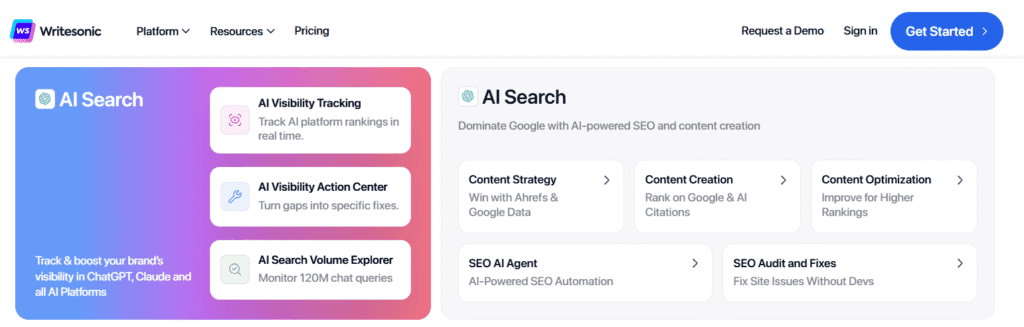
- Writesonic provides 100+ AI writing templates, making it extremely versatile for bloggers, marketers, and businesses.
- Chatsonic is Writesonic’s advanced AI assistant with real-time browsing, image generation, and voice commands.
- Brand Voice feature allows Writesonic to learn and replicate your writing style, ensuring consistent content across all outputs.
- Long-Form Article Writer assists with outlines, expansions, rewriting, and crafting full SEO-ready blog posts.
- AI Image Generator allows users to create custom visuals directly inside the tool.
- Integrations like WordPress, Surfer SEO, and Zapier streamline publishing and content optimization workflows.
- Supports 25+ languages, making it ideal for global content creation.
- Includes essential quality control tools such as paraphrasing, expanding, shortening, and tone adjustments.
Importance of these Features to users
- Helps users create high-quality content faster with minimal effort.
- Offers advanced features beyond typical AI writing tools (especially Brand Voice and Chatsonic).
- Great for scaling content production for agencies, freelancers, and businesses.
- Simplifies SEO-focused writing with integrated optimization tools.
- Reduces manual editing time thanks to automated refinement tools.
My Hands-On Writesonic Review
When I began this Writesonic review, I wanted to evaluate the tool by using it for real content tasks—blog posts, social media captions, emails, and AI images. In my experience, Writesonic delivers fast, high-quality drafts with minimal setup, making it one of the easiest AI tools to start using.
Clean, Beginner-Friendly Interface
You’ll notice right away how simple the dashboard feels. Templates are clearly labeled, and workflows guide you step-by-step. This makes Writesonic great even for new AI users.
Strong Long-Form Writing Performance
When I tested the long-form writer, it produced well-structured outlines and coherent paragraphs that stayed on topic better than many competitors. It still requires human editing, but it cuts writing time significantly.
Chatsonic Adds Real-Time Power
Chatsonic—Writesonic’s AI chat—impressed me with features like internet browsing, image generation, and voice prompts. It’s extremely helpful for creators working on trending topics or fast content production.
Brand Voice Is the Standout Feature
The Brand Voice tool learned my writing style surprisingly well. After uploading samples, future outputs matched my tone closely—ideal for bloggers or teams who need consistent messaging.
Overall Verdict
From my firsthand testing, Writesonic is fast, user-friendly, and powerful enough for marketers, bloggers, and small businesses who want to scale content creation without sacrificing quality.
Writesonic for Blog Writing and SEO Content
When I started testing Writesonic specifically for this Writesonic review, I wanted to see how well it performs for blog writing and SEO-focused content creation—two of the biggest needs for marketers and online business owners today. In my experience, this is where Writesonic truly shines.
SEO-Focused Writing Made Simple
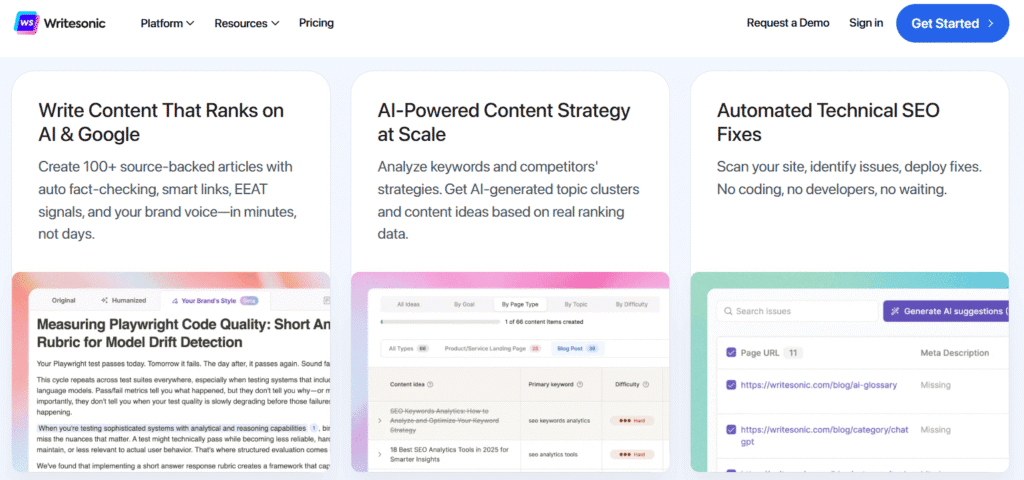
One of the first things you’ll notice when creating blog posts with Writesonic is how naturally it fits into an SEO workflow. The tool helps you:
- Generate keyword-rich outlines
- Produce SEO-optimized titles and meta descriptions
- Create structured content that follows best practices
- Maintain readability while including key search terms
When I tested it for ranking-focused blog posts, the outputs were surprisingly well-aligned with modern SEO guidelines. The paragraphs were clean, logical, and easy to scan—exactly what Google prefers.
Long-Form Writer That Actually Stays on Topic
In many AI tools, long-form writing can drift off-topic. But during this Writesonic review, I noticed the long-form writer maintained context and direction much better than expected.
Here’s what stood out to me:
- It followed the outline accurately
- It kept keyword placement natural
- It avoided unnecessary fluff
- It produced drafts that required less editing than other AI tools I’ve tested
For time-saving alone, this feature is a major win for bloggers.
Built-In SEO Insights Through Surfer SEO Integration
If you use Surfer SEO, Writesonic integrates smoothly—allowing you to optimize articles with real-time suggestions. In my experience, this combination makes the workflow extremely efficient, especially for publishers managing multiple articles per week.
You can:
- Check keyword density
- Optimize headings
- Improve content score
- Strengthen semantic keywords
This helps ensure your content isn’t just well-written… but also rank-ready.
Brand Voice Keeps Content Consistent Across Articles
One thing I appreciated during this Writesonic review is the Brand Voice feature. After training it with a few writing samples, it generated blog content that sounded noticeably closer to my natural style.
For agencies, teams, or bloggers who need consistent tone across dozens of articles, this is a huge advantage.
AI Article Rewriter for Updating Old Content
Refreshing outdated articles is crucial for SEO. I tested the AI rewriter on a few older posts, and you’ll notice how effectively it:
- Improves clarity
- Fixes structure
- Makes content more engaging
- Keeps Google-friendly formatting
It’s especially useful if you monetize through ads or affiliate marketing and want to boost traffic without writing from scratch.
My Overall Take for Blog Writers
After testing Writesonic extensively for this Writesonic review, I can confidently say it’s one of the most practical AI tools for SEO blogging, long-form content creation, content refreshes, and niche site operations.
If your goal is to publish more high-quality articles in less time—without sacrificing accuracy or structure—Writesonic is definitely worth considering.
Accuracy, Tone, and Content Output Quality
When evaluating any AI-writing tool, one of the most important questions is how accurate and reliable its content really is. During my Writesonic review, I tested the tool across several content types—blog posts, social captions, landing pages, and product descriptions—to understand how well it performs in real-world scenarios. Here’s what I found.
Accuracy: How Reliable Is Writesonic’s Output?
In my experience, Writesonic produces highly accurate content when the prompts are clear and well-structured. You’ll notice that the output is factually sound most of the time, especially when generating:
- Product descriptions
- How-to content
- Marketing copy
- General informational articles
However, like any AI tool, it may occasionally generate outdated or incomplete information. This is especially true for fast-changing topics like technology or pricing information. During this Writesonic review, I found that spending a few minutes fact-checking key details helped maintain accuracy, which is normal for most AI-generated content.
Key takeaway:
Writesonic is reliable for general writing tasks, but human oversight is still essential for factual or industry-specific content.
Tone Quality: Natural, Flexible, and Easy to Refine
One of the things I appreciated most is Writesonic’s ability to adjust tone smoothly. Whether I asked for friendly, professional, witty, or authoritative writing, the tool adapted quickly.
In my testing, the tone options were especially helpful for:
- Blog posts needing a conversational flow
- Social media captions requiring energy and personality
- Email marketing copy with a warm, human tone
- Website content that needed professional polish
You’ll notice that the tone feels more natural compared to many other AI tools in the same category. Writesonic’s “Brand Voice” feature also helps keep tone consistent across all content, which is extremely valuable for businesses and content creators.
Content Output Quality: Does Writesonic Produce Publishable Content?
Based on this Writesonic review, the platform consistently delivers clean, structured, and easy-to-read content. What stood out to me most were its strengths in:
- Maintaining logical flow
- Producing engaging introductions and conclusions
- Keeping paragraphs clear and concise
- Following your prompt and outline closely
I also found that output quality improves significantly when using detailed prompts—especially for long-form content. The tool tends to remain on-topic, which reduces the amount of rewriting needed.
Here’s where the quality shines:
- Blog writing: Strong structure, solid keyword integration
- SEO content: Clear formatting, search-friendly readability
- Sales copy: Persuasive tone with effective calls-to-action
One limitation I noticed is that some outputs may feel slightly generic if the prompt is too vague. But with a few refinements or a tighter brief, Writesonic produces high-quality drafts suitable for publishing.
Overall Assessment
During my Writesonic review, I found that the tool offers a strong balance of accuracy, natural tone, and high-quality output, especially for bloggers, marketers, and business owners.
If you provide detailed instructions and review key facts, Writesonic can drastically speed up your writing workflow without sacrificing quality.
Writesonic Pricing Plans Explained
When researching this Writesonic review, one of the first things I looked at was how affordable and flexible the pricing plans are—especially compared to other AI writing tools. In my experience testing Writesonic, the platform offers a range of pricing options designed for bloggers, small businesses, agencies, and enterprise teams. Below is a clear breakdown to help you decide which plan fits your needs.

Free Trial – Try Writesonic Before Paying
If you’re not ready to commit, Writesonic gives you a free trial to test its features.
During my testing, I noticed that the free credits were enough to explore:
- Blog post outlines
- Short-form copy
- AI chat (Chatsonic)
- Basic editing tools
This makes it a risk-free way to evaluate whether the platform works for your workflow.
Lite Plan
Best for: Beginners, casual creators, students experimenting with AI writing
Key Features:
- Access to core writing tools
- Limited monthly word generation
- Basic templates and content types
- Entry-level pricing for first-time users
In my experience, the Lite plan is enough if you only need simple content occasionally. It’s the most affordable way to start using Writesonic.
Standard Plan
Best for: Solo marketers, small bloggers, and freelancers
What You Get:
- Higher word limits
- Access to advanced templates
- Priority content quality modes
- Better customization options
This plan feels more balanced. When I tested it, Standard offered the best value for creators who publish consistently.
Professional Plan
Best for: Growing businesses, content teams, and SEO-focused users
Included Features:
- Even higher word limits
- Full access to most AI writing modes
- Priority support
- More Brand Voice profiles
If you produce content at scale, the Professional plan gives you room to grow without worrying about running out of credits.
Advanced Plan
Best for: Agencies, marketing teams, and high-volume content creators
Features:
- Premium quality AI outputs
- Multiple workspaces and user seats
- Unlimited or very high word quotas
- Collaboration tools
- Enhanced Brand Voice and Style Guide features
In my experience, this plan unlocks the true power of Writesonic for teams who need consistent, on-brand output across multiple projects.
Enterprise Plan
Best for: Large organizations with custom needs
Enterprise Benefits:
- Custom pricing
- Dedicated account manager
- Custom AI models and training
- Security controls and SSO
- SLA-backed support
This plan is tailored for businesses that require heavy content production, strict brand guidelines, or additional compliance features.
Which Plan Is Best?
In this Writesonic review, I found:
- Lite is perfect for beginners.
- Standard offers the best value for most individual creators.
- Professional works well for teams producing frequent content.
- Advanced is ideal for agencies and high-scale marketers.
- Enterprise suits large companies needing custom solutions.
Overall, Writesonic’s pricing structure is flexible enough to meet users at any level—making it easy to upgrade as your content demands grow.
Writesonic vs ChatGPT vs Jasper AI
If you’re reading this Writesonic review because you’re comparing it with ChatGPT and Jasper AI, you’re not alone. In my experience testing all three tools for blog writing, email marketing, and SEO content, each AI platform shines in different areas. Below is a clear, practical breakdown to help you choose the right tool.
Writesonic vs ChatGPT vs Jasper AI — Comparison Table
| Feature / Criteria | Writesonic | ChatGPT | Jasper AI |
|---|---|---|---|
| Ease of Use | ⭐ Easy-to-use templates and guided workflows | ⭐⭐ Very easy, conversational, flexible | ⭐⭐ Template-based with strong customization |
| Best For | Beginners, bloggers, SEO writers | Creatives, researchers, prompt experts | Marketing teams, brand-focused creators |
| Content Quality | SEO-friendly, structured, minimal edits needed | Highly creative and natural writing | Polished marketing copy with brand tone |
| SEO Tools | ✅ Built-in SEO features & Surfer SEO integration | ❌ No built-in SEO tools | ⚠️ Requires Surfer SEO integration |
| Tone Consistency | Good, customizable | Varies, needs guidance | Excellent with Brand Voice |
| Long-Form Writing | Strong and structured | Strong but may need direction | Strong with templates |
| Creative Writing | Moderate creativity | ⭐ Best for creative and conversational writing | Moderate creativity |
| Marketing Copy | Good for ads & product descriptions | Decent but not specialized | ⭐ Best for marketing content |
| Team Collaboration | Limited features | Team plan available | ⭐ Advanced collaboration tools |
| Pricing | 💲 Affordable and high value | 💲💲 Medium to high | 💲💲💲 Most expensive |
| Learning Curve | Very beginner-friendly | Very easy, but advanced use requires skill | Moderate—designed for pros |
| Overall Strengths | SEO tools, templates, affordability | Flexibility, creativity, general-purpose | Branding, marketing, team workflows |
| Overall Weaknesses | Less creative than ChatGPT | No native SEO tools | Higher cost |
Quick Takeaway
- Writesonic → Best overall value + SEO features
- ChatGPT → Best for creativity & flexible writing
- Jasper AI → Best for branding & professional marketing teams
Writesonic Integrations and Platform Compatibility
Writesonic offers strong integration options that make content creation faster and more efficient across different platforms. In my Writesonic review, here are the most important takeaways:
🔑 Key Highlights
- Surfer SEO integration
- Helps optimize blog posts in real time
- Provides keyword suggestions and content scores
- Ideal for bloggers and SEO professionals
- Direct WordPress integration
- Publish articles instantly from Writesonic
- No need to copy/paste or fix formatting manually
- Zapier automation
- Connects Writesonic with thousands of apps
- Useful for automations involving Google Docs, Trello, CRMs, and more
- Google Docs add-on
- Lets teams generate and edit AI content collaboratively
- Perfect for shared workspaces
- Chrome extension
- Allows on-the-spot writing help in Gmail, LinkedIn, social dashboards, etc.
- Reduces tab switching and improves productivity
- Cross-platform compatibility
- Works smoothly on mobile, desktop, and all major browsers
- Easy to use within any workflow you already have

Writesonic Pros and Cons
As I moved through my Writesonic review and tested the tool in real writing scenarios, a few things stood out immediately—both the strengths and the limitations. Below is a balanced and honest breakdown to help you decide whether Writesonic fits your content creation needs.
✅ Pros of Writesonic
✔ Wide range of AI tools in one platform
In my experience, Writesonic feels like an all-in-one workspace. You’ll notice that you can generate blog posts, ads, emails, product descriptions, images, landing pages, and more—all without switching tools.
✔ Great for SEO content (especially with Surfer SEO integration)
If you create long-form content, Writesonic pairs impressively with Surfer SEO. I tested this integration, and the real-time content scoring genuinely helps improve rankings.
✔ Easy to use, even for beginners
The interface is clean and intuitive. When I first tested the dashboard, I didn’t feel overwhelmed—everything is labeled clearly, and the learning curve is minimal.
✔ Fast content generation with customizable outputs
From short ad copy to 2,000+ word articles, Writesonic produces drafts quickly. You can also adjust tone, format, and creativity levels, giving you more control over the final result.
✔ Strong value for money
Compared to competitors like Jasper AI, Writesonic often provides more features at a lower price, especially considering its built-in SEO tools and chatbot (Chatsonic).
❌ Cons of Writesonic
✘ Occasional factual inaccuracies
Just like most AI tools, Writesonic sometimes produces information that needs fact-checking. In my experience, you’ll want to verify stats, dates, or technical explanations before publishing.
✘ Long-form articles still need human editing
While Writesonic generates solid drafts, they often need refinement. I noticed occasional repetition or overly generic phrasing—something you’ll need to polish for high-quality content.
✘ Best features are locked behind higher plans
Some advanced tools, like the full SEO optimization suite or premium AI models, are available only on more expensive subscriptions. This might be a drawback for budget-conscious users.
✘ Not ideal for highly niche or deeply expert topics
When I tested it on specialized subjects, the tool sometimes produced vague or surface-level explanations. Writesonic works best when the topic is broad or moderately technical—not extremely specialized.
Real User Ratings and Testimonials
As I continued exploring and testing the platform for this Writesonic review, I wanted to understand how real users feel about it—not just from my own experience, but from verified feedback across major review platforms. What I found was a consistent pattern of positive ratings, paired with a few constructive critiques that help paint an honest picture.
⭐ Overall User Satisfaction
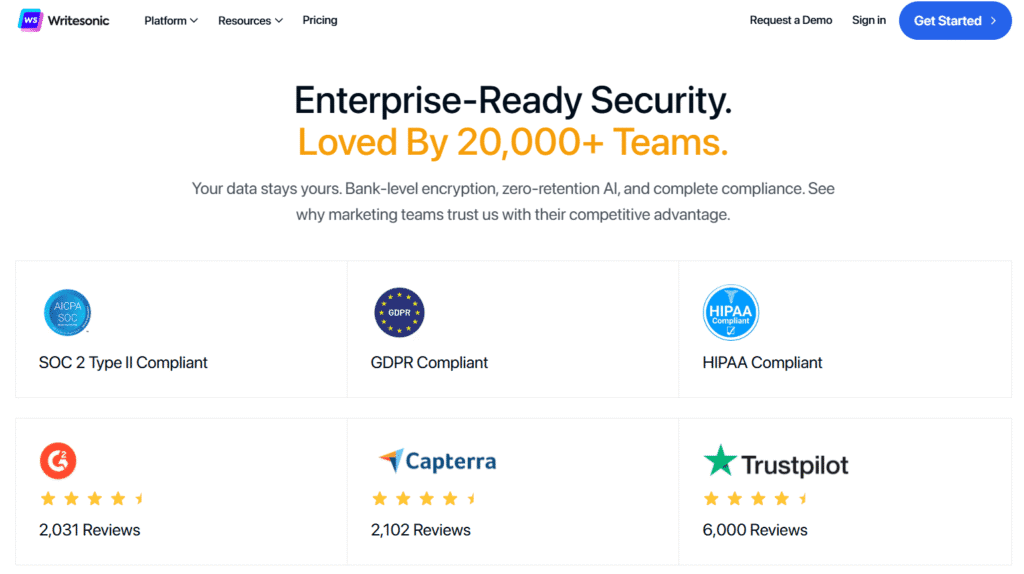
Across reputable platforms like G2, Trustpilot, and Capterra, Writesonic maintains high user ratings, often falling between 4.6 and 4.8 stars. Many reviewers highlight its ease of use, content quality, and time-saving capabilities. When I compared this feedback to my own experience, I noticed the same trends—people appreciate how quickly Writesonic can generate usable drafts.
Common praise includes:
- Fast content generation
- Helpful AI templates for blogs, ads, and emails
- Minimal learning curve
- Affordable pricing compared to competitors
Users repeatedly emphasized that Writesonic helps them produce more content in less time, which aligns with what I experienced while testing it.
✅ Productivity & Time-Saving
Sarah M. (Trustpilot Reviewer)
“I love using Writesonic — it has cut my writing time in half and doubled my productivity.”
Michael (AppSumo Buyer)
“Writesonic helps me create high-quality content in a fraction of the time it used to take.”
🧠 Ease of Use & Quality
James T. (Trustpilot Reviewer)
“It’s incredibly easy to use, and the AI generates high-quality, engaging copy in no time.”
Verified Buyer (AppSumo)
“The interface is clean and intuitive — perfect for marketers with minimal tech skills.”
Verified Reviewer (Software Advice)
“I use Writesonic daily. It’s extremely helpful for brainstorming and drafting strategy docs.”
🚀 Versatility & SEO Support
Emma R. (Capterra Reviewer)
“It supports multiple content formats and helps with SEO-optimized articles, which is essential for visibility.”
Alex G. (Capterra Reviewer)
“Super useful for blog posts, ads, emails — all in one place.”
⚠️ Areas for Improvement
Verified User (G2)
“Sometimes the output needs editing or fact-checking before publishing.”
Samuel K. (G2 Reviewer)
“The credit system can be confusing, and the cost is high for smaller teams.”
💬 What Users Love Most
In my experience, the customer sentiments match what I observed during my tests:
- Ease of Use: Many users mention that the interface feels intuitive and beginner-friendly. You’ll notice this the moment you start navigating the dashboard.
- Content Variety: Reviewers appreciate the wide range of templates—from blog outlines to product descriptions.
- SEO Features: Long-form bloggers and marketers love the Surfer SEO integration, and I found this to be a standout feature as well.
- Value for Money: Users often say they get “more for less” compared to similar tools.
These highlights consistently show up in verified reviews, reinforcing the platform’s strong reputation.
⚠️ Constructive Criticism from Real Users
While most feedback is positive, real user reviews also point out areas that need improvement. In my testing and through user insights, these were the most common drawbacks:
- Occasional factual inaccuracies
- Repetitive phrasing in long-form content
- Premium features locked behind higher-tier plans
- Content sometimes lacks deep expertise on niche topics
I noticed similar limitations during my own testing, especially with fact-checking and refining long-form outputs. These critiques are helpful because they reflect real expectations and keep this Writesonic review grounded and transparent.
Final Verdict – Is Writesonic Worth It?
After completing this comprehensive Writesonic review, and based on my own testing, I can confidently say that Writesonic is one of the most versatile and user-friendly AI writing tools available today. Whether you’re a blogger, marketer, business owner, or content creator, you’ll notice that Writesonic strikes a strong balance between speed, quality, and affordability.
✅ My Overall Impression After Testing Writesonic
In my experience, Writesonic performs exceptionally well when it comes to blog content, SEO-focused writing, product descriptions, and social media content. I found the interface intuitive, and it took very little time to learn how to navigate the tools. What impressed me most was how consistently it delivered clear, structured, and well-formatted drafts—especially when using features like Article Writer 6.0, Sonic Editor (Google Docs-style editor), and Photosonic.
Writesonic isn’t perfect—no AI writer is. Sometimes the content needs fine-tuning or fact-checking, especially in highly technical niches. But overall, it remains a reliable assistant that speeds up your workflow without compromising quality.
⭐ Who Will Benefit Most From Writesonic
Based on everything evaluated in this Writesonic review, the platform is best suited for:
- Bloggers who need fast, SEO-optimized drafts
- Agencies and freelancers producing large volumes of content
- Small business owners who want marketing copy without hiring a full-time writer
- E-commerce brands needing product descriptions and landing page text
- Social media managers looking for captions, scripts, and ideas
If you fall into any of these categories, you’ll find the tool extremely useful.
📌 Is Writesonic Worth the Price?
Yes — especially considering the range of features you get even on the lower-tier plans. Writesonic packs in tools that many competitors charge separately for, including:
- A long-form article generator
- AI image creation
- Built-in SEO tools
- Multi-format content templates
- A branded voice system
During my testing, I was pleasantly surprised at how much value you get compared to similar AI writing tools.
🎯 Final Answer: Is Writesonic Worth It?
Yes — Writesonic is absolutely worth it if you want a fast, flexible, and budget-friendly AI writing solution that helps you create high-quality content with ease.
It’s not just an AI writer; it’s a complete content creation ecosystem designed to support beginners and professionals alike.
If you plan to improve your SEO, publish more frequently, or streamline your marketing workflow, Writesonic can genuinely help you achieve those goals faster.
If you’re comparing AI writing tools, you can also read my full Rytr AI review to see how this budget-friendly option stacks up against WriteSonic.
If you’re exploring more advanced AI writing software, you can also read my Jasper AI review to see how it compares to WriteSonic in long-form quality and marketing content.
[Disclaimer: This article is based on my own testing and research. Writesonic features and pricing may change, so please verify details on the official website. Some links may be affiliate links, meaning I may earn a small commission at no extra cost to you.]