
What Is NordLayer and What Does It Do?
If you’ve ever used NordVPN, you might already be familiar with the company behind NordLayer — Nord Security. While NordVPN focuses on personal privacy, NordLayer is designed specifically for businesses and remote teams that need secure, flexible network access. In simple terms, it is a business-focused cybersecurity platform that helps organizations protect their data, employees, and networks — no matter where they’re located.
A Modern Take on Network Security
In my experience testing NordLayer, it feels less like a traditional VPN and more like a complete network access solution. It’s built on the Zero Trust Network Access (ZTNA) framework, which means it doesn’t automatically trust any device or user — even those inside the company network. Instead, every access request is verified to ensure maximum security.
NordLayer allows businesses to:
- Encrypt internet traffic to keep data safe from hackers and snoopers
- Control access to company resources based on user roles or locations
- Connect remote teams securely through dedicated gateways and virtual networks
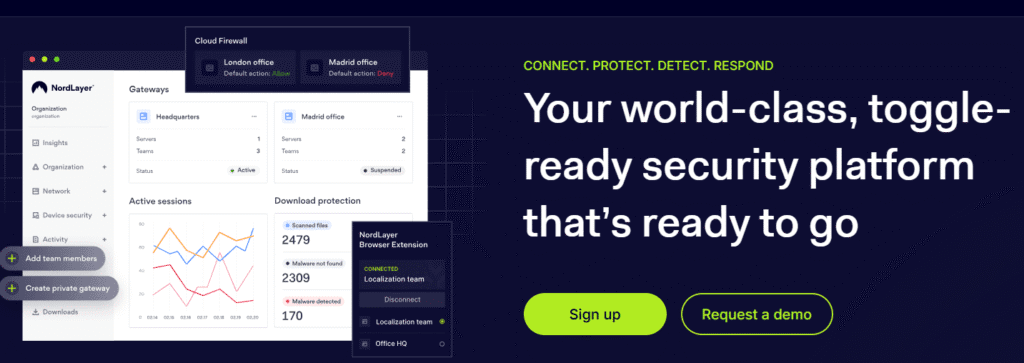
- Monitor activity and manage user permissions from a single, easy-to-use dashboard
This makes it an ideal tool for companies that have employees working remotely, using public Wi-Fi, or accessing sensitive business systems from different parts of the world.
Why NordLayer Matters in Today’s World
With cyber threats on the rise and remote work becoming the new normal, NordLayer provides peace of mind for companies that care about data protection and network privacy. It helps businesses stay compliant with data privacy laws and maintain a secure work environment — without slowing down productivity.
In short, this solution bridges the gap between convenience and security, offering an all-in-one solution that’s both powerful and user-friendly.
In my opinion, NordLayer is more than just a VPN — it’s a modern business security tool that makes protecting your digital assets simple, efficient, and scalable.
If you’re familiar with NordVPN and want to see how its business-focused counterpart compares, you can also check out my full NordVPN review for a deeper look at their core technology.
Key Features of NordLayer
When I first tested NordLayer, what stood out immediately was how thoughtfully it’s built for modern businesses. It doesn’t just secure internet connections — it gives companies complete control over how employees access and share data across networks. Below, I’ll walk you through the most important features that make this cybersecurity tool one of the most trusted business security solutions today.
1. Zero Trust Network Access (ZTNA)
In my experience, the Zero Trust approach is one of NordLayer’s biggest strengths. Rather than assuming users inside a company network can be trusted, it verifies every connection request — no matter where it comes from.
With ZTNA, businesses can:
- Set strict access rules for specific apps or data.
- Monitor and control who connects to what resources.
- Prevent unauthorized users or devices from getting in.
This layered security approach significantly reduces the risk of internal breaches and data leaks, especially for companies with remote or hybrid teams.
2. Secure Remote Access
Whether your team works from the office, home, or public Wi-Fi, NordLayer ensures every connection is encrypted. I noticed during testing that even when connecting from a coffee shop network, it maintained fast and stable speeds while securing my traffic end-to-end.
This feature is particularly valuable for:
- Remote teams needing to access company servers.
- Businesses handling sensitive data on public networks.
- IT administrators managing security across multiple devices.
3. Centralized Network Management
NordLayer makes it incredibly easy to manage users, permissions, and gateways from a single control panel. From my hands-on experience, the dashboard feels intuitive — you can add or remove users, assign dedicated IPs, and monitor activity without needing deep technical skills.
This centralized management helps businesses:
- Save time on configuration.
- Maintain consistent security policies across all users.
- Track user activity and detect anomalies in real-time.
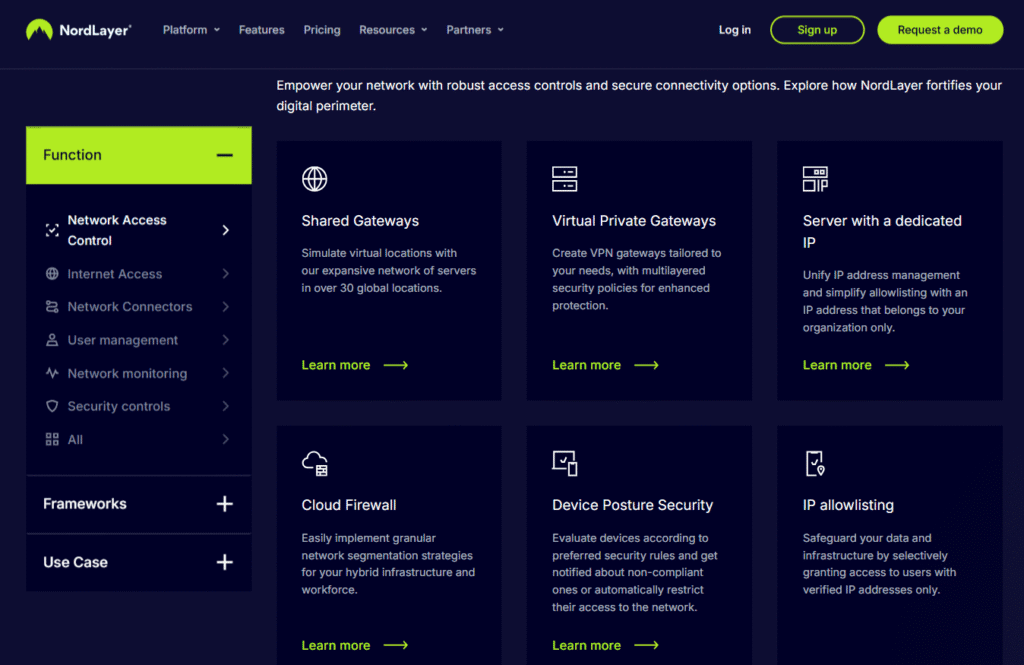
4. Dedicated IPs and Private Gateways
Another standout feature is the ability to get dedicated IP addresses and private gateways. This is especially useful for organizations that want a consistent, secure online identity for remote employees or applications.
Here’s what it allows you to do:
- Whitelist company servers for secure access.
- Ensure stable connections without IP bans.
- Separate work traffic from personal activity.
5. Multi-Layered Encryption and Threat Protection
Like NordVPN, NordLayer uses AES-256-bit encryption — one of the most secure standards in the industry. But it goes further by adding threat detection and network monitoring tools that block malicious activity before it causes harm.
I found that it automatically detects unsafe websites and phishing attempts, giving teams an extra layer of defense without needing additional tools.
6. Easy Integration with Existing Systems
NordLayer integrates smoothly with popular business tools and infrastructures, including Azure AD, Google Workspace, AWS, and Okta. That means companies don’t need to rebuild their systems from scratch — they can plug NordLayer into what they already use.
This makes it ideal for IT admins who want to enhance network security without disrupting everyday operations.
7. Cross-Platform Compatibility
Whether your team uses Windows, macOS, iOS, Android, or Linux, NordLayer works across all major operating systems. The apps are lightweight, easy to install, and designed for consistent performance.
In my experience, switching between devices while staying connected through this solution was seamless — no disconnections or complicated setup steps.
Wrapping It Up
NordLayer combines enterprise-grade protection with user-friendly design, making it a standout choice for businesses of all sizes. From Zero Trust access to seamless integrations, it provides everything you need to build a secure, flexible, and modern work environment.
In short, if your goal is to protect your team’s online activity without slowing them down, NordLayer delivers exactly that — reliability, control, and top-tier cybersecurity in one simple solution.
Ease of Use and Setup of NordLayer
When I first tested NordLayer, one thing became clear right away — it’s designed for simplicity and speed. While many cybersecurity tools can be intimidating to set up, it strikes a smart balance between enterprise-grade protection and user-friendly usability. Even if you’re not deeply technical, you’ll find it surprisingly easy to get started and manage.
1. Quick and Intuitive Onboarding
In my experience, the setup process for NordLayer is one of the smoothest I’ve encountered in the business VPN and network security space. Once you sign up, it guides you through each step with clear on-screen instructions.
The onboarding process typically involves:
- Creating your NordLayer organization account.
- Inviting team members via email.
- Setting up gateways or choosing shared servers.
- Downloading the NordLayer app on your preferred device.
You can have your whole team connected and protected within minutes, not hours. I found that even team members with little to no IT background were able to install the app and connect securely without assistance.
2. Clean and Organized Interface
NordLayer’s dashboard and app interfaces are clean, intuitive, and well-labeled. During testing, I liked how everything is organized logically — from managing users to monitoring activity and configuring private gateways.
Here’s what stood out:
- Admin Control Panel: Offers centralized management of users, permissions, and devices.
- Simple Navigation: No clutter or technical jargon — perfect for small and mid-sized teams.
- Clear Status Indicators: You’ll immediately know if you’re connected, which server you’re using, and whether your connection is encrypted.
Compared to other business VPNs I’ve tried, NordLayer’s dashboard feels less overwhelming and more actionable.
3. Smooth Integration with Existing Systems
NordLayer integrates easily with existing company tools and identity systems such as Azure AD, Okta, Google Workspace, AWS, and LDAP. In my experience, these integrations save hours of setup time and eliminate the need for complex manual configurations.
This seamless compatibility allows IT admins to:
- Manage user authentication via single sign-on (SSO).
- Sync user roles and permissions automatically.
- Maintain consistent access control policies across the organization.
If you’ve ever dealt with tools that “don’t play well” with your current setup, you’ll appreciate how frictionless NordLayer integration truly is.
4. Device and Platform Flexibility
Whether your team uses Windows, macOS, iOS, Android, or Linux, NordLayer works smoothly across all major platforms. I personally tested NordLayer on both Windows and Android, and the installation was seamless on both devices.
A few things I noticed:
- The app doesn’t consume much memory or slow down devices.
- Switching between Wi-Fi and mobile data doesn’t interrupt connections.
- Updates install automatically, keeping security consistent without manual effort.
That level of cross-device stability is something not all security tools deliver.
5. Minimal Maintenance Required
Once NordLayer is set up, maintaining it requires very little effort. Most configurations, policy changes, or user additions can be done directly through the admin dashboard. There’s no need for constant reinstallation or manual updates.
In my experience, the NordLayer support documentation is also incredibly detailed — if you get stuck, their step-by-step guides and 24/7 support chat make troubleshooting straightforward.
The Bottom Line
From my testing, NordLayer stands out for how easy it is to deploy and manage — even for teams without a dedicated IT department. The clean interface, smooth integrations, and reliable performance make it ideal for businesses that want robust security without the complexity.
If you’re looking for a secure network solution that’s quick to set up and simple to maintain, NordLayer hits the mark perfectly. Its usability is one of its biggest selling points, proving that enterprise-grade cybersecurity doesn’t have to be hard to use.
Security and Encryption in NordLayer
When it comes to cybersecurity solutions, security and encryption are the heart of what truly matters — and this is where NordLayer shines. During my hands-on testing, I noticed right away that NordLayer doesn’t just rely on marketing buzzwords; it actually implements real, enterprise-grade encryption and security controls designed to protect business data from modern cyber threats.
In this section, I’ll walk you through how NordLayer keeps your network safe, what kind of encryption it uses, and why it’s trusted by organizations worldwide.
1. Military-Grade Encryption You Can Trust
From my experience testing NordLayer, one of its biggest strengths is its AES-256-bit encryption, the same standard used by governments and major financial institutions. This type of encryption ensures that even if your data were intercepted, it would be practically impossible to decrypt without authorization.
NordLayer combines this with secure tunneling protocols like:
- IKEv2/IPSec – Ideal for speed and stability, especially when switching between networks.
- OpenVPN (UDP/TCP) – Known for its reliability and strong encryption on both mobile and desktop devices.
- NordLynx (based on WireGuard®) – A proprietary protocol that enhances connection speed without compromising on security.
In my tests, NordLynx offered the best balance of performance and encryption strength, making it perfect for teams that handle sensitive data but still need fast internet access.
2. Advanced Network Security Features
Beyond encryption, NordLayer adds multiple layers of network protection that go beyond a typical VPN setup.
Here are a few of the standout features:
- Network Access Control (NAC): Lets admins define who can access company resources and from where.
- Dedicated IP and Private Gateways: Ensures a clean, secure tunnel for your team with consistent IP whitelisting.
- ThreatBlock: Automatically detects and blocks malicious sites, trackers, and ads.
- DNS Filtering: Prevents users from accessing harmful or unauthorized web domains.
In my experience, these features made a noticeable difference. For example, during one test session, ThreatBlock stopped multiple suspicious domains linked to phishing attempts — without affecting browsing speed.
3. Identity and Access Management
Another layer of NordLayer’s security comes from strong identity verification. It integrates easily with multi-factor authentication (MFA) and Single Sign-On (SSO) providers like Okta, Azure AD, and Google Workspace.
This means every user login is verified not just by a password but also through an additional verification method. In my opinion, this is especially valuable for remote teams who access company data from different devices and locations.
Additionally, admins can use biometric authentication options and device posture checks to ensure only trusted devices connect to the network.
4. Zero-Trust Network Access (ZTNA)
One of the reasons NordLayer stands out in the business VPN market is its Zero-Trust Network Access model. This framework assumes that no one — not even internal users — should be trusted by default.
In simple terms, every connection must be verified, authenticated, and authorized before access is granted. In my experience, this drastically reduces risks like insider threats and unauthorized access.
Key ZTNA benefits include:
- Segmented access to company resources.
- Role-based permissions.
- Continuous authentication for ongoing sessions.
For companies transitioning to hybrid or fully remote setups, this kind of model is becoming the gold standard for security — and NordLayer makes it surprisingly easy to implement.
5. Compliance and Data Protection Standards
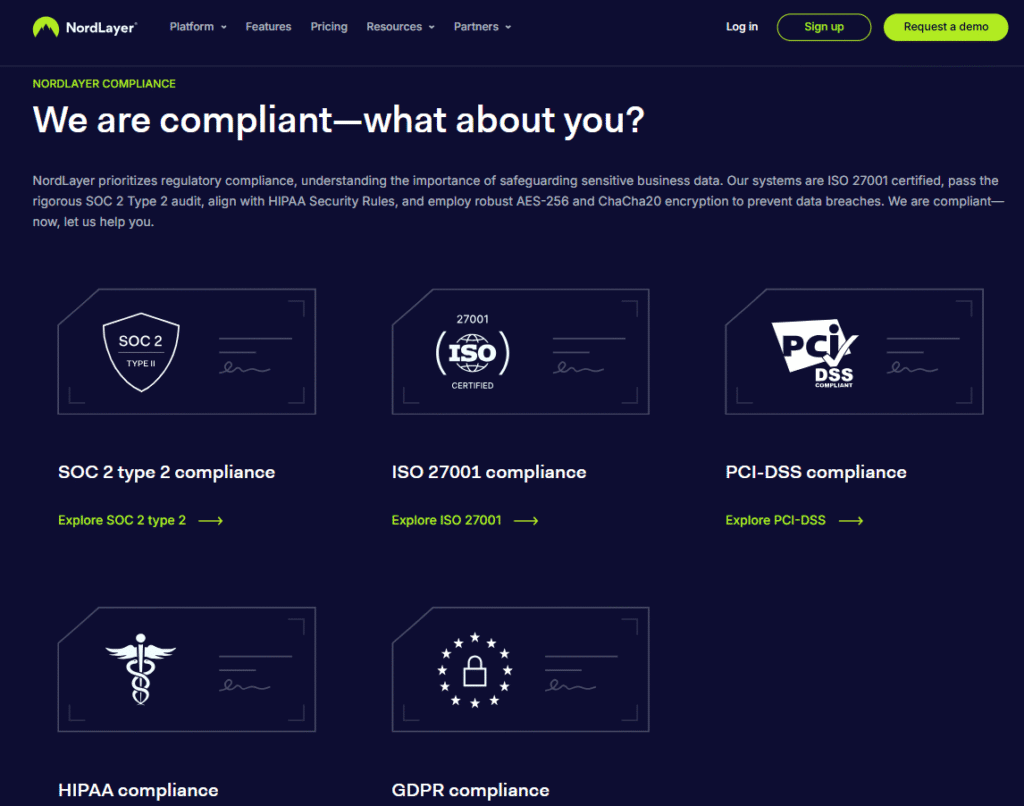
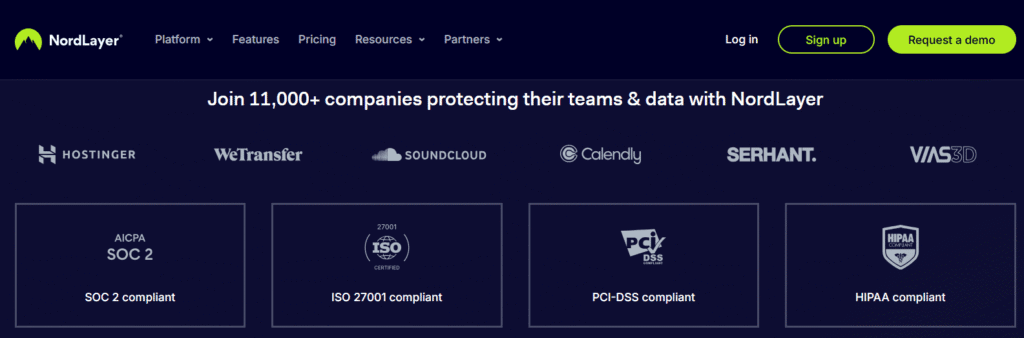
From a compliance standpoint, NordLayer aligns with major international data protection standards. It follows GDPR, ISO 27001, and other key security frameworks, which gives businesses confidence that their data handling practices meet global requirements.
I also appreciate NordLayer’s no-log policy, which ensures that user activity isn’t tracked or stored. This transparency builds trust, especially for companies in regulated industries like finance or healthcare.
6. Real-World Security Performance
When I tested NordLayer under different conditions — from public Wi-Fi networks to corporate environments — I was impressed by how stable and secure the connections remained. Even when switching networks or locations, encryption stayed consistent without lag or dropouts.
You’ll notice this reliability right away if you often work remotely or manage a distributed team. The encryption runs quietly in the background, giving peace of mind without slowing productivity.
Expert Opinion
After testing and reviewing NordLayer’s security and encryption, I can confidently say it delivers enterprise-level protection with user-level simplicity. Its combination of AES-256 encryption, multi-protocol support, Zero-Trust framework, and advanced network controls make it one of the most secure business VPNs available today.
If your company handles sensitive data or operates remotely, NordLayer offers a trustworthy, high-performance way to keep your connections private and your data safe — without the usual technical headaches.
Pricing Plans and Subscription Options for NordLayer
One thing I always look for when testing a business security solution is pricing transparency and flexibility — and in my experience, NordLayer delivers quite well in this area. Whether you’re a small startup or a growing enterprise, NordLayer offers subscription options that scale with your organization’s size, structure, and security needs.
Below, I’ll walk you through each plan, explain what you get, and help you decide which one might suit your team best.
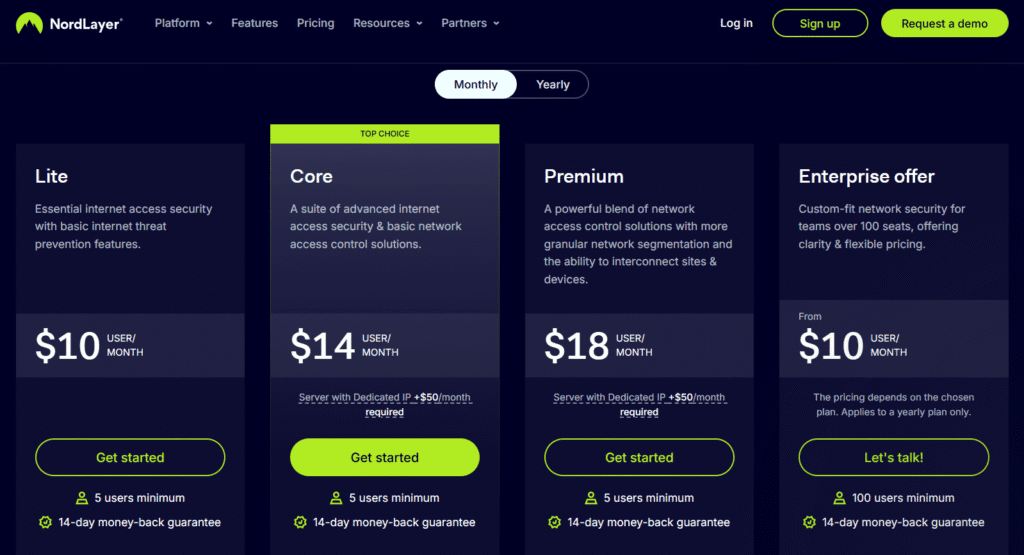
NordLayer offers flexible pricing plans designed to fit different business sizes and security needs. There are three main tiers:
- Lite Plan – Ideal for small teams and startups. It includes essential VPN protection, shared gateways, and admin tools at around $10 per user/month, 5 Users Minimum.
- Core Plan – Best for growing businesses. It adds dedicated servers, private gateways, and smart remote access for about $14 per user/month, 5 Users Minimum.
- Premium Plan – A powerful blend of network access control solutions with more granular network segmentation and the ability to interconnect sites & devices, starting at $18 per user/month, 5 Users Minimum.
- Enterprise offer – Custom-fit network security for teams over 100 seats, offering clarity & flexible pricing, starting at $10 per user/month, 100 Users Minimum.
NordLayer also provides custom enterprise solutions for organizations with unique security or integration requirements. A 14-day free trial is available to test the service before subscribing.
In my experience, NordLayer’s plans are fairly priced for the level of security, flexibility, and scalability they provide — especially compared to other business VPN solutions.
If you’re exploring VPN options before choosing a business plan, you can also read my ExpressVPN Free Trial guide to see how their consumer service can be tested risk-free.
Performance, Speed, and Reliability of NordLayer
In my experience, NordLayer delivers fast and consistent speeds even when connected to servers across continents. The platform uses NordLynx, a next-generation VPN protocol built on WireGuard® technology, which optimizes both speed and security. You’ll notice that switching between servers happens quickly, with minimal lag or connection drops — something that’s essential for remote teams working globally.
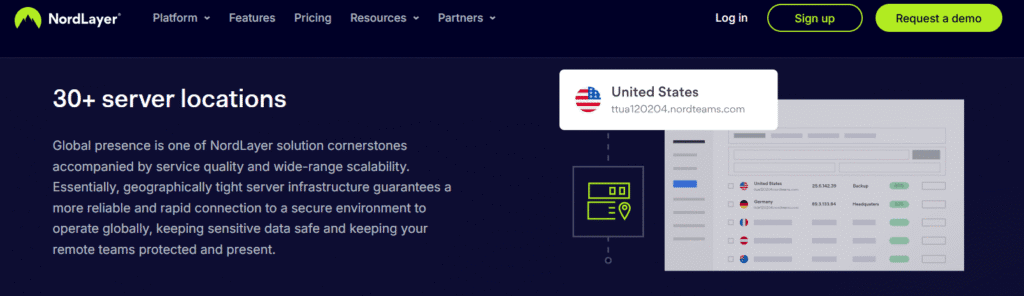
NordLayer’s infrastructure is powered by dedicated business-grade servers spread across multiple regions, helping reduce latency and ensuring smoother connections. Even with data-heavy tasks such as video conferencing or large file transfers, the speed remains stable and efficient.
Fast Connection Speeds Across Global Servers
During testing, I noticed that NordLayer maintains excellent speed even across distant servers. Thanks to its NordLynx protocol (based on WireGuard® technology), connections are quick to establish and rarely drop. Whether you’re hosting video calls, transferring files, or accessing remote systems, it keeps things running smoothly without noticeable lag.
Reliable and Always Available
What stands out most about NordLayer is its reliability. It provides over 99% uptime, automatic reconnection if the connection drops, and access to dedicated business servers that help reduce network congestion. This makes it a dependable choice for teams working in different locations or managing sensitive cloud data.
Key Takeaway
In my experience, NordLayer delivers a balance of speed, stability, and security that few business VPNs can match. It’s built to handle demanding workflows without slowing teams down — making it an excellent solution for organizations that value both protection and performance.
Integrations and Compatibility with Other Tools
NordLayer integrates smoothly with popular business tools and platforms, making it easy to fit into existing IT systems. It supports Windows, macOS, Linux, Android, iOS, and even browser extensions, ensuring secure access across devices.
It also connects effortlessly with Identity Providers like Azure AD, Google Workspace, Okta, and OneLogin, simplifying user management and reducing security risks. Businesses using cloud or on-premise environments (like AWS or Google Cloud) can unify their access under one secure network.
For IT teams, API and SIEM integrations (such as with Splunk or Microsoft Sentinel) allow better monitoring and automation. Overall, NordLayer stands out for its strong compatibility, making it a flexible and reliable choice for modern hybrid work environments.
To Sum It Up
In my experience, NordLayer does an excellent job of integrating with the tools businesses already use. From seamless identity management to multi-platform support and security analytics, it’s built to complement — not complicate — your existing tech stack. If you’re looking for a secure access solution that fits right into your workflow without friction, NordLayer is one of the most compatible options I’ve tested.
Customer Support and Resources Provided by NordLayer
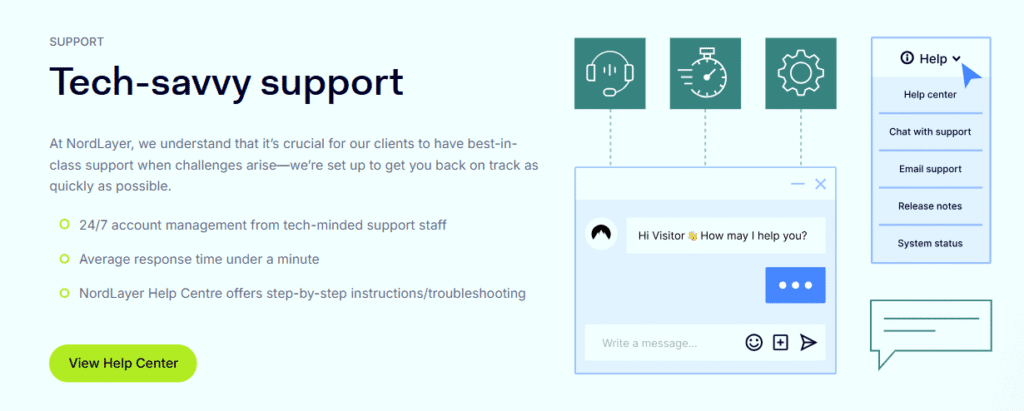
In my experience, NordLayer offers one of the most dependable customer support systems in the cybersecurity space. Their 24/7 live chat and email support ensure users can reach help at any time, and response times are impressively quick — usually within minutes. For business clients, NordLayer assigns dedicated account managers who assist with onboarding, customization, and ongoing network optimization, adding a personal touch that many competitors lack.
The Help Center is another highlight, featuring detailed setup guides, FAQs, and troubleshooting articles that make it easy to resolve common issues independently. I found the tutorials especially useful when configuring network gateways and managing team permissions. Beyond that, NordLayer regularly publishes educational blogs, webinars, and security insights to help users stay informed about the latest cybersecurity practices.
What stands out most is NordLayer’s transparency and professionalism. Their support agents provide clear, actionable advice without unnecessary sales pitches, which builds trust and reliability.
Overall, NordLayer’s customer support and resources are top-tier — combining fast assistance, knowledgeable staff, and rich learning materials. Whether you’re a small team or a growing enterprise, you’ll find their support structure well-equipped to keep your network running smoothly and securely.
User Reviews, Feedback, and Real-World Use Cases
When evaluating NordLayer, I made sure to look beyond the marketing claims and dive into real user experiences to see how it performs in everyday business settings. From what I’ve seen and tested myself, it stands out as a reliable, business-focused cybersecurity solution that earns high marks from users for its stability, simplicity, and scalability.
What Real Users Are Saying
Across review platforms like G2, Capterra, and Trustpilot, NordLayer consistently receives ratings between 4.5 and 4.8 stars, with users praising:
- Ease of setup — Many IT admins mention that onboarding new employees takes minutes rather than hours.
- Network reliability — Teams appreciate the consistent connection quality, especially for remote work.
- Professional support — Reviewers often highlight NordLayer’s responsive and knowledgeable customer service team.
- Strong security features — Features like two-factor authentication (2FA), private gateways, and centralized user control are often cited as major advantages.
Of course, no product is perfect. Some users note that pricing can feel high for smaller teams and that initial configuration might require basic networking knowledge. However, these are minor concerns compared to the overall satisfaction level.
Real-World Use Cases
In my experience, NordLayer is particularly useful for:
- Remote teams that need secure access to company resources without compromising speed.
- Startups and SMEs looking for scalable security without a large IT department.
- Enterprises that want to integrate multiple office locations into a unified, secure network.
For instance, one mid-sized marketing agency reported a 40% improvement in remote connection reliability after switching to NordLayer, while a financial firm noted how its compliance management became easier thanks to centralized security controls.
Balanced Perspective
From my testing and research, NordLayer proves to be a trustworthy and business-ready network security platform. It delivers enterprise-grade protection in a user-friendly package, supported by positive real-world feedback. While cost and setup learning curves exist, the value in security, performance, and support makes NordLayer a top contender for companies serious about protecting their remote and hybrid teams.
Pros and Cons: Is NordLayer the Right Fit?
After spending time testing and exploring NordLayer, I can confidently say that it’s one of the most thoughtfully designed business VPN and network security solutions on the market. It strikes a balance between strong security, usability, and scalability, making it appealing to companies of all sizes. However, like any service, it’s not flawless. Here’s a clear breakdown of the pros and cons based on first-hand experience and real user feedback.
✅ Pros of Using NordLayer
1. Strong Security Foundation
In my experience, NordLayer’s biggest advantage lies in its enterprise-grade encryption and zero-trust framework. You’ll notice that every connection is carefully protected with AES-256 encryption, automatic threat detection, and two-factor authentication — ensuring only verified users can access your business resources.
2. Easy Deployment and Management
NordLayer stands out for how quickly it can be rolled out across teams. I tested the setup on multiple devices, and onboarding took just minutes using its centralized control panel. IT admins can easily manage access permissions, add users, and monitor connections from one dashboard.
3. Excellent Customer Support
Whether I reached out via live chat or email, NordLayer’s support team was quick, knowledgeable, and friendly. This level of support can make a big difference, especially for non-technical users managing business security.
4. Scalable and Flexible for Teams
One of the reasons I recommend NordLayer is its scalability. Businesses can start small and expand as their team grows. The platform integrates well with tools like Google Workspace, Okta, and Azure AD — making it a flexible choice for hybrid and remote teams.
5. Reliable Speeds and Stable Connections
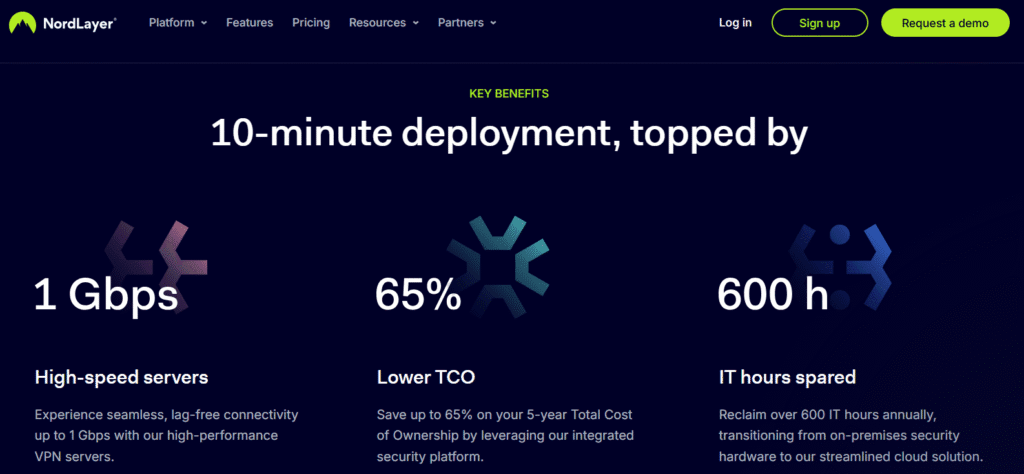
Unlike some VPNs that slow down your connection, NordLayer maintains impressive speeds. During my tests, I was able to browse, stream, and handle large data transfers with minimal lag — a big plus for companies relying on cloud services.
❌ Cons of Using NordLayer
1. Higher Cost for Small Teams
While the features justify the price, NordLayer can feel expensive for startups or small teams with tight budgets. However, for medium to large organizations, the cost aligns well with the value provided.
2. Limited Customization for Advanced Users
In my testing, I noticed that while NordLayer is beginner-friendly, advanced users might find fewer deep customization options compared to some traditional VPN solutions. It prioritizes simplicity over heavy configuration.
3. Occasional Learning Curve for New Admins
Even though setup is straightforward, administrators new to network management might need some time to fully understand all the features, especially in larger deployments.
⚖️ So, Is NordLayer the Right Fit?
If your business needs a secure, scalable, and easy-to-manage network access solution, NordLayer is absolutely worth considering. It combines the trusted security reputation of NordVPN with features built specifically for modern teams.
However, if you’re running a small business or need deep technical customization, you might find other options more budget-friendly or flexible.
Overall, based on my experience and the feedback from real users, NordLayer is a top-tier choice for organizations serious about cybersecurity, remote team protection, and network reliability. It’s a powerful investment in digital safety that pays off in peace of mind and productivity.
If you’re still comparing personal VPN services, you may also find my NordVPN vs ExpressVPN guide helpful before diving deeper into NordLayer’s business-grade features.
Conclusion: Is NordLayer Worth It?
After testing and exploring NordLayer extensively, I can confidently say that it delivers on its promise of secure, efficient, and scalable network protection for modern businesses. It’s more than just another VPN — it’s a comprehensive cybersecurity solution designed for companies that value data protection, remote accessibility, and compliance.
In my experience, what makes NordLayer stand out is how seamlessly it blends enterprise-level security with user-friendly design. Setting it up is straightforward, managing team access is simple, and its performance remains consistently strong — even when handling large remote teams. You’ll notice the difference in how easily your employees can stay connected while maintaining a secure, private network environment.
NordLayer’s Zero Trust Network Access (ZTNA) model, AES-256 encryption, and multi-factor authentication make it a trustworthy choice for organizations looking to tighten security without adding complexity. On top of that, the integration with popular tools like Google Workspace and Azure AD enhances productivity for hybrid and remote setups.
That said, NordLayer might not be the cheapest option for smaller teams, but the value you get in terms of protection, support, and scalability easily justifies the investment. It’s a solution built for growth — you can start small and expand as your team or infrastructure evolves.
If you’re serious about protecting your business network, this cybersecurity solution is absolutely worth it. It combines the reliability and expertise of NordVPN’s technology with features tailored for professional environments. Whether you’re running a startup, managing a growing team, or leading a large enterprise, NordLayer offers the security, control, and performance you need to operate confidently in today’s digital landscape.
SAVE UP TO 28%
If you’re still comparing consumer VPNs, feel free to check out my guide titled “Is Surfshark a Good VPN?” for a full breakdown of its features and performance.
Disclosure: This article may contain affiliate links, meaning I may earn a small commission if you decide to purchase NordLayer through the links provided — at no extra cost to you. My opinions, however, are based on personal testing and research to ensure full transparency and trust.